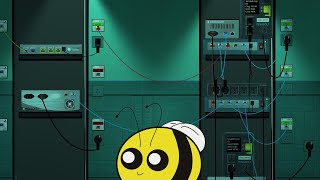

Building My Own Internet Tower
45sThe unique concept of a roguelike game centered on networking immediately intrigues viewers.
▶ Play Clip"Title is slightly exaggerated but mostly accurate; the streamer does build their own network in a game."
The video is a live stream of the game 'Tower Networking Inc', a roguelike where the player manages a network in a growing tower. The streamer sets up network equipment, connects floors, and configures services like DNS and VoIP, while discussing the game's mechanics and early access state.
The streamer introduces 'Tower Networking Inc', a roguelike game about networking a tower, and expresses excitement about its potential.
Starts a new game on 'Endless Babble' scenario in standard mode, noting they have lost even on zen mode before.
Uses survey to see floors: two floors above, one with three users, another with a producer company and a user.
Orders power cables and network cables (blue, 500-1000 length) to connect equipment, planning ahead for future needs.
Starts plugging in cables and debugger, setting up basic connections without worrying about standards yet.
Moves to next floor, finds users and a service, orders cables and a switch to connect them, using color coding (red for uplinks).
On another floor with a chat hive and a user, decides to use two switches instead of one, ordering more cables and a switch.
Connects switches, turns them on, and notes the importance of remembering to power them on. Cables are longer than needed.
Finds a 'sun' upgrade that reduces power cost by 20%, but unsure if worth it. Also sees 'Better dark than magic smoke' upgrade.
Installs DNS server on a server, assigns it a name (DNS), and configures it to resolve addresses for users.
Makes a DNS entry for a service so users can access it, using 'DNS map' command. Checks surveyor to confirm it's active.
Discusses unlockable apps: sticky notes, racking, music player, network graph, socket system. Also mentions market with equipment.
Only five simple switches available initially, two rack-mountable, one mixed media (fiber and Ethernet). Notes five-digit addresses instead of octets.
Each day, floors pay for meeting needs, and the tower expands automatically. Next floor is a recycling center.
Game just released into early access; hopes for more roguelike elements like random equipment defects.
Prepares for a new floor by buying a 10-port switch and a 5-port switch, planning to color-code cables (green for servers, red for uplinks).
Starts organizing cables with color coding, swapping some cables for green to keep organized. Buys a power expander.
Accepts the next floor early (day 4) to prepare. It will auto-build on day 7.
On floor 3, finds three users (all just users). Uses a media converter for a fiber connection, buys a switch and cables.
Discovers no power outlet where needed, improvises by leaning equipment. Scheduled power outage occurs, but can't afford backup.
Connects users on floor 3 with cables, including a VoIP phone. Plans to set up VoIP service for extra money.
Connects VoIP phones to the network, but they won't work until a server is set up. Scans for devices to see them.
Buys a server for VoIP (needs higher specs), installs VoIP server program, registers a domain name (speakphone.com.net), and maps DNS.
Prepares for recycling floor (auto-builds day 7). Sets up a cheap switch and connects it. Uses recycling to sell old equipment.
Companies release new products: new servers from server shop, and Conduit Systems (Cisco analog) releases new equipment.
Hooks up four floors total. Prepares for residential floor and software nexus. Orders cables and switches.
Decides to push forward and build new floors instead of waiting. Orders equipment for floor 5 and 6.
On floor 5, sets up two shelves and switches to connect four Ethernet users. Uses cable droop physics humorously.
After connecting floor 5, checks if users are happy. Some are inactive. Notices a request for a new data center floor.
Accepts a request for a data center floor that will provide extra rack space. It will arrive on day 9.
Experiences an overload on a connection. Upgrades internet for a user, but notes high daily cost. Confused by interface.
Adds another part of the building (floor 6) with security equipment and a software company. Needs to set up CCTV streaming and digital payment validation.
Uses a mixed media switch for floor 6. Orders fiber optic cables and a media converter. Connects security equipment.
Connects floor 6 to the network. A switch burns out (magic smoke), replaces it by moving cables. Uses recycling to dispose of broken switch.
Mentions the 'scream test' for troubleshooting: unplug a cable and if someone screams, it was important.
Users want CCTV streaming. Buys a server with 10 storage space and installs surveillance monitoring service (RTSP1).
Gets an SLA violation for user 'Frosty Monkey' and fails the run after 8 days. Reflects on improvements needed.
Recommends the game, notes it's designed for multiplayer co-op. Plans to continue playing and stream more regularly.
The streamer enjoys the game's concept and early access state, hoping for more roguelike elements. They recommend it for a taste of IT life, despite some interface issues.
What is the name of the game being played?
Tower Networking Inc
00:01
What scenario does the streamer choose to play?
Endless Babble
00:52
What command is used to create a DNS entry?
DNS map
16:42
What is the 'scream test' in networking?
Unplug a cable; if someone screams, it was important.
80:57
What upgrade reduces power cost by 20%?
Sun
13:56
What is the name of the Cisco analog company in the game?
Conduit Systems
52:14
What does the recycling floor do?
Allows you to sell old equipment for money.
48:35
What is required to set up VoIP service?
A server with sufficient specs, VoIP server software, a registered domain name, and DNS mapping.
39:33
What caused the streamer to fail the run?
An SLA violation for user 'Frosty Monkey'.
84:49
How many days did the streamer survive?
8 days
85:07
Game Introduction
Introduces the unique concept of a roguelike networking game.
00:01Setting Up DNS
Demonstrates a core networking task in the game.
14:31Early Access Hopes
Highlights the potential for roguelike elements in the game.
22:16Scream Test
A humorous and practical troubleshooting method from real IT.
80:57SLA Violation
Shows the consequence of not meeting user needs in the game.
84:49[00:01] Hello. Hello everyone. Welcome to Tower
[00:05] Networking. Um, where I am networking a
[00:07] tower. Yep. So, what this is, I'm
[00:12] currently in the lab, as you can see,
[00:14] since it's a easy. We'll go with that.
[00:20] This game is a rogike built around
[00:25] it networking. [laughter]
[00:28] And so yeah, uh very very interesting
[00:31] idea. I am super excited to see where
[00:33] this goes. But I have been playing
[00:36] around in the lab just kind of figure
[00:38] out how the game works. I haven't
[00:39] actually done a real run yet.
[00:43] And so
[00:45] that's what I'm looking to do.
[00:52] So let's go ahead and we'll start a new
[00:54] game. Go to scenarios, endless babble,
[00:58] and we will set it to standard mode so
[01:00] that I can actually lose. Well,
[01:01] actually, I've managed to lose on zen
[01:03] mode anyway.
[01:05] That was embarrassing. Uh, but we're
[01:07] going to play on standard.
[01:11] Don't need to worry about that.
[01:16] Yeah, this will be my first time
[01:17] actually playing the full the the actual
[01:20] game portion of this.
[01:34] What was that? What?
[01:47] Hold on. Hold on. You You wait. You
[01:51] wait.
[02:04] there. That's a good lazy announcement.
[02:08] Excellent return.
[02:14] Okay so
[02:16] I have a limit of like a grace period of
[02:19] a couple of days when you start
[02:23] Uh let's get a survey of who is in the
[02:26] tower right now. There are two floors
[02:28] above us.
[02:30] One appears to be three users and the
[02:33] second floor is a
[02:37] producer
[02:39] company something like that and another
[02:42] user. So
[02:45] okay. Okay. Let's pick two of these
[02:50] to map to upstairs. Damn it. Come on.
[02:56] Uh
[02:58] SPWP
[02:59] and
[03:02] uh BMQ.
[03:04] Sure. Mhm.
[03:11] And I suppose I should get things
[03:13] ordered and plugged in a little bit.
[03:16] Uh, I need at least four cables.
[03:20] And hello there. Oh, it's good to be
[03:22] back. Thank you.
[03:26] The grand return. We'll do a little
[03:29] computer networking.
[03:32] Let's see. I need cables
[03:36] first. A bunch of power cables. Uh, but
[03:39] in planning ahead,
[03:41] I'm going to buy a Is that worth it? How
[03:45] much? 10k.
[03:49] Maybe it's not worth it right now.
[03:53] We're just going to go with raw power
[03:55] cables.
[04:00] I have a feeling those aren't long
[04:01] enough.
[04:03] We'll buy a big long one just in case.
[04:07] And network cables. Uh, same thing just
[04:11] to make sure.
[04:14] And we're going to make them blue.
[04:16] 500s. No, that's not long enough.
[04:20] Five. 1,000. One, two, three, four,
[04:23] five. Sure. Five. Yep.
[04:27] Chip it.
[04:35] Okay, let's get some stuff plugged in.
[04:40] What was this?
[04:42] 500.
[04:46] Plug in the debugger. Oh, that's a long
[04:49] one.
[04:50] That's much longer than I needed.
[04:54] I can always reuse it somewhere else.
[04:56] Thousand,000.
[05:04] I am just plugging them in. I am not
[05:06] even worrying about a standard or
[05:09] category or anything like that right
[05:11] now.
[05:12] Just no. No. Grab it. Grab it. Grab it.
[05:17] Just plug them in. Okay.
[05:21] And then make sure this is turned on. Is
[05:24] my debugger active?
[05:30] Uh, DND using
[05:35] address 66577.
[05:39] You can right click on them to Oops.
[05:42] I meant to put the using.
[05:46] Okay good.
[05:48] And always
[05:51] using that one.
[05:54] So now I don't have to type it every
[05:55] time.
[05:58] Go away.
[06:01] Okay. Up to the next floors.
[06:03] Oh, next floor.
[06:11] Okay, we got one user there.
[06:16] Another user there and another one right
[06:18] there. Oh, they're satisfied. They don't
[06:20] even need the internet. They're happy.
[06:22] Just as is.
[06:26] Uh, if you hold T and then you see the
[06:28] distance to something. Okay, that's
[06:31] going to be right on the edge. Unless I
[06:33] did 1,500 cable and I set this server
[06:37] right there or set the switch right
[06:40] there and then a,000
[06:43] and 1,000
[06:47] then a 500ish.
[06:50] Okay, let's order a couple things.
[06:57] I will need
[07:00] what was it? 1500 cable.
[07:03] I think it was. I'm going to I'm going
[07:04] to hope it was.
[07:08] And then there was 2,000s
[07:12] and a 500 for the uplink. I'm going to
[07:16] make that in red. I'm going to start
[07:20] thinking about a standard.
[07:22] Whether or not that standard stays,
[07:26] we'll see.
[07:29] Then I need power cable and a network
[07:32] switch.
[07:34] I don't think I need anything more than
[07:35] this one.
[07:51] You can sit in there and then you um I'm
[07:56] going to flip around so it's closer.
[08:01] Plug it in.
[08:04] A blank
[08:06] and then a,000 and a500.
[08:10] That one.
[08:13] Got it. Oh. Oh no. Come on. Come on. You
[08:17] can do it.
[08:20] Oh no.
[08:23] Maybe a little closer to the edge. Will
[08:25] that be okay? Come on. Really stretch
[08:28] that cable.
[08:33] Well, this isn't good. Might have to buy
[08:36] a new cable.
[08:38] Hey, I got it to work. All right. It's
[08:40] It's a little stretch, but it'll work.
[08:44] No.
[08:46] Oh, come on. Not you, too. Not again.
[08:51] All right. [laughter]
[08:52] There we go. Good enough. It works. It
[08:56] works, right? They're happy.
[08:59] I'm I'm going to assume they're happy.
[09:02] Oh, wait. I haven't hooked it up.
[09:05] IW.
[09:12] All right. IW.
[09:15] And we're just going to go to the next
[09:16] floor.
[09:20] What do we have here?
[09:23] Uh, we've got the chat hive
[09:26] and one user way over here. What are you
[09:29] doing man?
[09:41] really don't want to use two ports
[09:45] heading down.
[09:48] I think I'm going to go with just two
[09:49] switches instead, which is also
[09:51] terrible, but they're cheap.
[09:55] So, we're going to throw switches at the
[09:56] solution.
[10:02] How long are the cable?
[10:07] Yeah, I'm done. Yeah, just
[10:11] just order some.
[10:14] There's two of those.
[10:18] And I probably need at least Yeah, 1500
[10:21] for that.
[10:23] It's going to be a red
[10:26] a link between them.
[10:30] And
[10:33] what's going to be the port I use to
[10:36] connect back down? It's going to have to
[10:38] be that one.
[10:40] Does that reach
[10:43] with a 2000? It does.
[10:49] Well, let's try it.
[10:53] That's everything, right? I hope that
[10:56] was everything.
[10:58] I don't recall.
[11:01] >> All I knew was order things and hope for
[11:03] [music] the best.
[11:21] Okay.
[11:23] Wait a minute. I didn't order that many
[11:25] red cables.
[11:27] Oh, I must have decided to make them all
[11:28] red
[11:30] because I changed what the color was. I
[11:33] was hoping I could add a red one to the
[11:34] order of the 2000, but it went No, not
[11:38] how that works.
[11:47] As long as I can get it to work, that's
[11:50] what I care about.
[11:55] Okay. So, this is EWGA.
[12:00] EWGA. Okay.
[12:05] And then a 2000 and a 2000.
[12:10] These cables are way longer than I need
[12:12] them to be.
[12:14] I oversized it just a little bit.
[12:20] Oh, can't forget to turn them on either.
[12:22] Very important to remember to turn on
[12:24] the switch.
[12:28] >> All right, we'll go ahead back down to
[12:30] first floor. Check make sure I plugged
[12:32] everything in
[12:34] and turned it on. Okay, everyone's
[12:37] plugged in except for the VoIP phone,
[12:39] but I'm not doing that yet. I don't
[12:41] care. I hate working with VoIP phones.
[12:51] What was I doing? Oh, I need to hook
[12:54] these up. Okay, so
[12:58] bring this down.
[13:02] And tower link zero
[13:06] SPWP to floor one. I'm going to go with
[13:12] and that's going to be to EW.
[13:18] Just a regular copper line. Then this
[13:20] one to BMKQ
[13:24] floor 2 EWG and I can't pick the other
[13:27] one because the other one is a fiber
[13:29] link.
[13:31] So not able to take advantage of that
[13:33] one. I might want to use the fiberlink
[13:35] in future for that service because it's
[13:38] a like a server instead
[13:43] and so it's going to have a lot of
[13:44] traffic heading into it.
[13:56] Okay. What's in here?
[14:04] Okay.
[14:06] Let's make a sun.
[14:10] Reduce power cost by 20%.
[14:14] I don't know if that's worth it.
[14:18] Better dark than magic smoke. Uh, I
[14:22] guess.
[14:27] All right. What's the next thing I need
[14:29] to do?
[14:31] I need to install DNS on the server.
[14:34] That's what I need to do. Okay.
[14:38] Uh here.
[14:41] Actually, first thing I'm going to want
[14:42] to do is assign a name to the server.
[14:47] Oh, what is it? Um,
[14:49] no, it's net
[14:53] net address set
[14:57] at DNS on
[15:01] 46 346.
[15:04] Okay. So now I can refer to that as DNS
[15:09] and it will show it in here in the
[15:10] devices when I scan it.
[15:13] And hello there to you. It has been.
[15:17] Welcome back.
[15:20] I'm doing a little network management.
[15:24] This is a neat little game. It's trying
[15:26] to be a rogike as a
[15:30] network engineer. Very interesting idea.
[15:42] So let's see program list.
[15:46] I need the DNS light server.
[15:53] Oh, I'm doing well now.
[15:56] Mostly it's just been schedule shifts
[15:58] have made it really difficult to find a
[16:00] good time to stream. But I'm hoping to
[16:02] start getting more in now.
[16:06] Get coffee.
[16:12] The way computer people name things is
[16:16] I mean I understand it [laughter]
[16:19] but it will never not be kind of just uh
[16:24] all right let's see
[16:27] program install DNS light on at DNS
[16:34] and then start
[16:42] Okay, so now I have that up and running
[16:44] and I need to make a DNS entry for that
[16:47] one server or that one service. Uh, I
[16:51] don't have it marked in there. Should go
[16:53] do that.
[16:55] You can add items to the clipboard.
[16:59] Yep. You unlock better networking
[17:02] equipment
[17:04] and you
[17:08] have like um different bonuses you can
[17:11] receive as you play. Like you want to
[17:15] put money towards this open-source
[17:18] project and it will give you a command
[17:20] later on that you can use to simplify
[17:23] your network in some way. Or you might
[17:26] get access to say firewalls early to
[17:28] deal with worms on the network.
[17:32] Really interesting ideas here.
[17:37] And I've already accidentally screwed up
[17:38] this floor because I ordered all the
[17:40] same color cable on accident.
[17:44] So this is going great
[17:49] or annoying depending on your mood.
[17:50] [laughter]
[17:53] Yeah, I I know Unix and Linux
[17:56] enough.
[17:58] I can use command line. I can edit and
[18:02] write in Vim. Um
[18:05] I've had to write machine code before,
[18:07] that sort of thing, but it's not an
[18:09] everyday thing I do. Yes, this the cable
[18:12] spaghetti is my favorite part. It really
[18:15] helps sell it. Like it's going to be a
[18:17] mess in no time.
[18:23] Uh let's see. Okay, so in the clipboard
[18:25] then I've got this one and I need to
[18:27] make a DNS entry for it so that the
[18:30] users can get to it.
[18:34] Right. DNS map
[18:38] site.
[18:40] Uh
[18:42] as
[18:45] I think I need to put in their address.
[18:52] Okay. And then I can check surveyor. And
[18:56] it's active. All right.
[19:02] And they're happy.
[19:04] They have over the number of users they
[19:06] can handle.
[19:08] Good for them.
[19:10] But yeah, there's a couple of things in
[19:12] here. So, there is
[19:15] a set of items that you can unlock or a
[19:17] set of apps within your little tablet
[19:20] here that you can unlock. One gives you
[19:22] access to sticky notes that you can
[19:25] write to leave notes to yourself. Like
[19:27] if I wanted to mark this is for floor
[19:30] two, this is for floor one. or if I
[19:32] wanted to mark on my server that this is
[19:34] the DNS server, that sort of thing. Uh,
[19:37] if you hover over them, it does show you
[19:39] it. But if you need a quick reference,
[19:41] you can do that. Uh, racking so that you
[19:44] can buy new server racks, um, new little
[19:48] shelves to put somewhere.
[19:51] A music player that is a reference
[19:56] classic. A network graph system. That is
[19:59] actually kind of cool.
[20:02] um socket system. Add more socket to the
[20:05] wall,
[20:07] that sort of stuff
[20:09] in the market. There is everything.
[20:14] And it continues and you get you find
[20:16] you get more as the game progresses like
[20:19] companies release new things.
[20:28] So, like in the switch category, I only
[20:30] have these five to pick from right now,
[20:32] and they're very simple ones. Um, there
[20:35] are two of them that are rack mount
[20:43] and
[20:45] only one of them is mixed media.
[20:50] uh mixed media being it can take fiber
[20:53] connections and Ethernet connections,
[21:00] but it has some good simplifications and
[21:03] spots. At first, it was a little strange
[21:05] for me to get used to the whole network
[21:08] addresses being five digits instead of
[21:10] the octet system we use, but this is
[21:13] better. Honestly, there's no need to do
[21:15] anything else. And when thinking about
[21:17] it, the octet, the octic system is
[21:20] arbitrary in the first place for what we
[21:22] needed. So using an arbitrary system
[21:25] here works as well, just as well.
[21:29] But as the game progresses each day, you
[21:32] get payment from the floors for meeting
[21:35] their needs
[21:38] and the tower will expand
[21:42] and it will tell you when or you can
[21:44] tell it to do it automatically.
[21:47] So this one's going to have it looks
[21:49] like three users on it, but it will only
[21:52] tell you what one of them is going to
[21:54] be.
[21:55] Oh, looks like there's another flow
[21:57] that's going to happen.
[21:59] the recycling floor. Okay, so that one
[22:01] will have a recycling center. I think
[22:03] all I need to do with that one is
[22:04] similar to the other, just set it up
[22:06] with a DNS entry, connect it to the
[22:08] system.
[22:16] Yes, in here are proposals. This game
[22:18] just released into early access, so
[22:22] I'm really excited to see where they
[22:24] take it. And I'm hoping they lean heavy
[22:27] onto the roglike aspect. Um, there's all
[22:30] kinds of things that they could do with,
[22:32] say, finding network switches that you
[22:36] can get them really cheap, but maybe one
[22:38] or two of the ports don't work
[22:39] correctly, like they only get 50%
[22:42] capacity on them. Things like that.
[22:44] There are little things that you could
[22:45] do to help
[22:48] Add those elements of randomness.
[22:52] Break time. No, I don't need break time.
[22:54] I'm I'm good. What day is it? Day two at
[22:57] 2:00 a.m.
[23:02] Harmonious ocelot.
[23:04] Okay.
[23:06] Thunderous cheetah. Unpleasant badger. I
[23:09] know that one.
[23:14] Yeah, they definitely have some uh
[23:16] interesting names.
[23:18] Okay, let's see here.
[23:21] So, if I'm going to prep for another
[23:23] floor before those are even built,
[23:27] it will automatically accept it on day
[23:29] five and it will build it automatically.
[23:33] But I can take a little bit of time and
[23:36] prepare.
[23:38] So, let's think about that. I'm going to
[23:41] want to expand this. I need more ports.
[23:46] And I'm going to need to turn two more
[23:49] of these ports
[23:52] into
[23:54] links to the other floors. That's kind
[23:56] of how you manage getting to the other
[23:59] floors.
[24:00] Is there a cable management system?
[24:04] Your own forethought
[24:07] is the best way to put it. So like color
[24:09] coding coming up with a standard of
[24:12] servers are always connected by a green
[24:14] cable sort of idea or uplinks to the
[24:17] wall are red while links between
[24:21] switches are done in yellow.
[24:24] It's much more old school in terms of
[24:28] how to deal with it. It strikes me as
[24:31] early 2000s
[24:33] network management
[24:35] before there was a lot of
[24:39] the understandings that we've learned
[24:42] and why we don't do it those ways
[24:44] anymore.
[24:50] Let's see. I'm going to buy a 10 port
[24:52] switch
[24:55] and another five port.
[24:58] I'm going to get power cable for that
[25:01] one and a power cable for the other one.
[25:08] And I'm going to start doing a little
[25:11] bit more thought into
[25:13] how I wire these. I'm going to go ahead
[25:15] and swap some of these out for other
[25:17] colors so that I can keep it organized a
[25:19] bit better.
[25:22] These ones I'm going to do in green. I
[25:24] am going to go with these units are in
[25:27] green.
[25:33] And I've got a couple of the days to
[25:35] think it over before it auto accepts the
[25:37] next floor.
[25:49] Okay. And go ahead and toss that there.
[25:53] We got this one.
[25:57] I'm just going to put it there.
[26:02] Link and
[26:04] link.
[26:07] Okay.
[26:10] Actually, I could even just put this one
[26:11] right here for now.
[26:14] This is my stack.
[26:20] Maybe it is time I get something to plug
[26:23] all of these into better.
[26:28] I'm going to get a power expander.
[26:32] We'll go with this one.
[26:53] Although I forget I do need to get
[26:55] something to plug it in with.
[27:03] Okay, I guess I'll go with that one
[27:04] first
[27:06] just to get it plugged in. And I need to
[27:08] order another power cable now.
[27:11] Are there any short ones of the
[27:17] No, there isn't.
[27:23] Guess I'll just order a couple so I have
[27:24] them.
[27:35] I also like that you can unplug a cable
[27:37] just by yanking it.
[27:40] Do not do that. [laughter]
[27:44] This one.
[27:48] Oh, and you can use the boxes to store
[27:50] them again.
[28:04] Okay, hook that up.
[28:08] Oh, I do need one more
[28:12] little network cable.
[28:15] Did I do that right? No, I did not.
[28:22] Everything's plugged in, right? Okay.
[28:25] Okay, I think everything's plugged in
[28:27] now.
[28:41] What's the distance here?
[28:43] Under 1,000 over 500.
[28:49] Okay,
[28:52] I guess let's accept the next floor.
[28:56] We shall push it ahead on our own.
[29:12] All right, let's take a look at this.
[29:14] Actually, I got to write down what one
[29:16] it's going to go to first. Probably this
[29:19] one up at the top.
[29:22] I don't need to mark these anymore.
[29:26] Is that what that was?
[29:31] Yes.
[29:33] A really strange apple.
[29:39] All right, let's go find on floor three
[29:42] one that we can use.
[29:47] Okay, there are three here. Are they all
[29:50] just users?
[29:54] Okay, they're all just users. That's
[29:56] good.
[30:01] Oh. Oh, yeah. Mr. Special over here got
[30:04] the fiber run into his apartment. Yeah,
[30:07] sure. Mhm.
[30:12] Okay.
[30:16] I will need to buy the rack software
[30:22] so that I can install a rack. Actually,
[30:26] I'm just going to install this a shell
[30:33] and one over here.
[30:41] And there. I'm just going to toss in a
[30:43] media converter because they're not
[30:46] special enough to for me to warrant
[30:47] using a link for them. No, not
[30:49] happening buddy.
[30:51] Not happening.
[31:00] You get a media converter and that's
[31:02] what you get.
[31:16] I'm going to end up needing two of those
[31:17] anyway.
[31:19] Buy a network switch.
[31:22] I don't know what I need yet. I'm just
[31:23] going to buy one.
[31:26] When all else fails, throw a switch at
[31:28] it.
[31:32] Is that everything?
[31:38] I'm just going to order and see what I
[31:40] got.
[31:43] Oh, I need to order a fiber optic cable
[31:46] under a,000.
[31:53] Oh, they don't even sell it at that
[31:54] 1,500. It is.
[32:20] Uhoh. I didn't realize there wasn't a
[32:21] power outlet there.
[32:26] This might not work so well if I just
[32:29] kind of lean it over a bit. Maybe this
[32:33] maybe this will be fine. It's going to
[32:35] be fine.
[32:37] [laughter]
[32:37] That's fine.
[32:39] Sure. That's fine.
[32:47] It'll get there.
[32:50] Oh.
[32:54] >> [laughter]
[32:54] >> I like being able to flip them upside
[32:56] down. It's so awful. And it's perfect.
[33:02] Yeah. Ju just don't mind the cable
[33:04] sagging across your door as you come
[33:05] home.
[33:07] You wanted the internet, right?
[33:13] Well, don't complain about how you get
[33:15] it.
[33:20] What?
[33:25] Oh fine.
[33:30] Okay. Scheduled power outage. Not really
[33:33] much I can do about because I'm using
[33:34] two pieces of equipment. It would be too
[33:36] expensive to get
[33:39] multiple backups at this point. So,
[33:43] that's not what they're getting. They
[33:44] get to have a power outage.
[33:59] Okay, that one's ordered. And then I
[34:01] need
[34:05] GSWR. We'll go to that one.
[34:16] What was it on zero? I was going to use
[34:18] a YPL. Okay. Then 23 PSWR.
[34:25] Got it.
[34:31] Did the power go out?
[34:35] Nope.
[34:45] All right, there's one.
[34:47] And there's this uplink here.
[35:02] I'm going to have a couple users.
[35:06] We got one in blue. for that point.
[35:12] Another one for over there.
[35:16] I need to consider adding the VoIP
[35:17] phones soon. I can make a little bit of
[35:19] extra money on those by running my own
[35:21] service.
[35:28] And what was this one?
[35:31] Under a thousand.
[35:35] All right.
[35:37] Red cable here.
[35:42] Red cable there.
[36:01] And there we go.
[36:03] Everyone's hooked up. Awesome.
[36:09] Now, did I remember to actually hook it
[36:10] up on the bottom floor? I don't think I
[36:13] did.
[36:15] I don't think I did.
[36:22] I did not. I did not.
[36:26] So, for now, it's getting one of these.
[36:29] I will fix that at some point.
[36:36] I do not know when.
[36:45] All right. Now, let's check and make
[36:46] sure everybody is happy.
[36:50] Okay, they are mostly happy.
[36:55] Now, let's check saturation on these
[36:57] floors. How are they doing?
[37:01] They're doing okay.
[37:05] I think there's a VoIP phone on one of
[37:07] those floors. I could probably add that.
[37:11] And then I can go ahead and start the
[37:12] VoIP service. Okay. Yep. Yep. There's
[37:14] one right here.
[37:22] No.
[37:24] That one.
[37:28] And then 1,000 in blue.
[37:33] Come on. Give me, give me, give me, give
[37:35] me.
[37:37] Gotcha.
[37:42] All right, that's connected. Now, those
[37:45] won't actually do anything until I take
[37:47] the time to put together the server for
[37:50] it.
[37:52] But I have two of them on the network
[37:54] now. And I think I can actually see
[37:57] them. If I do, maybe.
[38:00] No, this Oh, no. It's um scan users.
[38:06] Is that it?
[38:08] Oh, that's not it. How do I see devices
[38:11] that are not use that are not my
[38:14] devices?
[38:17] Public VIP phone got a different name to
[38:20] it.
[38:27] Oh. Oh, I see.
[38:32] Scan and all. There we go.
[38:35] That's what I want to be able to see.
[38:40] All right. Uh, there is a public VIP
[38:42] phone. And where's the other one?
[38:46] Oh, there it is. Okay.
[38:49] What are those classified as?
[38:53] They're not users.
[38:58] Taps maybe.
[39:05] No.
[39:08] Oh well, not important right now.
[39:14] We are going to go double check. Make
[39:16] sure there's not another phone on this
[39:18] floor. Nope, this one's fine.
[39:33] All right, I need a server.
[39:38] How much money do I got?
[39:50] Oh, shoot. What is it? What What does
[39:52] the VoIP server use?
[40:03] All right. CPU load of five,
[40:07] install size of five, memory size of
[40:10] two.
[40:13] Okay. So, I can't use
[40:16] the cheapest server for this one. Means
[40:19] I have to go one server up.
[40:23] Yes, this is four CPU.
[40:30] Okay, we're just going to buy the next
[40:32] level up.
[40:36] Bit expensive.
[40:46] And do I want to entertain putting a
[40:49] surge unit on this one?
[40:53] I'm going to start I think investing in
[40:56] them.
[40:58] It's hard because the warranties on them
[41:00] are very very
[41:02] quick. Like a 5day warranty.
[41:12] Come on.
[41:14] There we go. Server.
[41:16] And I suppose I could toss it on here,
[41:18] but that might get confusing.
[41:22] Yeah whatever.
[41:25] I will hook up both servers to it. Oh,
[41:27] that don't fit.
[41:33] Okay,
[41:35] well, let's fix that. That was really
[41:37] good for the hard drive.
[41:40] [laughter]
[41:41] Yep, that went well. I suppose I maybe
[41:44] should turn it. That might help.
[41:48] Or maybe just not try to cram it in
[41:50] there. But I'm going to try again
[41:51] anyway.
[42:02] Well, it had already unplugged.
[42:04] Everybody that was trying to connect to
[42:05] it is already having issues. They'll be
[42:07] fine.
[42:16] Really?
[42:21] Okay, now I need Whoops, that is the
[42:23] wrong thing. Nope, I need another
[42:27] network cable 500 in green.
[42:32] Send it.
[42:36] Well, that's on its way. Let's figure
[42:39] out what this is and assign it an
[42:40] address.
[42:49] Vo
[42:50] on
[42:53] that.
[42:55] No, that's not right.
[42:57] Oh, I haven't even connected it. That
[43:00] would be why it's not working. Yeah,
[43:03] that makes sense. I didn't hook it up.
[43:10] Usually pretty important to hook it up.
[43:15] Why is my thing making noises?
[43:21] What?
[43:24] Oh, it's pulling too much power. I see.
[43:27] I see. Oops.
[43:31] Okay. Um,
[43:36] well, that's not hooked up much yet, so
[43:38] it's fine.
[43:42] I guess we will go with
[43:47] this is getting put up here.
[43:52] Did this This works.
[43:55] This works.
[43:58] Yeah, we'll go with that.
[44:05] Power outage on floor three. I hope
[44:07] they're okay with that cuz I can't help
[44:10] them.
[44:18] All right. So, let's go ahead and assign
[44:20] the address on this.
[44:25] There we go.
[44:36] Did I lose this one? Where's my DNS
[44:38] server?
[44:41] Don't tell me I lost my DNS server.
[44:47] Okay,
[44:49] we'll see.
[45:09] All right. So now we got to install the
[45:14] VoIP server program
[45:18] on that server. Okay. Program install
[45:23] VIP server on
[45:26] that boy. Okay.
[45:29] And then start it. I think it's set to
[45:32] auto start, but on some difficulties it
[45:34] doesn't. So, I'm just going with the
[45:37] habit of you start it yourself.
[45:49] All right. So, that is set. It knows
[45:50] it's at that. And then the next step is
[45:54] I have to purchase
[45:57] a
[45:59] website register
[46:02] or I have to register a domain name.
[46:08] speak phone
[46:11] and you can pay a whole 6 something.
[46:17] Stream voice. Is that the right one?
[46:21] I think it is.
[46:23] I'm going to go with it's at
[46:28] Oh,
[46:31] com.net.
[46:39] and confirm.
[46:42] All right. So then on our network we are
[46:45] going to assign that address to that
[46:48] server.
[46:51] I can never remember exactly how
[46:55] DNS map.
[46:58] What was it? Speak speak phone
[47:03] as VoIP.
[47:06] There we go. Now I should
[47:11] see those go active and I should be
[47:13] making a little bit of money.
[47:18] I made a little bit of money.
[47:25] Not a lot of money. Just a little.
[47:42] All right, next floor.
[47:49] I'm going to add one of these,
[47:53] I guess. Let's just go with that one.
[47:55] Phaser.
[47:59] what it looks like to me anyway.
[48:05] E H ZR.
[48:22] All right. Recycling floor
[48:26] says on day seven it'll automatically be
[48:28] built. I'm on day four right now.
[48:32] And the recycling floor has um extra
[48:35] use. Um you can take equipment up there
[48:39] and get money from it. Uh empty boxes,
[48:43] too.
[48:49] So, let's go take a look at this and see
[48:51] what I'm dealing with.
[48:56] We got one VIP phone.
[49:00] Oh. Oh, that's good. It's all on this
[49:03] side.
[49:05] That's a nice easy one.
[49:08] All right. So, this is just going to be
[49:09] a
[49:11] a shelf.
[49:19] Good enough.
[49:22] And it don't need nothing fancy. We're
[49:25] just going to go with a cheap one.
[49:32] We're just doing that one.
[49:36] I don't trust that it would be the right
[49:38] length if I didn't.
[49:41] I mean, I could probably get it to fit.
[49:43] Now we're going to try. Whatever. We'll
[49:45] do it.
[49:51] Then network cables.
[49:55] 500 a 1,00 uplink.
[50:02] Oh, I might be able to get away with a
[50:04] 500 for there.
[50:06] We'll see.
[50:15] All right. Ship it.
[50:37] Let's go ahead and connect that.
[50:40] MBMN.
[50:46] So that was going to be from phaser
[50:52] to that one.
[51:01] Anyway, hook these up.
[51:04] [laughter]
[51:05] Yes. Yes, that is uh that is definitely
[51:08] a thing. Some people definitely should
[51:10] not.
[51:13] Hey, I got it to I got it to work.
[51:17] Just by a couple clicks, I got it there.
[51:21] All right, linked. We'll go ahead and
[51:23] sell this.
[51:25] All you do is you drop stuff in front of
[51:27] the big door and then you hit the
[51:28] button. Boom. Then it eats it and it
[51:31] give you money.
[51:38] What does that say? Fish supplies. Fish
[51:40] supplies. Okay, sure.
[51:45] Power outage on floor three. Well, that
[51:47] sucks.
[51:49] Anyway,
[51:57] oh updates.
[52:00] Some companies released some new
[52:02] products. the server shop,
[52:05] new servers,
[52:08] and the one company mentioned,
[52:12] who was it in here?
[52:14] Conduit Systems. I believe they're like
[52:16] the Cisco analog.
[52:39] And hello to you as well.
[52:45] You can say hi back.
[52:48] I am the bee who say hi.
[52:54] I guess I'll change this out for red.
[53:02] That should let us put that one online.
[53:09] Come in. Here you go. Drag yourself over
[53:12] here.
[53:14] Good little cable. You got it.
[53:20] Now, let's check if it's on.
[53:23] Scan users.
[53:27] I don't remember. Was it what it was?
[53:29] Was it variable fish? Is that what it
[53:31] was?
[53:35] It was. It was variable fish. All right.
[53:38] So we want to map the DNS forum
[53:45] as as
[53:51] 92302.
[53:55] Okay, good. That one is set.
[54:06] All right, that is four floors hooked
[54:09] up.
[54:14] Then we have a residential floor and a
[54:16] software nexus.
[54:22] Huh?
[54:26] What does the grace days mean?
[54:29] It means like how long they can be
[54:31] without service before they get angry
[54:33] and you lose. But I don't know if it
[54:36] means in the beginning or if they like
[54:40] lost power.
[54:52] Well, I guess let's hook up these other
[54:54] two just to get ready.
[54:58] Three connections. Three. Two. Two more
[55:01] connections. Two more connections.
[55:03] That's what I'm going to do.
[55:13] How old is this stuff getting? Warranty
[55:15] expired.
[55:17] Warranty four more days.
[55:24] I'm still doing okayish.
[55:40] And there we go. I love the cabling.
[55:42] It's the best part.
[55:46] It's all really good, but the cabling
[55:49] being like it is really adds that extra
[55:52] something to this game.
[56:00] I'm really hoping they focus a bit more
[56:02] on the roglike elements. I think that'll
[56:04] be one of the
[56:06] strong ways to build this out. But this
[56:09] is a super interesting concept.
[56:12] This ever expanding tower where you just
[56:16] have to constantly build and adapt to
[56:18] it. And there's all kinds of other
[56:21] equipment to use like network routers
[56:24] where you have to actually set up the
[56:26] routes. You have to program in the
[56:27] routes that you wanted to use. And I had
[56:31] in the lab where I experimented with
[56:32] just if that's all I had and I wanted to
[56:35] use it as a switch up towards an end
[56:38] point, what did I need to do to make it
[56:41] do that? And you can do that. That's an
[56:43] option. Don't do that.
[56:46] It's not a great option.
[56:53] Okay. So, we got these two here. Z E G
[56:59] and Z M I B.
[57:03] I'm going to earmark these for
[57:09] floor six
[57:11] and floor five.
[57:17] How much money I got? 5,500.
[57:21] Cable droop physics. It is a good thing.
[57:26] Hey, at least I'm making money. Can
[57:29] versus should. Yes,
[57:35] I am making a little bit of money from
[57:37] my VOIPE service.
[57:39] Not a lot, but a little.
[57:42] Oh, I don't care. Mark all is red.
[57:44] That's what I do with my emails at work.
[57:49] I hate emails. I can't stand them.
[57:55] We need a better solution than emails.
[58:06] I could sit and wait, make some money
[58:10] over these couple of days.
[58:13] But where's the fun in that?
[58:16] Build it. Build it.
[58:23] We push forward.
[58:28] Be push forward.
[58:32] Who knocked over the trash?
[58:35] Who does that?
[58:39] Oh, this is a big one.
[58:41] feel like they'd mind if I slap a like
[58:43] shelf right in the middle of their
[58:46] murder board. I don't know what this is.
[58:51] Oh, big open area right here.
[58:55] You know, this is the kind of spot where
[58:56] if you wanted to, you could set up a
[58:59] small network interconnect right here if
[59:02] you wanted to segment your flooring. So
[59:05] say 0 through 4 are all handled by floor
[59:10] zero.
[59:12] Uh 5 through 10 or 5 through 9 are all
[59:16] handled by floor five.
[59:19] That sort of thing. And then 0 and five
[59:20] would be linked. Five and 10 would be
[59:22] linked. And you would continue that sort
[59:24] of pattern.
[59:29] But anyway, let's get these hooked up.
[59:30] We got one, two, three, four, and
[59:35] they're all Ethernet. Oh, thank you.
[59:39] Fantastic. Okay, so how long is this
[59:42] one?
[59:45] Too long.
[59:48] So, that one's going to be the difficult
[59:50] one.
[1:00:00] cuz I can go up to 2,000
[1:00:03] for a Ethernet cable.
[1:00:08] So, it won't quite reach.
[1:00:11] I don't want to have to use another
[1:00:13] piece of equipment in here, but I think
[1:00:15] I'm going to have to
[1:00:17] unless I find a different location to
[1:00:19] put it into, but then I'm going to run
[1:00:21] into issues trying to get power to it.
[1:00:27] I think I'm just going to have to shove
[1:00:29] in
[1:00:31] two shelves and just make it work.
[1:00:43] Oops.
[1:00:47] I forgot I can't place down multiple
[1:00:48] before it builds them.
[1:00:53] Oh, they won't let me. [laughter]
[1:00:55] Okay, I guess so. That makes sense.
[1:01:05] All right. So, then I'm going to want
[1:01:07] two network switches.
[1:01:11] I really hope that's going to reach.
[1:01:14] That should reach.
[1:01:17] I feel like I'm saying the same exact
[1:01:19] things I do in my regular job. I really
[1:01:21] hope that reaches. This is why I run
[1:01:24] like an extra 10 ft on my Ethernet runs.
[1:01:34] You get it. You see it wrong enough
[1:01:36] times and you just get paranoid for the
[1:01:37] rest of your life about it.
[1:01:45] Okay, I'm just going to make the rest of
[1:01:47] these.
[1:01:48] I don't remember how many I needed.
[1:01:53] It's fine. I'll make it work.
[1:02:09] It is very humorous to me that I can
[1:02:11] flip them upside down. It's so perfect.
[1:02:14] Like [laughter]
[1:02:17] I'd be so upset that I had to too. I
[1:02:19] would hate it cuz it's like it it
[1:02:22] doesn't line up with the other stuff.
[1:02:26] It's like oh now all the tabs are upside
[1:02:27] down.
[1:02:36] All right. Turn that one on. Grab this
[1:02:38] yellow green cable.
[1:02:43] I hope they don't mind.
[1:02:46] It's this big sagging cable across your
[1:02:48] door.
[1:02:51] [laughter]
[1:02:53] Yep. Yep. Ain't that how it goes?
[1:02:57] Uh, it is fun though when you find a
[1:02:59] game that can make your work seem fun.
[1:03:04] To be fair, I do find my work fun
[1:03:06] sometimes. It's still good. I enjoy what
[1:03:08] I do.
[1:03:11] Let's see. Which one of these do I want
[1:03:12] to hook up to? actually might use this
[1:03:14] one.
[1:03:17] This is floor five, right?
[1:03:22] Yes, this is floor five.
[1:03:28] So on floor five, I want it to go to
[1:03:31] GSJT.
[1:03:33] And on floor zero, it's going to be ZIB.
[1:03:39] Got it.
[1:03:43] Now, where's all my cable in
[1:03:48] a small red one for right there?
[1:03:58] I'm waiting for those to arrive. I'll
[1:03:59] just go ahead and start hooking things
[1:04:00] up.
[1:04:13] I hope that's enough. I think it might
[1:04:15] be too many. Actually, I don't need this
[1:04:18] one.
[1:04:23] I do need it over here, though.
[1:04:30] And that one red cable. There we go.
[1:04:34] Awesome.
[1:04:39] All hooked up. Floor. Good. You guys
[1:04:42] happy? Y'all happy? Are they happy yet?
[1:04:48] I don't think they're happy yet.
[1:05:00] I think it says they have internet.
[1:05:03] Do they have internet?
[1:05:07] What's this say?
[1:05:09] User is inactive. Okay, I see.
[1:05:13] I see.
[1:05:16] Now pays $500 per outage surge event.
[1:05:22] Eliminates all future collaboration.
[1:05:25] All items sold by them is 10% more
[1:05:28] expensive.
[1:05:30] Oh, I see.
[1:05:32] request for a new data center. So, this
[1:05:35] is one where when you get it, it will
[1:05:38] put a new floor on the tower that is
[1:05:41] just full of racking and um tower links
[1:05:46] and you'll basically use it as an extra
[1:05:48] data center in the tower.
[1:05:56] I kind of want to grab this one.
[1:06:00] the power outages and stuff that would
[1:06:03] add up.
[1:06:05] I'm going to do it. I'm doing it.
[1:06:12] On day nine, I will get a software nexus
[1:06:16] is what it says.
[1:06:28] You'll go with this floor.
[1:06:31] Go ahead and take this with us.
[1:06:35] Okay, I think I'm good.
[1:06:50] Oh, that's that's not a table.
[1:06:53] That table doesn't exist. It's not
[1:06:54] there.
[1:06:57] Overload.
[1:07:01] Overload. What does that mean? What does
[1:07:03] it mean? I don't I don't understand what
[1:07:05] the overload means.
[1:07:08] Oh. Oh.
[1:07:12] Oh.
[1:07:14] That's not great.
[1:07:18] All right, we're going to upgrade the
[1:07:20] internet for him. There you go.
[1:07:23] O, that's that's a big up in daily cost.
[1:07:27] That's a lot higher.
[1:07:34] I think this one might be the only other
[1:07:36] floor everyone want to do that with
[1:07:37] right now.
[1:07:47] Trade cost. New daily cost. It's already
[1:07:49] cat 5 copper.
[1:07:51] What are you talking about? New daily
[1:07:52] cost. That is the cost.
[1:07:58] Unless it's
[1:08:01] Oh, I accidentally paid for the really
[1:08:03] expensive one instead. Okay. Or wait,
[1:08:06] what? Okay. I'm just confused.
[1:08:11] Maybe it's just buggy. Maybe it's just
[1:08:12] buggy. We'll go with that.
[1:08:16] Or zero to zero link down. What? Why is
[1:08:20] it down?
[1:08:22] I just I just hooked it up.
[1:08:33] Oh, okay. There we go.
[1:08:55] All right, we'll see how that goes.
[1:08:57] Reactivate. Come on. I need all of them
[1:09:00] up.
[1:09:06] Whoa. Okay. I was wondering why that was
[1:09:08] a different color.
[1:09:12] Maybe it means there's an issue with it.
[1:09:16] I don't know. I don't know how to read
[1:09:17] it.
[1:09:19] I have not played this game enough to
[1:09:21] fully understand it.
[1:09:25] I am really enjoying what I have played
[1:09:27] though.
[1:09:35] Let's go ahead and we'll add on another
[1:09:38] part of the building.
[1:09:51] All right, let's take a look at this
[1:09:52] one.
[1:09:55] What do we got?
[1:09:59] Oh boy. What is this? Oh, we got some
[1:10:02] security equipment, too.
[1:10:15] Okay, I see
[1:10:18] software company.
[1:10:26] Where are all the connections? Look like
[1:10:27] there's not all that many. There's just
[1:10:29] these two with one device.
[1:10:34] Tower worker. What do they need to be
[1:10:37] happy? What do they need to be happy?
[1:10:40] What makes them happy?
[1:10:45] All right. They want to be able to
[1:10:46] stream CCTV footage.
[1:10:52] I believe that has to be done through a
[1:10:53] server that's connected to that device.
[1:10:57] And they want to be able to validate
[1:11:00] digital payment.
[1:11:06] I I think that's actually done by the
[1:11:09] recycling center.
[1:11:13] They authenticate transaction
[1:11:17] update software.
[1:11:25] What is 8 update software? What does
[1:11:27] that even mean? How do I put in a
[1:11:30] software updater?
[1:11:47] Man, I kind of just want to toss in this
[1:11:49] mixed one and just say screw it.
[1:11:53] You know what? Screw it.
[1:12:02] That's what we're doing
[1:12:10] network cable
[1:12:18] and then a couple of these. 1,500.
[1:12:27] I'm going to need at least
[1:12:30] two 1,00s.
[1:12:33] I'm just going to Well, I kind of want
[1:12:36] to use the
[1:12:38] copper right now, but maybe I'm better
[1:12:40] off doing a different one. I'm better
[1:12:43] off making use of that fiber optic
[1:12:45] connection.
[1:12:50] I think I might just want to do that
[1:12:52] instead.
[1:12:57] Uh, what is this? Floor six.
[1:13:02] H say
[1:13:15] Actually,
[1:13:27] what's the power usage on this thing?
[1:13:35] And it doesn't say there
[1:13:40] 66.
[1:13:44] All right, I'll just go with a regular
[1:13:45] surf then.
[1:13:49] I probably should have ordered cables,
[1:13:51] will it?
[1:14:10] Okay.
[1:14:25] And this one here up to here. Turn that
[1:14:29] on.
[1:14:31] Fiber optic cable to here.
[1:14:34] And fiber optic cable to here.
[1:14:41] I guess I should add one more of this
[1:14:44] 500.
[1:14:55] Now, usually the way I would do it in
[1:14:57] the real world is security equipment I
[1:15:00] would wire in purple or yellow
[1:15:05] is usually a standard that's used.
[1:15:13] Yellow's also typically used for
[1:15:15] anything that uses PoE, but with so much
[1:15:18] equipment moving towards PoE,
[1:15:22] it's kind of become
[1:15:25] less used for that reason.
[1:15:32] Okay, so with this one, the way it works
[1:15:34] is
[1:15:36] this user wants access to CCTV footage
[1:15:40] and they can't
[1:15:44] directly access the device. I think you
[1:15:46] have to set up a small server for them.
[1:15:49] Well, I say small, it's a fairly
[1:15:50] expensive server because it requires
[1:15:52] enough storage. PoE is kind of magical.
[1:15:54] I agree. I love PoE.
[1:16:03] Yeah, PoE has been a fantastic
[1:16:05] technology. And the amount of power you
[1:16:07] can actually send through them now is
[1:16:09] really impressive.
[1:16:20] What was I doing?
[1:16:23] I guess I'm at least going to head
[1:16:25] downstairs and get this hooked up.
[1:16:38] All right, I'm going to go with just a
[1:16:40] good old media converter
[1:16:45] cuz if I do anything else, it'll be
[1:16:48] later.
[1:16:53] We want to hit both direction. I'm going
[1:16:55] to spring for one that's a little bit
[1:16:57] more expensive.
[1:17:04] Nope. That is the wrong cable.
[1:17:07] I want that one.
[1:17:18] Yep.
[1:17:19] And PoE also great for things like
[1:17:23] cameras,
[1:17:25] especially since they can now support
[1:17:26] pan tilt zoom.
[1:17:28] Just awesome.
[1:17:38] Even like display devices and things now
[1:17:40] are moving towards PoE.
[1:18:05] I'm going to go with that, I guess.
[1:18:17] Wrong button.
[1:18:20] Wrong button.
[1:18:40] L AFR.
[1:18:44] So LFR is going to connect to six on HZ
[1:18:48] A Y connect.
[1:18:56] You get the laser powerful enough to
[1:18:58] power something. That would be an
[1:19:00] interesting one. I suppose you could
[1:19:02] connect like a uh little Uh oh.
[1:19:06] Uh oh. Oh no.
[1:19:09] I had I had a I had a had a switch burn
[1:19:12] out.
[1:19:19] Okay. Okay. Nothing to panic about
[1:19:23] since I think I can actually just move
[1:19:25] these cables up.
[1:19:33] All right. Yeah, there we go. We're
[1:19:36] fine. See,
[1:19:40] I'm just go ahead and unplug that. Go
[1:19:43] ahead and unplug that. Go ahead and move
[1:19:46] this.
[1:19:48] That's going to go to the trash. The
[1:19:50] magic smoke came out.
[1:19:54] Oops. That is the wrong thing.
[1:19:56] At least that was the battery
[1:19:59] instead of accidentally unplugging the
[1:20:01] server.
[1:20:03] Like, oop, server went down.
[1:20:16] Okay. What do we got in here? Data
[1:20:18] center thing. I don't need that.
[1:20:22] I'm doing fine. [laughter]
[1:20:24] It's going okay.
[1:20:27] Everything is fine.
[1:20:35] Don't need that. Don't need that. This
[1:20:37] is too many boxes. I don't need that
[1:20:39] many boxes.
[1:20:41] Uh recycling was on floor four, right?
[1:20:46] I think so.
[1:20:50] [laughter] This cable, right? Oh, no.
[1:20:57] There's a test related to that I'm a big
[1:20:59] fan of called the scream test.
[1:21:03] And it's the issue of if you're ever
[1:21:05] unsure if something is connected to
[1:21:07] something, unplug it. And if you hear
[1:21:10] somebody scream, it was plugged into
[1:21:12] something.
[1:21:15] If nobody screams, then it was fine.
[1:21:20] $13.
[1:21:34] Everything's still good in here.
[1:21:37] My fancy switch.
[1:21:42] Oops. I need to hook that up. Actually,
[1:21:46] I got to set a DNS for that.
[1:21:53] All right, that's going to be this one.
[1:21:58] Software critical as
[1:22:02] 6 5 6 3 4.
[1:22:07] There we go.
[1:22:10] If they're screaming and then silence,
[1:22:12] it may have been really important. This
[1:22:15] is true.
[1:22:27] Okay. Okay. I think we're good. They're
[1:22:31] happier.
[1:22:33] We go with that. They're not so happy.
[1:22:38] They want CCTV. They're just like, I
[1:22:40] want to sit and watch videos all day.
[1:22:44] Well, I guess let's look into a server
[1:22:46] for them.
[1:22:49] Let's see.
[1:22:52] Uh, it's that RTSP1,
[1:22:56] I think.
[1:23:03] Uh, support surveillance monitoring
[1:23:05] services.
[1:23:08] allow surveillance accessories to be
[1:23:09] connected to produce stream live video
[1:23:13] uses,
[1:23:14] which I believe is what they're looking
[1:23:16] for. Stream live video.
[1:23:26] Yes.
[1:23:28] Okay. So, that is what I need to do. I
[1:23:31] need to set that up. And I need one that
[1:23:33] will support 10 storage space. That's
[1:23:36] the thing that really makes it expensive
[1:23:39] cuz most of these are not anywhere near
[1:23:42] that. 8 6 4
[1:23:48] 5 8 [laughter]
[1:23:50] 10 here we go. 1750. O
[1:23:56] All right.
[1:23:58] B would it be?
[1:24:03] Okay. Okay. And then I'm going to want a
[1:24:07] extra network cable for it.
[1:24:16] Actually, can I get away with a couple
[1:24:17] of these?
[1:24:20] Maybe.
[1:24:23] I'm not going to risk it. I'm just going
[1:24:24] to buy a couple of these.
[1:24:29] Okay, there we go. Got it.
[1:24:32] Now we just wait and we hook it up.
[1:24:38] Where's my server? Thank you.
[1:24:49] Oh no, I got an SLA violation and I
[1:24:53] failed. [laughter]
[1:24:56] Dual power input. Realistic.
[1:25:00] So what happened? SLA violation for user
[1:25:03] Frosty Monkey.
[1:25:07] I survived eight days in operation.
[1:25:11] I was a really effective network
[1:25:12] engineer.
[1:25:15] So improvements that could be made would
[1:25:19] be an easier method of knowing
[1:25:23] when users are unhappy like that. There
[1:25:25] is a monitor that you can buy and set up
[1:25:28] in your office, but it's a little bit
[1:25:31] difficult to read and doesn't really
[1:25:34] make a whole ton of sense. So, I think a
[1:25:37] more built into the interface kind of
[1:25:39] way of knowing when somebody's unhappy
[1:25:41] could be good.
[1:25:43] Overall though, I really like the
[1:25:44] direction this is heading and I think
[1:25:46] this is a really fun game.
[1:25:50] So, yeah, if you're interested, I
[1:25:52] recommend checking it out. I'm actually
[1:25:53] gonna go ahead and hop back into this. I
[1:25:55] want to see what user that was. It was
[1:25:58] what? Frosty Monkey. Was that what it
[1:26:00] was?
[1:26:02] What user was so angry with me?
[1:26:07] What did I do wrong?
[1:26:13] Chatter Hive floor two. We need more
[1:26:17] visitors.
[1:26:20] So,
[1:26:24] what was the issue with them?
[1:26:28] Oh.
[1:26:29] Oh [laughter]
[1:26:31] it is multiplayer. It's actually being
[1:26:34] designed from the ground up to be a
[1:26:37] multiplayer
[1:26:38] co-op like economic sim game.
[1:26:42] So that's part of what's being developed
[1:26:45] out
[1:26:48] because yeah, I could definitely see it
[1:26:50] being useful the more floors that you
[1:26:53] get and managing even just replacing
[1:26:56] equipment like this. This is two things
[1:26:59] went down.
[1:27:02] So both of those need to be replaced and
[1:27:05] thankfully it's just a matter of
[1:27:06] replacing the hardware.
[1:27:10] So, all I need to do is order two of
[1:27:12] those switches and that's it. Since I
[1:27:15] can just pop them on top and then switch
[1:27:17] the cables over since thankfully it
[1:27:19] doesn't burn out the cable.
[1:27:42] But yeah, having some better ways to
[1:27:45] show when there are errors like that
[1:27:47] could be useful.
[1:27:50] Even if it's just more of a user
[1:27:53] complaints like um a ticket came through
[1:27:56] sort of idea like a ticket shows up in
[1:27:58] the corner of the thing saying oh users
[1:28:01] reports network outage and even make
[1:28:04] ones where they're wrong like the user
[1:28:06] gives you completely wrong information.
[1:28:08] That would be great. I would love that.
[1:28:11] User states
[1:28:13] banking website broken. And then it
[1:28:16] turns out it was never anything to do
[1:28:17] with the website. They never plugged in
[1:28:19] their computer.
[1:28:24] I had to I had to drive in one time to
[1:28:27] go plug in a phone.
[1:28:31] Anybody that's ever worked it knows what
[1:28:33] I mean. It's just that that's what it's
[1:28:35] like.
[1:28:39] There there was two ports on the back of
[1:28:40] it. One of it says SW and the other one
[1:28:43] says PC. and they couldn't for the life
[1:28:46] of them figure it out.
[1:28:51] Yep.
[1:28:52] The IT life.
[1:28:55] But if you two want to experience a
[1:28:57] little slice of the IT life, this is a
[1:28:59] fun little game. So, I recommend it. But
[1:29:02] I think that's going to be everything
[1:29:03] for tonight. So, thank you everybody so
[1:29:06] much for watching. Hope you all had a
[1:29:07] good time. And I'm hoping to start doing
[1:29:08] this again more regularly. And thank you
[1:29:11] everybody so much for supporting the
[1:29:12] channel. I'm excited to get back into
[1:29:14] this.
[1:29:17] There is a minimum service charge even
[1:29:19] if it takes me 5 seconds always.
[1:29:23] So, I hope to see everybody next time.
[1:29:25] I'll announce in the discord when I am
[1:29:27] going to be doing this again so that
[1:29:29] everybody can uh join in. Until then,
[1:29:32] take care everyone and goodbye.
⚡ Saved you 1h 29m reading this? Transcribe any YouTube video for free — no signup needed.