
Lost Job, Started Streaming
45sThe dramatic personal story of losing a job and pursuing a dream instantly hooks viewers with relatable risk and inspiration.
▶ Play Clip"The title accurately reflects the content: a beginner's experience starting Twitch streaming, including viewer growth and earnings."
The video documents a beginner streamer's journey after losing her job, covering how she started streaming on Twitch, the equipment she used, her setup process, and her earnings over two weeks. She shares practical advice for aspiring streamers, emphasizing simplicity, consistency, and content creation on other platforms.
After being fired, the creator decided to fulfill a dream of streaming instead of looking for a new job.
She spent days researching streaming, watching YouTube videos, and setting up OBS. Her equipment includes an AMD Ryzen 5 3600, RTX 3060 Ti, two monitors, a cheap camera, and a ring lamp.
Don't buy expensive equipment initially; invest in lighting over a high-end camera. Avoid spending on custom designs early; use templates.
She asked friends to subscribe, gaining 15-17 subscribers. Her first stream had only two viewers (sister and friend).
Initially used Streamlabs but switched to OBS after learning it's better for CIS markets. She made mistakes like using a splash screen and a 10-minute follower-only mode, which repelled viewers.
Set up OBS scenes, widgets, Donation Alerts, Mem Alerts, Twitch description, banner, and tiles. Her sister drew the banner; tiles were AI-generated.
Streams 4-6 days a week, 2-6 hours per day. Plays Dota in the evenings and horror/RPG games during the day.
Consistency is key. She recommends creating short videos, YouTube content, clips, and TikToks to attract viewers.
Using bots or fake viewers can lead to a Twitch ban and is easily noticeable.
Avoid starting with 'Just Chatting' category. Comment on gameplay, analyze actions, and fill pauses. Be natural and comfortable.
Gained about 100 followers in two weeks, with 6-10 average viewers. Received a donation from a hater who sent 30 rubles with a rude message.
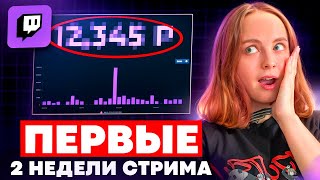
Mem Alerts allow viewers to send stickers with donations, encouraging larger purchases. Total earnings: 1,000 rubles in two weeks.
Streaming is a marathon, not a sprint. Beginners should focus on simplicity, consistency, and cross-platform promotion rather than immediate earnings.
What processor and graphics card did the streamer use?
AMD Ryzen 5 3600 and NVIDIA GeForce RTX 3060 Ti.
00:55
Why did the streamer switch from Streamlabs to OBS?
Streamlabs is aimed at the Western market and doesn't support CIS widgets like Donation Alerts.
02:29
What mistake did the streamer make at the start of each stream?
She used a splash screen and a 10-minute follower-only mode, which repelled viewers.
02:54
How many followers did she gain in two weeks?
About 100 followers.
06:27
What is Mem Alerts?
A widget that allows viewers to send stickers with donations, encouraging larger purchases.
07:55
How much did she earn in two weeks of streaming?
1,000 rubles.
08:35
What advice does she give about equipment?
Don't buy expensive equipment initially; invest in lighting over a high-end camera.
01:34
Why does she recommend creating content on other platforms?
To attract viewers who need to know and trust you before watching long streams.
04:55
Equipment Prioritization
Advises beginners to prioritize lighting over expensive cameras, a practical cost-saving tip.
01:34Splash Screen Mistake
Highlights a common beginner error that reduces viewer retention.
02:54Cross-Platform Promotion
Emphasizes the necessity of creating content on other platforms for growth.
04:55Earnings Reality
Reveals that two weeks of streaming earned only 1,000 rubles, setting realistic expectations.
08:35[00:03] I unfortunately lost my job 2 weeks ago. My employer dumped me, blacklisted me, and didn't pay me, but instead of looking for a new job, I decided to fulfill a long-held dream and started streaming.
[00:15] started streaming. Mitn vs mit Tinker. Let's place our bets. Mitn vs mit Tinker. Let's place our bets. Your mother is a bad woman. Condemn in Chinese means "I love you." You can throw a tantrum at me. In this video I'll
[00:27] tell you how to start streaming. How long does this take me, and why did I get a donation from a hater? And, of course, how much I earned from this in 2 weeks. And I’ll say right away, it’s not a million. In a couple of days, I dug through all
[00:41] the information about streaming and Twitch, and watched dozens of videos on YouTube. I spent a lot of time in the GPT chat, setting up OBS, visiting the most popular streamers, studying them, and trying to figure out how to set up the camera and lighting. What was available? The gaming
[00:55] computer is not the most powerful, but it's good enough for Dota and streaming. AMD Dota and streaming. AMD Ryzen 53600 processor, NVIDIA GeForceer RTX Ryzen 53600 processor, NVIDIA GeForceer RTX 3060 Ti graphics card, a pair of monitors, an AKA keyboard,
[01:08] and a Razer Viper mouse. I also had a Defender camera available for about 2,000 rubles. and an old ring lamp that had to be purchased additionally. New pink had to be purchased additionally. New pink microphone Fifine Amply Game AM. Headphones
[01:21] for 680 rubles. in the first store I came across and curtains on Wildberries for 1,500 rubles to cover the terrible view of the radiator. Don't buy expensive equipment with your last money . You might not be into
[01:34] streaming, but you've already bought a microphone for 20,000. It's better to spend money on lighting than on a cool camera. Yes, you will get a nice picture with an expensive camera, but believe me, if you buy an expensive camera but don’t learn how to set the color, there will be no
[01:47] use for that expensive camera . Don't waste money on designers and profile design. At first, this can be handled with the help of of course, the artist will have something better and more unique, but it will be much more expensive. And so the
[02:00] day X arrived. I launched my first stream. I first asked all my subscribe to me so that I wouldn’t be left with nothing. In this way, we managed to gain about 15-17 subscribers. And on the first stream I got two
[02:15] viewers, my sister and a friend. It’s not that I expected 100 spectators right away, but I understood that the work ahead would be very difficult. Setting up OBS is probably the most tedious part. At first, I made a mistake and started working with Streamlabs.
[02:29] The platform is user-friendly and intuitive, but it turns out it's aimed more at the Western market than the CIS. Streamlabs doesn't support various widgets like Donation and Mem Alerts, and internal payments can only be linked via PayPal,
[02:41] streamed for about five days through Streamlabs and spent a day switching to OBS. There are a lot of ready-made videos on the Internet about setting up platforms. I watched Yura Vtrade. After watching a couple of his videos, I realized that I had already made several serious
[02:54] mistakes. For example, at the beginning of each stream for 5-10 minutes I had a splash screen: the stream will start soon or a 10-minute folomo. This is when a person can write in the chat only 10 minutes after subscribing. All this
[03:07] repelled potential viewers and made my job more difficult. Simplify everything as much as possible. Don't worry about your channel's shape for 10 days. Make it simple, but tasteful. Make your stream preparation as quick as possible, otherwise
[03:21] you'll quickly get bored and won't want to go through all the steps every time. Of course, if you, like Alina Rin, have different images, cosplays, and game-like impersonations, then that's one thing. But after a couple of streams, I realized that I was spending a lot of
[03:33] time on makeup, getting ready, preparing the setup, and setting up the lighting. So I now I get ready 5-10 minutes before the stream. So, to sum it up. What did stream. So, to sum it up. What did I set up? First. OBS. Scenes in it,
[03:46] the location of widgets, all elements on the screen. Donation Alerts for regular donations, Alerts for memes and stickers. A little later I'll show you what kind of trash this is and why you absolutely need it. The Twitch description itself, banner, tiles, and so
[04:00] on. My sister, an artist, drew the banner for me . The tiles were generated using an egg. I'll replace them with normal drawings later. There videos on YouTube for each service. I set up the light for the stream and haven't removed it. How much time do
[04:14] you spend on streaming? I play on streams 4-6 days a week, on average from 2 to 6 hours. Let me remind you that I was fired and for now I can make the most of this time . If I stream Dota, I play all evening. If I sit and play during the day, it’s
[04:27] usually a horror game or some kind of RPG for a couple of hours. By the way, this is not Firstly, you won’t gain more followers or assets this way. Secondly, like it and I have a lot of free
[04:41] time. The main thing to remember is that you need consistency and stability. If you launch streams once every 2 months, or today at 12 pm, tomorrow at 3:00 am, and then just sit for a week and watch with your friend at 7:00 pm, you're unlikely to gain
[04:55] regular viewers. If you enjoy streaming and continue to do so on a regular basis, you'll be better off devoting most or half of your time to creating content on other platforms. Short videos, long videos on YouTube, clips,
[05:09] TikToks, and so on. You need to understand that a person needs to know you or trust you in order to stay with you for many hours on stream. This is interest in promoting you . And I want to warn you right away that it’s
[05:22] better not to use any kind of cheating, bots, or dishonest methods. Twitch can ban you permanently for this. And it will be too noticeable if you wind up 100 viewers, and in the chat there is only one message and a
[05:36] tumbleweed. What to talk about and how to behave on streams? I strongly advise against starting with the justchatting category. No one will go to a no-name who just sits in front of a camera with one viewer, unless you have a very
[05:48] distinctive appearance or you are super beautiful and pretty. Actually, what can you talk about during a broadcast, especially if you are a shy person. For example, when you play, you can simply comment on everything that happens
[06:01] on the screen, analyze your own or other people's actions, joke about what's happening, and fill in the pauses. The main thing is, don't be silent. Usually people put the stream in the background and don't look at the screen for a long time . Also, if the game
[06:14] try to voice them and read what's happening on the screen to avoid awkward pauses. Behave in a way that feels comfortable to you. If you accept a certain image, you will most likely remain a
[06:27] streamer Karina, who everyone remembers as a screaming, not particularly adequate girl. Fans, haters and spectators. In 2 weeks I managed to gather about 100 followers. On average, the stream had between 6:00 and 10 viewers per
[06:41] evening. Some of them are familiar, but I managed to find a couple of random fans who sat with me every day for 6 hours and wrote in the chat non-stop. I say hello to them. I sent a link after playing in the general chat in Dota. I've been found
[06:55] recommended on Twitch Day a couple of times. Transitions and subscriptions from YouTube and TikTok - zero. That's why I'm trying out the long video format. In any case, absolutely all experienced streamers recommend creating content on other
[07:08] platforms. That's why I continue to make videos, despite such dismal figures. One day I received a donation from a hater. After the game, the man started writing nasty things in the chat, and after the ban, he couldn’t resist and sent me this message. I'll have to take a
[07:25] closer look sometime. [music] this crap. A woman will never learn to play Dota. Guys, there's a lot of [ __ ] [ __ ] in the world. Go outside and get some air
[07:41] play Dota. Guys, there's a lot of [ __ ] [ __ ] in the world. Go outside and get some air . You won't learn anything from this . Dot. Well, easy, 30 rubles. Earlier I promised to tell you why Mem Alerts are needed. And thus we smoothly approach the topic of donations. Mem
[07:55] Alerts is a widget that allows your viewers to send not just a donation, but a sticker. Yes, stickers can be taken from the library or uploaded by the user, but this is the kind of trash the guys created on my stream.
[08:23] when buying, a person doesn't pay attention to this at all and thinks: "Well, 10 rubles, attention to this at all and thinks: "Well, 10 rubles, and then another 10 rubles, and another 10 rubles." Then he sees that a package of 200 or 500 rubles is much more profitable, and buys
[08:35] 500 rubles. And all this goes to you as donations. Well, the most interesting thing is, how much did I earn on streams? Your rates. The overall result for 2 weeks is this: a lot or a little for such a amount of time? Decide for yourself. I'll tell you right away for those who come here
[08:51] for the money. It won't work like that. At least at the very beginning. As Yura Bitrade once said, streaming is a marathon, not a sprint and a long game. Therefore, decide for yourself right away whether you are ready to get involved in this. Here is a short review of
[09:05] streaming on Twitch that I got. Write what new you learned, what was useful. And I ask active streamers to write in the comments what cool, good ones You use life hacks in your work. Thanks everyone for watching. I'll be
[09:17] waiting for you on my streams. Bye-bye. Yes.
⚡ Saved you 0h 09m reading this? Transcribe any YouTube video for free — no signup needed.