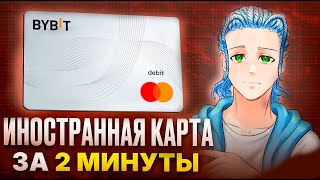

How to Get a Bybit Card in Russia!
45sImmediately addresses a critical problem for Russians and CIS residents, offering a solution to obtain a card despite sanctions.
▶ Play Clip"Delivers a real workaround, but padded with sponsor reads and repetitive privilege talk."
This video presents a step-by-step guide for obtaining a Bybit card, a cryptocurrency payment card, even if you reside in Russia or the CIS, despite sanctions. The creator, Leo Bruni, explains the entire process from registration to receiving the card, including workarounds for Russian users such as using a VPN and a virtual Kazakh phone number.
The Bybit card is a payment card from the Bybit exchange that allows payments abroad and online. It offers high cashback (2-10% monthly) and can be issued for free. It works with Apple Pay and Google Pay, converting USDT to local currency with a 0.9% payment fee and 2% conversion fee.
In Russia, it is impossible to order the card directly due to sanctions. The creator claims to have found a workaround that takes about five minutes.
The process starts with Bybit KYC1 and KYC2 verification. For Russian users, this is necessary to be able to fund the card later.
For CIS residents, use the form link in the description. For Russians, use a VPN (the creator hints at a program 'which is forbidden to mention') to show an IP address from Kazakhstan. Then enter any random Kazakh address from Google Maps and income details (e.g., self-employed, $1000/month).
The next step requires confirming a code from SMS. Russian phone numbers do not work. Use a virtual number service like SMS Activate to rent a Kazakh number. Link it to the Bybit account, receive the SMS, and enter the code.
The creator mentions a bonus code displayed on screen. All steps must be completed within 20 minutes, otherwise the virtual number expires. The process typically takes 2-3 minutes.
After verification, the virtual card is ready for use.
A brief sponsor read for ProxyLine, a proxy service that helps change IP addresses for security. They offer many geos, cheap prices, and 24/7 support.
The card balance is linked to the Bybit account. To fund it, top up the funding account with crypto or buy crypto with rubles. The creator recommends using Whitebird, a Belarusian online exchanger, due to 'dirty' P2P options. Buy crypto with rubles and send to the Bybit address.
The card offers cashback of 2-10% monthly, and there are bonuses on the balance. Limits are better than bank cards (details on screen).
For non-Russian residents, a physical plastic card can be ordered from the Bybit cards page to the home address.
Kazakhstan-region cards cannot be added to Apple Pay yet, but can be added to Google Pay. European-region cards can be added to Apple Pay but require special documents (e.g., NG, PMG).
The card can be used to pay for services like Steam, ChatGPT, and Spotify without issues. The creator asks for likes, subscriptions, and comments.
The video provides a practical, albeit sanction-bypassing, method for Russian and CIS residents to obtain and use a Bybit card, emphasizing speed and low fees. It also highlights the card's benefits like cashback and global usability.
What are the fees for using the Bybit card?
0.9% payment fee and 2% conversion fee.
00:28
What is the monthly cashback range for the Bybit card?
2-10% monthly.
00:28
Why can't Russians order the Bybit card directly?
Due to sanctions.
00:45
What workaround is suggested for Russian users to get a Kazakh IP?
Use a VPN program (the creator hints at a program 'which is forbidden to mention').
01:29
What type of phone number is needed for SMS verification?
A Kazakh virtual number (since Russian numbers do not work).
01:42
What is the time limit to complete the SMS verification?
20 minutes.
02:29
How is the card balance funded?
By topping up the Bybit funding account with crypto (e.g., buying crypto with rubles via Whitebird).
02:53
Can Kazakhstan-region Bybit cards be added to Apple Pay?
No, but they can be added to Google Pay.
03:52
Low Fees and High Cashback
The card offers competitive fees (0.9% payment, 2% conversion) and high cashback (2-10%), making it attractive for crypto users.
00:28VPN Workaround for Sanctions
The creator reveals a practical method to bypass sanctions by using a VPN to show a Kazakh IP, which is a key insight for Russian users.
01:29Virtual Number for Verification
Using a virtual Kazakh number via SMS Activate is a clever workaround for the SMS verification issue, a common hurdle for Russians.
01:42Funding via Whitebird
Recommending a specific exchanger (Whitebird) for clean crypto purchases highlights the importance of avoiding 'dirty' P2P options.
02:53Apple Pay Limitation
The limitation that Kazakh-region cards cannot be added to Apple Pay is a crucial detail for users expecting full mobile payment support.
03:52[00:00] Салют, ты на канале FOMO BASE и сейчас я покажу тебе реальный способ как оформить иностранную карту Bybit даже если ты живешь в России или в СНГ. Это Лео Бруни и мы начинаем. Карта Bybit это платежная карта от топовой биржи Bybit, с которой можно много чего оплачивать за границей и онлайн.
[00:15] Она очень быстрая и дает нереально большой кэшбэк, в отличие от других банковских карт. И самое крутое, что ее можно выпустить абсолютно бесплатно. Карта работает через Apple Pay и Google Pay. Ей можно платить в магазинах, ресторанах и так далее. Ваши крипты USDT конвертируются в любую
[00:28] валюту и оплачивается уже в местный по факту комиссия при оплате всего 0,9 процента а на конвертацию в любую валюту 2 процента это вообще фигня на самом деле кэшбэк ежемесячно выдается от двух до десяти процентов карл где вы такое видели причем есть бонусы на остаток средств но проблема
[00:45] в том что в россии нельзя заказать и оформить связи санкциями но я нашел способ как ее можно оформить его за пять минут погнали карту бабит можно оформить как виртуально так и физически к примеру если ты живешь в снг ты без проблем можешь это сделать еще и получи вкусный бонус
[00:58] Сейчас я расскажу весь путь от начала регистрации до получения карты на руки. Bybit KYC1 KUS1 KUS2
[01:16] иначе в России тогда карту не получится зарядить. Теперь идем далее. Нам необходимо заполнить форму на получение физической карты. Если вы с СНГ, просто переходите по второй ссылке с формой в описании и заполняйте. А если вы из России, то тут уже нужно включить программу.
[01:29] Ну, такую, которую сейчас запрещено упоминать в роликах. Ну, с которой вы еще YouTube сейчас смотрите, ну вы поняли. Желательно, чтобы эта программа показала ваш IP-адрес как Казахстан. Далее указываем любой казахский адрес, вот просто рандомный с Google Card,
[01:42] и затем вводите данные о доходе. Они никак не влияют, но лучше не писать, что вы богаты. Так, типа, самозанятый, 1000 баксов в месяц и тому подобное. Следующая страница важная. Тут нужно подтвердить код из SMS. Российские номера не проходят. Что тогда делать?
[01:54] Для этого переходим на любой сайт по покупке виртуального номера, к примеру, SMS Activate, и берем казахский номер в аренду. Ссылку на SMS Activate оставлю в описании. Подвязываем его к нашему Bybit аккаунту и отправляем на него смс и вводим код, который нам пришел.
[02:07] Также тут вы можете ввести мой бонусный код, который вы видите сейчас на экране. 100 10 Bybit Bybit
[02:29] Все это нужно провернуть в течение 20 минут, а то номер сгорит. Но там в целом на это дело уходит примерно 2-3 минуты времени, поэтому я думаю, вы точно успеете. Ну и по сути все, виртуальная карта будет готова и ей можно будет пользоваться.
[02:41] А сейчас я хочу отвлечь твое внимание буквально на 15 секунд и рассказать про лучшие прокси от сервиса ProxyLine. Они помогают подменять IP, что делает твою работу в интернете более безопасной. Есть много гео и дешевые цены, а поддержка работает 24 на 7.
[02:53] ProxyLine еще никогда не подводили. Ссылка на сервис и на зеркало в описании. Как пополнить эту карту? Баланс карты связан с счетом Bybit, поэтому нужно пополнить счет финансирования. Для этого мы пополняем либо криптой, либо покупаем за рубли крипту.
[03:05] Но так как на P2P сейчас много чернухи, то пополнить я советую через Whitebird. Это белорусский онлайн-обменник, чистый и проверенный. Топ-1 в Беларуси, и русским через него можно обмениваться. Кстати, если нужно видео по Whitebird, как им пользоваться, пиши об этом в комментариях.
[03:19] Короче, покупаем крипту за рубли и отправляем на наш адрес на Bybit. И можем оплачивать уже USDT нашей покупки. Еще раз по поводу привилегий. 8 2 10 600
[03:38] баксов каждый месяц. По поводу лимитов, то тут все круче, чем у банковских карт. Схему ты также видишь сейчас на экране. Теперь по поводу получения физической пластиковой карты. Если ты находишься не в России, а в любой другой стране, то ты можешь заказать пластиковую карту и делается на самом
[03:52] деле это достаточно легко. Также переходим в Bybit и на страницу Bybit карт и заказываем себе физическую карту на свой адрес проживания. По поводу Apple Pay и Google Pay. Карту региона Казахстан пока что нельзя привязать к Apple Pay, но можно привязать к Google Pay.
[04:05] А вот карты регионов Европы можно, но для этого нужны особые документы в NG, PMG и прочее. Ну вот, по сути, и все. Можно оплачивать этой картой сервисы Steam, ChatGPT, Spotify и многое другое, и не иметь никаких
[04:17] проблем с оплатой зарубежных сервисов. Если тебе понравилось это видео, ставь лайк, подписывайся на канал и пиши свой комментарий о том, пользовался ли ты когда-нибудь Bybit-картой или, может быть, каким-то другим аналогом. обязательно подписывайся на мои телеграм-каналы.
[04:29] Там каждый день пишу об активности к крипте и не только. Ссылки в описании. Ты был на канале FOMBASE. Дальше будет еще интересней.
⚡ Saved you 0h 04m reading this? Transcribe any YouTube video for free — no signup needed.