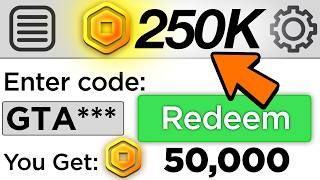

FREE ROBUX in 2026?!
45sThe promise of free Robux is highly enticing to the target audience, and the energetic intro hooks viewers immediately.
▶ Play Clip"The title promises free Robux, but the method is a scam requiring personal info and offers, with no actual Robux granted."
This video presents a purported method for obtaining free Robux in Roblox, targeting younger audiences. It claims to offer a working exploit that grants massive in-game rewards across all devices. The tutorial involves a series of steps, including redeeming codes, adjusting profile settings, and using an external website, culminating in the claim of receiving 500,000 Robux.
The video opens by acknowledging the difficulty of getting Robux as a kid and promises a new method that works on every device since 2026, offering massive rewards.
The creator asks viewers to watch to the end to become a 'Roblox millionaire' and promotes a giveaway requiring subscription, likes, and comments for a chance to win free Robux.
The method begins by attempting to redeem a code 'valid 26', which results in an invalid code message, then proceeds to profile settings.
The tutorial instructs to favorite and notify on a specific Roblox-created experience, then change social network visibility to 'friends and followers'.
If the visibility option is unavailable, the user is told to change gender to the opposite and double-click to make it disappear, which is claimed to be necessary for the method.
Inside the game, the user must sit in a chair at a specific angle, then enter a code in the chat box: 'developer mode on subscribe ARK' and 'claim funrobots 100 equals complete', with the amount changed to 500,000.
After sending the code, the user must collect an item, turn it on, and stand on top of a mountain to activate the method.
Back in Roblox, the user must unfavorite and unnotify the game, then open a browser and visit 'bookcenter.com' (also linked in the pinned comment).
On the website, the user enters the creator's username, then must complete two offers (e.g., entering email for $100 PayPal or fast food gift cards) to receive 10,000 Robux each.
After completing the offers, the user reloads the Roblox page and claims to have received 500,000 Robux, concluding the method.
What is the first step in the claimed Robux method?
Attempt to redeem a code 'valid 26' in Roblox, which results in an invalid code.
00:57
What setting change is required in the profile?
Change social network visibility to 'friends and followers'.
01:35
What alternative step is suggested if the visibility option is unavailable?
Change gender to the opposite and double-click to make it disappear.
01:48
What code is entered in the chat box?
'developer mode on subscribe ARK' and 'claim funrobots 100 equals complete'.
02:39
What is the external website used in the method?
bookcenter.com
04:27
What must the user do on the external website?
Complete two offers, such as entering an email for $100 PayPal, to receive Robux.
04:39
Promise of Free Robux
Sets up the core premise and target audience, but is misleading.
Gender Trick
Highlights a bizarre and likely ineffective step, indicating the method's dubious nature.
01:48Offer Completion Requirement
Reveals the method's true purpose: driving traffic to external offers, not granting Robux.
04:39[00:00] I know Roblox is super hard to get especially as a kid but don't worry you will no longer have to ask your parents what this brand new Roblox method is working and giving massive rewards. It's currently working on every single device since 2026 so let's wait no more time and let's get straight into today's video.
[00:18] So do me a favor and watch this video to the very end so you can become the next Roblox millionaire. But wait, before we continue with this video, this is your chance to get even more free robux. I'm giving away thousands of robux to my subscribers and getting in is super easy and
[00:33] boom enjoy the free robux my amazing subscribers. All you have to do to get free robux is subscribe to the art channel with all notifications on, send like this video and also comment your roblox username more than 10 times so
[00:45] I know who to send the robux to. I'll be picking winners every single video so everybody will have a chance to get some free robux in the next video. And also you must subscribe to the DayZ channel with all notifications turned on for an additional
[00:57] 10,000 Robux. The link will be down in the description below. To start the Zulu Robux method we're going to go over to the redeem Roblox code and we're going to tap into code valid 26 just like that.
[01:09] We're going to hit the redeem button and now we're going to get the invalid code. Now we're going to go over to our profile. We're going to go over to creations and we're going to see this experience made by Roblox
[01:21] himself and we gonna go ahead and click on the game now we here all we gonna go ahead and do is go over to the favorite and notify and we gonna make sure that both of those options are on once you guys have both those options on
[01:35] we're gonna go over to our settings now once we're over at the settings we're gonna go ahead and scroll all the way down to we see social network visibility and we're gonna change it on to friends and followers and people I follow now
[01:48] Now, not everybody has this option, so that's completely okay if you don't have this option right here. Because what you're going to do is we're going to go over to the gender, and we're going to go over to the opposite gender.
[02:00] We should get it saved successfully, screen. Now, we're going to go ahead and double-click on the opposite gender, and as you guys can see, your gender should vanish. And if it doesn't, you guys are going to click it two times once again.
[02:12] And as you guys can see, now your gender should completely disappear. This is exactly what we want because now we're gonna go over to the profile and we're gonna go over to the creations We're gonna jump inside this game and I'll catch you guys in a second
[02:25] So here we go now that we're inside of the game All we're gonna go ahead and do is sit down just chair right here and make sure you guys just have this angle right here And your roblox character should be right in the center and we're gonna go over to this chat box and we're gonna have any
[02:39] This important piece of code right here And it's gonna be developer mode dash on subscribe ARK, which is my username. So you guys are gonna tap in your username and we gonna tap in claim dash funrobots 100 equals complete I going to change up the amount and I going to do half a million robots which is going to be 500 robots so here
[03:01] we go we're going to send that in now your character should look something like this and as you guys can see we just got a bunch of hashtags right there and this is exactly what we want to see because now we're going to jump inside the chair we're going to go ahead and collect this
[03:15] and we're gonna turn it on now we're gonna go ahead and go over to this mountain right here as you guys can see and we need to stand right on top of it if not this method doesn't activate so here we go as you guys can see I'm
[03:31] running through this grass right here and I'm gonna get on top of this mountain it's gonna be very simple you're gonna go through the little corners and now you guys are officially on top of it so now all you're gonna go into is gonna be back in this game and I'll see you guys in roblox here we go
[03:46] now that we're back in roblox what we're gonna go ahead and do is go over to your home page we're gonna go over into your profile and we're gonna go over to your favorites option and all we're gonna go ahead and do here is go
[04:03] over to any of these favorite games that you guys have so for example it's gonna be the game that you guys just favorite it and we're gonna go in unfavorite and and unnotified because now we gonna go ahead and do open up a Safari Google or Microsoft tab So here we go Now that you guys are over at Google you guys want to type in bookcenter and press enter and as you guys can see this is gonna be the website that will grant you
[04:27] guys the Roblox as you guys can see it's gonna be bookcenter.com and you guys can also find this website over at my youtube channel and it's gonna be in my pinned comment it's gonna say visit bookcenter.com so let's go back into the
[04:39] website let's insert my username right here my username is gonna be subscribe arc and we're going to click next now it says complete any two activities below to get a chance to receive 10 000 robux so as you guys can see i'm going to go ahead and complete two of the
[04:52] offers right here now i'm going to choose these two offers right here because each offer will give me 10 000 robux now i'm going to go ahead and enter my email address on this one and i'll get a hundred dollars to paypal and i can literally use this money to literally get robux so yeah i'm
[05:08] I'm gonna go ahead and complete that one and then I'm gonna go to this one. I'm gonna get $100 to fast food. Now, I'm gonna go ahead and enter my email address and once again, I'm gonna receive 10,000 Robux.
[05:20] So yeah, I'm gonna go ahead and complete this and I'll catch you guys in a second. Now that we have completed all of the offers, all I have to do is literally go back into the Roblox game and I will receive my balance. So here we go. As you guys can see right here, I'm officially back into the Roblox page and all I have to do is reload my page.
[05:35] and check this out I just received a hassle million robux 500,000 as you guys can see right there but yeah my method has worked but that is it for this video so I'm signing out peace
⚡ Saved you 0h 05m reading this? Transcribe any YouTube video for free — no signup needed.