
Why Russian bloggers aren't going to factories
40sControversial claim about monetization challenges and alternative strategies sparks curiosity and debate among creators.
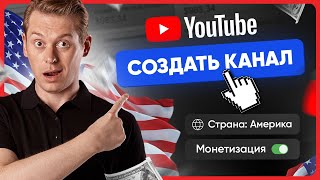
▶ Play Clip"Title promises a guide to creating an American YouTube channel, and the video delivers step-by-step instructions, though it also heavily promotes a paid course."
This video explains how to create an English-language YouTube channel to earn money through monetization, especially for those affected by YouTube monetization issues in Russia. It covers account creation, channel setup, design, and promotion strategies.
YouTube monetization in Russia has been problematic, but bloggers continue by raising ad prices or switching to foreign YouTube for English-speaking audiences.
Create a separate Google account for each YouTube channel to protect against hacking or blocking. Avoid registering more than two channels per week to prevent spam flags.
Use a strong password, enable two-factor authentication, and provide a backup email. The country of registration does not affect channel promotion.
On YouTube, click avatar, select 'create a channel', enter a memorable name. For foreign channels, simple names are better. Use a nickname generator if needed.
In YouTube Studio, go to Settings. Under Channel, leave country and keywords empty initially to avoid limiting audience. Under Advanced, set content as not for children to enable all features.
Ensure 'disable interest-based advertising' is unchecked to avoid losing income. For advanced features (custom thumbnails, live streams), verify phone number (max 2 channels per number per year).
Use 'unlisted' or 'private' uploads initially for processing and verification. Add end screens and cards to promote other videos.
Design is crucial for recognition. The creator recommends using professional design services (like 'Zelenka' studio) for quality branding and even translation/voiceover for English channels.
Average CPM for American views is about $15. Main income comes from channel sponsors. To monetize, need 4,000 watch hours and 1,000 subscribers, but AdSense registration in Russia is currently blocked.
Creating a successful English YouTube channel requires careful setup, consistent content creation, and patience. Despite monetization hurdles, the potential for higher CPM and sponsor income makes it worthwhile.
How many YouTube channels can you register per week to avoid being flagged as spam?
No more than two channels per week.
01:58
What should you select under 'Advanced settings' regarding content for children?
Select 'No, my content is not for children' to enable all features like comments.
04:56
What is the average CPM for American YouTube views according to the video?
Approximately $15 per 1,000 views.
08:47
What are the two requirements to enable monetization on a YouTube channel?
4,000 hours of watch time and 1,000 subscribers.
10:37
Why should you not specify a country in channel settings at the beginning?
Because it limits the audience; English-speaking viewers are worldwide.
04:30
Channel registration limit
Important practical tip to avoid Google's spam detection.
01:58Content for children setting
Critical for enabling monetization and features.
04:56CPM for American views
High earning potential motivates creators to target US audience.
08:47Monetization requirements
Clear benchmark for creators to aim for.
10:37[00:02] monetization on YouTube has not been working, but at the same time, bloggers, as the haters wanted, did not go to factories, but continue to sit and churn out videos at home or even maybe somewhere more pleasant, but how did this
[00:15] happen? And here are two answers. Those who already had an audience of views simply raised the price of advertising or began to make more videos, earning money on this. And those who were just starting out switched to foreign YouTube, since monetization remained in the rest of the
[00:29] world, and even living in the US, you can easily make videos, say, for an English-speaking audience and earn money on monetization from foreign views, and here's how to do it. That is, how to create your own
[00:41] American YouTube channel. In this video, I will tell you everything in detail. So, please support the video with a like and the channel with a subscription so as not to miss even more useful information. Enjoy watching. In this video, I will, of course, try
[00:54] create your own YouTube channel, connect to Adsense and start earning, but of course, a step-by-step action plan for Making money on a foreign channel How to properly upload videos, write tags and clickable titles to collect
[01:07] millions of views How to properly promote a channel and How to quickly get monetization to reach an income of 1000-2000 dollars a month from a channel and much more is collected in a special course on earning dollars on YouTube.
[01:20] This is the most useful excerpt from the personal experience of people who have been working with such channels for more than one year and want to share their knowledge with you, so of course I will leave the link in the description. Don't be lazy to devote
[01:32] time to this course if you really want to succeed on an English-speaking YouTuber. If you are confident that you can do it yourself, be sure to watch the video to the end where I will share the results on an American YouTuber. Creating a YouTube
[01:46] channel begins with creating its Google account. So, we write in the search create a Google account and follow the first link. I recommend creating a separate Google account for each new YouTube channel. In the event of a
[01:58] hack or other emergency such as blocking, you will also protect other channels. I do not recommend registering more than two channels in one week, otherwise Google will consider it spam and even new ones will be simply It will start deleting channels without content, but
[02:12] for starters, I think one channel is enough for you, so these are more recommendations for the future. Now, click create a channel. Here, enter your first and last name. You can use a fictitious one, Here, enter your first and last name. You can use a fictitious one,
[02:36] option. This doesn't affect anything. Also, write a password. It's preferable, of course, not 1, 2, 3, but something more complex so that it can't be hacked by guessing the password. Now, it's important to indicate the phone number to which the code will be sent. Moreover, you can also
[02:49] indicate any country here, since this still applies to your Google account. It doesn't affect the promotion of the YouTube channel. Well, then, enter a backup email. You can even use mail.ro, which can also be useful in the future. And be sure to
[03:01] enable two-factor authentication. That is, when you log in, you will receive an SMS with a code on your phone, or through the internal application it will ask you to confirm the login. This will immediately protect your channel from hacking and subsequent theft
[03:13] and at this point the Google account is considered created. Yes, we made a regular account and not an English one without using a VPN and other things because the channel's focus is determined by its content and the language in which the videos are made. Therefore, at this
[03:26] stage, it is important to worry about security and not the country of registration. But then creating a channel based on a previously created Google account already implies some tricks and manipulations. Therefore, first, go
[03:38] to YouTube and in the right corner, click on the avatar, select create a channel and enter its name. You can enter any name. But for a foreign channel, the easier it is to remember, the better. For example, I will have a lemon and it will be
[03:50] simple and easy to remember if you have difficulties with this. Use the nickname generation on the Internet. Then the nickname is like quick access to your account through a search. That is, here comes youtube.com and then a dog and a nickname,
[04:03] so we enter it in the same way as the nickname, only if it is taken, and also add various numbers and symbols and the channel is created. Now you need to configure it. Click on the avatar and go to the creative studio, here we immediately select Settings are on the bottom left
[04:16] and we proceed. The currency that greets us does not affect anything, so we will skip it. Next comes the channel tab. Here, when creating a fill everything in. Select your country, specify keywords. But for a foreign account,
[04:30] this immediately serves as a limitation, since English-speaking people live all over the world, narrow the number of viewers. At first, the content will be shown, then, as views go, of course, you can specify the country, but at the beginning, it is better
[04:43] not to do this, especially since you will not be able to remove the country back, only change it. So, we leave this tab empty. Next comes advanced settings. Here, select No, my content is not for children. This is required by US law.
[04:56] If you select for children, many functions will simply be available, such as comments and so on. So, we check the box even if you have children's content, and everything else, in principle, can be left as is. The main thing is to check
[05:08] that the item with disabling interest-based advertising is not checked, because then when you connect AdSense, you will lose almost all your income. But the next tab, available functions, is already very important. Standard
[05:20] functions are active initially, but for advanced which includes adding previews, access to streams and uploading long videos, you need to specify a phone number, it is important that you can create no more than two channels with one number, but only
[05:32] for one year, then you can create more. As for me, this is an important clarification, but for some reason no one talks about it. In any case, if you already have more than two accounts registered, you can take the number of close friends if you trust them and
[05:44] activate these functions. Well, advanced functions are activated automatically over time, you just need to use the account to watch other people's videos, like and comment, otherwise there are cases when 2 weeks pass,
[05:57] subscribers or more, but due to the fact that the author only uploaded his content to it, the function was not activated. In general, you need to show life on the channel or go through video verification. We will not dwell on each
[06:10] section in detail, as it is more convenient for you, since uploading videos is generally an auxiliary section if, for example, you have similar content so that videos are uploaded immediately with the same name and description. But for everyone else, here you can only select
[06:22] access parameters and access by link. This will give the video time for verification and processing so that see if there are any restrictions on it, etc. In general, it's much better and safer than publishing it right away. After uploading,
[06:36] you can add other people's channels in the permissions section. If you are involved in YouTube with someone in the community, the settings mainly concern communication with people, you can also study it yourself. It does not affect promotion, but an affiliate program will also appear in the agreement.
[06:49] After connecting it, and not a little later. So, click save. Now let's go directly to the channel design on the first page after publishing the first video, select it as a trailer for the first viewers and be sure to check
[07:02] that recommendations for viewers are also included. Below, you can create sections in which playlists are added, individual videos or even videos from other channels, and thus you can promote videos from new channels by giving
[07:14] them impressions. End screens in the video itself are also suitable for this. The next tab, branding, implies design, which is actually a very important thing, since channel recognition grows precisely due to its design, and there
[07:27] is already a separate video on this topic on the channel. So, I will not dwell on this in detail, but I will say that I have not done the design myself for a long time, but use the services of matters, to immediately attract an audience, and it is better not to
[07:41] skimp on such things, of course. Because if you order a cheap design at the beginning, you will still need to change it later, and this immediately loses recognition. Therefore, I order the design for all my channels from the design studio behind Zelenka, where real
[07:54] professionals work, on an advance payment. They only take 50%, do SRO lessons in the shortest possible time and with maximum quality, of course, it sounds like advertising. But in fact, I was looking for good designers for a long time and only with the guys because of Zelenka did I see real
[08:08] results, so I recommend you leave a link to the guys in the description. And by the way, they also did the design for this channel for me, plus the designs for other channels like Bud in the Topic, which I am now, including trying to promote the
[08:22] voiceover of my own videos on an English-language YouTuber, but in English. What is another option for how to run an English-language channel? Just forward your content to other languages. But if you do not have sufficient knowledge of English, all this is
[08:34] also done at the design studio behind Zelenka, the guys professionally do translation and voiceover on a turnkey basis. Lemon is proof of this, even a native speaker cannot hear the difference, if anything, verified The link to the guys will be along with my English-language
[08:47] channel in the description under this video. If you want to check for yourself, and if monetization were enabled on my lemon channel, the average cost per 1,000 American views is approximately equal to $ 15 according to Tiki techno review.
[09:05] main income from channel sponsors. Think about the prospects for YouTubers - these are professionals with many years of experience who know what design attracts an audience and will help you make videos for a foreign channel,
[09:19] so I trust them. The next tab is basic information - this is also the name, nickname, description and links. Previously, you could write some kind of description for promotion, but now it doesn't work, so don't bother. You can only
[09:33] indicate a contact email if you are going to sell advertising. However, the account registered to you so that you don't have it with brute force. You can also indicate a link to boost or social networks, and so on. Again, this does not affect promotion, and
[09:47] in general, at this stage, we can say that the channel is already set up and ready to upload the first videos, and if you are just starting out, many people are faced with simply Global problems, such as which niche to choose, how to edit and promote videos, and many
[09:59] other questions that are answered in the English-language YouTube course, the link to which is in the description. But if it’s very simple, take popular competitors and just do as they do, bringing something new. The main thing is that you
[10:12] must remember that in 99% of cases, the result does not happen from the first video. Unless, of course, these are Shorts in vertical videos, you can make videos for a month without results until the algorithm begins to recommend content to viewers and collect a key
[10:25] audience for your channel. Therefore, the main thing here is not so much the choice of content, design niche, and so on, but simply not giving up. If your competitors have views, then you will have them too over time, if, of course,
[10:37] you create high-quality content. After you reach the mark of 4,000 hours of views and 1,000 subscribers on the channel, you can connect monetization. But this is a completely different story, since in Russia it is now impossible to register AdSense,
[10:50] but there are various alternative methods that I can talk about in a separate video if you are interested. So support this video with a like. And subscribe to the channel so you don't miss anything. That's all for today. Thank you for
[11:03] remaining questions in the comments until the end. See you in new videos.
⚡ Saved you 0h 11m reading this? Transcribe any YouTube video for free — no signup needed.