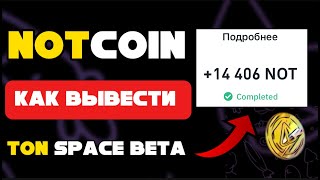

NOTCOIN Withdrawal FAIL? Here's the Fix!
45sHigh engagement from users facing the same withdrawal issue, offering a direct solution.
▶ Play Clip"Delivers on the promise of a solution, but padded with repetitive narration and a long wait sequence."
The video demonstrates how to withdraw NOTCOIN from a Telegram wallet to the Binance exchange, addressing a common issue where coins are returned to the wallet after withdrawal attempts. The creator shares a step-by-step solution involving topping up with TON to cover transaction fees and using the exchange feature.
Coins withdrawn from Telegram wallet to Binance were returned to the Telegram wallet after a couple of hours, landing in the Tone Spets Beta wallet.
To withdraw from Telegram wallet, you need to top up with TON (the coin) to cover the network commission. Use P2P market to buy TON with your card.
Select your card (e.g., MA Bank), choose currency, and buy TON. The creator topped up with 200 Green (approx. $5).
After buying TON, convert it to NOT (the coin) using the exchange feature in the wallet.
Click send, transfer to cats (likely 'to address'), and paste your Binance address. The TON covers the commission (0.35 TON).
The network was heavily overloaded, causing delays. The coin showed as 'on the way' but funds remained on balance initially.
After waiting, the funds were credited to Binance. The creator managed to withdraw $98.
The key to withdrawing NOTCOIN from Telegram wallet is to ensure you have TON to cover the network fee, and to be patient during network congestion. The process works, as demonstrated by the successful withdrawal of $98.
What is the first step to withdraw NOTCOIN from Telegram wallet?
Top up with TON to cover the network commission.
00:15
How do you buy TON in the Telegram wallet?
Use P2P Market, select your card, choose currency, and buy TON.
01:11
What is the approximate cost of TON mentioned in the video?
200 Green, roughly $5.
01:24
How do you convert TON to NOT?
Use the exchange feature in the wallet to convert TON to NOT.
01:37
What is the commission for transferring NOT?
0.35 TON.
02:01
Why did the withdrawal initially fail?
The network was heavily overloaded.
02:14
How much did the creator successfully withdraw?
$98.
03:34
Key solution: Top up with TON
Identifies the root cause and provides a clear fix for the withdrawal issue.
00:15Convert TON to NOT
Shows a specific step to ensure the correct coin is available for transfer.
01:37Network overload as a common issue
Explains why many users face delays, adding context to the problem.
02:14Successful withdrawal of $98
Provides proof that the method works, boosting viewer confidence.
03:34[00:02] specifically from a Telegram wallet, when withdrawing TCOIN, I encountered a problem when making a withdrawal to the Binance exchange. A couple of hours after the listing, these coins were returned to me in the Telegram baht. Then, from the baht not Coin, I withdrew them to TG Wallet and
[00:15] these coins fell into the Tone Spets Beta wallet. In this video, I will show the solution. I finally withdrew these coins. And you are on the Crypto Danik channel. Like and subscribe to my Telegram, that's where you will find More free information. And we
[00:27] flew straight to the video, so in front of you now is my wallet. I have already withdrawn these coins and at the end of the video there will be an insert from the moment of withdrawal of these coins. Watch to withdraw coins from Stone Space Beta. I
[00:41] understand this is some kind of beta version of the wallet, that is, we could have withdrawn them to a regular Nakoi and then there would not have been such problems. But somehow I withdrew them, I don’t even know How I withdrew them here, that is, I had coins. Here, that is, the
[00:55] funds were received and these funds I can already see here, withdrew them. In order to withdraw them from the Telegram wallet, you need to top up this coin called Coin. To do this, click p2p Market buy, select
[01:11] your card here, my card was MA Bank, I clicked like this, then currency, I bought in my currency and the coin ton, that is, we select the crypto ton. And here I
[01:24] topped up with 200 Green, I don’t know, for 5 dollars somewhere give or take, here you go, then dollars somewhere give or take, here you go, then you will have this coin here, this coin I converted to Bet, how
[01:37] this coin I converted to Bet, how I did it I clicked here, clicked I did it I clicked here, clicked exchange, chose Coin and exchanged from my other wallet, that is, it was in my main wallet and then I
[01:49] was able to withdraw the data, that is, I clicked here, clicked send, then transfer to cats and I have already inserted my address from my exchange, that is, the task is simple for you so that
[02:01] this coin will cover your commission, supposedly during the transfer here is the commission 035 tone And now let's move on to the screen recording of how I transferred These coins and how it was for me, so I still managed to withdraw
[02:14] not Coin Now I'll tell you what the joke was, the network was very heavily overloaded, that is, everything was the same as we did, the network was very heavily
[02:27] overloaded Well, now we're waiting, in theory, it should arrive on Binance now, the coin says that it's on the way Although the funds remained on the balance That is, here, as we see, everything remained in place Well, let's
[02:42] try again and not here it says on Binance it says sent, in principle, we're waiting I think that many have this problem Yes, we've encountered that they can't withdraw from not
[02:55] encountered that they can't withdraw from not Space, that is, more precisely, Stone Space Beta That's exactly what I have this problem, so we're waiting Here's the processing I understand it's
[03:08] sending Let's basically watch Well, I think the processing will be like this, like this, like this, as we see, spot wallet
[03:21] see, spot wallet transactions replenishment, like this, as we see, credited
[03:34] everything, like we see, we received on not Coin Well, in principle, I still managed to withdraw 98 dollars So who has the same
[03:46] problem? Who has encountered this problem? Here's a solution for you.




⚡ Saved you 0h 03m reading this? Transcribe any YouTube video for free — no signup needed.