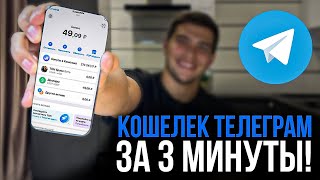

Crypto in Telegram: No App Needed!
45sIt hooks viewers with the promise of trading crypto directly in Telegram, a unique and convenient feature.
▶ Play Clip"Delivers exactly what the title promises — a quick, beginner-friendly guide to using Telegram Wallet, though the '3 minutes' is a bit optimistic with the detailed walkthrough."
This video is a beginner-friendly tutorial on how to create and use the Telegram Wallet, a built-in cryptocurrency wallet, directly within the Telegram app. The presenter demonstrates the entire process, from adding the wallet bot to funding it via an exchange and sending crypto, all within a three-minute timeframe.
The video introduces the concept of using cryptocurrency directly from a Telegram account via the Wallet bot, promising a concise 3-minute guide with no fluff.
To start, search for 'Wallet' in Telegram and add the official bot. The presenter mentions leaving the bot's username in the video description.
After adding the bot, the account section shows options to buy crypto via P2P market, send and receive crypto, and view the wallet's currency (defaulting to USD). It also mentions Ton Space Beta for transactions and displays assets like meme tokens and Toncoin.
To deposit funds, click on 'Ton Space Beta' and then 'Top Up'. The wallet address is displayed, which can be copied or shown as a QR code. The presenter uses the Bybit exchange for the deposit.
For those not registered on Bybit, the presenter mentions a referral code (38469) for bonuses and discounts. The process involves entering email, setting a password, and using the referral code.
On Bybit, select the coin (USDT), paste the wallet address, choose the TON network, and optionally add a memo/tag. The presenter demonstrates a test transfer of $1.50.
After completing security verifications (email or Google Authenticator), the funds are sent to the wallet. The transaction history can be viewed by clicking on USDT.
To send USDT from the wallet, TON is required to pay network fees. The presenter explains that TON must be transferred from the exchange to the wallet to cover these fees.
The process of withdrawing TON from Bybit is shown: select TON, copy the wallet address (from the TON section), choose the TON network, and confirm the transfer.
After TON arrives, the presenter demonstrates sending USDT to an external wallet: select USDT, choose the TON network, paste the address, and add the memo/tag from the exchange.
The transfer shows a fee of 56 rubles, and the USDT is sent. The presenter confirms the successful deposit on Bybit's deposit section.
The video concludes by summarizing the process and encouraging viewers to subscribe to the channel for more content.
The video provides a straightforward, step-by-step guide for beginners to set up and use the Telegram Wallet, including funding it via an exchange and handling network fees. It emphasizes the simplicity and convenience of managing crypto directly within Telegram.
Crypto in Telegram
Highlights the convenience of managing crypto directly within a messaging app, appealing to beginners.
00:01Wallet Features
Lists the core features of the wallet, including P2P trading and asset storage, providing a clear overview.
00:29TON for Fees
Explains a common pitfall for beginners: needing TON for transaction fees, which is crucial for successful transfers.
02:32Transaction Fee Example
Provides a concrete example of the fee (56 rubles) for sending USDT, giving users a realistic expectation.
03:55[00:01] заниматься криптовалютой прямо со своего телефона прямо со своего Telegram аккаунта Но если ты ещё не научился пользоваться кошельком Wallet от буквально за 3 минуты здесь не будет никакой воды будет только самая важная
[00:14] информация ваша благодарность - это досмотреть это видео до конца потому что оно и так длится 3 минуты в телеграме мы с вами вводим Wallet находим официальный пользователей в месяц я в описании к этому видео оставлю ник этого кошелька
[00:29] когда мы его с вами добавляем через Бота у нас в разделе аккаунта появляется есть возможность купить криптовалюту через p2p рынок это когда мы покупаем криптовалюту у других людей с нашей карты у нас есть возможность отправить и
[00:42] получить криптовалюту все операции связанные с отправлением и получением будут у нас в Ton Space Beta это специальная сеть для того чтобы получать и отправлять нашу криптовалюту чуть ниже у нас указано валюта нашего кошелька у
[00:55] нас это будут доллары и другие активы которые мы можем хранить на своём различные мем токены и тонкои с биткоином чуть-чуть ниже у нас самые важные акции в которых мы можем поучаствовать и история транзакций здесь
[01:08] мы можем посмотреть всё что мы отсылай пересыла в нашем кошельке для того чтобы пополнить наш улт кошелёк нажимаем Ton Space Beta пополнить здесь вылезает наш адрес мы его копируем либо же можем QR кодом показать и QR кодом отсканировать
[01:23] далее мы переходим туда Откуда мы будем пополнять наш с вами кошелёк у меня это биржа Bit переходим в раздел Если вы на бирже байт ещё не зарегистрированы Вы возможным бонусом с максимально возможными скидками и самыми лучшими
[01:36] условиями по ссылочка у нас описании переходим вбиваем почту придумываем пароль реферальный код 38 469 и регистрируемся на bybit здесь на bybit нажимаем вывод средств или это любая другая биржа неважно абсолютно выбираем
[01:49] те Монеты которые будем выводить у меня это usdt здесь в адресе нажимаем вставить разрешить вставку выбираем сеть тон её здесь ищем внизу в самом И здесь
[02:01] нужно вставить тег Мемо либо комментарий его здесь у нас вставлять не нужно допустим полтора доллара тупо в качестве вам показать как это делается и Нажимаю кнопочку вывод средств теперь я прохожу различные подтверждения по почте либо по
[02:15] Google аутентификатор и мои средства отправлены на мой кошелёк всё наш с вами депозит пополнен если нажму на usdt увижу историю своих транзакций для того децентрализованного кошелька в том числе волта на нужен тон для оплаты комиссии
[02:32] То есть когда я нажму tezer usdt отправить выберу внешний кошелёк Введу адрес у меня напишет Вам нужен тон для оплаты комиссии то есть нам сюда опять оплаты комиссии то есть нам сюда опять же с биржи нужно перевести тонны и
[02:45] тонами уже заплатить за перевод децентрализованной сети тон Как тонкости перехожу вновь на биржу вывод средств здесь выбираю из всех криптовалют тон выбираю адрес адрес выбирается вот здесь нажимаем T Coin и и
[03:00] нарисован единственный нажимаем на него он сразу копируется здесь вставляем адрес разрешить вставку И здесь нужно выбрать тип сети здесь единственное который будет это тон так Мема он необязателен здесь его нету видите нам
[03:13] Потому что его нет нажимаю кнопку максимально у меня на споте ничего нет поэтому я перевожу между аккаунтом финансирования и спотов нажимаю кнопку средств всё точно также делаю Подтверждаю всё Наши тоны пришли опять
[03:28] же Это я могу посмотреть Если нажму на тон нажму на usdt чтобы её вывести отправить внешний кошелёк здесь в разделе депозит выберу разделе депозит выберу usdt тон сеть Окей и соответственно
[03:41] копирую адрес кошелька здесь его Вставляю Вставляю ещё раз и пишу это полтора доллара Нажимаю кнопочку далее вот у нас вылезает с вами комментарий тег или Мемо его мы берём на
[03:55] бирже вот он тег Мемо сразу же следующая вкладка копируем здесь вставляем всё Нажимаю кнопочку отправить показывает комиссию 56 руб за перевод и всё usdt уже в пути нам осталось только их дождаться на бирже
[04:09] в разделе депозит вижу что Полтора доллара успешно Вот мы с вами и разобрались со всем Telegram вото Спасибо всем тем кто досмотрел это видео просто Подписывайтесь на наш канал вы были на канале Денисов Трей я всем Желаю
[04:23] were on the Denisov Trey channel, I wish everyone profit for now.

⚡ Saved you 0h 04m reading this? Transcribe any YouTube video for free — no signup needed.