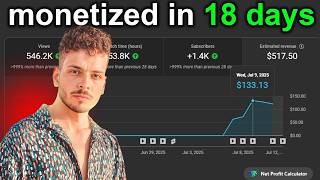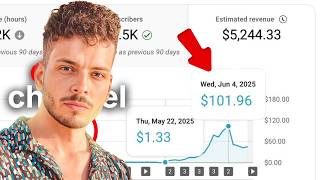

كيف ربحت 22$ من 3700 مشاهدة؟
45sيبدأ الفيديو بعرض نتيجة مذهلة وغير متوقعة تربط بين عدد المشاهدات المنخفض نسبيًا والأرباح الجيدة، مما يثير فضول المشاهدين لمعرفة الطريقة.
▶ Play Clip"Title promises a method to earn $22 from 3700 views, and the video delivers that method, though earnings may be exaggerated."
The creator explains how to make money on YouTube by repurposing content from other channels using AI tools. They claim to have earned $22 from 3,700 views in one day using a simple niche involving long videos with still images and voiceovers. The method involves copying video links, using Gemini to generate image prompts, creating images with Edeo, and generating scripts via AI.
Made $22 from 3,700 views in one day using a simple niche.
Creator thanks negative commenters but says channel earnings are only $12.77 in 3 months, RPM 13.00.
Shows a channel created in 2008 with 809 subscribers that got 276,000 views in 3 weeks.
Offers a paid training system for those who want to avoid mistakes and learn techniques used by successful creators.
Shows a channel with one video at 700,000 views, using still images and sound.
Copy video link, paste into Gemini, ask it to create prompts for images suitable for the story.
Use Edeo website to generate images from prompts; free with multiple accounts.
Place images in editing software. Get script by using Transcript website to extract text, then rewrite with AI.
Use Labs or similar tool for voiceover. Ask AI to write description and tags.
The method involves repurposing existing videos by generating new images and scripts using AI, then assembling them into long videos for high RPM. The creator promotes a paid training system for faster results.
How much did the creator claim to earn from 3,700 views in one day?
$22
00:02
What was the channel's total earnings in 3 months according to the creator?
$12.77
00:43
What RPM value did the creator mention?
13.00
00:43
What is the first step in the method to create a video?
Go to a channel that uploads daily videos and copy the link of a video you want to repurpose.
04:31
Which AI tool is used to generate image prompts from a video link?
Gemini
05:02
What website is used to generate images from prompts?
Edeo
06:12
How can you use Edeo for free?
Create multiple accounts to get free credits.
06:42
What website is used to get the transcript of a video?
Transcript
08:16
What tool is used for text-to-speech voiceover?
Labs
09:46
What is the purpose of asking AI to write a description?
To get a description and tags for the video.
10:12
Earnings claim
Provides a specific, quantifiable result that hooks viewers.
00:02Old channel advantage
Highlights the importance of channel age for YouTube success.
01:13Repurposing method
Describes a step-by-step technique using AI to create content from existing videos.
04:31Free image generation
Shows how to use Edeo for free by creating multiple accounts.
06:12Script extraction
Demonstrates using a transcript service to get text for rewriting.
08:16[00:02] how I created it and how I managed to make $22 from 3700 views in just one day. The niche we're going to talk about is easier than you can imagine. You can do it on your phone, you can do it on your laptop (
[00:14] though a laptop would be better, of course). It's a simple niche, easy to make money from, and I tried it before explaining it to you. But before I go into the details, let me comment
[00:27] on two very important points. In my last video, I talked about creating a training system, and thankfully, the video received a huge number of negative comments. I want to thank those people because they really made me seriously consider shutting down the channel and not posting any
[00:43] more content. This channel is literally taking more from me than it's giving me, as you can see. Let's look at its earnings since I started posting—I started three months ago—and the channel's earnings. $12.77, RPM 13.00. Literally, if
[01:01] I shut down this channel, it wouldn't make a difference to me, and it wouldn't bring me any income. So, of course, the comments are overwhelmingly negative, to the point that someone even wrote to me accusing me of exploiting people by
[01:13] selling them old channels. Okay, let me show you some results. I want to thank this person immensely for allowing me to share his
[01:28] results. Let's take a look. As you can see, I've encrypted the channel details, and that's at the owner's request. This channel, as you can see, was refreshed in 2008. As you can see, the channel was
[01:43] created in 2008. As you can see, it has 809 subscribers. This person started making videos about three weeks ago, and as you can see, he's done... 276,000 views – this is just one point I wanted to clarify. I wanted you to understand
[01:57] you to understand that older channels are a very important tool, and you need to keep this in mind. I do n't personally benefit from them to the extent you might think. Yes, I earn money from the channel, but the profit is very small because the biggest benefit
[02:11] for me is helping my viewers achieve results. Now, let me address one last point: as a beginner, is this course even worth buying? Is the training system worth it? If you don't care about the time commitment, or about
[02:27] learning quickly, or about having a supervisor overseeing your work, monitoring your progress, and tracking your mistakes, then fine. If none of that matters to you, you can watch the videos on the channel, and God willing, you'll
[02:42] achieve results like many others who have achieved them for free, without even paying a dollar. But if time is important to you... I want you to avoid mistakes and I want someone to help you avoid the
[02:56] mistakes that kill and destroy channels. This course—or rather, it's a comprehensive channels. This course—or rather, it's a comprehensive training system—will teach you all the techniques used by foreigners and experienced Arab content creators
[03:10] who don't even create content. You can benefit greatly from this training. If you're interested, you can join the Telegram group or contact me on Telegram,
[03:22] WhatsApp, or Instagram. I'll help you with all your questions and anything else you want to know. So, without further ado, let's get straight to the details of this niche video. details of this niche video.
[03:38] this channel creates. As you can see, they have just one video with As you can see, they have just one video with 700,000 views, approaching 800. Let's look at... The content they create is very simple, as you can see. It starts with a few
[03:53] videos, like one or two, followed by a still image. Now, I'm going to show you how to create content for this niche and produce videos in a cleaner,
[04:06] better, and more powerful way than what you see now. The sound should be working, but sound should be working, but I've used a cutout, as you can see – just regular sound with a still image. I'm here to show you how to create content the way I
[04:19] used to achieve the profits you see from this same niche. The RPM is very high, and that's because the videos themselves are long. So, without
[04:31] further ado, let's get straight to the actual method of creating the videos. All you have to do at the very beginning is go to the channel shown here, let's say this one. As you can say this one. As you can see, it uploads a video every day and has more than 68
[04:46] see, it uploads a video every day and has more than 68 videos. You can use these videos, and with my secret method, all you need to do is... What you do is copy this link, then open Gemini and send him the message shown here. I've already
[05:02] shown here. I've already done this, but I want to save time. You put the link in Gemini. Let's look at this together. We put the link in, and then you ask him very simply, without any prompts or anything like that. You press Enter and
[05:17] prompts or anything like that. You press Enter and ask him to watch this video and create a set of prompts or images suitable for the same story. He's already written the things in English, or the prompt I'll use to create the
[05:32] images, in Arabic, but I want it in English. So I'll tell him to do it in English in a very simple way, very easy. You can do the same
[05:45] steps. I'm talking to him like I'm talking to a friend, and as you can see, he's supposed to have translated the whole thing. All I have to do is... I'll take these images and apply them. So, what do I do? Let's take the first part. This is all the details of
[06:00] one image: number one, number two, number three, and so on. Okay, I've created all the images, but I still need more. I'll ask him to add more images. I'll copy this text and go to the
[06:12] website we have here, which is called Edeo. Of course, I'll leave all the sources for you in the Telegram group. We'll add the promo here, and I'll choose the size for the the size for the YouTube thumbnail. I'll leave everything as
[06:27] is, and I'll leave the style setting as "auto." Then I'll click on "Generate." This website can be used for free or for a fee. What's the difference between the two? The difference is the number of credits. But if that does n't matter to you, you can create multiple accounts
[06:42] n't matter to you, you can create multiple accounts and work without spending a single cent. Okay, as you can see, he created the image. I choose the image I want, or I can take all four images. I'll put them in my video in a different way. Okay, let's look at the next image. Here's the next image, and
[06:54] let's look at the next image. Here's the next image, and on the "Generate" button. That's how it creates the image. It should load the image here. So, let's take a look together. Okay, how can you
[07:14] see, the image is very high quality. You can use this image and test it. I swear, you can get very good results from it. This is a truly powerful method that allows you to create respectable content. You can use your brain and apply this same method or trick
[07:31] to a different niche. Don't wait for someone to come and tell you to make one. No, you can take the same idea in the same way. There are many powerful niches where you can use the same trick, the same strategy, or the same method. It's simple. Now you take
[07:48] all this prompt and apply images to it. Take these images and put them in any editing program. Put these images one after the other in the editing program. That's how we prepare the image. Now how do we make the video,
[08:02] prepare the image. Now how do we make the video, or where do we get the script? All you have to do is go to the video you want to make like, let's say the video in front of us. say the video in front of us. We'll easily take the video, take the link,
[08:16] and go to a website called Transcript. Of course, we'll take the first website, i, and add the link here. We'll click on the phrase "Get Free Transcript," which means it will give you the written or spoken words in the video for free. What do we do next? We'll copy all of this.
[08:33] video for free. What do we do next? We'll copy all of this. I've taken all the words, so I'll open I've taken all the words, so I'll open Gemini, or I'll open GPT Chat, or I'll open any AI tool, but Gemini or GPT Chat is preferable.
[08:47] These two are the best for writing the script. And of course, I'll add the script. But first, I need to get the Promote. Of course, this is the Promote we have. As I told you in the Telegram group, let's go here to Gemini and give him our Promote. Based on that,
[09:04] he understands what we need or what we want. We'll go back here and take what we said, the transcript of the video we want to make, and we'll go to
[09:17] Gemini and give him the script. What is he doing now ? He now understands what I want and is rewriting or recycling it in a different way, with a different perspective on the same video idea. So now I've created the script, and as you can see, he
[09:34] gave me the details of the topic's topics—sections 1, 2, 3, and 4. I keep telling him to start with section 1, then section 2, then section 3, and he keeps giving me a script for each section. I take
[09:46] that section or that script and go to Labs or any other tool you know. I copy the script and put it in Labs, and the sound comes out right away.
[10:00] I add the sound to the image, which we already created using Google Gemini scripts, and we did it through the website you see here.
[10:12] Now we come to a very important point, which is the description. Next, you also ask for... Gemini, or the AI tool that asked you for the script, asked you for the script, asks you to write a description and
[10:27] asks you to write a description and discussed. This is the method I used, though I explained it quickly and verbally. This is
[10:39] actually how I created the script and the video that script and the video that earned me $22 from 3700 earned me $22 from 3700 views in just one day. That's all for the
[10:51] video. I hope you enjoyed it. Don't forget to support me with a like and a comment, as your support makes a huge difference to the channel's continuity.
[11:03] If you'd like to join my training program, you can contact me on Telegram, you can contact me on Telegram, WhatsApp, or Instagram.
⚡ Saved you 0h 11m reading this? Transcribe any YouTube video for free — no signup needed.