
3 Requirements to Run Facebook Ads
60sClear, actionable prerequisites for beginners that prevent common mistakes and account bans.
▶ Play Clip"Delivers a solid beginner's guide to Facebook ads, though it's more of a basic overview than a deep 2026-specific course."
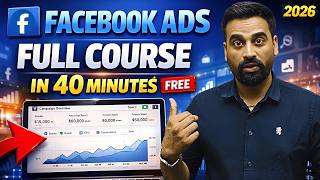
This video is a crash course on Facebook marketing, presented in Hindi by digital marketing coach Rahul. It covers the essentials of creating and running Facebook ad campaigns, from setting up an ad account to targeting audiences and writing ad copy. The course is structured in four steps: choosing objectives, creating campaigns, targeting audiences, and optimizing results.
Rahul introduces himself as a digital marketing coach and outlines a 40-45 minute crash course on Facebook marketing, structured in four steps: choosing goals, creating ad campaigns, targeting, and analyzing results.
To start, go to Google, search for Facebook, and click on the official website. Then, click on the 'Ads' option in the top menu to open Facebook Ad Manager. Ensure you have a personal Facebook account, a Facebook page, and a non-suspended ad account.
The dashboard shows campaign, ad set, and ad levels. Key columns include Actions, Results, Cost per Result, Budget, Amount Spent, Impressions, and Reach. Tools for editing, duplicating, pausing, and deleting campaigns are available.
Facebook offers objectives: Awareness, Traffic, Engagement, Lead, App Promotion, and Sales. Choose based on your goal: Awareness for brand awareness, Traffic for website visits, Engagement for likes/shares, Lead for lead generation, App Promotion for app installs, and Sales for direct orders.
Select 'Traffic' as an example. Choose 'Manual Traffic Campaign' to have full control. Name the campaign, set budget (daily or lifetime), and choose bidding strategy (highest volume initially). Click Next to proceed to ad set creation.
Ad sets allow managing multiple variations (e.g., different product variants) within one campaign. For a single campaign, set a campaign budget. Choose conversion location (website, app, etc.) and performance goal (e.g., landing page views).
Targeting is crucial for avoiding wasted spend. Set location (e.g., all India or specific city), age range, gender, and language. Use detailed targeting by demographics, interests, and behaviors. For example, target 'digital marketing' interest to reach relevant users.
Choose where ads appear: Facebook, Instagram, Messenger, etc. Use manual placement to exclude unwanted apps/sites. This ensures ads run only on chosen platforms.
Write primary text, headline, and choose a call-to-action button. Use ChatGPT to generate ad copy quickly. Paste the generated text into the ad fields. Ensure the ad creative (image/video) matches the product to avoid mismatch errors.
After reviewing, click Publish. Then, go to Billing and Payment to add funds. Facebook will run the ad within 24-48 hours after payment.
Keep landing pages professional. Use daily budgets and multiple ad sets to identify what works. Analyze and optimize based on reports. Ensure ad copy and graphics are professional and match the product.
This crash course provides a foundational understanding of Facebook advertising, from setup to optimization. By following the steps and tips, beginners can start running effective ad campaigns, though deeper learning may require additional resources.
What are the three levels of a Facebook ad campaign?
Campaign, Ad Set, and Ad.
06:28
What are the six main campaign objectives in Facebook Ads?
Awareness, Traffic, Engagement, Lead, App Promotion, and Sales.
10:35
When should you use a 'Traffic' campaign objective?
When you want to drive people to your website, blog, YouTube channel, or other external destination.
11:26
What is the difference between daily and lifetime budget?
Daily budget spends a fixed amount each day, while lifetime budget spends a total amount over a set period.
20:10
What are the three components of detailed targeting?
Demographics, interests, and behaviors.
30:19
Why is audience targeting important?
It ensures your ads reach the right people, reducing wasted spend and improving results.
26:22
What tool does Rahul recommend for writing ad copy?
ChatGPT.
39:00
What should you do if you see a 'creative and objective mismatch' error?
Use the correct graphic or video that matches the product being advertised.
42:00
What is the recommended bidding strategy for beginners?
Highest volume, letting Facebook decide the cost per action.
21:35
How long does it take for Facebook to run your ad after funding?
Within 24-48 hours.
43:07
Choosing the Right Objective
Selecting the correct campaign objective is critical to avoid wasting ad spend, a common beginner mistake.
10:35Audience Targeting Importance
Proper targeting prevents irrelevant leads and improves conversion rates, a key insight for effective marketing.
25:53Using AI for Ad Copy
Leveraging ChatGPT to generate ad copy is a modern, efficient technique that saves time and improves quality.
39:00Professionalism in Ads
Keeping landing pages and ad creatives professional is essential for achieving meaningful results.
43:21[00:03] video. Friends, if you are a person who has any kind of business , any product or any service and you also want to promote your business , your product or your service by marketing it on Facebook.
[00:17] But you do not know and how you can market on Facebook in the right way.
[00:29] If you don't know this and you do n't know anything about Facebook marketing but you want to learn Facebook marketing yourself.
[00:41] So today's video is going to be most interesting for all of you. Do watch this video till the end. Look friends, my name is Rahul. I am a digital marketing coach and in today's video I have
[00:56] brought a crash course on Facebook marketing for all of you. In this video, I am going to teach you how you can do Facebook marketing in the next 40 to 45 minutes.
[01:09] this crash course of mine on Facebook marketing, I will complete it in about four steps. tell you that whenever you try to do marketing on Facebook, then brother, try to do marketing on Facebook, then brother,
[01:24] and which goal do you have to target. In the second step, I will tell you how you can create a Facebook ad campaign step by step correctly whenever you do marketing. And in the third step,
[01:39] friends, I will also tell you how you can do targeting whenever you create a Facebook ad campaign. you create a Facebook ad campaign. your ad campaign. So, in this video,
[01:55] And in the last step, I will also tell you friends, how after creating your ad campaign, how will you see your results and response and what are the tips and tricks using which you can generate good
[02:10] sales and good leads through Facebook. So friends, if you are a beginner, you do not know how to run Facebook ads, but you want to learn Facebook ads, then you must watch this video till the end. Do
[02:23] n't skip the video. I would like to make one more request to all of you. then like this video and share it with your friends and to join me and
[02:37] share it with your friends and to join me and press the bell icon button. Let's start the video now and learn how you can run Facebook ads yourself for your business.
[03:01] So what are you going to do, friends? Look friends, first of all you will have to go to Google here and after going to Google here, friends, here you will have to type Facebook and simply you have to click on the enter button. See, as soon as you
[03:14] click on the enter button, the official website of facebook.com will appear in front of you. So what is Simply Doing? You have to click on the link of this official website. Now look friends, let me tell you one thing, whenever you
[03:27] try to do marketing on Facebook or you try to create a marketing ad campaign, then there are some requirements here. If you do not have those requirements then brother, you cannot do marketing on Facebook. Take
[03:42] understand what are the requirements. Look, first of all you must have a Facebook account. And keep in mind that the account should be your own original one on which your identity should be attached. If you try to use any duplicate account,
[03:56] If you try to use any duplicate account, original account should be on Facebook. If you look here, this is my is the first requirement. What is the second requirement? You
[04:09] must also have a Facebook page. So here if you see I click on See More. So here I have some Facebook pages created on this profile of mine. Look, let me some Facebook pages created on this profile of mine. Look, let me
[04:22] to my profile from its main profile. And here if you see I now go back to She More. So Facebook pages are created. Ok? And these Facebook pages, friends, are our business pages. Ok? Through which we
[04:37] can do marketing here. Look, you can see here that I have many pages created here. So you should also have a Facebook page. Now how does one create a Facebook page? I have already made a video of it, go to my channel and
[04:50] watch it and you can create your own Facebook page. Ok? A Facebook page was created. The profile was created. What do you do now ? Your two steps are complete. Two requirements were completed. Now friends, let us move on to the next step. And the third
[05:03] requirement is that you should have a Facebook ad manager and that ad manager should not be suspended. Take care of this thing. So look, I have a profile. Ok? I have already created the page and I also have an ad account.
[05:18] How do we access that? Here you will have to go to the top of the menu and here you will see the option of add. So simply you have to click on the add option. Even if you are creating it for the first time, you have to click on the ad only.
[05:31] As soon as you click on the ad, your Facebook ad manager will open in front of you. You don't have to worry too much about anything here. Now here you can see that our Facebook Ad Manager is opening.
[05:45] Facebook's Ad Manager and its dashboard will open in front of us. So this is one way you can access Facebook's ad manager. And this is your Facebook Ad Manager, friends, this is your dashboard from
[06:01] where you will manage all your campaigns. You will run all the AIDS campaigns. Take care of this thing. Ok? Now see friends, Facebook Ad Manager has opened in front of you. Because for beginners who do not know anything
[06:15] about Facebook marketing, it is important for them to understand this dashboard a little. Ok Facebook's ad manager has opened in front of us. Now if we talk, friends, here is your Facebook ID. Add is the account ID. And see here,
[06:28] you can create any campaign in three steps. The first one will be your campaign. The second will become your adset and the third will become your ads. Ok? And whatever campaign you create here, that campaign will be visible here. Like this campaign of mine, you are seeing it,
[06:41] this campaign is made by me. Now it is showing payment error. Meaning I have not made any payment in it. So that's why it will show you an error. Here you will see the action option in which you will
[06:55] , how much traffic has been generated, all this will be shown to you in action. After that, in the results, you will see how many landing page views you have, how many leads have been generated, everything will be shown. Here the Pay Cost Per Result
[07:07] option shows you how much charge is deducted for a lead. You have to show Facebook how much you have to pay for a landing page. charge is deducted for a lead. You have to show Facebook how much you have to pay for a landing page. you will see the budget option here, you can see here how much you are spending daily on your campaign.
[07:20] look here, you will see the option of amount spent. This means that how much money you spent on your ad campaign will be visible here. Here you get the impression option in which you can see how many people have seen your
[07:34] ad through Facebook. How many people have seen your ad? there is the reach option, in which you get the option of how many people your message has reached and after that how many people have made impressions. Meaning how many
[07:49] people saw it. Ok? And after that, there are some settings here in which you will be able to see all the settings that you have to do while creating the campaign. Ok ? Apart from this, some
[08:02] tools are also given to you here. For example, here if you want to delete or duplicate this campaign, then you get to see all these tools here. If you want to duplicate it, you can duplicate it here. Here you have to edit and delete. See all the options, they are given to you here
[08:15] in this dashboard. If you want to pause any campaign, then you can pause it like this here. If I pause it, then my campaign will stop on Facebook. In this way you can manage all these things.
[08:27] [nasal sound] You also have a side tool here. Ok? In which you can see options from the campaign. You can view your ad reporting here. You can see the audience. You can see the advertisement settings. And here
[08:39] comes your important setting Billing and Payment from where you will make the payment to your ad account. This is your event manager from where you can do pixel integration. And there are many other tools within Facebook that you manage
[08:52] when you create your ad campaigns. Look friends, I would like to tell you one thing in this video. It is almost impossible to learn these Facebook ads in one hour or half an hour. But whatever things I can teach you, I will
[09:06] teach them in this video. Ok? But if you are thinking that I want to learn complete Facebook ad and I want to learn complete Facebook marketing. I want to learn how to run ads on Facebook properly. So you can join one of my courses.
[09:18] I have created a complete course on Facebook marketing for you all. The fees are also not much, only ₹1499. If you want to learn Facebook marketing and want to If you want to learn Facebook marketing and want to
[09:33] given you the link in the description. You can go there and check out my course. Or friends, if you are an entrepreneur, business owner, student or working professional, and you want to learn digital marketing completely, then
[09:45] want to learn digital marketing completely, then My live digital marketing course is of 2 months in which I teach you about 13 modules. And after doing this course of mine, Facebook marketing
[09:58] etc. will become very easy and simple for you. So whether you want to join a live course or purchase a recorded course, you will get information about all of them in the description. You should go and check the description once. Ok? Now look friends, we
[10:10] move ahead. You understand the dashboard here. Now let's go ahead and what do we do now ? Let's start with the first step. Look, till here I think you will any doubt or any confusion then
[10:22] comment me. I will definitely try to answer your questions. Now friends, let us go to the first step. What is the first step? In the first step, we will learn that whenever you create your ad campaign, how do you choose the goal there.
[10:35] Ok? So look, here we will go and click on the create button and when you click on the create button, then look, here you will get friends objectives inside Facebook. Now what many people do is that whenever they do marketing, they do
[10:47] not know which objective they have to choose. Which campaign should we make and if they make any campaign then the money gets wasted. So here important thing. Look friends, let me explain this a little bit
[11:00] for you. For example, suppose you want to promote a business through Facebook, then if you want to promote a business for which you just have to spread awareness. Meaning, I want to make people aware that brother, I am opening this showroom. I am
[11:13] opening this school. I am opening this college. You can come here and take admission. If you want to spread awareness in your surrounding locations. So here you can select Awareness Ad Campaign. Ok? After this, the second one is
[11:26] traffic ad. See why traffic ads are created ? Let's say you have a website , you have a blog, you have a learning page or you have a YouTube channel, okay? Or you have a WhatsApp account, an Instagram profile, or a
[11:39] Facebook page. You have to take people there. This means you have to generate traffic to your website from Facebook. So in that condition you can select traffic ad campaign or you can select this objective. Ok
[11:54] ? After that comes next here engagement. When do you need to create an engagement ad campaign ? Suppose you have an Instagram account, you have a WhatsApp account or friends, you have a Facebook page. You have
[12:08] uploaded a video there or you have a Facebook page. You have uploaded some graphics there and you need engagement on them. Meaning, if you want to get likes , share or follow any profile or
[12:23] you want to connect people on WhatsApp, then in that condition you can run engagement ad campaign on Facebook. Next comes friends, here we have the lead. See, the lead ad campaign is very important. It is
[12:37] also useful for many people. When do we run lead ad campaigns? Suppose you have to generate leads for any business. For example, suppose you are a property dealer and you want to generate leads for properties, then
[12:50] what will you do in that condition? You will set up a lead ad campaign. Ok? Or suppose you have to generate leads or data for admission there, then in that condition you can still setup a lead ad campaign. Ok? Look, if you have a
[13:06] business and you want to generate leads for it but you do not understand how to do it, then you can also contact our team. team will set up the ad campaign for you. If you need management,
[13:20] we will provide you management services at the best cost. Ok? Let's move on to the next one. Next up is app promotion here guys. See, the ad campaign for app promotion is run on Facebook when, suppose you have a
[13:33] mobile application on Play Store or any other store, then if you want to promote that application there and get it installed. Ok? In that condition, you can run an ad campaign for app promotion. Ok? And
[13:46] lastly comes friends, here you have the sales person. This is the most important ad campaign for you on Facebook. See, suppose you have an e-commerce website friends. You have a digital product selling landing page and want to
[13:59] sell your product online. This means that you get a direct order on your website or digital product. Sell that product there. You can get the order directly. So
[14:11] in that condition you have to run sales ad campaign. Now this is a very important campaign and you have to put in a lot of effort to run it. Firstly, you should have a good landing page. There should be pixel integration on it. After that
[14:24] you can run the sales ad campaign. You cannot run before that. So this is a You cannot run before that. So this is a very long process for you to run a sales ad campaign. And in my course on Facebook Marketing,
[14:36] I have shown you how to create all the campaigns step by step so that you can step so that you can create all the campaigns easily. Can run easily. Ok? So see, our first step is complete. I have told you
[14:49] how you will select the objectives or goals here. I think you will not have any doubt. What do we do now, friends? What will we do here? We select a goal and an objective and then select our ad
[15:04] campaign based on it. Let's make it and after that we will see and learn how you make an ad campaign. Look, I will tell you one more thing. If you learn to create an ad campaign correctly, then creating other ad campaigns will
[15:18] not be difficult for you because all the ad campaigns in Facebook are almost similar. Ok? You definitely have to do some settings and if you want to learn that then brother, you will either have to purchase a course or if someone is giving you a Facebook course for free then you will have to
[15:34] Ok? What do we do now ? Let us select an objective here. For example, suppose today ? Because traffic is a very important
[15:46] ad campaign. So here let's say we select traffic. Selected traffic. what shall we do now? Here we will click on the continue button. Like friends, you will click on the continue button. Now here the
[15:58] process of creating an ad campaign starts in front of you. And here we are in our second step in which we are learning to create an ad campaign. Ok? So see, here you get the option of Choose a Campaign Setup in which you will get two options. Firstly, you will
[16:11] get recommended settings and here you will get a manual traffic campaign. So you have to select manual traffic campaign and then click on the continue button because we will create our own campaign. We will not allow Facebook to be created.
[16:24] We will make it ourselves. So you have to select it manually. Ok? Now here you can see friends, you have three steps. One is here, the second is here, the third is here. And you see three here. First of all, there are your basic settings
[16:37] of the campaign. Second is your adset and third is your final ad copy which has to be written, these are your three steps. So I had already told you that whenever you create any ad campaign on Facebook, it is created in three steps. Ok? Now
[16:51] let us complete each step one by one. See the first one coming here is the campaign name in steps. So what does a campaign name mean ? Look friends, whatever business you are setting up your ad for, you will have to enter the name of that business here.
[17:04] For example, suppose I am doing some stock market work here or suppose I am doing digital marketing work. Ok? So here I will put the name of digital marketing. If I have a website, let's say
[17:18] then I can put Vox Media here. So you have to enter the campaign name. There is a reason for this. Why do you have to put it in ? So if you are creating a campaign and have created multiple campaigns on Facebook, then you should know which
[17:32] campaign you created for which business. Ok ? So this is how you have to enter the campaign name. After that comes the campaign details here friends. So here in the buying type, you have to keep the auction and here you will get the campaign objective of traffic.
[17:45] So we will not have to make any changes in this. You have to scroll down and here comes the budget option friends. Now see, in the budget option, you have two types of budget options. One is coming to you brother, the campaign budget is coming to
[17:58] you and the other is the ad budget. See if you are creating only one campaign here. Ok? So in that condition you will have to enter the campaign budget brother. But if you create multiple ad sets, then in that condition you can decide the budget of multiple ad sets.
[18:13] Now many people will be confused here that the ad campaign is one, I understand that. What are ad sets? Ok? So look, let me try to explain this a little bit. What is Adset? Look, suppose you are promoting a product
[18:28] and it has multiple variations, then what do you have to do in that condition? Multiple ad sets need to be created for a single campaign so that you can easily manage multiple variants of a product within a single campaign. I did
[18:45] No problem. Let me give you another example. For example, suppose we take the example of a Tata. suppose we take the example of a Tata. Suppose Tata has a car named Harrier. Now suppose
[18:59] Tata wants to create its campaign on Facebook and promote it. So what will Tata do? Here the campaign will be made in the name of Tata Harrier. Now you know that Tata Harrier is available in petrol, diesel and also in EV. So
[19:14] what will HR sorry Tata do here? Tata will make three ad sets here. Three ad sets will be created within the same campaign. First, Tata will make diesel, second, it will make petrol and third, it will make EV. So what will Tata do? Create three adsets in a single campaign and
[19:29] Create three adsets in a single campaign and will separate diesel, will separate petrol. But all three ad sets can be managed from a single campaign. Ok? So this way you have to create different ad sets
[19:43] in the same campaign so that you can manage them properly. Ok? Now if you feel that you have to create different adsets, in that condition you can decide the budget of different adsets here. Ok? So what am I going to do here? Today I am
[19:57] creating only one campaign here. So I'm going to simply click on the campaign button here and I'm going to put in my campaign budget. So here you will select the campaign budget. Now here brother, again the budget option is coming to you and if you click on the budget option then
[20:10] again two options appear here. One comes daily and the other comes for lifetime. Now what is this mess? See, there are two types of budgets in this also. Firstly, daily means that friends, if you want to spend some amount daily on
[20:23] Facebook, you can use daily budget for that. One comes with lifetime budget. What needs to be done in this ? For example, suppose you deposited ₹500 at one time and told Facebook to spend this ₹00 on me. Promote my ad campaign. So what Facebook will do is
[20:37] that the Facebook Life budget of ₹500 that you have entered can be spent in 1 day, 2 days or 5 days. Ok? He will get it removed by spending the budget. But suppose you are entering a daily budget and you recharge Facebook for
[20:52] ₹50,000, and you put it on Facebook that brother, I have to spend ₹1000 daily. So what will he do now? Facebook will spend ₹1000 daily on your ads Facebook will spend ₹1000 daily on your ads and approximately your budget will last for the next
[21:05] 50 days. Ok? So in this way you can spend your daily and lifetime budget here. So I entered the daily budget here and after that see, I entered ₹1000 here. Now he is saying that brother, you put the money. Put in the funds. There is no money in your account.
[21:19] So no problem, we will first create the campaign and then upload it. bidding strategy friends. Ok? So what is this ? This is what happens friends, here you get the ? This is what happens friends, here you get the
[21:35] option to add the bidding of the campaign that you are creating, that brother, you get the keep the highest volume in the beginning and we will give this access to Facebook that brother, you can decide as per your convenience as to how much you will charge for one action. It is important for you to keep this in the beginning
[21:51] so that your ad campaign runs properly. Ok? If so, After that friends, what do you have to do? Scroll down and the budget schedule option will appear. So we
[22:04] will not schedule the budget. As soon as our budget of ₹1000 gets expended, our ad campaign will automatically stop. AB testing option is coming. So we will not enable AB testing here. And here we do not have any special ad
[22:17] category here. Ok? So what will we do? Here you will simply click on the Next button. As soon as you click on the Next button, our first step here gets completed, friends. And now we have come to the second step. And
[22:29] what is the second step? The one with the add set. Ok ? So I told you that you can create multiple ad sets. So here you get multiple options of ad sets. After making it, you can duplicate it or create a new one.
[22:43] You have both options. Now I have told you all these things in the course, how ad , how different ad sets have different targeting, how different graphics have to be used there, how ad copies have to be used,
[22:56] I have taught you each and every thing in my course. If you want to purchase the course, the link is given in the description. You can go and purchase it. Ok? What do you do now? Ad sets will have to be created here. So
[23:09] let's see what you do here in creating ad sets? New Traffic Ad Set: You put 001 here, okay, so you will know that this is your first adset, after that friends, here you are getting the option of conversion, so look here in convert, here you are getting the
[23:23] option that brother you have to target the location, where you have to take the people, that is, where you have to generate traffic, so here you are getting the website, app mobile application, Messenger WhatsApp Instagram, you can take it there, you have to
[23:37] you do not have to generate calls. You have multiple options here. So I will it is the most important here and this is the best adset. This is what a campaign is. So I will select website here.
[23:52] ? Scroll down and here you will find Performance Goals. So here you have to select and see here you are getting traffic goals and other goals. So one thing is coming here, maximum number of landing page views are coming.
[24:05] One is coming here, look friends, daily unique reach is coming. We will not select this. Numbers of conversions and
[24:17] impressions here. So look here, you can select two things. You can select two options. Firstly, your maximum number of landing page views means that any person will reach your website. You have to target this, after that your
[24:31] conversion will be counted. And secondly, what will happen here that maximum number of conversions show, what to do in this? Like if you select this one, what will Facebook do? It will send people to your website and suppose there is
[24:46] a chat option or a message option on your website, then people will message you there and tie up with you. Facebook will count that in its performance goals. Ok? So in this way you can select whatever you have. After that
[25:00] scroll down. And after scrolling down, friends, here you will see the option of Show More. So you can click on Show More option. And creative will be visible. So we will not enable this. If you enable this,
[25:13] Facebook will automatically modify your graphics and posts as per its requirement. So you do n't have to do that thing brother. Ok? What are you supposed to do after that friends? Here you will get the option to select the budget. So
[25:27] our budget is already selected. See, ₹1000 is selected here. So we do not have to make any changes in this also. If you want to schedule a budget, you can do it. Rest friends, as soon as your budget is exhausted, the ad will stop automatically.
[25:40] Ok? After that you have to scroll down and here comes the audience control. So see, this is the most important part and I had told you that in the third step I will also tell you how you can do audience targeting.
[25:53] Ok? So let me tell you friends as far as we have created the campaign. Till here our second step is completed. Now we are moving on to the third step. And what is the third step? The third step is that brother, we will learn to target the audience
[26:07] here and we will learn to write ad copies and this will be a very important step for you, keep how do we do it? Look, let me tell you one more thing in this video. If you create an ad campaign on Facebook, many people say that
[26:22] sir, we do not get any response even after calling us. We do n't get the result. No one messages us. No one calls us. We do n't even know who is filling the leads we are getting. When we call on the lead, they say I have not filled it. Now do you know when all these problems
[26:36] occur? When you do not do audience targeting properly then you will face these problems. Ok? But if you do audience targeting properly then brother, you will never have to face these problems. Ok? So here
[26:50] I am going to tell you about audience targeting in this campaign. Ok and here to create an audience, first of all you will have to go to the edit option and here first of all you have to target your location.
[27:05] See, location is the most important part. Suppose you have a business which you have to promote all over India. If you want people from all over India then brother, select all India here. But if you have a business that is targeting a specific
[27:19] city or state, then in that condition you will enter the same location here. For example, suppose I want to promote ads only in Jaipur, then I will use Jaipur here and by adding Jaipur, I can target Jaipur city here.
[27:33] What will you do with this? You will target the city of Jaipur. What will happen now? Your ad will run only within Jaipur. It will not be visible to people outside. Ok? So in this way you will first target the location. After that,
[27:46] friends, here you are getting the option of show more option. So we will click on the show more option and here we have minimum age coming. So we will select the minimum age here as 20 years. Ok? We will select 20 years so that the
[28:00] audience that will come to us will be a young audience so that we can convert them easily. Ok? And here include people on WhatsApp whose age is unknown. Ok? So here we will do this, we will remove it. Ok ? So this will go away. After that friends, you have to
[28:16] scroll down and here you will get the option of location. So sorry about the language on location. So we will click on the language option and here you will see that language is also a very important part. In language, you will have to select
[28:30] that if you want to target Hindi audience then you have to select Hindi here. So here the Hindi audience will be targeted. Similarly, if you have any other audience, then you can easily target your audience here.
[28:42] So see, this part is the basic part of creating your audience and this is the basic step of targeting the audience. Now advanced audience targeting also comes in this and this is it friends, you can see it here. Ok?
[28:56] This is your advanced audience targeting option. First of all, see what you have to do here ? A custom audience needs to be created. So what does it take to create a custom audience ? You have to target the edge first. So brother, you have kept the minimum age as 20.
[29:11] target according to your product. For example, suppose your product is such that only people above 20 years of age will buy it. So here you have to select the age as 20 and you also have to select the maximum age as to what is the maximum age you want to keep. So you
[29:26] can keep maximum 45 here, you can keep 60. It has to be kept according to you. It has to be kept according to your products and services. Ok? Who is your targeting audience? You will have to select whether it is a young audience or an odd audience. After that friends, here
[29:39] you are getting the gender option. So you have to select the gender also. The product you are promoting, the business you are promoting, whether the audience is for men or for women, you will have to select your business or product here.
[29:52] After that you have to scroll down and here you get detail targeting. See, this part is the most important part and you will have to do detailed targeting in the right way. If you do detail targeting incorrectly, then
[30:06] right way. If you do detail targeting incorrectly, then Now see how detailed targeting is done friends. There is a very simple way to do detail targeting and you can do it in a very simple way. There is no such issue. It is
[30:19] not rocket science that you cannot do it. See, to do detailed targeting you have to use three options. The first option is that brother, you will have to target according to the demographics. The second option you have is that you will have to target according to interest
[30:33] and the third option you have is that you will have to target according to behavior. So here, let's say I am promoting digital marketing. put digital marketing here. Ok? And by adding digital marketing,
[30:47] see here, I can target those people on Facebook who are interested in digital marketing. So like I put digital marketing here and I clicked on it here. As soon as I click on this, the
[31:00] digital marketing audience will be targeted on Facebook. How do you understand this now? Look, suppose I want to sell my digital marketing course which I teach live to people and in it I have 13 modules.
[31:14] I have kept the fee at Rs 10,000. Suppose I want to promote my digital marketing course, what will I do? Here I will target the digital marketing audience and what will happen to my ad here? Only those people who are
[31:29] interested in digital marketing will see my ad. My ad will not go to useless people. So what does this do? You won’t have leads generated from the wrong people. After that friends, see here you will get many more different interests. For example, if
[31:43] someone is interested in social media marketing, then you can also target the someone is interested in online advertising, then look here, you can target him also. If someone is interested in social media or content
[31:57] marketing, then you can target him here also. In this way, you will have to target the audience according to their interest.
[32:11] and if you target that audience, then definitely you will get the right results and response through Facebook. Ok? So I think you must have understood how to do audience targeting. If you don't
[32:26] definitely try to answer your questions. And till here, if you have seen the video then I will definitely ask you a question. Look, if you feel that the video is useful for you then like the video and share it with your friends and my question to
[32:40] you is that please tell me by commenting how you liked this video of mine. ? Please do tell us that too by commenting. Ok? Now let us move ahead. Look, our
[32:52] audience has been targeted here. What do you do now that you have audience targeting? Have to scroll down. And here you now have the option of placement. What does placement mean? Placement means
[33:09] You can target that too here. So look here you will see the Show More option. So you have to click on this and here you will So you have to click on the edit placement control.
[33:22] And here, if you want, you can do specific targeting on my business. So here you have apps and sites coming up. So here in Apps & Sites, I remove this here and I remove this also.
[33:36] click on the confirm button. So now my ad will not go to useless applications and websites. Ok? After that, look here you have audience and placement control coming up. So on this we will click on the added button and
[33:50] click on manual placement. Like friends, you will click on manual placement. Now here you get the option as to where you want to run the ad. So suppose I don't want to use WhatsApp, then I will delete WhatsApp. If you do
[34:02] n't want me to use Messenger here, I will delete Messenger from here also. In this way, you can decide your placements here as to which placements you want to target. Ok? So I removed it from here. After that,
[34:14] you can also decide where to run it here. Ok? What do you have to do after that click on the Next button, friends, your second step here also gets completed. This means that your ad set also becomes Facebook's here.
[34:30] Now the final work left for you is to create ad copies. And here also look at the ad copies, it is a If you do not create ad copies properly then your ad campaign will not provide you the right results. Ok? So let's see how to make ad copies. First of all,
[34:46] what do you have to do? You do not have to make any changes to any settings in this. You can see the Identity option here. So in Identity, Facebook Page, whatever is your Facebook page suppose I select it here and my main Facebook page is
[34:59] Vox Media Solutions, so I selected this one and after that friends, here you are getting the option of Instagram account. So look here you will have to connect an Instagram account. My Instagram account is
[35:11] not showing you here. I check it once and if it is connected to someone else then I check it. So it is not on this here and if I look at it here then it is not on this also. There are a few more pages here at Voltmia Solutions so I'll take a look.
[35:25] click on this here and look here, maybe yes, Instagram account is connected on this. So in this way you will see your Instagram account here. You will have to connect and why do you have to connect on this? Because
[35:40] then your ad will start running on both Facebook and Instagram. Ok ? What are you supposed to do after that friends? Scroll down and look at the ad setup, here you have to click on creative ad. We will not add any product in Ad Product.
[35:52] Here you have to scroll down. In Creative Source you have to select Manual Upload. And after that, if you scroll down, you have to select single image and video here. This is automatic by default. Ok
[36:04] ? And after that, leave the option of Multi Advertise ticked here and in the destination you have to keep the website here. Ok? So friends, whatever your website is, Look, my website has come here automatically. So
[36:18] please enter the URL of your website here. After that we have to scroll down and here in browser add on we will click on friends. We will not add any here. If you want, you can also put a call button here so
[36:31] that someone can call you after seeing this ad. One can also WhatsApp. One can also fill the form. But we will not apply this. If you apply this, you will deviate from your main goal to some extent. Ok? So we will not apply this here.
[36:44] After that friends, the next option that comes to you here is Ad Creatives. So you will have to use ad creatives. So here simply we click on Ad Setup and here we will click on Video Ad. Because
[36:56] most important thing and the best option for you is also video ad. Ok? So look here, we will go to creative and make changes. You will click on the Next button. Ok? And here you have the media option.
[37:10] So friends, look in the media option, what will you have to do first here what will you have to do first here brother? You will have to put links etc. So let me exit this place once. Ok?
[37:22] And I copy this from here. Control A Control C, after that we go here, we will click on Ad Setup Creative and if you have a video ad then here we will click on Video and here we will
[37:37] paste it, okay friends, after pasting what you have to do is scroll down what you have to do is scroll down and here we will keep all these off, you do not have to turn any of them on, keep them off and after that click on the Next button again.
[37:49] As soon as you click on the Next button, you will see that ads are coming like this. So friends, whatever ads you have, you will have to upload them here. So look here, I have many videos uploaded on this.
[38:01] So suppose we use this video. Let's click on the Next button. So here you will have to add your video and you should have video ads already made. So look like this, I have
[38:16] used the video ad here. Now you click on the recommended option. So here your recommended size will be set up automatically and here the original and here also you have to keep the original or you can make it recommended also.
[38:29] Ok? So in this way your video will be set here and after that you have to click on the Next button. After clicking on the Next button, friends, how can you write primary text? For example, friends, suppose I am
[38:43] So here I can write the primary text about digital marketing course. So like here I write complete complete sorry a complete digital marketing course okay for beginners okay like this you can write primary
[39:00] tags one more thing I would like to use here see what I do is I take you to chart gpt and in this chart gpt can help you very well and you should use AI because if you do not use AI nowadays
[39:14] then you will probably be left behind. Ok? So we will go to New Chart and see from Chart GPT how I get its complete system written. I will put it here, I will call it Chart GT brother Chart GT, I have a course called Complete
[39:28] Digital Marketing Course for Beginners. I want to text or you can write it like this. Write two ad copies for me. Ok
[39:44] ? And you have to click on the enter button. What will Chat GPD do now? See, he will write ad copies for you. Add copies first and add copies second. So here you can see that the ad copy has been written for you. If you want to use ad copy in Hindi then you
[39:58] want it in English brother, I will tell him to want it in English brother, I will tell him to write it in English. Ok? And I will click on the enter button back here. So look, our ad copy is now
[40:10] look here, you have to copy the primary text from here and here and look here, you have to copy it till here and you have to go back here and
[40:27] ad, so this is the primary text, you have to paste it inside it, your ad copy is written like this, okay, now if you have to make some changes in the ad copies, then you can do it as per your headline is coming, so we will copy the headline here, okay? And we will come back here
[40:42] and paste it in the headline. Ok ? In this way you can get your ad copies written from Chart GPT. Nowadays it is very easy and very simple. And here in the call to action button we will use Learn More and click on the Next button again. Like you will
[40:55] click on the next button. Now look here you are getting AI option. So we will not turn on anything inside this. Whatever we have, we will use our own. We will not enable anything here. And again we will click on the Done button. Like
[41:07] friends, when you click on the Done button, your ad copy gets written here. Ok ? Your ad copies have been written and after writing the ad copies, friends, your ad here is almost made successfully. Ok ? Here you can see your
[41:22] can see your ad creatives, they are being submitted here right now. And as soon as our ad creatives etc. are submitted, our ad will be created and ready here. And what to do after that friends? Have to
[41:34] scroll down. You have to check our primary text etc. Ok? The primary text is done. Whatever we have has become headlines. After the end headlines, you want to use more headlines then
[41:46] you can also see and use headlines from here. And after that, look, our call to action button is our Learn More. This will scroll down there. Everything is already setup. So you can see everything is already setup here. And what will we do now,
[42:00] friends? Our campaign here has been successfully completed. And look here, you might be seeing an error of creative and objective mismatch. What does it mean? The graphic or video that we have uploaded, we have uploaded it of some other product.
[42:14] But we had to put the digital marketing graphic here. If you see here, we had to place the graphic like this. Ok? So that is why it is showing that error of mismatch here. But here you have to click on the publish button.
[42:27] So your campaign will be published here. So in this way your ad campaign will become successful here, friends. And what do you have to do now after the ad campaign is created ? Look here you have to go to the Billing and Payment option. Here it
[42:41] is showing error some item not published. So the reason for this is what I told you, brother, I have used another graphic. So if you use the correct graphic then no such error will occur here. Ok? Because I make a lot of ads. It's
[42:54] not like I've created ads for the first time. Thousands of aids must have been created by now. So that is the reason. You have to use the right graphics. So such a problem will never arise. Ok? Now what to do here brother? You will have to put in funds.
[43:07] Meaning you will have to invest money. If you deposit money, Facebook will run your ad in the next 24-48 hours. And after that, you can easily do your marketing as per your convenience. Ok? So I think you must have understood how a Facebook ad campaign is created.
[43:21] Now let's talk about the last step, step number four, and in that I would like to give you some tips which are
[43:33] Ok? See what is the first tip? Look friends, if you do marketing on Facebook, then whatever platform you do marketing on, always keep it professional. Ok ? It is like, suppose you are
[43:48] targeting a landing page and that landing page itself is not professional, then your result and response will be useless. Pay attention to the second tip. The second tip is that whenever you do marketing on Facebook, then use the daily budget
[44:04] and ad sets budget. This means that you should create multiple ad sets and choose the budget according to the ad sets because through this you will come to know from which ad set you are getting the right results and response. If you get
[44:21] delete the rest of the ad shares. Ok? So your leads etc. will start coming in right this way. Thirdly, I would like to give you one more tip and the third tip friends is that would like to give you one more tip and the third tip friends is that
[44:37] look at the analytics of the results and response of the ad campaign that you are creating and running, learn and understand it and then optimize it. If you are not able to read your reports properly, you will not be able to optimize your ad campaign. I would you will not be able to optimize your ad campaign. I would
[44:50] four is that whatever ad copies and graphics you use in your ad, those graphics and your ad copies should be professional. Videos should also be professional. It is not that you are selling some product and showing something else in the video,
[45:05] in that condition you will get wrong result and response from Facebook. So you have to keep this thing in mind. These are some tips that you have to follow. And apart from this, if I tell you once again. Apart from this, if you still want to learn Facebook marketing in a
[45:20] complete way, then I have given you the link in the description. You can go and purchase it from there or call my team. My team will also help you in purchasing that course. And lastly, there
[45:35] is one more announcement friends and that is that look, I have launched my own live digital marketing course for all of you. If any of you are interested in learning digital marketing course live with me and
[45:49] making your career in digital marketing then you can call my team. I have given you the numbers in the description. Get information about the course, take admission and you can start learning digital marketing with me at home. So that's all for today's video,
[46:02] by commenting. If you like the video, please like and share it with your friends. To join me and share it with your friends. To join me and please subscribe to the channel and press the bell icon button. I will meet you
[46:15] video completely and supporting and subscribing to me and my channel. supporting and subscribing to me and my channel.
⚡ Saved you 0h 46m reading this? Transcribe any YouTube video for free — no signup needed.