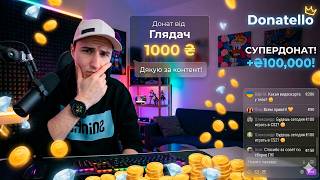

Best Donation Platform for Streamers
45sDirectly addresses streamers seeking the best donation tools, promising a personal recommendation and interface walkthrough.
▶ Play Clip"The title claims 'best donation platform for streamers' and the video delivers a thorough walkthrough, though it's subjective."
This video provides a comprehensive walkthrough of the Donatella donation platform, primarily aimed at streamers and bloggers. The creator shares personal experience using the service since April and demonstrates how to set up donations, notifications, widgets, and interactive features for live streams.
The video is an informative guide about the Donatella donation system, targeting streamers and bloggers who collect donations on streams or videos.
The creator recommends Donatella, which they have been using since April when they started streaming again.
The main page includes an account entrance, a live button showing streamers using the service, and a tab for donations to the Ukrainian army.
The dashboard shows total donation amount, notification count, top 5 donators, and donation statistics for 7 and 30 days.
The donations tab lists all notifications with amounts; the payments tab handles withdrawals.
Configure pop-up notifications: set amount range (e.g., 0-20 hryvnia), max characters, widget elements, display duration, volume, and custom GIF/sound for donations.
A fixed amount of 15 hryvnia is set for music requests, triggering an interactive widget that plays a video clip ordered by the donor.
Create a collection with a name, target amount (e.g., 100,000 hryvnia), and display widget on donation page to track progress.
Adjust visual elements like height, edge radius, and width; changes update after refreshing the page.
Set up video widgets: bind amounts to seconds (e.g., 1 hryvnia per 10 seconds), set volume, minimum likes/views/comments, and save.
Initial level: 5 hryvnia commission per withdrawal, max 1000 hryvnia per day, moderated payments. Higher levels reduce commission and increase limits.
A Telegram bot sends donation notifications to phone with balance, statistics, and info buttons, allowing full management without visiting the site.
Customize your donation page: header image/full screen, avatar, background, description, minimum donation amount, and button amounts.
The platform regularly adds new features; the creator encourages users to try it and share feedback.
Donatella offers a robust, customizable donation platform for streamers with features like interactive widgets, Telegram integration, and tiered account levels. The creator recommends it based on personal experience and highlights its ease of use and regular updates.
What is the minimum donation amount set on the donation page?
5 hryvnia.
10:28
What is the commission for the initial account level?
5 hryvnia per withdrawal.
07:11
What is the maximum donation per day for the initial level?
1000 hryvnia.
07:11
How can you trigger an interactive video widget?
By setting a fixed amount (e.g., 15 hryvnia) for music requests.
03:28
What does the Telegram bot provide?
Donation notifications with balance, statistics, and info buttons.
09:04
What is the commission for the advanced level?
4 percent.
07:57
What is the maximum donation per day for the advanced level?
5000 hryvnia.
07:57
Personal Endorsement
The creator has used Donatella since April and recommends it based on experience.
00:18Customizable Notifications
Detailed configuration of donation alerts including amount range, GIF, and sound.
02:13Interactive Music Widget
Fixed amount triggers a video clip, enhancing viewer engagement.
03:28Tiered Account Levels
Different levels offer varying commissions and daily donation limits, incentivizing growth.
06:56Telegram Bot Integration
Allows streamers to manage donations on the go without visiting the site.
09:04[00:02] informative video about the Donatella donation system. It will probably be mainly dedicated to streamers and bloggers who collect donations on their streams or videos. Well, in principle, there will be an informative video for everyone. I’ll say right
[00:18] recommend a site that I’ve been using myself since April, and how I started streaming again. Let’s go over the interface a little. I know that many people even
[00:31] have it, but there are a lot of questions about how to do this and how to do that and back and forth. So, behind the main page, we have an entrance to the account right away, which we have an entrance to the account right away, which means here we have a button on live.
[00:45] Here, as I understand it, all the streamers who have connected this service are shown. Even someone is streaming, that is, in principle, you can also get to this page here. Maybe I’m even somewhere, but that doesn’t mean such a page. You can
[01:02] find someone new for yourself to watch. Then the second tab is Petra Motozvu, which means this is the whole view. Ukraine, Pitrim, this is the army. You can click and transfer some money specifically for the army, so let's go to the
[01:18] account right away. So, on the main page, the overview will So, on the main page, the overview will show the amount of donations and
[01:30] how many notifications there were in total, that is, these donations will then be shown here 5 donators. Here they are my top 5 donators, then here it turns out they will show
[01:42] you a little lower Donations for 7 days for 30 days, so on which day how many came, all the full statistics. Well, then further, all these are completely statistics about donations, so here in the donations tab they
[01:58] will specifically show all the notifications that when. Well, the last one that came to you, that is, what the amount is for and that's all. Then in payments. Well, payment is payments. That is, this is for everyone. I think it's clear
[02:13] so, but this tab turns out to be a notification. Here we specifically configure Here we specifically configure all the notifications that pop up, we set the amount from which, for example, 1 me from 0 to 20 hryvnia costs and here I have
[02:28] written the minimum, maximum amount 0-20, the maximum number of characters, we enter then the widget elements, here is the term notification, how many seconds it is shown. Well, no I know that I had it set to
[02:43] one, it seemed to show up normally, the volume would be 10, that's the maximum, let's say the middle, and it made up an eight, then here to gold, you take it on the page, it turns out you can use your own gif
[02:58] so that a person will donate, well, this is there, it seems, you need to pay an additional amount, an you need to pay an additional amount, an explain, and it turns out animation and sound. Here we put a picture
[03:10] that will be, well, not a picture, a gif that will be shown at the donation itself, plus a song, too, click here and choose or upload your own, and then the states, the title, it turns out the robot feeds the person's nickname,
[03:28] counts the messages that you receive, these are regular donations, and here a fixed amount costs 15, this is specifically for me, it's set for music. Here I am, having played an interactive widget, here it is, I made it separately, and it turns out it
[03:45] plays, and I have it in the cropped section, here on the side where the video is, here appears the video clip that the person ordered for these 15 hryvnias, well, basically, everything is usual here, an animation of the appearance of the picture in the style of text
[04:02] header That is, all this can be very beautifully configured in principle and there is nothing complicated here, let's move on here you write the
[04:14] you write the name of the collection, then the lyrics are if you have a small amount there, 100-200 hryvnia, then you can write some text like collected or something like that, display a widget on the Donation page, this is
[04:28] when they donate to you, they will see this collection Here And you put the amount there 0 and the amount there that you need, [ __ ] 100,000, put it and that's it and you collect yourself Zebra, but this already turns out to be the amount that has already been donated now you can add to the rich stream
[04:43] and in short, add another collection to knock the count everything set up and in principle everything looks normal visually that Vanya is exactly the
[04:55] 90 degrees then this is the height, edge radius, edge width, it's all adjustable, you can customize all this for yourself and do something, try it
[05:07] customize all this for yourself and do something, try it click there, refresh the page, it will be updated for you, so let's move on, it turns out here is the statistics section here I have it I didn't
[05:22] add it, it turns out. Here you can configure the latest donators, they can hang on your screen, but I do n't really need this section on the
[05:34] screen during the stream, so I basically didn't add it. If you want, like, add it yourself. Let's go to the interactive one. Here we have a video widget, a new widget, Here we have a video widget, a new widget,
[05:50] the name, no need for new ones. Well, that is, you just need to write something here, then the binding. Amounts down to seconds. I didn't set it, but binding. Amounts down to seconds. I didn't set it, but you can set it there, one hryvnia, I don't
[06:02] know, 10 seconds. In short, it turns out that for 6 hryvnia, a minute of a song will work, a maximum of an hour of video, that is, a song. I set the volume to 7 minutes, also at 8,
[06:15] as usual, and here you set the minimum likes, views, comments can set, for example, a minimum of likes, a thousand, a minimum of views, 5,000
[06:27] comments, I don't know, and you save everything and then your donations. Oh, not in donations, but in notifications, Oh, not in donations, but in notifications, you already take it, and here where the
[06:42] fixed amount is, here you actually set it. Here's this set it. Here's this topic with the widget. That is, you you will have nothing selected, put the widget that you made a long time ago, everything
[06:56] will work for you, then the next thing is to go to the settings, there's mail at the top, go to the settings, there's mail at the top, here it turns out like this, here's the funny thing, your status specifically. In this system, this means that the initial level is your
[07:11] commission of 5 hryvnia for withdrawal, that is, from 100 hryvnia there will be 5 hryvnia, the commission eats up 1000 donations per day, that is, you will not receive more than 1000 hryvnia per day, and payments are moderated, and this is
[07:28] then paid out, but not immediately. The basic one. This turns out to be from 3000 if you have already been donated, and it turns out that the advantage is and it turns out that the advantage is also the commission of 5, but wait,
[07:44] probably. But it turns out that only the amount changes, which can be donated per day, that is, already three. The next average level is from 5000, the commission is the same five percent, but here we already pay you, that is, you are
[07:57] already paid immediately without verification, in principle, the advanced level turns out to be in the tens, the commission is already 4 percent, that is Less unlimited amount of donations maximum is 5000, that is, a day already
[09:04] telegram bot and it turns out that when it comes Donation to the phone of this Bot will also receive a message there, there is who, how much, what and there are who, how much, what and there are buttons balance statistics information, that
[09:16] is, in principle, without going to the site, you can completely view everything from your phone The next one turns out to be your page specifically for donations Here is my page, it looks less than 100 someone has an avatar here is a signature Here you see the collection here, it
[09:29] turns out the person writes his name there writes the amount and messages if he puts 15 there, then he opens add a
[09:43] video 15 to 20 hryvnia Well, then he also donates, which means that here we are setting up a page Choose either a picture in the header or full screen now I will set it to full screen, then in my opinion it should be Save everything we
[10:01] save and it turns out that my picture is already full screen, so I will probably even leave it This is even prettier Let's return further we have an avatar, you can upload then the background Here The car that I have here is also
[10:16] loading the description, there is little Ukrainian page and choose what is on this page. Maybe you have either the remaining 5 donators
[10:28] or the top 5 donators or the latest messages. There is music and Donation and all that here you write the minimum donation amount of 5 hryvnia, the amount
[10:40] on the buttons. This amount that is here is it, that is, if you want, you can you want, you can write whatever amount you want and the button is here before it, you can also write there to support or what is
[10:52] this page description I did not add here I added my YouTube and Twitch Give basically everything more basically I did not do anything so we are basically the
[11:05] last section still on the Volga here we have news and write the date When the update comes out Well, basically what was added As you can see, something new is constantly being added and everything is beautiful, which means that
[11:22] in principle you can end the video here, this video helped someone Write in the comments if you are already using it, write what
[11:35] problems you had or everything is great with you there Give a rating, let's say this is the site Yes, in principle I recommend it to everyone on I have everything to go over with him, I recommend it to everyone on I have everything to go over with him, so let's go, guys.
⚡ Saved you 0h 12m reading this? Transcribe any YouTube video for free — no signup needed.