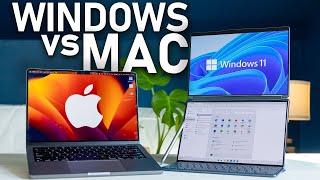

Windows vs Mac: The Ultimate Showdown
45sSets up a classic tech debate that instantly engages viewers, prompting them to pick a side.
▶ Play Clip"Delivers a thorough comparison as promised, but the 'ultimate' claim is a stretch given personal bias and lack of deep technical analysis."
This video provides a comprehensive comparison between Mac and Windows operating systems, breaking down eight categories including hardware, user experience, processors, file management, longevity, stability, software compatibility, gaming, and ecosystem. The creator shares personal experiences and preferences, ultimately favoring Mac for its reliability and ecosystem, while acknowledging Windows' strengths in flexibility and software availability.
The video begins by framing the Mac vs Windows debate, noting that Windows owns nearly 70% of the market but Mac OS has doubled its share in the past decade.
Windows has a larger selection of hardware from multiple manufacturers (HP, Dell, Lenovo, Asus), offering flexibility in price, ports, and features like touchscreens. Mac hardware is limited to Apple's models but is solid and reliable.
Windows laptops often come with bloatware and popup notifications trying to upsell services like Norton or Microsoft 365. Mac also has some bloatware but notifications are less intrusive.
Both operating systems have clean designs, but personal preference plays a big role. The creator likes Mac's ability to move the taskbar and hide it, while Windows offers more customization.
Mac uses quick hotkeys like Command+Shift+4 for screenshots, while Windows uses the Snipping Tool. Mac has some inconsistencies in zooming shortcuts across apps.
The sponsor segment introduces the Framework Creator Micro, a macro pad with 13 mechanical keys, a joystick, and rotary dial, customizable for different apps.
Windows has face unlock, while Mac uses fingerprint or no biometrics. Face unlock is quicker, but it's interesting how they have opposite philosophies.
Apple's M4 chips are ahead in battery and performance, but Snapdragon is making progress. For maximum performance, a custom Windows PC with AMD Threadripper can beat Mac.
Windows File Explorer shows file paths and uses a tree structure, making it easier to navigate. Mac Finder hides file paths and relies on tags and search, but allows previewing audio without opening files.
Macs tend to last longer with fewer issues, while Windows machines often break or die within a few years. The creator's 2020 Intel iMac still runs well, while Windows laptops from college died by senior year.
Mac has fewer hardware permutations, making it easier to program for and more stable. Windows has thousands of configurations, leading to more variables and potential issues.
Windows has a larger market share, so niche software for business and education is often only available on Windows. Users should check software availability before choosing.
Windows has better anti-cheat and a larger gaming market, leading to more game options and better price-to-performance. Mac gaming is inferior despite powerful chips.
Mac's ecosystem (AirDrop, Find My, FaceTime) is tightly integrated and works well, but Windows plays nicely with Android and other devices. Local Send is a free app that bridges cross-platform file sharing.
The creator mentions Linux as an alternative and asks for suggestions. Overall, Mac is preferred for reliability, longevity, and ecosystem, while Windows is better for gaming, niche software, and custom PCs.
The creator concludes that Mac is the better choice for most people due to its reliability, longevity, and well-executed ecosystem, while Windows is superior for gaming, niche software, and those who want to build custom PCs. Personal preference and specific needs should guide the decision.
What is the market share of Windows and how has Mac OS changed in the past decade?
Windows owns nearly 70% of the market, while Mac OS has doubled its share in the past decade.
00:15
What are the advantages of Windows hardware over Mac?
Windows has a larger selection from multiple manufacturers, offering flexibility in price, ports, and features like touchscreens.
00:29
What is a common complaint about Windows user experience?
Windows laptops often have bloatware and popup notifications trying to upsell services like Norton or Microsoft 365.
02:30
What is the keyboard shortcut for screenshots on Mac?
Command+Shift+4
04:04
Which biometric authentication does Windows use and which does Mac use?
Windows uses face unlock, while Mac uses fingerprint or no biometrics.
06:14
What is the advantage of Apple's M4 chips over Intel?
M4 chips are ahead in battery and performance.
06:41
Why is Windows File Explorer considered better than Mac Finder?
Windows shows file paths and uses a tree structure, making navigation easier, while Finder hides file paths.
07:46
What is the main reason for Mac's longevity advantage?
Macs tend to last longer with fewer issues, while Windows machines often break or die within a few years.
08:57
Why is Windows more stable than Mac?
Mac has fewer hardware permutations, making it easier to program for and more stable, while Windows has thousands of configurations leading to more variables.
10:49
Why is Windows better for gaming?
Windows has better anti-cheat and a larger gaming market, leading to more game options and better price-to-performance.
12:07
What is the name of the free app that allows cross-platform file sharing?
Local Send
14:26
Market Share Shift
Highlights the growing popularity of Mac OS in the past decade.
00:15Windows Bloatware
Common pain point for Windows users, affecting user experience.
02:30Apple M4 vs Intel
Key performance comparison for laptop buyers.
06:41Mac Longevity
Personal anecdote supports the claim that Macs last longer.
08:57Gaming Inferiority on Mac
Important consideration for gamers choosing between platforms.
12:07[00:02] File Explorer, Window buttons on the top left versus the top right. All of these are part of a bigger debate between Windows and Mac. Many people have only ever used Windows and would never even consider a Mac or they're diehard Mac
[00:15] users who haven't tried Windows in a decade. Well, a lot has changed. Windows owns nearly 70% of the market, but that number is changing as Mac OS has doubled its share in just the past decade. So, which is actually the better operating
[00:29] deeper. So, in this video, I'm breaking this down into eight different first category, which of course is the hardware. Now, Windows has the advantage here, having a larger selection because although Microsoft does make Surface
[00:44] although Microsoft does make Surface laptops, anyone can make a PC. HP, Dell, Lenovo, Asus, the list goes on and on. Tons of manufacturers means a lot of competition and a lot of variety. where Mac devices on the other hand are only
[00:57] made by Apple. You could name all of the Mac models in about a minute. So that means Windows could be either cheaper or more expensive. They can be built and maintained and upgrade if you want to do it yourself. And the flexibility with
[01:09] Windows allows you to find different laptops with different keyboards. You refresh rate. You could choose a laptop with the ports that you want on the side There's different strengths and weaknesses and different brands, like I
[01:24] said, that are competing on price, giving you a pretty good value on something that Apple still hasn't introduced, which is touchscreens on laptops. Sometimes they can double as a tablet if you fold it back. Other times,
[01:37] it's just an extra touch input. Some also allow pens so you could draw or sign documents. And with a Mac, I need to use an iPad for that. But Mac hardware is pretty solid. They typically last a really long time. And because
[01:50] it's a small skew, like Apple just makes a couple laptops, they have to make sure they're really good laptops. They have good displays, good speakers, excellent webcams, and they're triedand-true devices that work reliably and last a
[02:02] really long time. So, still, I need to give the win in this category to Windows. Options, pricing, and competition make Windows hardware Although I still think the MacBook hardware is the superior laptop format
[02:15] for me personally and I do see many other competitors copying MacBooks and number two, this is the user experience, which is a little bit of a rough start biggest complaints with Windows in general is related to the user
[02:30] experience. And this depends on which brand you buy from, but no matter what Windows laptop I've ever used, I always see popups on the corner that are always trying to upsell you on Norton Anti Virus or Xbox or One Drive or Microsoft
[02:44] 365. Like all these different things are always popping up and trying to get you to subscribe. And I know that each brand is going to have their own bloatware. It doesn't feel like a very premium experience unless you go in and
[02:57] notifications. Now, there's a lot of bloatware on Windows laptops, but Apple's not without it bloatware either. They'll come with things like GarageBand and all this other stuff that you may never use, but at the same time, you
[03:11] And if you are getting notifications, they're far less intrusive than the that Windows always gives you. With Apple, kind of the main one is just design goes on both of them, this one's going to be a personal preference. I
[03:25] think these are both really quite clean now. I like the way Windows is set up. I just going to be a personal preference. Personally, I find that I like I can move the taskbar anywhere I want on Mac. So I put it on the left side, it
[03:37] disappears when I'm not using it. And that way I can focus on an entire window the very top that tells me the time and some settings related to that software. Another thing to consider is Siri versus Copilot.
[03:50] Just kidding. But what we do have on Mac versus Windows is going to be a screenshots, screen recordings, audio recordings. In Windows, you've got the snipping tool and a lot of it is in specific applications. Whereas on Mac,
[04:04] it's just kind of a a quick hotkey shortcut of command shift 4 to open a your screen. And it does take some learning to get used to what those Mac. And a little complaint with Mac is that it can be pretty inconsistent with
[04:19] some things. Specifically, I noticed zooming in and out between different applications. Sometimes it's option and scroll. Sometimes it's control and scroll. Sometimes scrolling doesn't do anything and it's just command plus or
[04:31] command minus. I'm sure there are plenty of inconsistencies in Windows as well. But that's one that I've noticed particularly with Mac. But at least in the most recent several versions of Mac, we have window snapping. So you can snap
[04:43] notice when this came out. I think it was with Seoia, but I mean I use Magnet software that can do that for me. Still, it's nice that we finally have that on Mac. But there is a way to fix that inconsistency. And honestly, also just
[04:57] Regardless of whether you're using Windows or Mac, I would recommend getting this device right here. This is the Framework Creator Micro from the sponsor of today's video. The Framework Creator Micro is a compact and powerful
[05:09] device with 13 mechanical keys, a 2D joystick with seven custom actions, and a rotary dial, plus a touch sensor to toggle between configurations. But the configurations can also change based on the software you're using. The buttons
[05:23] are all customizable and can act as a simple keystroke or a long complex string of keys. I use this when I'm editing videos, for example. And each button is programmed for common actions like control- Z to undo or even longer
[05:35] strings of keystrokes all programmed into one button on this macro pad. The configurations based on the application you're using. So, I have a specific configuration that is automatically enabled when I open Adobe Premiere Pro.
[05:49] The RGB lights look really cool and the build quality is quite premium on this. The keys are replaceable with whatever icons you like. And this comes with 31 icons and 14 solid color keys. Lastly, you can connect this by Bluetooth or
[06:02] USBC, and it's kind of just a slick device that really speeds up my workflow, and honestly, I've only scratched the surface on what this can actually do. It's extremely flexible, very powerful, and is also one of my
[06:14] learn more about this, check out the link in the description down below. Now, getting back to the next category, Windows. This is almost ironic. Windows has face unlock while Mac has either fingerprint or no biometrics at all.
[06:27] It's kind of like the opposite of, you know, iPhones have only face unlock and fingerprint unlock. So, it's interesting how they have their own philosophies on that. But, nonetheless, I do think face unlock is a little bit quicker. It's
[06:41] you can log in. So, obviously, Windows versus Mac, one of the main differences is going to be the processors. Apple, of course, has their M series. The M4 is quite a bit ahead of Intel chips if you care about battery and performance. Like
[06:55] if you want that combo, but I have to say Snapdragon is definitely making some quick progress. They announced their Snapdragon X Elite Gen 2, which is coming in early 2026. And when that comes out, we'll see how that actually
[07:07] competes with the M series laptops. But if you're looking for a laptop or you need a silent machine, the M4 Max MacBook Pro not only beats a lot of what else is on the market, but also does so while having incredible battery
[07:20] efficiency. On the other hand, if you need maximum performance no matter what, technically you could still achieve better performance with a Windows desktop if you install something like a 96 core AMD Thread Ripper. like there's
[07:34] just options you have that can get, you know, 96 cores is not something you're going to see in a MacBook Air, for example. So, for processor, I think Apple wins unless you're building a custom PC. This is kind of an experience
[07:46] to have its own category, and this is file explorer versus finder. This is something that's so central to your experience on either of these devices, the way the whole thing really sets up. So in Mac, you can preview audio in
[08:01] play button without actually opening the file, which is kind of nice if you're trying to figure out like what is that audio file that I have. Also, searching with Mac has improved, but Windows is still better in my opinion. In Mac, you
[08:15] also need to change a bunch of settings just to get it to show you what Windows much storage is in certain folders or what the file path is. Windows very clearly uses a tree and shows you the file path as you go through. You can
[08:29] copy and paste the file path to easily get where you need to go. Whereas Finder sort of hides the file path from you. It's more so like tag and search. You bottom with settings, you can like click and drag that over, but you can never
[08:44] copy and paste the file path. But Macfinder does allow you to color code things. I almost never do that, but it's there if you want it. The winner in this category, in my opinion, without a doubt, is Windows. But the next one
[08:57] probably won't be the same case. This is longevity. Windows inevitably runs into issues and you end up spending 30 minutes watching a YouTube video with a PowerShell or command line. And that experience is far more rare in Mac from
[09:11] my experience. Windows also does update. I mean, technically, it's a similar frequency to Mac, but it seems to be absolutely all the time. I swear it's every time I log into my Windows laptop, it'll just have two updates available
[09:23] long, it forces a restart on you. Whereas with Mac, you can kind of just mute the notifications and update it every few months. Some people update once a year and you don't really notice the same number of update related issues
[09:37] versus with Windows. Obviously, you should stay up to date, but I mean, not everyone has time to just when you log on sit there and wait 15 minutes for it to get some heat for that in the comments, but let me know if anyone else
[09:50] has a similar feeling or experience. Also, I have a 2020 Intel iMac. We're talking about longevity here. This thing still runs beautifully. It doesn't even like I said, and I've never actually had a Windows machine for more than 4 years.
[10:05] No matter how well I take care of them, they always seem to break or they die or Yes, absolutely. Some people have Windows machines that last a very long common story. For example, all my roommates in college all bought Windows
[10:20] laptops the same time. And all of our Windows laptops died senior year of college. Our one roommate freshman year, so this was like 2014, bought a MacBook It's incredibly slow and I don't know why he's still using it, but technically
[10:36] it still functions and he's able to use it. So the winner for longevity really has to be Mac, especially in the realm of laptops. But stability, this is an interesting one. How stable are these two things? Obviously, you're not going
[10:49] you would have like a decade ago. But Mac has fewer models which make it easier to program for. Windows, on the other hand, has thousands of permutations, tons of options with displays, GPUs, CPUs, everything else
[11:03] involved. And so with that, you just have more variables and a higher risk of something going wrong there. So, this was actually the reason I bought my first iMac back in 2020. I had an HP Spectre. It was like a $1,400 laptop. It
[11:18] videos well, and then Adobe just pushed out an update that suddenly made it completely incompatible with my one-year-old laptop. So, stability is a big win for Mac. But let's talk about other software and compatibility because
[11:31] I mean, maybe it's easier to make something for a Mac, but Windows has a huge share of the market. So, it's no surprise that they do get preferential treatment on a lot of software. For example, niche software for businesses
[11:43] or education sometimes are only available on Windows, which is why a lot of college students are told you should buy a Windows laptop because the software you need may not be available on Mac. Now, I've never had issues with
[11:55] that personally, but it definitely is a very real thing. So, before deciding on either one of these, be sure to look up what software you really need and see if it's available. So software availability is a win for Windows. But tying in with
[12:07] that, the next category is gaming, which is obviously just a different type of software here. But despite the impressive power of the M3 and M4 chips on Mac, gaming is still considered significantly inferior to Windows.
[12:20] Mainly, Windows has better anti-che, which is why many games are simply not available on Mac. And since like 95% of the gaming market uses Windows to play games, developers have almost no incentive to build for Mac. Again,
[12:34] leading to fewer game options on Mac. And Windows also has a better price toerformance ratio, making it a better option for anyone who's specifically gaming, it's not even like the winner's Windows. It's kind of the only option
[12:48] for most people. But let's get into the ecosystem. This is something that Apple really spends a lot of time focusing on. AirDrop is far superior to Quick Share Quick Share technically can be faster, it just never really shows up. Like
[13:02] devices aren't discoverable as much as they should be. It's a lot buggier. expect because it's just not that convenient. Same thing with connecting Bluetooth devices. It's just easier to do on Mac. If you open up your AirPods,
[13:15] it pops up. You connect. I know Windows has a way to quick connect a lot of earbuds, but it's kind of a weird clunky popup in the corner. You can sign into Mac with an Apple Watch. Mac has continuity camera, meaning your iPhone
[13:27] can act as your webcam. You have sidecar and extended display options with an iPad. And all of these have some counter version on Windows. But the continuity cross devices for Mac is really just a lot better. We also have iMessage, Find
[13:42] My, and FaceTime very well connected on them. But Windows and Android if you're interesting things that are actually just available on browser. So Google browser. Google maps you can find your friends on there. Find my device on
[13:58] browser. Google meet also on browser. Everything you need you can access on a browser which means if you have an Android phone as I do, you can still use a MacBook and easily get all of that stuff there. Similarly, I also have an
[14:11] iPhone and using an iPhone with a Windows laptop is significantly harder than using Android with Mac. Not because Mac is friendly, but because Android is But I have to say this app called Local Send, again, not sponsored, totally free
[14:26] to use. This is a total game changer for me. Uh I think yeah, Local Send is what it's called. You can download it for like a Mac, Windows, Android, iOS, kind of act like AirDrop between different devices. So, I use that all
[14:40] the time. I recommend checking it out if you have cross ecosystem devices. But in general, wrapping that ecosystem idea up, Mac has a tight ecosystem that acts as a a walled garden for sure, but Windows plays nicely with everyone. The
[14:54] winner here, I mean, I have to say Mac because it does execute things really well. Airdrop works well, Find My works well, FaceTime works much better, but I like Windows. So, you could use an iPhone and a Windows laptop as many
[15:08] people do. Now, before I get into the conclusion, I want to mention, should I Linux? I know there's going to be a lot in the comments. People are like, "Oh, Chromebooks or what about Linux?" You know, I've used them and I would love to
[15:22] comment down below. Uh let me know exactly which Linux I should compare to. But overall with these Mac is reliable, hands-off approach that has very little that could go wrong. They require minimal maintenance and they don't
[15:36] disappoint. They don't frustrate often. And the M4 chips also offer maximum efficiency. The machines are well-b built and very welldesigned in my opinion. On the other hand, Windows does a lot of things right, and it's the main
[15:49] option, if not the only option for many people out there. But personally, I have a strong preference for Mac. Not because I'm an Apple fanboy, trust me, my bubbles are green as I just showed you, but because Mac for me is more reliable,
[16:02] it lasts longer, it runs better on laptops, and that's a huge one, and has a very wellexecuted ecosystem while having far fewer pop-up ads. My looking for specific different hardware, my preference with laptops is a MacBook.
[16:16] I think iMac is probably better for anyone who wants a no frills machine and just wants to focus on work or is not technically inclined whereas Windows is the superior option for businesses who need niche software or if you play games
[16:30] obviously or if you want to build and periodically upgrade a custom PC. All of sure to head down to the comments. I'm sure there's going to be a lot of debating down there. Let the flame wars begin.



⚡ Saved you 0h 16m reading this? Transcribe any YouTube video for free — no signup needed.