
From $1K/year to 12 subscriptions: the silent drain
45sContrasts past financial norms with modern subscription overload, sparking relatability and outrage.
▶ Play Clip"Title accurately promises a full workflow for making high-RPM finance videos with AI, and the video delivers exactly that."
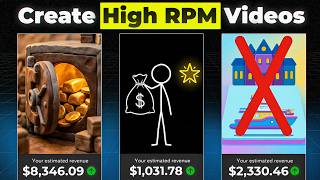
This video demonstrates how to create high-RPM animated finance videos using AI, specifically the tool Agent Opus, in under 60 seconds. The workflow involves pasting a script or uploading an audio file, selecting an animation style, and generating the video automatically.
Animated finance videos are highly popular, with channels gaining huge followings and high RPM views.
AI tools like Agent Opus allow anyone to create such videos without animation skills.
Users can paste a script or upload an audio file for narration. AI can help write scripts via ChatGPT or Claude.
Agent Opus offers various visual styles (e.g., claymation) that the AI applies automatically.
Users can upload custom images for characters/items or let the AI generate them uniquely.
Select generation mode and aspect ratio (e.g., widescreen). Hit generate and wait ~10 minutes for the finished video.
The process is simple and fast, enabling creation of professional finance videos without manual animation.
AI tools like Agent Opus democratize animated video creation, enabling anyone to produce high-RPM finance content quickly. The video encourages viewers to explore further prompting techniques for more detailed generations.
What is the approximate time to generate a video using Agent Opus?
Around 10 minutes.
02:06
What are two AI tools mentioned for script writing?
ChatGPT and Claude.
01:13
What input options does Agent Opus accept for narration?
Pasted script or uploaded audio file.
00:58
What is the purpose of the 'style' selection in Agent Opus?
To choose a visual animation style (e.g., claymation) that the AI applies automatically.
01:13
What is the recommended aspect ratio for the video in the tutorial?
Widescreen.
01:51
AI Democratizes Animation
Highlights how AI enables non-animators to create professional animated videos quickly.
00:15Simple Input Methods
Shows the flexibility of using either script or audio as input for video generation.
00:58Variety of Animation Styles
Demonstrates the range of visual styles available, eliminating the need for manual animation.
01:13Fast Generation Time
The 10-minute generation time makes it feasible for rapid content creation.
02:06[00:01] thousand dollars a year basically meant you were rich. Not comfortable, not doing okay, rich. >> Animated finance videos like these are more popular than ever and you can now make them in less than 60 seconds with
[00:15] AI. Channels like these are getting huge followings and hundreds of thousands of high RPM views and this video shows you how to easily make content just like theirs without needing to know how to animate yourself. This video took me
[00:30] quick look. >> If you look at the 1970s, >> If you look at the 1970s, the average household had one, maybe two fixed monthly bills, rent and electricity.
[00:43] the average American is juggling 12 different recurring subscriptions. Opus. The link will be in the description to this video and begin with either pasting the script to your video
[00:58] right into this box here or add audio file of the narration to the video by clicking this box here and that will add your voice over here. I'm going to use a that and paste in my script. You can always use an AI to help you write these
[01:13] scripts like ChatGPT or Claude if you're having trouble writing one yourself. Next, you're going to choose the style for your video by clicking this. Here's where you'll see a ton of different visual styles that you can use in your
[01:25] video meaning that you don't need to be an animator to make this content yourself anymore. The AI will do it for you in any of these awesome animation choose claymation for this one but feel
[01:37] styles. They're all great. Then once your animation style has been chosen, you can use this option here to upload images of any characters or items you want in your video. I like letting the AI create those uniquely each time
[01:51] though so I'm going to leave that blank myself. Here's where you choose whether generation? And choose your aspect ratio. So, we'll just choose widescreen this time. And then you simply hit generate here, and in around 10 minutes,
[02:06] Agent Opus will have your finished video ready for you. Just make sure to press screen to finish that process. >> There's a silent drain on your bank account that's doing more damage than
[02:19] your mortgage. But for some reason, >> that's the easy full workflow for creating these finance videos yourself. Links to anything you'll need are in the description to this video. And watch this video next on how to prompt Agent
[02:33] this video next on how to prompt Agent Opus to get even more specific, detailed generations than just letting the AI do its own thing.
⚡ Saved you 0h 02m reading this? Transcribe any YouTube video for free — no signup needed.