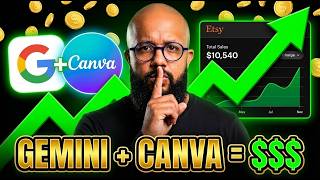

Turning Pet Photos into Cash with AI
45sThe visual of a personalized pet portrait that sells for thousands sparks curiosity and demonstrates a lucrative, accessible side hustle.
▶ Play Clip"The title promises making money online with AI and Canva, and the video delivers a practical tutorial, though it includes some filler and repetitive explanations."
This video demonstrates how to create and sell personalized digital products, such as custom pet portraits, using AI tools like Gemini and Canva, and monetize them on Etsy. The presenter shows a step-by-step process of analyzing existing product styles, generating customized images, and delivering them to customers, including options for print-on-demand services.
The video introduces the concept of making money online by creating simple digital products and selling them in hard currency, highlighting the potential for viewers to discover new opportunities.
Shows an example of a personalized puppy photo product that generates thousands of dollars, where customers send a photo and receive a customized framed picture.
The presenter saves a sample image and uses Gemini AI to analyze its style (e.g., oil painting) and create a similar product, demonstrating how to replicate successful products.
Highlights an Etsy store that has sold over 18,000 portraits, showing the demand for personalized pet and people portraits, and the potential for high sales volumes.
Explains that Etsy is a global marketplace, with most customers from the US and Europe, and that personalized products solve a problem for buyers who lack the skills to create them.
Describes how to connect an Etsy store with a print-on-demand company (like Gelato) that prints and ships products, allowing sellers to offer both digital files and physical prints while earning profit on both.
Mentions that some stores charge $8 for a digital set of three images, and that personalized, unique products are the most successful in this niche.
Notes that some stores openly use AI and still achieve over 16,000 sales, indicating that customers accept AI-generated products when they are personalized.
Shows how to use Canva to format images into common sizes (e.g., A4, portrait) and enhance resolution using Canva's upscaling app, ensuring high-quality delivery to clients.
Explains that successful Etsy stores send images in multiple formats (e.g., PDF for printing, PNG for digital use), and demonstrates how to resize and download files for customer delivery.
Points out that store descriptions are often created with AI, using emojis and engaging text, which contributes to the professional appearance of successful listings.
Demonstrates how to use Gemini to analyze an artwork's style and generate a prompt that can be applied to new photos, enabling the creation of similar products with unique characteristics.
Introduces Gelato as a service that connects to Etsy, allowing sellers to customize products with their designs and have them shipped directly to customers, streamlining the fulfillment process.
Shows how to use AI tools to apply styles like The Simpsons to customer photos, creating unique, personalized products that stand out in the market.
Highlights that 'custom portrait' is a highly searched term on Etsy, including memorial portraits, and emphasizes the importance of finding a niche and developing a unique style or brand.
The video concludes that creating personalized digital products with AI tools like Gemini and Canva, and selling them on Etsy, is a viable way to make money online. The key is to find a niche, replicate successful styles, and use print-on-demand services to scale.
What is the first step to create a personalized pet portrait product?
Find a successful product on Etsy and save the image as a reference.
00:29
Which AI tool is used to analyze the style of an image?
Gemini AI.
01:32
What is the typical price for a digital set of three personalized images?
$8.
05:05
How many sales did the featured Etsy store have?
Over 18,000 sales.
03:02
What are the two file formats recommended for delivering digital products?
PDF for printing and PNG for digital use.
08:24
What is the purpose of using Canva's 'Upscale' app?
To increase the resolution of the image for higher quality delivery.
07:16
How can you offer print-on-demand fulfillment for your Etsy store?
Connect your store to a service like Gelato that prints and ships products.
11:42
What is a key factor for success in the personalized product niche?
Creating unique, personalized products that solve a problem for customers.
04:50
Etsy Store Sales Milestone
Demonstrates the significant market demand for personalized portraits, with over 18,000 sales.
03:02Pricing Strategy
Shows a concrete pricing example ($8 for three images) that can guide new sellers.
05:05Quality Enhancement Technique
Highlights the practical use of Canva's upscaling feature to ensure high-quality deliverables.
07:16Print-on-Demand Integration
Explains how to scale a digital product business by outsourcing physical fulfillment to services like Gelato.
11:42[00:01] show you how some people are making money online using you already know, creating simple products and selling them in hard currency, because it could be your chance to discover something new and start creating
[00:16] products, selling them online, and making money. I'm design, about tools. If you enjoy to the channel now. We have videos like this every week, okay? Well, to
[00:29] start things off, I want to show you this right away . Look, there are people making thousands of dollars just with this type of image here, with this type of personalized puppy photo, where the person sends a photo and it's
[00:41] customized. You might say, "Wow, Rob, but Brazilians can't list and have a video here that I posted this week talking about this. Then haven't already. But you're going to need to watch today's video
[00:54] , because it's going to give you a lot of ideas, showing you how you can analyze products and create products based on existing products and start making a lot of money doing it. So, this is a product
[01:07] that really caught my attention because it 's a true digital product. The person goes there and sends a picture of their puppy, and the photo is transformed here into one of these framed pictures, right? The person can either print it out or ask the
[01:19] store to print and send it to them, following a dropshipping model. I okay? What am I going to do? I'm going to save this photo here, and you can do the exact same thing using Gemini if you want, okay? In this
[01:32] artificial intelligence, but you can it to understand the style of that image. In this case, I'm going to click and paste the image here. What does this tool do? This tool was
[01:45] created very quickly, solely for the purpose of analyzing the style and reference of this image. He analyzed it here and below he brought me the image reference. I brought the classic style here, oil painting and all that
[01:58] . And then I can select whether I want to keep everything related to this image here, or only some parts of this image. I'll keep everything. I'm going to click here to set context. So, let's say the person sent me a picture
[02:10] of their puppy. She took a picture of the dog, sent it in, and really wants a portrait in that style. I'll put a picture of the dog here. I grabbed our famous caramel over there and we're going to put it here, see, set it up. And here I can
[02:22] configure the format so I can send it to the person. In this case, I'll send it here in 3x4 format, portrait format. And here I can select whether I want to something, letting the artificial intelligence be creative. I'll put it here so you
[02:36] generate it. What is she going to do here now? putting the other puppy here. a template. You're going to say, "Wow, Rob, but is this complicated?" Calm down, calm down. I'll
[02:48] do this in several different ways. I did this in the most he's creating it for us, let's take a look at this store here. What do they do at this store? They create these portraits, and they've already sold over 18,000
[03:02] , okay? And they do it with animals as well as people, too. Can you send a picture of someone, okay? And she's going to transform that photo into something as if she were royalty and everything. Until recently, you
[03:15] do this. I even made a video a while back showing how you could but now with artificial intelligence it's become much, much simpler. For example, I can take this image here and put my face on it if I want, right?
[03:27] And to take a picture. And why would people pay for that? As I mentioned in the customized product. The vast majority of people don't know how to do this. And if you make this and give it as a gift to someone, you solve a problem.
[03:40] Remember that we're talking about ETS, which is the global marketplace, and you'll be to anywhere in the world. Most of these customers here are Americans, they're people here in Europe, they're people who buy this type of
[03:53] to do that, okay? And then there are several people are making a lot of money from, it's almost unbelievable. One of them here is this product, which has exactly the same functionality as the other, but this person
[04:08] simply takes it and transforms photos, okay? In images, and place this here inside ETS. But there's a way for you to add show you in a moment: connect your ETS store with a company
[04:23] that will print it and send it to the person, OK? In this way, you can offer either the service of sending a digital file to the person, or you can offer printing. And when you offer the printing service, that company
[04:36] prints, sends it to the person, takes their fee, and you still make a profit on top of that. Look how cool! So, there are several stores in this segment, but the most successful ones are always those that make personalized and
[04:50] unique products. In this case, the person sends a set of three images. So you send photos of your pets, and she creates something really cool, something really awesome, for you here, you see? Just look. Then they send it to you
[05:05] digitally and charge $8 for it. If she were connected here with a charge even more for it. And why do you want to have a picture of your puppy, something personalized.
[05:18] artificial intelligence, okay? In the case of this store here, they are very clear that everything is here uses artificial intelligence, and people actually pay and they sell a lot. In another video, I even show you which tool I use to
[05:31] look at these sales, right? In this case, that store has over 16,000 sales, OK? By doing this, this other store here sells products for children's bedrooms, prints. The person buys it, they can print it. I even have
[05:44] my daughters. Print it out, put it in a cute little frame, and decorate the child's room. The tool I created can copy this style, or something similar, but then you can add your own characteristics, okay? Create a
[05:57] different product; don't just copy the same product exactly so you can offer it to your we going to use here? Canva is where you can put everything. Format and send to the client, bring it here to ETS and send it to the client, okay?
[06:11] Brazilians can now create an account on ETS. Then you can go there and take a look. Look how stylish our caramel turned out, now? You can see that it turned out really great. I'll download it, okay?
[06:25] This image here is in good resolution, but I want to send it to a client. So you'll see that whenever people send images to customers here, a major advantage of these stores is that they send them
[06:37] in various formats. So, if you go there and look here, look at the format in which it's sent; they send it in three or four different formats. And Canva, click on create, and then you can type "
[06:49] portrait" here, and it will show you, like this: portrait invitation, portrait card. Then you which is the most common size we know. Once that's done, look, I'm going to bring
[07:02] I have my image here, I'm simply going to enlarge it, okay? to make it really nice and cover this whole area here. OK? And now, this image even better in resolution so I can send it to my
[07:16] client, I'm going to click on " applications" and look for the application for increasing the quality of images, okay? I'm going to click double the quality here.
[07:29] I want to send it to my client in the highest quality so you don't have any problems on ETS to start making a lot of money. Okay, Canva just finished doing that for us, right? The quality has improved here. I'm going to click
[07:43] will replace this image with the higher quality image. And now better here, so I can deliver this to my client, what am I going to So that's something the ETS team always does, they put the formats there.
[07:57] So this one will be in A4 format. And then I can resize it to two other formats that are more common for people to create in. So if someone square shape, or a different shape, you can deliver it in those shapes, right?
[08:10] add your own custom formats. I do a search on ETS and see that people are usually sending and sending in those formats. Next, you'll download this as a PDF for printing and also as a PNG, meaning you
[08:24] 'll send two files to the person, okay? There's one file entirely in PNG format and another that's a PDF for printing; the PNG is for people to use as wallpaper and so on, and the PDF is for printing so people can print it. Download
[08:37] this file, and that's the file the person uploads here to ETS in order to send it. So you can see that most of these stores here descriptions. If you look at the description, the entire description is done
[08:50] emojis and everything else, all made with artificial intelligence here, and it looks going to grab this image here, okay? Let's take this image here and I'll put my face here in place of this image. I'm going to take a screenshot of this.
[09:05] here? If you're using Gemenite, for example, you can take a screenshot of the artwork or whatever you find most interesting, okay? And you can either bring it here to Gemenai, place the image and ask for it
[09:18] Gemenai, place the image and ask for it to be analyzed in the style of the artwork. I need you to give me to be analyzed in the style of the artwork. I need you to give me a prompt picture of a person and apply this style. Or you can simply bring
[09:34] style. I prefer to do it this way because it performs an analysis and brings it to me template. He's examining the image for me here, you see? Look how him examine it. Look, he took it, analyzed the image, and gave me a
[09:49] promptic oil painting here. Here's a picture of someone from such and such a century, something, I can take it. This prompt, copy this prompt here and I can open it here in Gemenai, paste this prompt and bring up a photo. I uploaded the photo. Okay, I'm
[10:04] want, I'll leave that prompt here for you later. And then I can put the format here. Let's put 16 by 9 here, OK? In this case, much more practical if you create a tool, just like I did here
[10:18] can create a tool like that, okay? Well, I can make another video if tool creation. I use many tools. Some are more complex, tools here using artificial intelligence. In that case, I
[10:33] tool here to see if it works as well. In this case, I'm going to use the See? The tool will read this and bring me the information. Well, Gemenai made this for me, look. I did it in the wrong format here, it should be 9x1, but it's okay
[10:46] . I'm going to ask him to do it here. Format this in portrait format. So, if you're using Gemi, just take that image into Canva and remove the watermark. Look how cool, it's already formatted and
[11:00] uploaded here. This photo turned out really great . I can download this product, taking it into Canva and transforming it into a within Canva; it's very easy to do, okay? I'm going to
[11:15] open the A4 here. Okay, I brought it here into Canva, and here I can remove 'll use the magic eraser here, edit, magic eraser, remove the upscale, increase the quality of this image, and then transform it into
[11:30] it to your client on ETSE, said, the important thing is to find a niche, and then you want to, for example, send this to your client in printed form. There's a company called
[11:42] Gelato, OK? What do this company do ? You can connect both ETS store. In this case, it's the ETS store. When you access and create a store on video showing you the step-by-step process of creating a store, I can do that
[11:55] too, okay? You will log in and create an account here. You can see that products will be customized with your designs and images and will be shipped to the customer, okay? So that's what the vast
[12:09] majority of these stores here do, okay? They take these products and customize them . And they send this to the customer, right? Actually, they don't send anything themselves; that company does the sending. So, it's the same thing here as with The Simpsons,
[12:23] this style here, look, and apply it to another photo. I can copy this I going to do? I'll bring her here as a reference. He's going to analyze this photo here as a reference. Of course it is. It's The Simpsons. He analyzed it and found out
[12:37] bring a photo here, I want to transform it. So, let's say a couple sent me a photo for me to transform. Having the tool there, but I'm going to use this tool because it's easier. I've placed the
[12:50] can select what I want to do. I want to transform this photo into the format I want, and I want to achieve the exact style I want. I'll click here to create it, and the artificial intelligence will apply that style to this photo here. And
[13:03] Let's take a look at some other products here. Look, like I said, there are many different kinds. If custom," you'll see it appear here: "custom portrait." This is one of the things people are looking for most here . You can see that it shows the
[13:17] because I'm using that tool I mentioned in the other video. Custom portrait of people who have passed away , right? Ah, a portrait in a to use artificial intelligence and don't know how to do it. So, you select it
[13:33] People are offering. So, you see, some own styles, right? Some people simply create a watermark. So you can select a style, develop your own
[13:47] style, your own brand, something that sets you apart, and start creating here, you see? Something more minimalist, right? And this is something people do daily, and it makes a lot of money, right? Look , he applied the style exactly.
[14:02] See? He applied that style exactly to the photo I posted. It turned out this here and simply send it to my client. And you don't necessarily have to use ETS only here, right? You could create an
[14:15] important thing is that you use the Canva tool to make the necessary formatting changes, adjust the size correctly, and artificial intelligence to help you. If you don't want to use
[14:28] Gemi, you can also use GPT, if you prefer. I prefer Gemini because I think Gem works better for images, okay? Comment below what you thought, if you've seen this type of content before, what
[14:40] , if it will help you, and if you want me to bring more information on own tools with artificial intelligence. I'll see you in the next video. See you later artificial intelligence. I'll see you in the next video. See you later .



⚡ Saved you 0h 14m reading this? Transcribe any YouTube video for free — no signup needed.