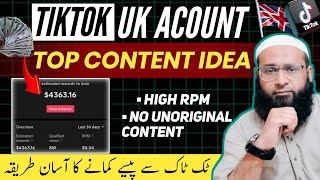

Boost RPM with Original Reddit Stories
43sAddresses a common pain point for TikTok creators: low RPM due to unoriginal content, offering a solution that promises higher earnings.
▶ Play Clip"Title promises a unique video idea for TikTok earnings, and the video delivers a detailed, actionable method."
This video provides a step-by-step guide to creating original, high-RPM content for UK/US TikTok accounts by producing Reddit story videos. The creator explains how to avoid unoriginal content issues and low RPM by using AI-generated scripts, voiceovers, and auto-captions, ultimately aiming to maximize earnings from Western audiences.
TikTok creators targeting Western countries for high RPM often face unoriginal content issues, while local content (e.g., Urdu) yields low RPM despite high views.
The channel 'Reddit Book' is shown as an example, with videos getting millions of views (e.g., 5.2M, 4.7M).
The demo video includes background visuals, auto captions, and AI voice.
Use ChatGPT to generate Reddit story headlines in 'conversation starter style' for Western audiences.
Use ChatGPT to create a voiceover script from the chosen headline, including the phrase 'polish narration' for better structure.
Download a Reddit-style image from 'Image Search Main' app, then use Pixel Lab to create a thumbnail with channel name and headline.
Search for 'Tips and Tricks for Life' on Pinterest to download background video clips.
Use Eleven Labs (11 Lab) to generate voiceover from the script, selecting a voice and clicking 'Generate Speech'.
Combine background video and voiceover in InShot. Remove watermark, set canvas to 9:16 for short videos, speed up background video to 180% for fair use.
Cut background clips to keep only 3-4 second segments, matching video duration to voiceover length.
Use 'AI Auto Caption' app to add captions. Customize font, size, position, color (e.g., green fill, black outline).
Re-import captioned video into InShot, zoom to remove watermark, add Reddit thumbnail at start, and export.
By following this method, creators can produce original, engaging Reddit story videos that attract Western audiences and boost RPM, potentially leading to significant earnings on TikTok.
What is the main problem with TikTok accounts targeting Western countries for high RPM?
They often face issues of unoriginal content.
00:15
What is the benefit of using 'polish narration' in the ChatGPT prompt for script generation?
It helps generate a well-structured script with proper pacing and emphasis.
03:59
What speed should the background video be set to in InShot for fair use?
180%.
10:27
Which app is used to add auto captions to the video?
AI Auto Caption.
12:02
How is the watermark from the auto caption app removed?
By zooming in the video in InShot.
14:39
What aspect ratio should be used for short videos on TikTok?
9:16.
10:00
What is the purpose of using Pinterest in this workflow?
To download background video clips for the Reddit story video.
08:00
Which tool is recommended for generating the voiceover?
Eleven Labs (11 Lab).
08:27
High RPM Challenge
Identifies the core problem of low RPM despite high views when targeting local audiences.
00:02ChatGPT for Ideas
Demonstrates a practical use of AI to generate culturally relevant content ideas.
03:05Fair Use Speed Adjustment
Provides a specific technique (180% speed) to transform background video for fair use.
10:27Watermark Removal Trick
Shows a simple zoom method to remove watermarks without additional tools.
14:39[00:02] Friends, today's video is going to be very important for those people who want to make such videos from UK TikTok account which have good RPM and can give them good earnings. Because the
[00:15] biggest problem with TikTok account holders is that when they create content for Western countries to increase their RPM, it is Western countries to increase their RPM, it is So because of that, often the issue of unoriginal content arises on their videos.
[00:27] Or if they create local content in Urdu, then because of that the entire audience is local, it comes from Pakistan etc. So because of this its RPM goes down. The RPM goes down. So
[00:40] Often there are millions of views but the earnings are very less. So today I am going to give you an idea for a UK TikTok account, in which the videos you make will be 100% original. There will be
[00:56] audience will come from USA, UK etc. So because of this your RBN will also go up and your earning will also be very good, Insha Allah. Now the responsibility of this earning depends on your hard work, your skills and your luck. It is possible that you may
[01:09] not earn as much as I am telling you and it is possible that you may earn better than this. Now let me show you some channels on YouTube so that you get an idea of what kind of videos I will teach you to make. So see, you can see that there is a channel named Reddit Book. There are
[01:22] Reddit stories on top of this. I will tell you about this in detail later. Let me tell you first. Look, the latest videos he has uploaded are today's. So, it also has 43000, 51000 views in this manner.
[01:35] If we go to Popular, there are very good views here too. 5.2 million views 4.7 million views i.e. views above this are in millions. Ok? Okay, now let me show you how to operate it a little.
[01:52] cannot show you much of it. But I have created the same demo video on this same pattern in exactly the same style. Let same demo video on this same pattern in exactly the same style. Let me show you some clips of it. Something about I have I was 17
[02:12] also has background visuals and it also has auto captions and it also has AI voice. Well, all these channels, whether from YouTube or TikTok, are 100% monetized and all the
[02:25] tools and applications used in preparing the video will be So in today's video I will tell you the complete method of making this type of video and No skipping of any part. Otherwise, you may
[02:40] not understand the video properly because everything in it is not connected to each other. Connected with each other. And before starting the video, if you have not yet subscribed to the channel, then you must subscribe to it and if possible,
[02:53] pass a good comment in the comment section. Now we start the video properly. So first of all we will need some ideas to prepare this story. So we get these prepared from Chat JPD. So look, I have given the question here
[03:05] that I need some headlines for the red story which are famous in western countries and are conversation starter style. You have to give this at the end because the reason behind this is that the Ready story that runs there is very much in Vogue style.
[03:19] n't want that style. We need a bit of nice style. So we have written that it should be a conversation starter style. Ok? And all of this should be in English. This is a perfect thing, it is perfect. So look, this has given us about 10 ideas.
[03:33] After this, whatever idea we like, we have to prepare a script for the voice over based on that idea. Ok? So for that also I will give you a question. Okay, now I've given him the opportunity to
[03:46] I've given him the opportunity to Okay, right? Now look, the rest of the things here are normal but I have
[03:59] used one word here, polish narration. Okay, right? It is necessary to put this. You can write anything in it but you must include these words. The reason for this is that due to the polished narration, it will give you what is there in this manner. The
[04:15] generated very well as to where he has to pose. Where he has to say whatever he has to say frequently in sequence. Where does he have to give loyalty to whatever he has? Now I will send it here. Okay, now the two problems that I have used here,
[04:27] I will put both of them in the description of this video. You can get it from there also. a nice script for the voice over. And then we have to save this script Ok? Well, after this, there is an application here named Image Search Main.
[04:42] From here we have to download a picture. By the We have to download it here. Ok? Well, after this we have to come to the Pixel Lab
[04:54] create our thumbnail and here we have to click on the plus button and click on From Gallery and the picture which we had downloaded from Reddit, we have to bring it here. Then we have to make it OK here.
[05:08] Now we have to make it a little bigger. Okay, right? So that it comes to the top of the screen. After this we have to click on this place and lock it so that we can work here properly. Well, after this,
[05:20] We have to click on this. Then after this you have to click on the text here and new text will appear. We have to double click on it. And here we will put the name of our channel in place of the handle.
[05:34] Okay, right? Now for example, my channel name is Reddit Diary. First, let's make a mark for the handle. After this we ? Okay, after this we have to do this,
[05:46] okay. After clicking OK, we change its color. We change its color to black. After this we change its font. After this we have to make it OK here. And then we bring it over here. Ok? And
[05:59] after this we have created the background which you can see below. You have to click on that. We have to enable this. And after coming down, first of all we have to select the background color. So see, its color has become
[06:13] white. We make it a little smaller. After this we have to Ok? So, one of our tasks is done. Well, in the second place, in place of the idea, we will copy the ID of our idea that we had generated from there and
[06:27] Ok? So then we go back to Notepad. Let us copy its headline here. And then again we will go to Pixel Lab and after coming here we have to click on the A button here and
[06:39] we will double click on the new text. We remove it from here. And whatever we copied, we paste it here. Ok? Then we will do it, okay. Let us adjust this a little bit. Let us make it a little smaller. Now we
[06:53] click on color and change its color to black. Then we do ok. Well, after this we change its background. We enable it and then we make it white. Then we have to make it OK. After this we have to
[07:05] And after going to the font, we have to keep a good font of it. We will make this ok. Ok? After this we have to bring it on top of it. Let's make it a little smaller so that it fits inside. Now where do we have to adjust this
[07:20] ? So when I teach you how to edit videos, I will tell you about it. Ok ? Then after this, you can see an option at number four here. We have to click on this and after this, on the second number you will see the option of
[07:32] We have to click on this. So its background will become transparent. So this Ok? After this, we have to click on the filepy button here and click on save as image and here you can see the dropdown button in front of default.
[07:48] We have to click on this and click on Ultra below and click on Save to Gallery, then this file will be saved in our gallery. Ok? open the Pinterest application. Ok?
[08:00] open it, you will have to login with any of your Gmail accounts. When we login to it, the interface will appear like this. Here you have to click on the search button and here in this way we have to search Tips and Tricks for Life.
[08:13] this way we have to search Tips and Tricks for Life. we have to pick it up from here. Now I cannot tell you this in further detail. raise. Ok? Well, after this we have to come back to Notepad
[08:27] and copy the script that we had generated from ChatJPD Ok? And then after this you can use any tool to generate voice. 11 Lab He's great. Ok? You have to open it. And after this
[08:41] you have to click on Instant Speech here. And at this place we have to paste that escape here. can also select our voice from here as per the select here. We have to click on this. Now the list will appear here. We
[08:55] can check this after playing it one by one as per our convenience. So we have to click on this. We will click on that. So see, if I click on this brine then this After this we have to click on Generate Speech here. So this
[09:09] voice over will be generated in a few seconds. Now see the voice over has been generated. We have to click on this. So this file of voice over will be
[09:22] material that was required to make the video. we have to combine all these things and edit it into a good video. You can edit it anywhere you can set your hands on. So for now,
[09:35] we use Insh. And after that the video which you had downloaded with the pin. Ok? After this, Insh watermark is visible here. We have to remove it from here. So we will click on this watermark. After this, if we
[09:47] click on Free Remove, an ad will run and our watermark will be removed from here. Ok? After this, the canvas button is visible here. We have to click on this If we are making a long video then we will click on 16 * 9. And if we are
[10:00] making a short video then we will click on 9 * 6. So let's click on 9 * 16. And after this we will click on the right button. After this, the first thing we have to do is to After this, the first thing we have to do is to
[10:12] and click on the volume button here Ok? After this you have to click on the right button. After this we have to increase its it should change, transform and come under fair use. Ok? So
[10:27] we will increase its speed to 180. After this we will click on the OK button here. Well, after this, we have to add the voice over that we had generated from 11 Lab here. So here we have to click on the audio button. Then
[10:39] click on music. After this, click on My Music and here click on the file of 11 Lab and click on Use. Ok? So our file came here. After this, we
[10:54] and make this volume completely full. Then we have to click on the right button. This is ok. And then again we have to start our important work. This needs to be edited. Ok? Now look, there
[11:07] are different clips here. Ok? Of tips and of trags. So what we have to do is remove the example, here is a 10-second clip. So what we have to 10-second clip. So what we have to
[11:20] apply spirit and cut this and delete it. Ok? Now let we will click on split and we will delete the initial part from here. Ok? After this we will move a little further. After this, we will cut what is here
[11:33] and then after this we will delete the part in the middle. Ok ? In this way, we have to keep the entire video from beginning to end, in the same way, after making the cut, a small part of three seconds or four seconds has to be kept.
[11:47] We have to get the rest out of here. Ok ? Well, when our video of more than 1 minute is voice over and the duration of the video should be equal. So and export this video. Ok? Now
[12:02] after exporting it, we have to put auto caption on it. There is an application called AI Auto Caption. Okay, right? We have to open this. This is absolutely free of cost. Here we have to click on the import button. And that video which we had just
[12:14] select it here and import it here. After this, it is Caption. We have to click on this. After this we have to select the language here. We have to select this and do it here and say done.
[12:29] Ok? Well, now he is asking us that ? For now, I will select three. I will do that, given us options. So first of all coming to the beginning is font and size.
[12:43] We have to click on this and we can select its font style from here. we have to click on the font style which is at the top. Let us take turns to see which one is suitable. For now, I will do whatever it takes.
[12:56] After this, we can also select its size from here. It is currently above 80. So let's say 80 is also appropriate. We keep it at 80 only. Next is the text position. Ok? You will be able to see it from here after clicking on the upper arrow key.
[13:10] Look, this change is happening in this manner. One pay, two pay, three pay, four pay has come in this manner. Ok? So we can keep it wherever we want. Ok? After this, the option of word limit comes.
[13:24] We had already selected this in the beginning. We leave this aside. After this we click on animation text. Ok? And here you is default and the rest are different styles. So the rest of the different styles
[13:39] come in the tree. The default is free. So we will keep this on default. After this, we can change the font color from here. So here we will click inside the fill, from here
[13:54] us make it green. Let us apply whatever we have. Ok? After this we have to click on its outline. And what should be its outline? So the outline should be black only. So the button that you see moving at the bottom,
[14:07] So the button that you see moving at the bottom, and then if we apply it, its outline will become black. Ok? us check it by playing it for a while.
[14:25] then we have to click on the finish button here. After this, if we click on Save to Device, an ad will play and the video will be saved in our gallery. come again to the insert application and input the auto caption video that we had
[14:39] saved there. Well, after this we have to click on this layer here. Ok? Look, you can see the auto caption watermark above. We have to remove this. So let us zoom it a little bit. Zooming will have two
[14:51] advantages. Firstly, its watermark will also be removed from here and secondly, the fun part inside the video will change. Ok? The second important thing to do is that initially we had prepared a Reddit template on Pixel Lab.
[15:05] put that at the beginning. Ok? So here we have to click on the pick button. After this we will click on the photo. After this, from the Pixel Lab folder, we will choose the red template that is here and bring it here. Ok
[15:17] ? We make it a little bigger so that the auto caption which is running in the beginning comes on top of it. Ok ? Okay, right? So here we have to stop it. We have to select this layer
[15:32] and click on split and cut it and delete the remaining part. OK. Ok? Let me play it and show it to you.
[15:48] click on the export button. Then if we click on export again, the friends, I hope that today's video will prove useful for you as always. If you like the video then like it , share it and if you have
[16:02] subscribe it. So see you in the next video. Till then, in the next video. Till then, Assalamu Alaikum and Rahmatullahi Barakatahu.

⚡ Saved you 0h 16m reading this? Transcribe any YouTube video for free — no signup needed.