
How to make emotional soulful chords
52sViewers love learning the chord progression secrets behind a soulful beat.
▶ Play Clip"The title accurately describes the content: a step-by-step tutorial on making a soulful hip-hop beat for artists like Rick Ross, J. Cole, and Jay-Z."
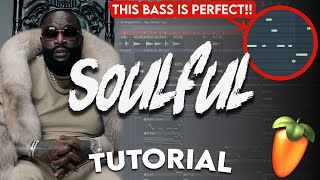
This video is a tutorial on creating a soulful hip-hop beat from scratch, targeting artists like J. Cole, Rick Ross, and Jay-Z. The producer walks through the entire process, from setting the tempo and choosing chords to adding instruments, vocals, and drums. The final beat is played and explained, highlighting key production techniques.
Set BPM to 80-82, start with a piano in a minor scale (G minor), and use thick seventh chords for an emotional feel.
Randomize velocity and strum patterns to make the performance sound human and organic.
Add a counter melody on keyboard, then layer a saxophone and strings for depth.
Use vocal samples from Splice, fit to tempo and key, and apply reverb and delay for texture.
Start with a hi-hat loop for realistic drums, then add kick, snare, and ride with velocity variations.
Add a live bass guitar (Scarbee Rickenbacker Bass) and adjust notes to complement the chords.
Use a low-pass filter for the intro and before the hook, and a reversed crash as a riser.
What BPM range does the producer set for a soulful hip-hop beat?
80-82 BPM
0:25
Which minor scale is highlighted in the tutorial?
G minor
0:44
What type of chords does the producer use to make the chords thick and emotional?
Seventh chords
0:41
How does the producer humanize the piano performance?
Randomizing velocity and strumming patterns
2:16
Which piano plugin does the producer mention using?
Addictive Keys (The Grandeur) or any good-sounding piano in Kontakt
0:33
What delay settings are used for the piano?
Ping pong mode with feedback and input turned down
3:37
Where does the producer find the vocal samples?
Splice
5:17
What effect is used to create the intro and transition before the hook?
A low-pass filter (Love Filter) for the intro and just before the hook
12:33
Which live bass guitar plugin is used?
Scarbee Rickenbacker Bass
11:22
What does the producer start with for the drums?
Hi-hat loop to get a realistic drum feel
7:26
Humanizing Performance
Demonstrates a key technique for making digital music feel organic by randomizing velocity and strumming.
2:16Starting with Chords in a Minor Scale
Establishes the foundational principle for creating an emotional soulful beat.
0:25Using Hi-Hat Loops for Realistic Drums
Shows a practical method for achieving a natural drum sound in hip-hop production.
7:26Using Low-Pass Filter for Intro and Transitions
Reveals a simple but effective mixing technique to build tension and structure in a beat.
12:33[00:00] yo what's good people it's jay cactus
[00:01] and in today's video i'm gonna be making
[00:03] a soulful hip-hop beat from scratch so
[00:05] it's gonna be for someone like j cole
[00:07] rick ross maybe jay-z we'll see when we
[00:09] start cooking up i've seen a lot of
[00:10] people commenting asking for something
[00:12] other than drill so yeah we're
[00:13] completely flipping the vibe today if
[00:14] you like this style of video then
[00:16] definitely let me know in the comments
[00:17] and if you want new videos every tuesday
[00:19] and thursday at 6 00 pm then think about
[00:21] subscribing to the channel let's get
[00:22] straight into it
[00:23] alright so whenever i'm making soulful
[00:25] beats the first thing i like to do is
[00:26] set the bpm to around about 80 maybe
[00:29] somewhere like 82 and then i like to
[00:31] start off with a piano so something like
[00:33] addictive keys the grand wire and
[00:35] contact just any piano that sounds good
[00:37] and i really just start with chords but
[00:39] i want the chords to be quite thick and
[00:41] emotional so i go for big chords like
[00:43] seventh chords and i usually pick a
[00:44] minor scale so i think i've got g minor
[00:46] highlighted right now
[00:48] so just because we've got g minor
[00:50] highlighted doesn't mean that we have to
[00:51] start with a g minor chord start with
[00:53] something like a c minor
[00:59] maybe invert the d sharp
[01:02] so i could have
[01:03] this chord play for like two bars
[01:05] and then come down to the root note see
[01:07] how this sounds
[01:08] but i'll do the same type of inversion
[01:15] so that sounded nice
[01:18] and then from here because i wanted to
[01:19] sound kind of emotional i wanted to go
[01:21] lower and lower so from g we could go
[01:24] to maybe d-sharp
[01:28] and i'm just repeating that same process
[01:35] see i'm feeling the way that sounds
[01:39] and then let's try go down again
[01:40] [Music]
[01:47] [Music]
[01:49] fill in the way that sounds too then i
[01:50] need something here to take me back to
[01:52] the first one and just try a different
[01:54] quad
[01:58] let's try this one
[02:00] [Music]
[02:06] that one might work actually from here i
[02:08] just want to thicken them up by grabbing
[02:10] the base notes can just copy them with
[02:12] shift and click and then bring them down
[02:13] active
[02:14] [Music]
[02:16] i want to make this as human as possible
[02:18] so i'm going to randomize the velocity
[02:23] bring it down a bit
[02:25] and i'm also going to strum them but i
[02:27] don't want every chord to be strum the
[02:28] exact same way because again that's not
[02:30] going to be human so what i like to do
[02:32] is have these chords just strummed a
[02:34] little bit
[02:36] somewhere like there and then these can
[02:38] be a little bit longer
[02:39] [Music]
[02:46] there we go
[02:48] all right so i've got the cards that i
[02:50] like the next step is to think of
[02:51] account melody and usually i just play
[02:53] this on repeat and then think of
[02:54] something on my keyboard so i'm going to
[02:56] record something in
[03:00] [Music]
[03:24] okay and i'm just adding this plate
[03:25] reverb i've got it on a modern setting
[03:29] and i just cut out some of the lows
[03:31] and adjusted the wet and dry signal
[03:35] then i'm just adding some delay got it
[03:38] set to four
[03:39] ping pong mode but i'm just bringing the
[03:40] feedback
[03:42] and input down
[03:44] just so it's really so
[03:46] and then after the keys i think a sax
[03:48] would sound perfect in this so i'm gonna
[03:50] pull up a saxophone contact
[03:54] [Music]
[04:11] [Applause]
[04:14] [Music]
[04:19] so it didn't sound amazing then
[04:21] but when i increase this
[04:23] sounds crazy
[04:30] i just need to figure out how it's going
[04:32] to work with the counter melody
[04:34] of the piano all right and another layer
[04:35] i want to add is just some strings so
[04:37] i'm going to use session strings too i'm
[04:39] going to copy the cards from the piano
[04:40] and i'm not going to strum these i'm
[04:42] just going to quantize them
[04:43] okay so this is what the strings are
[04:45] sounding like
[04:48] just adding a ton of emotion
[04:51] and then i think at the end here just at
[04:53] the end of the phrase i could add a
[04:55] couple notes
[04:57] maybe just to build it up so even
[04:59] something like this
[05:11] there we go
[05:14] all right the strings are sounding sick
[05:15] the next thing that i want to add is
[05:16] just some vocals and i found these in
[05:18] splice
[05:19] i'm just going to fit them to the tempo
[05:21] we already have the bpm which is 90 and
[05:23] already in the same key so i won't need
[05:25] to do much with them but i might just
[05:26] want to chop it and change it around a
[05:28] bit
[05:28] [Music]
[05:36] these two sounds sick
[05:43] so i'm not going to change this
[05:45] [Music]
[05:56] all right i'm gonna need to filter this
[05:58] out
[06:03] i'm just bringing the format up as well
[06:05] just to get it sounding a bit different
[06:09] and then just the same reverb as before
[06:11] just to really wash it out
[06:14] also in the reverb i've just increased
[06:17] the decay time
[06:19] blending in nice now and then in this
[06:21] section instead of having that there i'm
[06:22] just going to add a delay so i could set
[06:24] it to a i could bring the volume down
[06:26] set it to ping pong just increase the
[06:28] panning and then i'll automate it i'm
[06:30] only have it on for this one section
[06:36] yeah there we go
[06:37] and i'm also going to make this one
[06:39] unique and i'll reverse it and see if i
[06:41] can find something to end it
[06:43] so try each of these
[06:51] yeah maybe this one actually
[06:58] all right and that's almost it for the
[06:59] instruments i just want to find a few
[07:00] textures to sit underneath everything so
[07:02] i'm going to use arcade for this
[07:07] like this one that might sound sick and
[07:09] then this one as well this one might
[07:11] work
[07:16] [Applause]
[07:18] [Music]
[07:21] all right cool i think that's gonna be
[07:22] it for the instruments i just need to
[07:24] start adding in their drums and with
[07:25] these type of beats i like to start with
[07:27] a hi-hat loop sometimes just to get that
[07:29] realistic drum feel so i could take
[07:30] something like this i'll just fit it to
[07:32] the tempo and then i can just chop it
[07:33] and rearrange it a bit
[07:37] it sounds sick but i don't want so many
[07:38] open hats
[07:43] [Applause]
[07:49] so even something like this
[07:50] [Music]
[07:51] [Applause]
[07:53] and then maybe cut this open hat out
[07:55] here pop these over
[07:56] [Music]
[07:59] cut that
[08:01] [Music]
[08:05] this might work better
[08:08] [Music]
[08:10] [Applause]
[08:11] [Music]
[08:22] up in the snow plant just needs to be
[08:24] like that
[08:25] [Music]
[08:31] [Applause]
[08:32] [Music]
[08:42] all right cool and then for the kick i
[08:43] think i'm just gonna use the gold one it
[08:45] just works in like every beat i could
[08:47] use a real drum like an old vinyl boom
[08:49] back one but i think this one's gonna
[08:50] work all right
[08:54] [Music]
[09:22] so with the kicks as well you can see
[09:23] that i'm bringing some of them slightly
[09:25] off beat again just to get that
[09:27] realistic bounce all right let's grab a
[09:29] ride something like this we can just
[09:31] boost that up a bit and for the rides i
[09:33] like to have them on every four beat but
[09:34] then i can play with the velocity and
[09:36] bring some slightly upgraded so you'll
[09:37] see what i mean
[09:38] [Music]
[09:47] so something like that and then these
[09:48] can come off
[09:50] [Music]
[10:02] there we go
[10:08] [Music]
[10:26] all right a lot of crash in there as
[10:27] well and this one to the right a bit
[10:32] and then at the end i'm just going to
[10:33] lay the kicks with the crash maybe the
[10:35] snare as well
[10:46] i need to bring some of these slightly
[10:47] off
[10:48] and then just adjust the velocity
[10:54] [Music]
[11:16] all right and the only thing i think it
[11:17] needs now is a base i don't usually
[11:19] leave it this late to add a base but
[11:20] yeah i'm failing to add a live bass
[11:22] guitar and i'm going to use my favorite
[11:23] one in contact and that one is the
[11:25] scarby rick and baka base it's just a
[11:27] sick live bass guitar
[11:31] [Music]
[11:40] [Applause]
[11:41] [Music]
[11:55] okay so i've changed a few notes in the
[11:57] pattern
[12:00] keeping the velocity natural too
[12:05] and then brought some notes up and up
[12:06] here
[12:08] like here
[12:14] [Music]
[12:19] all right cool so i think that's gonna
[12:20] be it for the drums i'm just gonna
[12:21] finish mixing it i'll arrange everything
[12:23] and then show you the final outcome all
[12:25] right so i finished mixing and arranging
[12:26] the beat and i haven't really added
[12:27] anything other than this app on the drop
[12:29] and then for the riser i just took the
[12:31] crash and reversed it the only other
[12:33] thing that i did was use love filter to
[12:35] add a low pass filter and that's just
[12:37] for the intro and just before the hook
[12:39] so yeah i'll just play it from the
[12:40] beginning
[12:41] [Music]
[12:42] okay so for the intro i took the eq off
[12:45] just so you can hear the bass of the
[12:46] piano
[12:47] [Music]
[12:49] obviously i did some of the vocals in
[12:52] and then yeah we've just got
[12:53] the low pass filter gradually coming up
[12:56] you can see what it's doing here
[12:59] it's just a cut off
[13:07] so for the hot
[13:09] pretty much got everything played
[13:10] [Music]
[13:12] and that was the app i did
[13:14] [Music]
[13:19] so yeah this just plays once through and
[13:22] then straight to the verse
[13:23] [Music]
[13:30] so yeah for the verse i felt like the
[13:32] piano chords were enough
[13:37] because it's such an emotional track i
[13:39] feel like
[13:40] an eyes can just be heard easily here
[13:46] and then here's where i found space for
[13:47] the sucks
[13:55] just to switch things off
[14:03] i felt like if the sax was in the in the
[14:05] hook with too much
[14:09] and then we've got love builder coming
[14:10] in action again
[14:16] [Music]
[14:27] yeah i think this one turned out crazy
[14:28] you know
[14:30] really soulful emotional
[14:31] [Music]
[14:39] and then yeah just copy that over so i
[14:41] hope you like the video and i hope
[14:42] you're feeling the beat and just to
[14:43] update everyone on the instrumental
[14:45] album i've just got one more collab beat
[14:47] that i'm working on as soon as that's
[14:48] ready i'm going to release everything on
[14:50] all streaming platforms i'm also
[14:51] thinking about doing a separate album
[14:53] just for beats like this so soulful
[14:54] boombap kind of vibes if you think
[14:56] that's a good idea then let me know in
[14:57] the comments but yo i appreciate you for
[14:59] watching the video once again much love
[15:01] and i'll see you next time
[15:05] [Music]
[15:59] you
⚡ Saved you 0h 15m reading this? Transcribe any YouTube video for free — no signup needed.