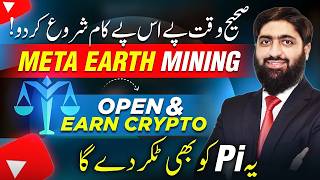

Right Time, Right Project: Meta Ark Launch
45sTaps into the fear of missing out (FOMO) by highlighting a new project that just launched, promising early adopters potential wealth.
▶ Play Clip"The title promises a guide to earning dollars, and the video delivers a clear tutorial, though it includes promotional fluff and a lengthy sign-up process."
The video introduces Meta Ark, a new cryptocurrency mining project similar to Pi Network, and provides a step-by-step tutorial on how to sign up, download the app, complete KYC verification, and start earning MBC tokens through daily check-ins. The creator emphasizes that the project is free to join, requires no investment, and offers referral bonuses.
The creator introduces Meta Ark, a new project launched recently in Dubai, which he attended. He compares it to Pi Network and highlights its potential for earning money through early participation.
Meta Ark is described as a similar type of project to Pi Network, with its own app and token called MBC. The creator notes that early adopters of Pi Network benefited significantly.
Users download the app, receive 1 MBC token for free, and can increase their holdings through daily mining. No investment is required, and the project does not ask for money.
To increase MBC faster, users can share the project with others. Referrals earn a share of the referred users' mining rewards. The creator emphasizes that KYC issues that plagued Pi Network are addressed here.
MBC can be sold on the project's P2P system, and the value has grown from $1 to $4 in a few months, showing a 4x growth. This makes it an attractive opportunity.
The creator promises a detailed screen-by-screen tutorial on how to sign up, download the app, complete KYC, and start mining. He encourages viewers to subscribe and follow for more updates.
Meta Ark offers a free, low-barrier entry into cryptocurrency mining with a referral system and a growing token value. The video provides a comprehensive guide for beginners to start earning MBC tokens.
What is the name of the token in the Meta Ark project?
MBC
01:21
How many MBC tokens do you receive for signing up?
1 MBC
09:35
What is the referral reward for inviting new users?
0.1 MBC per referral
09:15
How often can you check in to mine MBC?
Every 24 hours
10:55
What was the price of MBC a few months ago and what is it now?
It was $1 and is now $4, showing a 4x growth.
02:51
What is the purpose of the seed phrase backup?
To recover your wallet if you lose access.
06:58
What is the Unicorn program?
An incentive program for more rewards in Meta Ark.
11:33
Early Adoption Advantage
Emphasizes that early participants in similar projects like Pi Network benefited greatly, highlighting the potential of Meta Ark.
Free to Start
No investment required, making it accessible to everyone.
01:08MBC Value Growth
MBC's price increased from $1 to $4, demonstrating significant growth potential.
02:39Step-by-Step Guide
Provides a clear, actionable tutorial for beginners.
03:03[00:07] guarantee a better future. Many smart people make the right decisions at the right time in the crypto world and this is why they earn millions of dollars. Today I will tell you about one such project
[00:19] which has just started. Recently it was launched in Dubai. I was present there at the event. You can say this is a similar type of project. I am can say this is a similar type of project. I am
[00:33] is completely different. Like the Pi Network that came out four years ago, people could get free Pi tokens by mining. The ceremony of this project in Dubai. I had a
[00:50] invited me to his office. I went there and met him. they didn't give me any to make this video for you guys. Ok? I liked one project and I have started working on it.
[01:04] So I said let me tell you about it too. What is in this project? Simply you have to download their application. What will happen after that ? You will find One MEC. One MEC means MEC is their token. Like pie
[01:18] is the pie token. Similarly, the token of Meta Earth is named MEC. And you don't have to do anything. You got one token. After that it will grow on its own from the forest. Meaning daily mining will continue. The best part is that you do n't have to spend a single penny on it. They will never ask you for money saying,
[01:33] brother, lock this much money and then we will mine this much daily and give it to you. Nothing like that. And the investment platforms that ask you for money are is no such problem here. You just have to download the application, do KYC
[01:47] and you will get One MEC for free. After that that MEC will keep increasing. But if you want this MC to increase its speed a little, then there is a very easy way for that too. You have to share this project with others.
[02:03] Many people tell you that brother, you take advantage through referrals. Brother, you also have the opportunity to earn through referrals. There was a huge problem within the Pi network. Many people who had collected tokens through referrals
[02:15] lost them due to lack of KYC. But Meta Earth is such a great project that you will not face any problem in KYC here. So if you face any problem in KYC, then I will create a WhatsApp group
[02:28] and put its link in the description where their technical team will be sitting and will help you out in doing KYC. And another interesting thing is that people had to face a lot of difficulties in selling the pie. Whereas their own P to Puppy system is so great
[02:42] that if you have two MECs today, you can sell them also through P to Puppy. People are ready to take it. The best thing is that if you look at the value of MEC three-four months ago, it was around $1 and now it has come close to $4.
[02:55] Meaning it has four times better growth compared to its pie. So what to do? I will tell you everything step by step. Go to the mobile screen. We will not talk theoretically. And if you want that in future you too should not
[03:10] say that I wish I had started working at that time in the meta sense. If I had I had 8-10 minutes today, then brother, please take this video a little seriously. If you have any questions, please ask in the comment section. And
[03:22] and have not pressed the bell icon, then brother, we will not help you in this way because only those people will join our WhatsApp group who are our subscribers. Follow us regularly and listen to us. First of all,
[03:35] our service is available to them. So it doesn't cost any money to press the bell icon and let's go to the screen and see how you can earn dollars from Meta Earth. Yes, we have come on screen. First of all,
[03:50] click on peacock. The first link you see here is the sign up link. You have to click on it. As soon as you do this, you have to open it with Google Chrome. As soon as you open it, a screen like this will appear in front of you and
[04:05] here you have to first write your email address. After entering the email address, After entering the email address, you have to click on Get Code. A code will be sent to your email. As soon as that code comes, you have to write it below above the verification code. Yes.
[04:17] Yes, we have received it on email. Let us see the code, what us see the code, what code did we get, let us see this 72874, let us go there and first copy it from here and then go back and paste it there.
[04:32] and then go back and paste it there. set a password here. After that, you have to write that code in place of the referral code. writing the code here yourself. If you are going through our link, please take care of one more thing.
[04:48] We can help you with KYC only if you have signed up with our referral code. So here you leave the space blank because the code will already be written here. But still if the code is not getting written then
[05:00] I will write the code here on the screen. You may see this code. You have to write that in place of the referral code. After that you have to click on I have read and agree and click on Register Now. As soon as you register, he will say, brother, you should
[05:13] install it. If you want AirDrop then you have to download Mi Pass application. We will simply click on it and it will ask you where you are because we have Apple, we will do it from Apple Store and if you have Google or Android
[05:28] user then you can download it there also. We clicked on the gate. Yes, our download has been passed. We have to click on Simple Open. As soon as you open Pay, select Don't Allow Notifications. Click to enter. You have to click to enter.
[05:42] Click on Get Started. Here you have to write the same email address Click on Next. As soon as you click on Next, it will ask you to write your password which you had decided earlier, you
[05:57] will write the same here and after that you will login. As soon as you log in, a dashboard will open in front of you. Yes. So this dashboard kind of opens in front of you. Now you have to write here I don't have a Mi ID wallet. You don't have a wallet right now. You
[06:11] simply have to click on this. Here you have to keep your code and you can keep any six digit code here. Please complete it. After that back phrase now. Ok? However, you can do this later also. But it is still
[06:26] better if you do it now. You simply have to click on this. I understand. Basically this is to retrieve your wallet. Ok? You must be You must be seeing all these blurred places of mine and I want
[06:39] you to write down all these things. Ok? And after writing it, you simply have to copy it here and paste the copy anywhere you want. Okay, we have copied and pasted this. Let's complete the backup. This is done so that
[06:54] if you forget the address of your wallet, at least you can retrieve it. ok sir. Please fill in the meaning phrase in order your backup. Now I will meaning phrase in order your backup. Now I will
[07:08] I see what's my word number nine ? Word number three. Now he asked what is my G word number three? Word number three is my
[07:23] wallet is created here. Start Using Me Pass. We will simply click on it. Now comes the very important part of verification. We will verify it. Mine is from UAE but I would recommend doing it from Pakistan.
[07:38] from Pakistan. But let's do it from UAE. After that last name please ensure the surname which is written on my ID. ok sir.
[07:53] surname which is written on my ID. ok sir. place of national ID, here you can also use passport, driving license,
[08:08] whatever it is, you can also use national ID card, it's okay, after that we have selected it here and after that please ID number, please enter the full document including symbols, now you will write the ID number here,
[08:22] okay and after that what you have to do is you have to upload the picture of the front of the ID card here. Ok? By clicking on Take a Photo. Ok? Scan here. because I do not want to share my personal data with you. And here if we go to
[08:37] its back side and click on it and click on next then our KYC will be submitted. I will do this data now. Then we will see what to do next. So we have uploaded the documents and now we will see that just
[08:49] for verification we have swiped it and now we will click on Next. Now there is facial recognition. Yes. So they have completed our verification. We will click on complete and
[09:05] now it has gone into on-chain verification. ok sir. After that, now we have this application on. Until this is verified, we will not be able to proceed with it at present. Yes, more than 24 hours have passed for us. Let's see whether our
[09:18] KYC is complete or not. We will click on I understand. I think our KYC is complete. Well, here he is also telling you about a promotion that whatever number of new people you invite, you will be given one MEC as a gift as a
[09:33] n't invite right now. We click on the cross. Let us understand first. Then you can invite me. So here you see my total stalking amount is One MC, meaning whenever you sign up an account you will get One MC. Now you have to do mining. No
[09:48] money is required. No investment is required. Simply you have to click on On Chain Check In. And you have to come here daily and check in. If today is the 25th then it has already selected 25th. Click on Check In Today. Here,
[10:02] your complete statement is written below - Ins Happiness for a Better Life. Now he is saying please fill in according to the slogan above. You just have to write it as it is. Enhance Happiness
[10:17] Happiness for a Better Life. As soon as you type, Check In Today below gets activated. You simply click on it and you have confirmed it. So here you have to put your code, whatever
[10:30] your face ID is, so you have to do this with face ID, yes, my MEC will start increasing automatically, right now I have one, now on a single basis only, if I
[10:43] come daily and do only this procedure which I have just shown you, then on daily basis on mining basis, see, our check in has been successful, congratulations, now our check in has been successful, we cannot check in again,
[10:57] you can come and check in after every 24 hours. Now look, I got the MEC above. And the interesting thing is that you can also sell this MEC whenever you want. To sell, now let us
[11:09] see that 'Explore' is written on the rightmost side. As soon as you come to Explore, you will see that you have many options available here. Ok? They also have their own P2P transactions. Click to join. You can simply click on it and
[11:21] join it. Ok? This took you to the top of another platform. By coming here you will create your account and you can also sell out your MEC. Well, what we want to discuss now is Unicorn Me Unicorn Join the Me
[11:35] Ambassador Incentive Program for more rewards. If you want to get more MEC then you simply have to come and get your Mi ID first. Like issue. In this way your Mi ID will also be issued. It will be verified.
[11:51] Then you have to come to Explore and click on Click to Join Unicorn. to Join Unicorn. Here the speed of getting your rewards will increase and if you want to earn less money, what is the meaning of money? There is
[12:05] no need to invest money in this. If you want to get more rewards in MC form then you have to register your account here. Ok? You can do that too with Simple Me Pass. If you already have a Me Pass. Ok? You can click on Simple Register.
[12:19] If you already have a login then you can do it with that also. fixed bugs? Here you simply have to swipe it. I will make another detailed video on this. Now he is going to Me Pass. We open it. Let's get it authorized from here. So there is no
[12:33] authorized from here. So there is no rocket science involved in this. Well, let me do it here. Whatever we have here is already ready. It is because maybe I have not given it access from there yet. As soon as that happens, you
[12:47] simply have to come here and create your account. Now I will try to get it done from here. Otherwise I will make a further video on this. ok sir. I just registered. Open this page in me pass. Let's open it and see. A Only
[13:03] pass. Let's open it and see. A Only sign this message if you fully understand the content and trust this. Ok? They authorize it. This address is not registered. Ok? There is a glitch in it. We will go and see whatever it is. But you
[13:17] because our account has just been verified. Maybe it will take some time. So as soon as you create your account, you have to come here to Unicorn and join it. Hope you understand things. Still, you can ask any question in the comment section.
[13:30] And if you have any problem in KYC and you have signed up the account through our referral then you can contact us. You can comment by using the comment form below. We will also help you with KYC. Inshallah,
[13:42] see you in the next video. Take great care of yourself.


⚡ Saved you 0h 13m reading this? Transcribe any YouTube video for free — no signup needed.