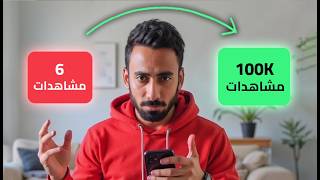

100% Free Professional AI Arabic Ads
43sReveals a free method for creating professional Arabic video ads, solving a common pronunciation problem, which is highly valuable and surprising.
▶ Play Clip"Title accurately promises a free method for professional Arabic AI ads, and the video delivers exactly that."
This video presents a completely free method for creating professional AI-generated video ads with accurate Arabic pronunciation, addressing a common limitation of tools like Seedance 2. The creator demonstrates a step-by-step workflow using three free resources: a character sheet, a product sheet, and a final instruction file, all hosted on a free cloud platform and Google Flow. The tutorial covers generating product images, scripting, and producing high-quality ads in various styles, including UGC and cinematic formats.
The video introduces a 100% free method to create professional ads using AI, focusing on solving Arabic pronunciation issues common in tools like Seedance 2.
The creator provides three files: a character sheet, a product sheet, and a final instruction file, all tested for quality. These are available on a Telegram channel.
Two free services are used: a free cloud platform (likely Cloud) and Google Flow, which provides daily renewed credits for 3-4 videos per account.
Using the character sheet prompt, an image of a person explaining the product is generated. Then, the product sheet helps create a professional product image.
The final instruction file is uploaded to the cloud platform, which then asks for the video idea. The creator explains the concept in detail, including a text file for the script.
The cloud platform corrects spelling mistakes to ensure accurate pronunciation in the video. It also provides a time-interval breakdown of the script.
The script and images are taken to Flow (likely Flo), where settings like UniFlash, video length (10 seconds), and image tagging are configured. The result is a free HD video.
If credits run out, users can create another account, upload the files, and continue. Credits renew daily.
A second example shows a cinematic ad with fast camera movements. The process is similar, resulting in a professional video.
For multiple products or colors, separate product sheets are generated. Each is used to create individual videos, which are then combined in an editing program.
The creator emphasizes the value of the combination of tools and encourages viewers to follow for more updates. All files are available on Telegram, including methods to remove watermarks.
This video provides a comprehensive, free workflow for creating professional AI video ads with accurate Arabic pronunciation, using three key files and two free platforms. The method is demonstrated with multiple examples, showing its versatility for different ad styles and products.
What is the main problem with Seedance 2 for Arabic speakers?
It struggles with Arabic pronunciation.
00:14
How many essential files are provided in the video?
Three files: character sheet, product sheet, and final instruction file.
00:58
Which two free services are used in the workflow?
A free cloud platform (Cloud) and Google Flow.
01:12
How often are credits renewed on the free cloud platform?
Daily.
01:12
What is the purpose of the product sheet?
To generate a professional product image with specifications.
01:52
What setting should be used for the engine effort to avoid it stopping halfway?
Set it to 'if'.
02:33
What does the cloud platform do to ensure accurate pronunciation?
It corrects spelling mistakes in the script.
03:42
What is the default video length used in the first example?
10 seconds.
03:28
What is the limitation of the free version regarding video quality?
It is locked to HD quality.
04:39
How can you continue working if your credits run out?
Create another account, upload the files, and continue.
05:13
What is the advantage of using Cloud over other platforms?
It understands the product and writes its specifications, helping the video engine.
06:34
How do you handle multiple product colors in the workflow?
Generate separate product sheets for each color, create individual videos, then combine them in an editing program.
06:22
Free Method for Professional Arabic Ads
Introduces a completely free solution to a common problem (Arabic pronunciation in AI video tools).
00:02Three Essential Files
Provides a structured approach with pre-tested files, ensuring quality results.
00:58Automatic Spelling Correction
Highlights a key feature that improves pronunciation accuracy, a major pain point.
03:42Cloud's Product Understanding
Demonstrates how the cloud platform's ability to write specifications enhances video quality.
06:34Combination as a Treasure
Emphasizes the value of the workflow, encouraging viewers to leverage it fully.
08:39[00:02] making the most is ad-making videos, but the new thing this time is that the method is 100% free! As you know, ever since Seeddance 2 was released, it has been the king of
[00:14] video creation, whether for ads or cinematic videos. However, we've always cinematic videos. However, we've always faced a problem: Arabic pronunciation. While it works well with almost all other languages, it struggles with Arabic. So, in today's video, I'm
[00:29] giving you the ultimate solution: you'll create professional ads 100% free, with professional pronunciation in any Arabic dialect and a real human voice. Make sure you follow along step by step so that if
[00:43] you miss even one thing, don't blame me for any unsatisfactory results. Just enjoy yourself and hit the like and subscribe buttons while you watch. All you need to achieve you need to achieve 100% professional quality is these three files.
[00:58] 100% professional quality is these three files. I've created them word for word and tested them myself to ensure the quality. I'll tell you... At the end of the video, you'll find the second site, which is the video, you'll find the second site, which is the free Cloud, and the third site, which is also free, Google Flow.
[01:12] This gives you credit that allows you to make three to four videos, and this credit is renewed daily for each account. For the first video I'll make, I daily for each account. For the first video I'll make, I need an image of someone explaining the product and an image of
[01:26] need an image of someone explaining the product and an image of the product itself. So, I'll use the first file, which is a character sheet for the character. I'll copy the Prompt, upload the image to Flow, check the upload the image to Flow, check the dimensions, and click Generate. In seconds, I'll have these
[01:40] results. At first glance, I liked this result, so I'll continue with it and delete the second image to avoid clutter. The second thing, and this is the most important, is the product sheet. This is something I don't
[01:52] see many people talking about, whether Arabic or foreign. So, I'll take all the files I've created, along with the product image, and go to Cloud. In seconds, it will generate a product sheet specifically for
[02:04] In seconds, it will generate a product sheet specifically for my product. I'll take the product image and put it on Flow, and I'll use the Prompt it created for me. I'll press "Generate" and in seconds it will produce the most impressive I'll press "Generate" and in seconds it will produce the most impressive product sheet I could possibly need. Of course, this product isn't
[02:18] real, and if you have a real product, it's best to have more than one image of it to get more than one image of it to get 100% accurate angles. But here, I'm working with minimal data to test the capabilities of the commands I'm giving you. I'll delete the
[02:33] unnecessary image and start a new chat in the cloud, uploading the final instruction file I created. I'd prefer to reduce the engine's effort to " if" so it can handle the work I want to do. You can set it to any effort you like,
[02:48] but since I'll be asking it to do a lot and I don't want it to stop halfway, I'll set it to "if." I'll type " want it to stop halfway, I'll set it to "if." I'll type " ready" and press Enter to activate the skill. It will think for a bit and then ask me to send it the video idea I want to create. I'll write my
[03:01] idea here, and it's very important that I explain the video concept as much as possible. Here, I told it that the video is a UG I started explaining to him what would happen in the video, and at the end, I told him
[03:13] what the words would be. If you could visualize your video as a text file and upload it to Cloud your video as a text file and upload it to Cloud like this, it would be the beginning of a successful video. He'd come back to me with a question about the video's length. I wanted a single video,
[03:28] video's length. I wanted a single video, exactly 10 seconds long. He'd take my request and start returning to me with the most important thing in my file, which is analyzing the biggest problem anyone faces when making a analyzing the biggest problem anyone faces when making a video: the video might turn out great, but the
[03:42] dialogue is terrible. So here, he corrects any spelling mistakes so the pronunciation any spelling mistakes so the pronunciation in the video is as accurate as possible. Below, in the video is as accurate as possible. Below, you'll find the Prompt divided into time intervals, showing
[03:56] what happened in each second so you can utilize the entire video's duration. I'll copy the entire Prompt entire video's duration. I'll copy the entire Prompt and go to Flo, upload the person's image and the and go to Flo, upload the person's image and the product image, and then set the settings to Video. I'll make sure
[04:09] I'm on UniFlash and that only one video will be made for credit purposes. I'll leave the dimensions wide so This is a YouTube video, and I'll make it 10 seconds long. I'll put
[04:22] my profile here. An additional feature I can add is tagging the images so it better understands tagging the images so it better understands where my profile is headed. I'll press create, and in seconds, this is the result. I can download it from here. Since it's free, it will be
[04:39] locked to HD quality, which I think will be enough. Let's see the result together. If you're looking for a durable, comfortable, and stylish shoe for everyday use, then you have to see this sneaker. Its design
[04:51] suits any style of clothing. There are very few pieces left;
[05:13] end of the video how we'll solve this issue. Now, if at any time you find your balance has run out on your account and you If you haven't finished your project yet, make sure you download all the files you've created, open another account with you, put these files on it, and continue your work normally. Remember that
[05:30] the balance is renewed every day. The second video idea I have is a cinematic ad with fast camera movements every second. I wrote a simple description for it, and in every second. I wrote a simple description for it, and in seconds it generated this professional profiling.
[05:44] I took it to Flow, uploaded the product and logo I just created, adjusted the placement of the elements, and pressed generate. In seconds, this professional video appeared.
[05:57] this professional video appeared. [Music] I
[06:09] but I'm truly happy that we can now produce this quality for free. Now, if we have more than one product or color in the video and want to make a longer video or combine
[06:22] these elements, we take the two images along with the product sheet file and send them to Cloud, telling it that we want a separate profiling sheet for each color. I take what it generates and put the product on Flow with
[06:34] generates and put the product on Flow with its command, and in seconds, I'll have these amazing results. Honestly, the reason I chose Cloud wasn't random. It was able to Cloud wasn't random. It was able to understand the product and write its specifications, which will
[06:47] understand the product and write its specifications, which will greatly help the video engine while it's working. Every detail in the sheet is fantastic; its focus on the embroidery elements alone is incredible. This will be very helpful. Even the person below wearing these clothes gives an idea of what the product looks like when used. The
[07:03] same applies to the black version. You can apply this same principle to any product you have. I'll download these images and put them on cloud storage along with the video concept I want to
[07:15] create, as detailed as possible. It will generate two previews, one for each video. I'll take the first preview and go back to Float to get the profile picture and the product image in its colors. I'll
[07:28] make sure my settings are correct, add the preview, specify the elements, and click Generate. In seconds, I'll have the first video. I'll then take the preview for the second video and
[07:41] first video. I'll then take the preview for the second video and repeat the process, but make sure to look at the preview to the end because it says to add the first video. This is very important to maintain the same location and lighting. I'll take the two results and put them in any
[07:56] two results and put them in any editing program to simply combine them. In editing program to simply combine them. In seconds, I'll have the complete advertisement. I saw a polo shirt that is chic, youthful, and oversized. The Azeo brand really did it. Forget
[08:09] about the traditional polo shirt. This boxy fit from Azeo will make you feel completely comfortable when you go out. Look at the details here: heavy, loaded pique cotton fabric and 3D raised embroidery, not just a print. Azeo has combined in this piece the elegance and prestige of a polo shirt with the
[08:23] elegance and prestige of a polo shirt with the casual and youthful spirit that we all love. Well, it's far from a dazzling result that has no mistakes. If someone had shown me this video a while ago, I would have said that it was impossible for it to have been done with free tools. Guys,
[08:39] the combination I made for you in today's video is a real treasure. It's a shame not to take full advantage of it . This field has become highly sought after. I advise you to make sure you are following me because I always bring you all the latest news in the easiest way possible. This is
[08:54] our last experience, and this is an advertisement for the Hajj season so that I can have made advertisements for products and services for you. Of course, I don't have any elements to put with the Prompt, so the quality of this video will be from the
[09:06] quality of the Prompt only. The road was long, and the dream kept growing, and today your eyes embrace the Kaaba and the soul finds rest. Al-Nour Tourism Company accompanies you every step of the way to the most beautiful trip.
[09:22] As usual, the result is impressive, just like the rest of the videos. My only issue was with the text in the logo, and that's because I didn't include a logo with the video. Otherwise, it's flawless. Now, let's get down to business. All
[09:34] the files I used in the video are available on the Telegram channel. The link is in the pinned comment and the video description. Regarding the watermark issue, I've prepared several methods to
[09:49] prepared several methods to completely eliminate it in the easiest way. Because of the video's length and policy details, you'll also find those on the Telegram channel with the other files. If you felt this video was helpful in any way, please give it a like and subscribe to the
[10:04] channel to receive all the latest updates. Share this video with anyone interested in the field so they can benefit from what I've shared for free. See you in the next video! Bye!
⚡ Saved you 0h 10m reading this? Transcribe any YouTube video for free — no signup needed.