
New Laravel Debugger vs Telescope
40sDirect comparison with popular tools sparks debate among Laravel developers.
▶ Play Clip"Delivers a solid overview of the package, but the title's 'better?' is left unresolved, making it slightly oversold."
This video reviews the new Laravel package 'Trace Replay' by Ismael Azaran, which provides a dashboard to monitor and debug requests in Laravel applications. The presenter demonstrates the package on a demo project, showing how it logs requests, provides checkpoints for debugging, and offers an AI fix prompt. The package is compared to competitors like Telescope, Debugbar, and Clockwork, and the presenter discusses its potential advantages and limitations.
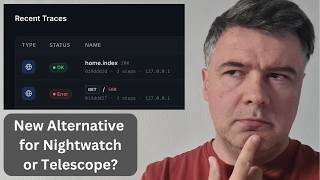
A new Laravel package called Trace Replay by Ismael Azaran is introduced. The description is unclear, but screenshots show a dashboard to watch processes in Laravel.
The author positions Trace Replay against Telescope, Debugbar, and Clockwork. The presenter notes that package creators often claim their package is best, but the tweet about it got over 100 likes, indicating interest.
The presenter uses a demo project with Laravel and Livewire. Each request is logged by Trace Replay, including actions like booking appointments, selecting services, and filling details.
After refreshing the dashboard, more numbers appear, showing GET requests and Livewire updates. The presenter notes it feels more like Laravel Nightwatch.
The package is called Trace Replay because of a button that allows replaying any HTTP request, showing the original and replayed responses, useful for retrying after bug fixes.
The dashboard shows breakpoints or log points in controllers or Livewire components. The presenter explains 'trace replay start', 'set service', and subprocesses like weekdays, HTTP requests, payloads, and database queries.
Simulating an exception shows a 500 error on the dashboard. The 'AI fix prompt' button provides data in a format suitable for AI tools like Cloud Code or Codex, potentially with fewer tokens than 'copy as markdown'.
AI debugging requires no API key by default, but users can specify their own API key for AI drivers like OpenAI, Anthropic, or Ollama, potentially eliminating the need to copy-paste.
The readme lists many features, including export artisan commands and a replay trace bar. The presenter invites comments on whether the package is worth attention and may create a deeper dive video or course.
Trace Replay is a promising local and free debugging tool for Laravel, offering request replay and AI-assisted debugging, but it has fewer features than Laravel Nightwatch. Its value depends on extensive testing by the community.
What is the name of the Laravel package reviewed in the video?
Trace Replay
00:01
Who is the author of Trace Replay?
Ismael Azaran
00:01
Which three competitors does the author position Trace Replay against?
Telescope, Debugbar, and Clockwork
00:16
What is the main feature that gives Trace Replay its name?
The ability to replay any HTTP request, showing original and replayed responses.
01:38
What does the 'AI fix prompt' button do?
It provides data in a format suitable for AI tools like Cloud Code or Codex, potentially with fewer tokens than 'copy as markdown'.
03:18
Which AI drivers are shown for AI debugging configuration?
OpenAI, Anthropic, and Ollama
03:45
Is an API key required for AI debugging by default?
No, no API key is required by default.
03:45
What does the presenter compare Trace Replay to in terms of feel?
Laravel Nightwatch
01:38
What are 'checkpoints' in Trace Replay?
Breakpoints or log points in controllers or Livewire components that show subprocesses like HTTP requests, payloads, and database queries.
02:05
What is the presenter's main concern about Trace Replay compared to Nightwatch?
It has a smaller amount of features than Nightwatch.
04:25
Community interest
The tweet about the package received over 100 likes, indicating significant interest from the Laravel community.
00:16Replay feature
The replay functionality is a unique selling point that allows retrying requests after bug fixes, which is highly practical for debugging.
01:38AI fix prompt
The AI fix prompt integrates AI tools into debugging, potentially saving time by providing formatted error data.
03:18No API key required
The default no-API-key approach lowers the barrier to using AI debugging, making it accessible to more developers.
03:45Local and free
Being local and free is a key advantage over Laravel Nightwatch, though it comes with fewer features.
04:25[00:01] you a new Laravel package called Trace Replay by Ismael Azaran, which has very unclear description if you ask me, but the screenshots say it all. This is the main screenshot dashboard to basically watch the processes in your Laravel
[00:16] I will show you that in action. The author himself positions that package against three competitors: Telescope, Debugbar, and Clockwork. And of course, as every package creator ever, their own
[00:29] package is best ever against any other competitor. That's cool. But also when I shared that package on Twitter and that tweet got more than 100 likes, which means that people liked it. This was the comment, so it seems more like Laravel
[00:41] night watch in a way. So let's see what it actually does. And I tried it on this demo project I created with Laravel and Livewire a few months ago. And if I click, for example, some expert to book appointment, each request will be logged
[00:55] appointment, each request will be logged with Trace Replay. And if I select a service, select a slot to book the appointment, continue, then I need to fill in my details, so I'll use Fake Filler Chrome extension, review booking,
[01:09] and then confirm booking. The UX is pretty bad. It was just a demo project with AI actually. So yeah, some actions happened. Now what do I see on the dashboard of Trace Replay? So this was the view before all of those actions.
[01:22] Now I refresh and I should see more numbers. Let's zoom that in. And let's see what actually happened. So get request for the page, then post Livewire update. And you can go, for example, to any page and see the request. So this
[01:38] feel to me more like Laravel night watch, to be honest. And the package is called Trace Replay because of this button, so you can replay any HTTP request, and then you see original response and replayed response. For
[01:52] example, if you fix some bugs and then you want to retry. Now if we get back on the dashboard, you may see these things, booking.something. And these are kind of breakpoints or login points, if you wish, in your
[02:05] Laravel controller or Livewire component in this case. You may have this, trace replace start. So, set service is the actual kind of process, which may contain more subprocesses. So, if I click this, set service, then weekdays,
[02:20] then HTTP request, then payload, and what were the database queries, and service ID one is attached here. So, this is the context with service ID, then trace replay step, and then end success. So, this is kind of for
[02:36] debugging what happens inside of, for example, a method inside of controller or Livewire component, or basically wherever in your code. Start context, and then step and end. And then in here, you may switch, for example, to booking
[02:49] you may switch, for example, to booking weekdays, and then see the SQL query and other data for the user. Let me zoom that in even more. So, these are the that in even more. So, these are the queries visible for this checkpoint.
[03:01] exception, so let's simulate that, and let's see what happens. So, on the homepage, there's exception, and then on the dashboard of trace replay, we have 500, and we may trace the stuff. And not only trace, there's a button AI fix
[03:18] prompt, which is actually similar to exception page on Laravel button copy as markdown. So, AI fix prompt gets you the data maybe in a better format than copy
[03:30] as markdown, maybe fewer tokens, but basically you paste this one into whatever you want, cloud code or codex, so it could maybe fix your errors. This is the documentation part. AI debugging, no API key required. But also, you may
[03:45] specify your API key to your AI driver, in this case, OpenAI, Anthropic, or Ollama are shown. And then maybe you would not need to copy-paste it anywhere. And yeah, in this video I just scratched the surface of that package.
[03:59] These are the features listed on readme, which is pretty big, so you can read that in full and try it out yourself. There are some export artisan commands There are some export artisan commands and stuff like replay trace bar,
[04:12] whatever that is, probably something like the bug bar, and more features. So, yeah. What do you think? Would you use something like this? Compared to Laravel Night Watch, it's local and free. But, of course, has smaller amount of
[04:25] features than Night Watch, probably, if I understand correctly. And compared to other local debuggers, is it that better as this screenshot shows? Not sure. If you try it for extensive amount of time, please tell me in the comments whether
[04:40] this package is that great and worth attention, so maybe I will shoot more in-depth and deeper dive video on this channel, or maybe even as a course, if it's proven to be valuable. Let's discuss, as usual, in the comments
[04:55] below. That's it for this time, and see you guys in other videos.
⚡ Saved you 0h 04m reading this? Transcribe any YouTube video for free — no signup needed.