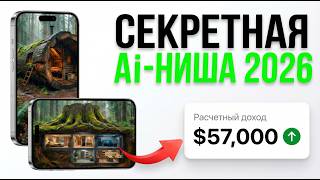

18.5M Views in 1 Month?
40sThe impressive stats of a new channel spark curiosity and promise a lucrative niche.
▶ Play Clip"Title promises a new niche and $75k/month, but the video is a practical tutorial with realistic income estimates; it delivers on the 'how-to' but oversells the income potential."
The video demonstrates a complete workflow for creating viral AI-generated construction videos for YouTube, from generating prompts and images to producing videos and editing them with music. The creator shows how to use free tools like Google AI Pro (Nano Banana Pro) and Suno AI, and explains the process of uploading the final product to YouTube.
A channel created a month ago has 18.5 million views and 18,000 subscribers, with estimated income of $4,000-$70,000 per month according to Social Blade.
Use a chat (GPT, Gemini, DeepSeek, Grok) to generate five prompts based on an image of a construction site. The first two prompts are for image generation, the last three for video generation.
Find a suitable image on Pinterest to use as a reference for the AI generation.
Use Google AI Pro (Nano Banana Pro) in Flow service. Generation costs zero credits. Generate three images: final state, initial state, and intermediate state.
Use prompts 3-5 to generate videos frame by frame. First video: initial to intermediate. Second: intermediate to final. Third: final frame only.
Ask chat to write a prompt for music generation. Use Suno AI, which gives 50 free credits (10 per generation). Free versions are limited; paid versions sound better.
To bypass Suno's trial limitations, the creator plays the music through an old speaker and records it with a microphone using Adobe Audition.
Edit in CapCut or any editor. Add the three videos and audio track. Optionally generate extra videos showing the house from different angles for more epicness.
Copy title and description from the example channel. Add hashtags like #Shorts, #trending, #room. Check 'Altered content' (AI-generated). Set language, uncheck 'Publish to subscription feed' to boost algorithm reach.
The video provides a step-by-step guide to creating AI-generated construction videos for YouTube, leveraging free tools and clever workarounds to produce engaging content that can potentially go viral and generate significant income.
What is the estimated monthly income range for the example channel according to Social Blade?
$4,000 to $70,000
00:06
How many prompts are generated for the video creation process, and how are they divided?
Five prompts: first two for image generation, last three for video generation.
01:44
Which AI tool is used for image generation, and what is the cost per generation?
Nano Banana Pro (Google AI Pro) in Flow service, costing zero credits.
02:09
How many free credits does Suno AI provide, and what is the cost per music generation?
50 credits, with each generation costing 10 credits.
05:12
What workaround did the creator use to get full music from Suno AI without a subscription?
Played the music through an old speaker and recorded it with a microphone using Adobe Audition.
07:15
What checkbox must be checked when uploading AI-generated content to YouTube?
The 'Altered content' checkbox indicating the video was created using artificial intelligence.
09:56
Viral Channel Success
Demonstrates the potential income and reach of AI-generated content on YouTube.
00:06Free AI Image Generation
Shows how to use Google AI Pro for free, making the process accessible.
02:09Creative Workaround for Music
Highlights a resourceful method to bypass subscription limitations.
07:15YouTube Algorithm Optimization
Explains specific upload settings to maximize reach, such as unchecking subscription feed.
09:41[00:06] This channel was created a little over a month ago and already has 18.5 million views and 18,000 subscribers. And according to Social Blade, his income ranges from $4,000 to $70,000. [music] When we enter the channel, we see video
[00:20] views. The essence of all the videos is the same. The construction process is shown from the very beginning to the final result. The usual format: actions occur as quickly as possible. And what’s most interesting is that
[00:34] this niche is just beginning to gain momentum. Hi, you're on the Soyuznik channel, and now I'll show you how to create exactly the same videos. But to result, you need to follow my actions very carefully. I
[00:47] prepared practically nothing in advance, except for one promt. Before recording this video, promt did a little testing, warmed up a bit, and generated the video let's get started creating a new viral video together. The first step
[01:01] can find below this video. We insert Prompt into absolutely any chat. This could be GPT, Jini, Deepsek, Grock chat, depending on which chat you are show it using Gemini as an example. The essence of the promt will be as follows. We ask
[01:16] the chat to come up with five prompts based on a given image that will construction site. In general, a little further you will understand everything yourself. The next step is to prepare our image. It's all very simple. We go to the
[01:29] Pinterest website and look for the image we need. After a long search, I found exactly him. Here is our image. Inserted promt, added an image. After a few seconds we receive an answer. The chat tells us that it has conducted a thorough analysis,
[01:44] but we are not interested in all of this. We are interested in exactly five promts. I ask you to watch this video especially carefully. The first and second prompts are used to generate the image. We will need the third, fourth and fifth
[01:57] prompts to generate the video. For image generation, I personally use Nanobanна Pro. Most likely , now you are thinking that this is a paid service and, unfortunately, I do not have a subscription to it. But looking
[02:09] result that you will see now in absolutely any recommend, of course, signing up for a free one-year subscription to Google AI Pro. I already talked about how to do this in my previous videos. And
[02:23] this promotion from Google is valid until January 31st. For our convenience, in this case I will use Nanobanna Pro in the Flow service. Once you've entered the service, be sure to click here. As we can see, generating images
[02:35] will cost us zero credits. Add the first picture. We select the vertical format and simply insert the first prompt. We are generating. finished result. For clarity, let's compare this picture of what it
[02:50] was and what it has become. Download the image you like. Well, next we copy the second prompt. We also add the first image that we downloaded from Pinterest. We inserted the promt and sent it to generation. And this is what we got.
[03:03] the image you like. As a result, we have three images: the state of the house after completion of construction work, the state before construction, and something in between. Next we will generate videos. Let's return to our chat. Copy prom
[03:17] number three. Change the mode to video. We set the framename to the video. We will generate video frame by frame. The first frame is the initial state. And the second one is something in between. We inserted the promt, sent it to generation, and this is the video that was generated.
[03:38] be sure to write about it in the comments. Downloading the video. After that, we return to the chat and copy prompt number four. We add the first frame to the woflow, something in between, and the second - the final result of our
[03:52] prompt and then send it for generation. After a short time generation. After a short time we received the video.
[04:06] result. This is just super. We also download this video and move on to our final fifth prompt. We return to the chat and copy. In flow we will insert only one final frame. We added promt and I'm already looking forward to the results of our
[04:20] generation. Generation complete. Now let's see what we got.
[04:32] This is just wonderful. As a result, we ended up with three videos, which we will continue to edit. We'll return to this step a little later, but before that, we'll need to pick some cool viral background music.
[04:46] First, find ready-made music on the Internet, or generate it yourself . We will generate music in Sona AI. To do this, we will ask the chat to write us a prompt to generate music. So we write: "Give me a prompt. The music
[04:59] top-notch as possible." that the potential viewer wanted to re-watch the video and enjoyed the music. The chat wrote us three prompt options. Copy any one you like. After that, we go to Sunnah and go through a simple registration process
[05:12] using email. We see 50 credits on the account . Each generation will cost us 10 credits. In general, we insert about MT and send it to generation. Generation complete. We were offered four audio versions, two free and two, so to
[05:25] speak, demo versions. This means that in order to listen to them in full or download them, we will me say right away that I don’t have a subscription, and in this video we will be using the free trial version. Let's listen to the free options offered.
[05:50] n't like it at all. Another free option. free option. [music] There is something
[06:06] honest, it’s not very good either. And now it’s interesting what we’ll hear in the interesting what we’ll hear in the paid versions.
[06:26] the sound I'm currently getting from my laptop is pretty poor quality, the track really rocks. Let's listen to the extreme option. I'm
[06:50] settled on the first track, but unfortunately, we have a trial version, so accordingly, we can’t listen to it in full either. The main question remains: what to do? Before you see my solution, I
[07:03] ask you to show creativity, ingenuity, resourcefulness and write your solution in the comments. It will be very interesting, and the option to buy a subscription will sound very banal. Now you will see a
[07:15] fascinating quest "How hard it was for me to get this music." So, without thinking twice, I came up with a brilliant idea. To improve the sound quality, I will be using my old ancient speaker, which should have been
[07:28] thrown out a long time ago, but for some reason I decided to keep it. If only we could find out which side this connector is on, we'll figure it all out now. We put the column here, and we stick this one there. As always, there is no room in the extension cord, a whole
[07:41] operation begins, but we have successfully overcome all the difficulties, and now the most important stage remains. We brought the speaker to the microphone, launched Adobe Audition and began recording sound. [music]
[08:03] move on to the next step. Final video editing. I will edit the video in use absolutely any other video editor. For example, it could be CapC. We transfer our three pre-prepared videos to the timeline. We add
[08:18] an audio track, and at this point we can render the final video. But what you necessary. I just had an idea while recording this video. It would be nice to add more epicness to our video , to show our house from
[08:32] different angles. The main focus is on emptiness, gloom, construction, in general, something like that. To do this, I ask the chat to write prompts showing our house from different angles. After generating the waveflow,
[08:45] angles. After generating the waveflow, I get a video like this. I will generate a couple more videos using the same principle and we will continue after the final editing. Oh, with your permission. In general, the final editing is complete. Now
[09:01] general, the final editing is complete. Now let's see what happened.
[09:41] give it a like. And if something is missing or something is added too much , write about it in the comments. And all that remains for us to do is add the video to our channel I showed at the beginning of this video. Let's copy the video title and
[09:56] will add to YouTube. Let's also copy the description. Let's add a couple of hashtags, such as Shots, trending, room. Next, we'll check the Yes box. Our video was created using artificial intelligence. I'll set the language to
[10:10] no because there is no voiceover in the video. And uncheck the "Publish subscription feed" box so that our video is recommended to new our video will be shown to a huge audience if it gets into
[10:23] YouTube's algorithms. We are waiting for processing and publishing our video. All that remains is to wait for the video to be included in the algorithm. That's all from me. If you liked this video, don't forget to give it a like.
[10:35] You will find all the useful links from this video in the description. Do n't forget to subscribe to the channel next useful and interesting videos. An Ally was with you. Bye interesting videos. An Ally was with you. Bye .
⚡ Saved you 0h 10m reading this? Transcribe any YouTube video for free — no signup needed.