
Why Your E-Shop Feels Slow (Even When It's Fast)
60sIt directly addresses a common pain point for developers and business owners, contrasting backend speed with perceived user experience, which is a relatable and eye-opening insight.
▶ Play Clip"The title promises optimization with Livewire, and the video delivers exactly that with clear benchmarks and code examples, though it's a shortened free version with a premium plug."
This video demonstrates how to optimize a Laravel e-commerce homepage for perceived performance using Livewire components with lazy and defer loading. The approach shifts from server-side rendering all data upfront to loading sections asynchronously, making the page feel faster to users even if some data arrives later.
The video is a follow-up to a previous one on e-shop homepage speed optimization, based on an Upwork job. The client wanted performance similar to gaming marketplaces like Anaba, but the speaker realized 'speed' can mean perceived speed, not just backend response time.
The first video optimized database queries and introduced caching, making the backend faster. However, the client might actually mean perceived speed, as seen on Anaba's homepage where placeholders load first and real content appears later.
The speaker decided to implement perceived performance using Livewire, loading the homepage with placeholders and then fetching data asynchronously. This makes the page feel instant, even though some data comes later.
The home controller is stripped to the minimum—no queries, no cache, just loading the view. All data is moved into Livewire components for hero, categories, and product sections.
Before Livewire changes, the page loaded in 93 milliseconds with cached data, but total page finish was 19 seconds due to images. This was already optimized but not perceived as fast.
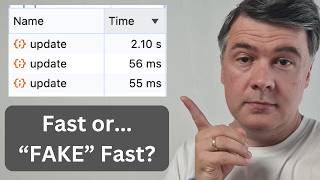
With Livewire, the page finished in 781 milliseconds, with the main document at 81 milliseconds. Three separate Livewire update calls loaded data asynchronously, and scrolling triggered additional loads for lower sections.
Livewire components can have a placeholder blade view that renders static HTML immediately, while the actual data loads later. Adding a 2-second sleep showed the placeholder then data appearing after the delay.
Removing defer and adding a 2-second sleep caused the page to wait for the component, negating the benefit. Defer loads the component separately, while lazy loads only when scrolled into view.
Lazy and deferred loading is a general web technique, not specific to Livewire. Downsides include more HTTP requests and potential SEO issues for public pages, as crawlers and AI agents may need text immediately.
The video concludes that perceived performance is often more important than raw backend speed, and techniques like lazy and deferred loading can significantly improve user experience. However, developers must balance these benefits with SEO and HTTP request overhead.
What is perceived performance in web development?
It's the user's subjective sense of speed, often achieved by loading placeholders first and fetching data asynchronously.
00:46
What was the page load time before Livewire changes?
93 milliseconds with cached data, but total finish was 19 seconds due to images.
02:35
What was the page load time after Livewire changes?
781 milliseconds total, with main document at 81 milliseconds.
03:02
What does 'defer' do in Livewire?
It defers the loading of a component so the page loads first, and the component loads separately later.
04:57
What does 'lazy' do in Livewire?
It loads the component only when it is scrolled into view.
03:41
What are two downsides of lazy and deferred loading?
More HTTP requests and potential SEO issues for public pages.
05:41
Perceived Speed vs Backend Speed
Clarifies that clients may mean perceived speed, not just backend response time, which is a key insight for performance optimization.
00:46Dramatic Load Time Reduction
Shows a concrete benchmark: page finish time dropped from 19 seconds to 781 milliseconds, demonstrating the impact of the technique.
03:02General Web Principle
Emphasizes that lazy/deferred loading is a universal web technique, not limited to Livewire, making it applicable to other frameworks.
05:27SEO and HTTP Trade-offs
Highlights the need to balance perceived performance with SEO and HTTP request overhead, a critical consideration for public pages.
05:41[00:01] about e-commerce home page performance. This is kind of a part two of a video I had on this channel already, e-shop home page speed optimization, because the thing is with speed, the clients may mean different kind of speed. So, this
[00:17] is based on Upwork job with the goal to improve the performance and make it similar to gaming marketplaces such as Anaba. And this was the result of my first video. I optimized the database queries and introduced caching for this
[00:32] home page, which makes the back end faster. But maybe what the clients actually mean is, if we go to that Anaba home page, look at how it loads. I refresh and see those placeholders. They
[00:46] load a bit later. So, there's such a thing as perceived speed and perceived performance for the end user. So, the home page with design elements feels instant, feels much faster, although some of the data comes later. And this
[01:03] is the header of the website. If we scroll down, some data may come even later when we scroll down after placeholders are replaced with real images and real database queries. So, I decided to introduce something like that
[01:17] in the same project with perceived performance and speed with Livewire. And shortened free version of this optimization video. The full 12-minute video with more Livewire tricks is on Laravel Daily for premium members, where
[01:33] I keep posting not only courses, but expanded videos on some topics. So, the description below, but I still try to make this free YouTube video as useful as possible. So, let's dive into the code. So, here are the changes. If we
[01:48] look at home controller, that home controller basically is stripped to the minimum. So, no queries, no cache, nothing in the home page. All we have on the home page in controller is just loading the view home. That's it. So, no
[02:03] querying for the data in the controller. And then that home blade, instead of having all the data inside, has Livewire components. So, Livewire component for hero, Livewire component for each section of the games, which is home page
[02:20] categories, and then product section with different attributes. And also there are things like lazy in this case. And for example, for home page hero, it's defer, which also changes the behavior. So, now look at this result.
[02:35] So, if we load that page before Livewire changes, it loads in the network tab, we can see 93 milliseconds, but that is with a lot of cached data and all the
[02:47] images are loaded right away. So, it's all in one go, which is optimized already, but the total finish of the page is 19 seconds with images. And now look what happens when I refresh that with Livewire. I've moved that network
[03:02] tab to the left side. I refresh that. And now see, it's finished in 781 milliseconds. The main document is 81 milliseconds, but the thing is it loaded
[03:14] only part of the documents. And then if we go to fetch tab, you see three Livewire update calls. So, separately three Livewire components loaded some
[03:26] data. Now look what happens if I scroll down. I scroll down, hot deals are already loaded, one of the components, but if I scroll down, best sellers are loaded a bit later when I scroll down only. So, there are two kind of levels
[03:41] of optimizations. Some top part is loaded a bit later, but immediately with Livewire, and then some other parts are loaded when you scroll down. And each of them, as you can see, is in 70 milliseconds or so. And this is example
[03:57] with Livewire, but the same behavior can be, of course, achieved with JavaScript, with React, or Vue.js, or whatever you want. This is the perceived speed and perceived optimization I was talking about. Now, let me show you the code. If
[04:11] which is loaded right away, but also with Livewire component, we have the class of hero component, we have the blade view rendered, but before that we have placeholder. So, for example, let's put sleep 2 seconds here, and now let's
[04:28] refresh the page, and look what happens. Placeholder, and then after 2 seconds, the data appears. So, for Livewire components, you can define the actual rendering blade, and then placeholder separately. So, this is static HTML
[04:43] without any data, and this is the blade with actual data, which is stats products, stats offers, and stuff like that. Now, in our new home blade, which components, there are defer and lazy.
[04:57] So, if we remove defer, and we put the sleep again for 2 seconds here, look what happens. I refresh the page, and it's loading for 2 seconds. So, you don't actually win anything, you wait for 2 seconds for that Livewire
[05:11] component to load with the same time as the full home page. So, this is what defer does. It well, defer the loading, so the home page is loading, and Livewire component inside is a separate mechanism, which may load later. So,
[05:27] such behavior of lazy and deferred loading of components, this is a general thing on the web, not necessarily with Livewire, or React, or Vue, or whatever. This is the general logic. For user experience, it's probably better in most
[05:41] cases to have some things added and loaded later, but also it has a few downsides as well, so you need to be careful with that. First, you have more HTTP requests. And also, don't forget SEO. For public pages like this one,
[05:57] like home pages for e-shops, it may be important for SEO crawlers and AI agents to have the text right away. So, yeah, this is the end of the free version of this video here on YouTube. What do you think about such kind of optimizations?
[06:13] What do the clients actually mean by optimizing the performance? And do you often use such techniques of deferred loading? And again, if you want the full video, the link to that will be in the description below, 12-minute video where
[06:25] you will see the internal code of home page data class, difference between lazy and defer with Livewire, and more benchmarks before and after. And reminder, by purchasing Laravel Daily Premium membership, you're supporting
[06:39] this YouTube channel to continue with free videos in the future. So, I this time, and see you guys in other videos.
⚡ Saved you 0h 06m reading this? Transcribe any YouTube video for free — no signup needed.