
Start Print-on-Demand with These 3 Tools
45sDirectly addresses beginners' pain point of not knowing which tools to use, offering a clear, actionable path.
▶ Play Clip"The title promises a beginner's guide to print-on-demand tools, and the video delivers exactly that with step-by-step instructions."
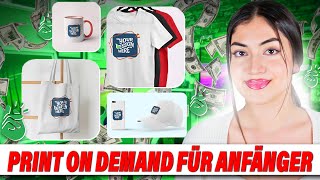
This video provides a beginner-friendly guide to starting a print-on-demand business on Etsy. It covers three essential tools: Everbe for keyword and market research, Kittel for design creation, and Printify for production and fulfillment. The presenter demonstrates how to find a profitable niche, create designs, and connect everything to an Etsy store.
The video targets those who want to start a print-on-demand business but lack a plan. It focuses on using Etsy as the sales platform.
The tools discussed are Everbe (keyword research), Kittel (design creation), and Printify (print-on-demand provider). The presenter also mentions Shopify as an alternative.
Everbe helps find products that sell well by analyzing keywords and competition. It connects to e-commerce shops for direct access.
The presenter searches for 'Christmas blanket' and finds high competition. Filtering for competition under 6000 and keyword score above 50 reveals niche keywords like 'decorative Christmas blanket' with lower competition.
The keyword 'decorative Christmas blanket' has a score of 140 and competition of 4000, making it a good target. The presenter decides to create a vintage-style decorative Christmas blanket.
Printify offers various products including blankets. Users select a retailer for printing and shipping. The presenter chooses a blanket and prepares to add a design.
Kittel provides pre-made designs and AI image generation. The presenter creates a vintage Christmas design using elements and mockups.
The design is uploaded to Printify, and the presenter adjusts the product variant (size) and previews the mockup.
Printify shows profit calculations. The presenter sets a 15% margin to keep prices competitive (e.g., $35 instead of $50) while still making a profit.
Printify can be connected to an Etsy store with a few clicks. Products are copied to the Etsy store for listing.
The presenter emphasizes thorough market research and using the tools together. Links to additional resources are provided in the description.
By combining Everbe for research, Kittel for design, and Printify for fulfillment, beginners can launch a print-on-demand business on Etsy with minimal upfront investment. The key is to find a low-competition niche and create appealing designs.
What are the three main tools recommended for starting a print-on-demand business on Etsy?
Everbe (keyword research), Kittel (design creation), and Printify (print-on-demand fulfillment).
00:32
How does Everbe help in market research?
It analyzes keywords and competition to find products with high demand and low competition.
01:13
What filters did the presenter apply in Everbe to find a good niche?
Competition maximum of 6000 and keyword score at least 50.
04:47
What keyword did the presenter choose for the Christmas blanket?
Decorative Christmas blanket, with a keyword score of 140 and competition of 4000.
05:41
What is the role of Printify in the print-on-demand process?
Printify connects users with retailers who print designs on products and ship them to customers.
06:49
How can you create a design in Kittel?
By using pre-made elements or entering a prompt for AI-generated images.
09:03
What profit margin did the presenter set for the blanket?
15%.
12:44
How do you connect Printify to an Etsy store?
Go to 'Add a new store' in Printify, select 'Connect to Etsy', and confirm.
13:17
Importance of Niche Selection
Emphasizes choosing a niche with low competition to increase visibility.
03:36Filtering Keywords for Low Competition
Demonstrates a practical technique to find profitable keywords using Everbe filters.
04:47Selecting a Profitable Keyword
Shows how to pick a keyword with high score and low competition for better chances of being found.
05:55Profit Margin Adjustment
Highlights the importance of competitive pricing while maintaining profitability.
12:19Seamless Integration with Etsy
Shows how easy it is to connect Printify to Etsy, simplifying the listing process.
13:17[00:02] on-demand business but don't yet have a plan for which tools work well and how to get started. Today I'll show you the perfect tools for beginners to start with print-on-demand via ETS.
[00:17] I'll show you a tool you can use to easily create print-on-demand designs and how to get started with the whole topic. with the whole topic. [Music] First of all,
[00:32] I'd like to list the tools we'll be covering in this topic. We'll look at how to open a print-on-demand shop via ETS and how to conduct product research through ETS. Of
[00:47] course, you can also sell print- on-demand products through your own online store via Shopify, for example. I've already made a video about that; I'll link everything below. But today we're focusing on
[00:59] ETS and, above all, how we sell via ETS. With the tool Everbe, Everbe is a keyword research
[01:13] tool, among other things. This means that this tool helps us start a very simple market analysis and find out which product would perform best. Then we'll look Let's also look at the Kittel tool.
[01:27] With Kittel, we can easily and quickly create designs and then sell these designs through our print-on- demand business. Next, we'll look at how to
[01:42] Printify is our print-on- demand provider. Through Printify, we'll find a retailer who customer. These are the most important tools we need at the beginning
[01:57] if we want to start a print-on-demand business. Now I'll show you how all the tools work together, how to link them, and how to work step by step to get
[02:10] started with this business. First of all, I'd like to give you a brief overview of the Everb tool. With Everb, we can find out which products sell well on e-commerce by
[02:25] This helps us to the most sense and what we can sell on e-commerce with the guarantee that people are actually searching for it. Once you've
[02:40] downloaded Everb, you can easily connect to your e-commerce shop via tools together, and then whenever you whenever you 're on eVerb, you'll have the eVerb tool on the left and can
[02:53] access it directly. For example, you can use the Keyword Research Tool. My idea was to sell something Christmassy and create Christmassy designs, and for that, I thought it would be really interesting to look at Christmas blankets.
[03:07] it would be really interesting to look at Christmas blankets. I've entered "Christmas blanket" here, are, of course, much more specific
[03:21] keywords you can use, and that's very important if you You need to choose a niche that isn't too oversaturated, meaning one where not too many other competitors are
[03:36] selling. That's why we're using the eVerb tool to see which other related keywords exist. This way, we know which niche we should sell which product in. I 've
[03:50] simply entered the word "Christmas blanket" into the Keyword Research Tool— our main topic, so to speak—and here you can keywords with... Spelling errors, for example, and very importantly, you can see directly
[04:05] how much competition there is. It's also shown in red that there is a lot of competition. This means there are simply far too many other retailers and far too many products listed under this keyword. So, if
[04:19] we create a product that 's simply a Christmas blanket and we also use the words "Christmas blanket" or " Christmas blanket," then we have hardly any chance of being displayed at the top and being found by
[04:32] potential buyers. This means it's important that we keep the competition as small as possible while still achieving the highest possible keyword score. The keyword score is the score that then
[04:47] shows us, "Okay, under this keyword, the chance is high that we will be found." So, we go to the filters, and I'll simply filter the and I'll simply filter the competition to a maximum of 6000 and the
[05:00] keyword score to at least 50. And as you can see, much more specific keywords are displayed. Here, for example, is "Christmas newborn blankets Boy," meaning Christmas
[05:12] blankets for newborn babies, for boys. So, here we now have, for example, a keyword score of 60 and the competition... It 's much, much lower than we had before. Here we see that there are many related keywords on the
[05:27] topic of newborns, including " Christmas blanket." I'll go down a bit further, and here I see a keyword that particularly interests me, with a keyword score of 140 and competition of only 4000:
[05:41] a decorative Christmas blanket. Here we have it again: decorative Christmas blanket, also with a good score. This means we will definitely create and sell a decorative Christmas blanket
[05:55] and then definitely use this keyword for our listing. This is very, very important so that we can be found. If we enter the keyword into eTg to get some inspiration,
[06:07] we can already see the various designs, for example, with Santa Clauses, reindeer, or nuts. So we can already see that we have very, very beautiful designs here, also, for example, in vintage style. This is also very
[06:23] interesting. We could then focus on not only decorative blankets for sale in Christmas style but also in vintage style. Focusing on that would give us even more visibility. by delving deeper into the niche, we can
[06:37] better reach the people who product you offer. Once we've decided on a design,
[06:49] we naturally need a retailer to provide the product from whom we can purchase it. For this, we use the tool Printify. Printify allows us to design T-shirts, sweatshirts, mugs, hoodies, and so on,
[07:05] but also things like blankets, duvet covers, really offer everything. This means we register with Printify and then use them to find a retailer who could supply us with a blanket,
[07:21] or who would print the design on the blanket and would print the design on the blanket and This means we don't have to do anything other than create a design,
[07:35] than create a design, upload it, and get the customer to buy it. Printify takes care of everything else, or rather, the retailer we engage through Printify ensures that
[07:48] the product reaches the buyer. Once registered with Printify, you can easily select the product you want to create and order from their catalog. Here, for example, at Home and Living, we have
[08:03] blankets, and we can simply choose a blanket depending on what kind of blanket we want, e.g., a throw blanket, a smaller blanket, a larger
[08:19] blanket for the living room, or for the bed. So you can just pick something. bestseller, we click on it, and we get more details. Below, we can select the retailer we'll
[08:34] hire to print the design on the blanket and then, in case of a purchase, send the blanket to the buyer. You can get more information about the retailer here, including all the details about
[08:49] shipping and production. And with this button, you can also start adding the design. That's what we'll get to now, because we obviously need a design to add.
[09:03] For that, we use the " Kittel" tool. With "Kittel," you can create various designs. As we saw with Printtify, they also offer designs that you can create for T-shirts, logos, hoodies, bags, and so
[09:18] on. And the best thing here is that you can create many, many designs. Kittel has pre-made designs that you can use, modify, or simply use for inspiration. Additionally, Kittel offers AI,
[09:33] meaning you can simply enter a prompt, and you receive an image created by the AI.
[09:46] You are then free to use this image for your own designs and resell it. I'll click on "New Project" now. Next, I'll go to " Elements" on the left, where we can
[09:59] enter any keyword. I've entered " Vintage Christmas" to We can click to see all the results, and then I'll select a few designs and start
[10:12] a few designs and start created this design. If you want to use the AI, you can want to use the AI, you can
[10:27] enter your text to create an AI-generated image. However, I've omitted the AI for now and created this design in about 10 minutes. This image was created simply to show how it would work with print. We can also
[10:40] show how it would work with print. We can also enter "blanket" to see how it would look on a blanket. We can, of course, save the image and
[10:55] use it later for our shop. For example, it looks like this – not bad at all! We've kept this vintage look and can do is either download the image, the mockup image, to
[11:11] use it with ETS, but let's go back and download the design here. Then we go back to Printify and can simply insert the design. Once we've chosen
[11:24] a retailer, we click on "Start designing," and then we can simply click on "Upload" on the left and insert the design. This is what it looks like here. We could even go to the preview and
[11:38] even go to the preview and This blanket, for example, is really very small. I don't know if This would count as a decorative blanket, but it's more like
[11:51] a baby blanket. But we can go back to edit and delete the image. -uploaded it, and then we could choose a different size here in the Select Variant menu. It already looks much better. You can
[12:05] and use it for ET, or simply save the product. Here we can choose which mockups we want to use. I'll remove this one and
[12:19] save it like this. Another important thing is that with Printtify, you can see directly how much profit you would make with this product, and you can adjust it. So, if you were to sell the product here (it's
[12:31] displayed in US dollars) for, say, $50, you would make a profit of $20. That's really very high for a product like this, so high for a product like this, so we'll set the margin to
[12:44] 15%. This way, we don't have as much profit, but the chance of people buying from us is higher. Buying a blanket for €50 versus € 35 is... There's already a huge price difference, and even when we
[12:59] offer several products, we still end up with a good sum at the end of the cool that pintify lets you adjust things precisely and see exactly how much you'd have left over. You can also
[13:17] even use artificial intelligence to do this. But the most important thing, which I also wanted to show you, is that you can connect it to Etsy. You can go to "Add a new store" and then
[13:30] easily connect your pintify store to your Etsy store. So, you go to "Connect to Etsy," confirm everything, and you're done! It only takes a couple of clicks, and then all your
[13:42] automatically be listed in your Etsy store. Because I added the Etsy store later, I have to go back to the products in " My New Store" in this generic store. Then I can
[13:56] simply select the product, click on the three dots, select "Copy to," and then copy the product to... three dots, select "Copy to," and then copy the product to... go over to my eTS store, I see the product
[14:09] listed directly here under "My Products." Then you can do everything here: upload the products, can also view the catalog here and upload other products and designs for T-shirts, mugs, baby clothes,
[14:24] sportswear, and so on. This way, you can With the help of eTS, Kittle, and Printify, you'll have created a print-on-
[14:37] eTS, Kittle, and Printify, you'll have created a print-on- demand business for eTS, and it's these tools, especially for beginners. As I said, it's important to do thorough market research at the beginning and then
[14:51] build your products based on that. If you're all the other important videos on my channel about
[15:03] these topics in the info below. I've also shown you several times how to work with eTS and how to set up print-on- demand through your own online store. you're interested, definitely check it out! In the infobox, you'll find
[15:17] all the links to the tools I showed you today, and most importantly, showed you today, and most importantly, Printify. So definitely check them out! Thanks for watching the video
[15:29] to the end. If you enjoyed it and learned something new, please leave a comment and a thumbs up. That gives me feedback, and then I know
[15:41] I can make more videos on this topic.
⚡ Saved you 0h 15m reading this? Transcribe any YouTube video for free — no signup needed.