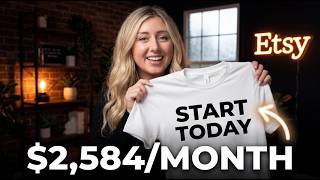
Start Your Etsy Print-on-Demand Business Today!
45sDirectly addresses beginners' desire for a quick start with a proven seller's credibility.
▶ Play Clip"The title promises a full setup tutorial and delivers exactly that with detailed steps and personal experience."
This tutorial provides a step-by-step guide to setting up an Etsy print-on-demand shop, covering account creation, listing setup, branding, and integration with Printify. The presenter, Heather, shares her experience of earning over $500,000 in revenue and offers practical tips for beginners.
Print-on-demand is a semi-passive business model where a customer's order is automatically sent to a print provider who prints, packs, and ships the product. The seller does not handle inventory or fulfillment.
Heather reports a defect rate of less than 2% over 10,000 orders. Reputable providers like Printify reimburse for defects, allowing sellers to refund or exchange without loss.
Sellers can use a personal account or create a new business email. A dedicated business email is recommended for professionalism and separation of personal and business communications.
Use a special link to get 40 free listings. Setup fees range from $5 to $30, plus a $0.20 listing fee per item after the free listings are used.
Spend no more than 10 minutes on a shop name, as it can be changed up to three times. Check availability on Etsy, Google, and USPTO for trademarks.
To activate the shop, create a digital product listing (e.g., a custom SVG template). This can later be deactivated or converted to a print-on-demand listing.
Etsy requires personal identification for verification. After approval, set up banking information for payouts.
Set a shop announcement (e.g., grand opening sale) and enable gift messaging if supported by the print provider.
Returns are shipped to the seller's address, not the print provider. Sellers can choose to offer free return shipping or require the customer to pay.
Use 2-5 colors and 2 fonts for a cohesive brand. Create a logo and banner using Canva or similar tools.
Enable coupons (thank you, abandoned cart, favorite item) with a standard discount (e.g., 20%). Aim for $7-$10 profit per product after discounts.
80% of Heather's sales came from sale events or coupons. Coupons can significantly boost sales and should be set up early.
Create a Printify account and use the provided code for 30 days free premium. Integrate Printify with Etsy to start listing products.
Watch additional tutorials on listing correctly and Printify settings to optimize the shop.
By following these steps, you can set up an Etsy print-on-demand shop quickly and start selling. Leveraging coupons and a reliable print provider like Printify can help you achieve sales success.
What is print-on-demand?
A semi-passive business model where a customer's order is automatically sent to a print provider who prints, packs, and ships the product.
01:02
What defect rate does Heather report from over 10,000 orders?
Less than 2%.
02:03
How many free listings can you get by signing up through the provided link?
40 free listings.
04:15
What is the Etsy setup fee range?
$5 to $30.
04:44
How many times can you change your Etsy shop name?
Three times.
06:08
What is a 'throwaway listing' and why is it used?
A digital product listing created to activate the shop; it can later be deactivated or converted to a print-on-demand listing.
07:24
What percentage of Heather's sales came from sale events or coupons?
80%.
15:53
What is the recommended profit per product for print-on-demand?
At least $5, typically $7 to $10.
14:15
Where do customers return print-on-demand products?
To the seller's address, not the print provider.
11:24
What should you check before finalizing a shop name?
Availability on Etsy, Google (for existing brands), and USPTO for trademarks.
06:38
Print-on-Demand Business Model
Clearly defines the semi-passive nature of print-on-demand, setting realistic expectations for new sellers.
01:02Low Defect Rate with Reputable Providers
Provides reassurance that defects are rare and reimbursable, reducing risk for beginners.
02:03Don't Overthink the Shop Name
Advises spending minimal time on naming, as it can be changed later, reducing decision paralysis.
05:26Coupons Drive 80% of Sales
Highlights the critical role of coupons in generating sales, backed by personal statistics.
15:53Printify as Recommended Provider
Endorses Printify based on four years of positive experience, giving viewers a trusted option.
16:33[00:00] if you're looking to start your ay and prad man business look no further because this video is going to be a full setup tutorial on how to start your shop today I have a series I'm currently running which is getting started with
[00:15] Etsy and PR on demand and this is a updated tutorials and series that I highly recommend you watching you'll see in a playlist I'll link below we're going to hop straight into this video I am not going to waste any of your time
[00:31] we're going to get your shop started so first things first if you are new to this channel I wanted to give you a warm welcome and introduce myself my name is Heather I have been doing print on demand and Etsy for the past four years
[00:45] and I have earned well over $500,000 in revenue from selling with atsy and PR on demand I have owned multiple successful aty and praman businesses I've been a prior top 1% seller Within millions of sellers on aty
[01:02] I have been able to help so many of you who watch this channel to get to these incredible results as well for those who don't know what print on demand is it is a semi-passive business model and while it's not fully passive I don't want
[01:19] anyone to be under the impression that you don't have to do anything when it comes to owning a print on demand business what print on demand is is when a customer finds your product through maybe a platform like Etsy they will
[01:32] purchase that product that product and the order will integrate to your print provider they will print pack and ship the order to your customer completed on Etsy you do not need to do any part of that process if you have set everything
[01:48] up correctly which we're going over in this video and after that there is really nothing that you need to do besides just making sure that everything went through correctly and that you have any customer messages following someone
[02:03] demand such as maybe a defect here or there it's very rare honestly through my time in selling and over selling 10,000 orders in my own business I've had a
[02:18] defect rate of less than 2% so it is very rare and what's really nice is with your print on demand companies if you choose a wellknown and reputable one like printify which which I'm going to link down below I do have a free code
[02:32] for printify premium and 30 days of printify Premium if you have a reputable company that you're using such as printify if there is a defect they're going to reimburse you so you can refund the customer or offer a exchange to that
[02:49] customer so now we're going to jump into how to set up an atsy account and I'm going to give you a walkthrough guide with screen shares as we go along so to
[03:01] start off the first step in this process is deciding if you're going to use a personal account and convert it into an Etsy seller account the second option that you have is starting a maybe business email you can easily start that
[03:16] with major email providers such as Gmail and Microsoft and honestly you don't have to do like a paid business plan I would just recommend starting and creating a new business email so what what are kind of the reasons why you
[03:32] would do one or the other I personally would recommend creating a business email just because you're separating your business from your personal email
[03:44] and also if you have customer issues in the future or any maybe bulk order reach outs if you have a personal email and maybe it's like a funny name or something that's silly that you created it might not be as professional to use
[03:59] just just going to throw that out there um and having that business email is just better long term the second step of the process is we're going to get started and I want you to use the 40 free listing link I'm going to link that
[04:15] down below you get 40 free listings by signing up underneath that link if you have again that business email or if you have a personal account just make sure to click that link first and then you are going to sign up from there this is
[04:30] where I'm going to take a moment and talk briefly about fees that you can expect through the verification process in the next few parts of this video so the fee that you can expect when you are going through this setup process is
[04:44] around $5 to $30 to start as the atsy setup fee to get verified and to be approved in the atsy marketplace with that fee also comes a 20 C listing fee
[04:57] now again if you signed up under that link and given if you already signed up before clicking that link you could always create a Gmail go back to that link later right but after those 40 free listings you can expect 20 cents per
[05:12] listing now I do have a video called the real cost of atsy and print on demand what profit you can expect the next thing we are going to do is we're going
[05:26] to start naming our shop and thinking about maybe branding now this is a section of the video I want to pause for a moment and say it doesn't have to be concrete at the stage I think a lot of new sellers typically may spend a few
[05:42] days to a few weeks to a few months so this is where I'm going to recommend to you to not spend more than 10 minutes creating a name and maybe your initial
[05:54] branding because let me tell you you are probably going to change it and if you don't change it and your first name is the best name then that's great too but I know for me I changed my first name of my initial shop I ended up changing my
[06:08] name of my second shop I created this is completely normal and okay and as you become more experienced in selling on Etsy and the platform you're probably going to change it again you have three name changes you can do on Etsy so just
[06:22] keep that in mind that you don't have to keep the name that you create but what I would recommend as far as creating names is first off you want to make sure the name is available on atsy you can also go to chat GPT and maybe get chat GPT to
[06:38] create some names for you the third thing that I want you to do is look up the name on Google and put maybe trademark in the search bar after that to make sure that there's no active shops with that Name Across the internet
[06:53] there's no other e-commerce brands or websites that are using that name also you can use uspto.gov type in the name within uspto.gov and just make sure that it's not trademarked and already taken then
[07:08] you're good to go so our next step in the process is creating our first listing now I know this is a step that a lot of people get Frozen on because it's like okay Heather I don't have anything created yet what do I do here we do have
[07:24] to create what I call a throwaway listing this listing can just be a digital product so it's not technically a fake listing because it is you can
[07:36] sell it as a digital product what I recommend is using the template I going to link below that you can grab within my free atsy impr print demand crash course you're going to see all these Steps step by step and you can actually
[07:52] do walkthrough tutorials with me within there so all that I'm talking about here is going to be the same process within that CR course down below too so I did want to note that if you're using this template you do want to change the font
[08:06] or the colors or something about this template to create it and make it your own to upload as a digital asset in your shop you're going to add that as the listing image you're going to add that as a file in this digital listing and
[08:19] it's just more of a custom SVG because if someone actually buys this which I've never heard of anyone having anyone buy from this digital custom SVG it could
[08:31] happen and if it does happen then yay you got a sale and if not we're going to delete this listing later on or again we can convert it to a print on demand listing once you upload that listing we will title that listing as you can see
[08:48] and then after that we're going to fill in a description then from there we have to fill out just a few more areas in the category of the listing and price our
[09:00] new digital listing from there we are going to publish that listing and that will be our first listing for atsy shop now for those of you who are concerned about this listing still being in your shop again once you get through the rest
[09:16] of the steps of this video you can deactivate that listing immediately so the next steps of our Etsy store setup is going to be the verification steps
[09:28] and banking INF information now this verification is atsy just making sure you are a real human behind the screen and it will ask for some personal
[09:40] identifying information from you sometimes during this process if you have any problems you will want to contact ay support and I will link the page for their support down below it is a rare occasion that you may not be
[09:54] verified right away once you are through this process we can move on to setting up your Etsy Store settings we are going to be setting up our shop announcement
[10:06] and gift messaging options so this is something to note is not every print on demand provider and company offers gift messaging the other thing to note is your shop announcement you typically want to enter in maybe that you have a
[10:22] grand opening sale or that you're a new shop and a lot of new customers may just purchase because they know you're a new shop a grand opening sale you could run for maybe the first week of opening your shop and if you have let's say listings
[10:38] that you know you're posting immediately now if you think that it's going to take a little bit to start really posting listings and maybe over 10 listings I'd hold off and maybe do like a grand opening month and grand opening sales
[10:53] let's say offering maybe 15 to up to 50% off your listings depending on your pricing strategy I don't want anyone to offer that and see a loss right you can still make a profit with running a grand opening sale and it just comes down to
[11:08] your pricing so the seventh step that we're going to run into is figuring out our return exchange and cancellation policies now this is where I'm going to have a quick chat with you all and talk about how returns work and exchanges
[11:24] work with print on demand so first off when someone is going to return a product to you you want to give them your address or maybe if you get a po. box for your business it's going to be your actual physical address that they
[11:40] ship back to it's not going to be the print on demand provider now the next question a lot of people have is okay do I pay for their return shipping and this is completely dependent on you as a seller and if you'd like to offer that
[11:53] for them for my previous experience in selling with print on demand and ay I do not not offer free return shipping I tell the customer that they do have to pay for the shipping if they do want to return it and I have that within my shop
[12:08] policies in my return and exchange policy now you do want to create a privacy policy for your shop too and this is where I really recommend you downloading and getting my free atse print on demand crash course because
[12:23] within that course I have a Google template and Link that you can sign up to and have access to all these templates that I'm mentioning this resource is probably the best resource I could offer
[12:38] that's completely free to you who are watching the next thing that we're going to talk about that gets really fun is our shop storefront and banner so this is where branding comes into play now what I recommend to a lot of you is
[12:51] maybe sticking to two to up to five colors in your color palette as far as creating a brand on atsy and when it comes to branding you typically want to
[13:04] float between maybe two different fonts when you're just starting for your logo and Shop Banner so whatever font you're using for your logo and Shop Banner you want to keep it very cohesive and similar along with that you want the
[13:18] color palette to be similar as well I do also sell separately in my digital shop a shop brand kit where I go over branding and how to brand and I give brand templates and and a brand kit again in my digital store if you are
[13:32] curious about that but you can also just create this on canva yourself or even KD both are great resources to create your shop branding so the next step in setup
[13:44] of our shop is turning on coupons in the marketing tab of our Etsy shop now I know a lot of people right off the Jump might be like okay Heather I am not ready for this moment how much do I set as my shop discounts I don't even know
[14:03] when I'm pricing my products yet and what do I even do here I want you to keep in mind maybe a profit per product that you sell whatever items those may
[14:15] be now a general rule of thumb is if you're selling any products with print on demand what I personally shoot for an aim for is at least $5 but typically I float in the range of $7 to $10 a profit per product now if you're having issues
[14:32] pricing I would recommend maybe my pricing profit calculator or just watching a pricing video that I'm going to link up above to get you a idea of how to price but just to start off I want you to at least offer something and
[14:47] make sure you're still seeing a profit the way that you're pricing your products so if you're offering a 20% off discount for your coupons you should still aim for maybe going for a higher profit of $7 to $10 per product that you
[15:04] sell but for now you don't need to think about pricing you just need to set a standard discount that you're going to have and it can be the same discount for every single coupon that you're offering once you have those coupons set you'll
[15:19] typically set the same coupon rate and discount amount for every coupon so the thank you abandoned cart favorite item coupons are all going to be maybe 20% as this example that I'm giving now that you have all of those coupons set up I
[15:36] want to take a moment and talk about the coupons and what this does for your shop first off just based on the consumer psychology and the statistics that we have throughout the years of e-commerce sales and even running my own sales and
[15:53] having my own shop 80% of all of my customers in the past four years that I've sold on atsy have came from sale events or coupons and in fact I've made
[16:06] five figures over one of my coupons that I turned on in my shop you could get more sales if you turn this on now rather than later on and the more videos you may watch on my channel I'm going to keep referring to this method because it
[16:21] helps your shop a lot and you will thank me later if you start to see sales coming through from recommending that I hope if those of you get get sales come back to this video and let us know the next step of this process is going to be
[16:33] integrating prfi to Etsy so first off you will need to set up a printify account and I will link down below the link directly to printify this is my top
[16:46] recommended print on demand provider I have used them for the past four years in my ATS and print on demand businesses and I attribute all of my sales to this
[16:58] company and my growth in my own aty and print on man business has skyrocketed from the highquality prints the fast print to production times and shipping
[17:11] times consistently over the course of my businesses and I cannot recommend them enough to those of you so if you want 30 days free of printify Premium you can
[17:23] get that by the code down below as well I will say maybe until you start to see multiple sales a month that's when typically you want to subscribe to a service like that but when you start off and you get your first initial sales you
[17:36] can get more profit for those first sales and you can do so again by using that code in the description down below at the very end of this there is one optional step that you can do which I do recommend at the end of this video which
[17:49] is you can join me in the best way to list tutorial I have that I'm going to link up above and at the end of this video for those of you to watch this is the correct way to list going forward I will say that when I'm filming this
[18:04] video print if I just had a brand change but all of the functions and features are the exact same in that video highly recommend watching that because that's how you're going to push that first listing to your Etsy shop and hopefully
[18:18] get your first listing up with me and then also after this I recommend watching a second video which is printify settings you should have for your shop at before you really start to list in your shop you are now a
[18:32] entrepreneur and here is to your success and many many sales I am wishing so many of you besides that let me know if you have any questions or any comments down
[18:45] below if you made it to the end of this video I want you to comment this is Magic dot dot dot I will be sure to hard and respond to as many of you who
[18:59] comment that secret phrase in the comment section thank you all for watching and don't forget to check out those videos I recommend that will be clickable in just a few moments here see you guys in next video
[19:17] [Music]
⚡ Saved you 0h 19m reading this? Transcribe any YouTube video for free — no signup needed.