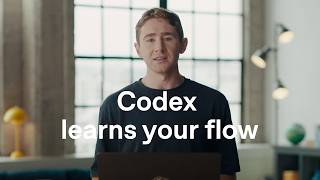

Teach AI your workflow in one take
47sShows how to easily record a complex process for AI to learn, appealing to productivity enthusiasts.
▶ Play Clip"The title 'Record & Replay in Codex' accurately describes the demonstrated feature; the video shows exactly that."
This video demonstrates Codex's new Record & Replay feature, allowing users to show Codex how to perform a task, teaching it preferences and turning that into a reusable skill.
Users can show Codex how to do something, teach it preferences, and turn what it learns into a skill.
The team's typical YouTube upload process involves pulling metadata from a spreadsheet, finding assets, and working through fields in YouTube Studio.
The user records themselves going through the process: pulling title and description, adding thumbnail and English captions, saving as private.
Codex reviews the recording, learns the process (where metadata lives, how uploads are organized, how to add captions, save, verify), and turns it into a skill.
In a fresh thread, the user attaches another video package and asks Codex to handle it. Codex matches the package to the right row, fills metadata, adds thumbnail and captions, uploads as private, and verifies.
You show Codex once; it remembers your process and preferences for next time. Applicable to publishing videos, formatting calendar invites, etc.
When using the skill again, Codex can complete the task via computer use, browser use, connected plugins, or a combination.
Codex's Record & Replay feature eliminates the need to manually explain steps or preferences—just demonstrate the task once, and Codex can automate it thereafter.
What does the Record & Replay feature allow users to do?
Show Codex how to perform a task, teach it preferences, and turn what it learns into a reusable skill.
0:02
What is the manual YouTube workflow demonstrated in the video?
Pulling metadata from a spreadsheet, finding matching assets, adding title/description, uploading thumbnail and English captions, saving as private.
0:07
What happens after the user stops recording?
Codex reviews the recording and turns what it learned into a skill, remembering metadata location, upload package organization, and how to add captions/save/verify.
0:49
What mechanisms can Codex use to execute a skill again?
Computer use, browser use, connected plugins, or a combination of them.
1:49
Skill creation method
Introduces the core concept: turning a demonstrated workflow into a reusable skill without explicit prompts.
0:02Recording the process
Shows the practical step-by-step recording of a real-world task (YouTube upload) to teach Codex.
0:26Skill replay success
Demonstrates successful automatic execution of the learned skill on a new input, including verification.
1:12[00:00] You can now show Codex
[00:01] how to do something,
[00:02] teach it your preferences,
[00:03] and turn what it learns into a skill you can use again.
[00:05] Let me show you what that looks like.
[00:07] Our team follows a consistent process
[00:09] every time we publish a YouTube video.
[00:11] Doing this manually
[00:12] means pulling the metadata
[00:13] from our publishing spreadsheet,
[00:15] finding the matching assets,
[00:16] and working through the same fields
[00:18] and settings in YouTube studio.
[00:20] This time,
[00:20] I'm going to have Codex watch me,
[00:22] so it can learn how we do it.
[00:26] As I go,
[00:27] I pull in the title and description,
[00:28] add the thumbnail and English captions
[00:30] and save the video as private.
[00:47] When I'm done,
[00:49] Codex reviews the recording and turns
[00:50] what it learned into a skill.
[00:51] where to learn into a skill.
[00:53] it remembers where our metadata lives,
[00:54] how the upload package is organized,
[00:56] and how we add captions,
[00:58] save, and verify each upload.
[01:00] Now I'm going to open
[01:01] a fresh thread, attach
[01:03] the next video package, and
[01:04] ask Codex to handle it.
[01:12] And now Codex handles this next one for me.
[01:17] It matches the package
[01:18] to the right row
[01:19] in our spreadsheet,
[01:20] fills in the metadata,
[01:21] adds the thumbnail and English captions,
[01:23] uploads the video as private,
[01:25] and then verifies
[01:26] everything was saved correctly.
[01:34] So there you go.
[01:35] You show Codex how to do something once,
[01:37] and remembers your process
[01:38] and preferences for the next time.
[01:40] That could be how you publish a video,
[01:42] how you format and share pull request,
[01:43] and how you like to set up
[01:44] calendar invites.
[01:46] When you use the skill again,
[01:47] Codex can complete the task using
[01:49] computer use,
[01:50] browser use,
[01:51] your connected plugins,
[01:52] or a combination of them.
[01:53] You don't have to explain every step
[01:55] or preference in a prompt.
[01:56] Just show Codex how you do it,
[01:57] and next time it can do it for you.
⚡ Saved you 0h 02m reading this? Transcribe any YouTube video for free — no signup needed.