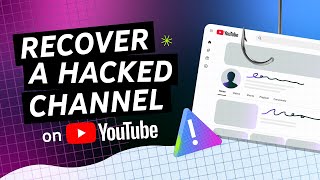

4 Warning Signs Your Channel Was Hacked
32sCreators fear losing their channel, and these quick self-check warning signs trigger immediate engagement and shares.
▶ Play Clip"Delivers exactly what the title promises—a clear, actionable recovery guide with no filler."
This official YouTube Help video walks creators through the exact steps to take when they suspect their channel has been hacked. It covers how to spot compromise, secure the associated Google Account, clean up unauthorized changes, and prevent future attacks.
Look for unauthorized changes to your profile picture, channel name, descriptions, or email settings; videos you didn't upload; unusual messages from your email; or changes to your AdSense for YouTube account.
Every YouTube channel is linked to a Google Account. If your channel is hacked, it almost always means an associated Google Account has been compromised too.
Start a chat with the hacked channel assistant in the 'Recover a hacked YouTube channel' help center article for personalized, step-by-step guidance.
Immediately change your password to a new, strong one. Visit myaccount.google.com/security, remove unrecognized devices, and verify 2-Step Verification, passkey, and recovery settings.
Go to g.co/recover and enter your email. For best results, use a familiar device, browser, and location. Answer verification questions—guesses are better than blanks and won't lock you out.
After recovery, reset your password and enable a passkey. Tell Channel Managers and Editors to secure their own accounts, and revoke their access until confirmed safe.
In YouTube Studio under Settings > Permissions, remove unrecognized users. Delete unauthorized videos to avoid strikes, check video privacy settings, and undo any channel name, banner, or description changes.
If the hacker caused a termination, don't panic. After recovering your Google Account, check your email for a notification from YouTube explaining the compromise and how to appeal the termination.
Scan for malware with antivirus software or Chrome's Enhanced Safe Browsing. Ensure strong passwords, enable 2-Step Verification, add recovery options, and regularly review channel permissions.
Recovering a hacked YouTube channel starts and ends with your Google Account. Act fast to secure it, clean up any unauthorized changes, and strengthen your security practices to avoid future hijacks.
What is the first step to take if you suspect your YouTube channel is hacked?
Secure your associated Google Account by changing your password and reviewing security settings.
00:58
Which URL do you visit to secure your Google Account?
myaccount.google.com/security
00:58
What should you do if you can't sign in to your Google Account during the recovery process?
Go to g.co/recover and follow the recovery process from a familiar device and location.
01:14
Name three warning signs that your YouTube channel may be compromised.
Unauthorized changes to channel info, unexpected video uploads, and unusual messages sent from your email account.
00:12
Why is a hacked YouTube channel almost always linked to a hacked Google Account?
Every YouTube channel is linked to a Google Account.
00:28
What should you do right after recovering your Google Account?
Reset your password and enable a passkey.
01:44
How do you check who has access to manage your YouTube channel?
Go to YouTube Studio, then Settings, then Permissions.
02:12
Why should you delete videos uploaded by a hacker?
To avoid potential Community Guidelines strikes or copyright strikes against your channel.
02:27
What should you do if your channel was terminated due to a hack?
Check your email for a notification from YouTube and appeal the termination.
02:58
List three preventive measures to avoid future channel hacking.
Scan for malware, use strong passwords with 2-Step Verification, add recovery options, and regularly review channel permissions.
03:16
Channel hacks equal Google Account hacks
The root cause is almost always a compromised Google Account, so fixing that is the key to recovery.
00:28Use the official hacked channel assistant
A free, personalized chat tool can guide creators through recovery without needing to memorize steps.
00:44Managers must secure their own accounts
A compromised Channel Manager or Editor account can also lead to a channel hack, so revoking access is critical.
01:44Delete unauthorized videos immediately
Removing hacker-uploaded content quickly prevents strikes that could permanently damage the channel.
02:27Prevention beats recovery
Simple security measures like 2SV and regular permission reviews can stop hacks before they happen.
03:16[00:00] As a Creator, you invest a lot of time into your content and channel, and we know it can be a stressful situation when your channel is hacked. In this video, we'll walk through actions you can take if you suspect your YouTube channel has been hacked. So how do you know if
[00:12] your channel might be compromised? Some potential warning signs include: Changes you or others who access to your channel didn't make: This includes your profile picture, channel name, descriptions, or email settings. Videos uploaded that aren't yours. Unusual messages sent from your email
[00:28] account. Or changes to your AdSense for YouTube account. Remember, every YouTube channel is linked to a Google Account. If your channel is hacked, it almost always means that one of the associated Google Accounts has been compromised too. So now, let’s walk through how to recover your channel.
[00:44] The best way to get personalized, step-by-step help is to start a chat with our hacked channel assistant in the “Recover a hacked YouTube channel” help center article. The chat assistant will walk through these steps to help you recover your channel. The first step is to
[00:58] secure your Google Account. If you can still sign into your Google Account, you’ll need to secure it. Immediately change your password to a new, strong one you haven't used before. Then, head to myaccount.google.com/security. Under ‘Devices’ remove any unrecognized sign-in devices.
[01:14] You should also verify 2 step-verification, passkey, and recovery settings to make sure the hacker hasn’t made edits. If you can’t sign in to your Google account, head to g.co/recover and enter the email address associated with your channel. For the best chance of success,
[01:28] try doing this from a computer, phone, or tablet you frequently use, on the same browser, and from a location where you usually sign in, like home or work. You'll be asked to verify it's really you – things like your last password or recovery info. Try not to skip these questions; a best
[01:44] guess is better than no information. And don't worry, wrong guesses won't lock you out of the recovery process. Once you recover your account, you'll be prompted to reset your password. You should also enable a Passkey. And, if other people help manage your channel, like Channel Managers
[01:58] or Editors, let them know that they also need to secure their own Google Accounts following these same steps. We also recommend revoking access until you’re sure their accounts are secured. A compromised manager account can also lead to your channel being hacked. With your channel now
[02:12] secured, the next step is to immediately clean up your channel to revert any changes the hacker may have made. Double Check Channel Permissions: Head to YouTube Studio, then settings, then permissions to see who has access to manage your channel. Remove anyone you don't recognize or who shouldn't
[02:27] have access anymore. Delete Unauthorized Videos: Delete any videos the hacker uploaded. This helps avoid potential Community Guidelines strikes or copyright strikes against your channel for content you didn't post. Review Video Privacy Settings: Make sure the hacker hasn't made any
[02:42] of your private or unlisted videos public. Undo Channel Changes: Check your channel name, banner, profile picture, descriptions, and links and undo any changes the hacker made. If your channel was terminated because of the hacker's actions, don't panic. Once you've recovered your Google Account,
[02:58] check your email. You should find a notification from YouTube with details explaining that your channel was compromised, and how to appeal the termination. Once your channel is back in your from being hacked again. Scan for malware using antivirus software or ‘Enhanced Safe Browsing’
[03:16] on Google Chrome. Make sure you and anyone with access to your channel have strong passwords and 2-Step Verification enabled. Add account recovery options, like a recovery email or phone number. And regularly review your channel permissions and remove anyone who doesn’t need access anymore.
[03:31] For more info on channel security best practices, check out our “Prevent Hijacking” video linked to creating incredible content. If you need more help or want more info on how to protect
[03:44] your channel against hijacking, check out the links in the description. Thanks for watching!



⚡ Saved you 0h 03m reading this? Transcribe any YouTube video for free — no signup needed.