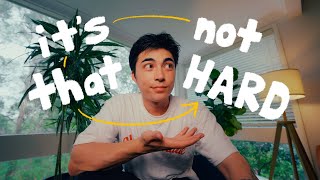

Consistency is Key: 96 Videos in 2024
36sThe creator reveals an impressive personal stat (96 videos in a year) and promises actionable tips, hooking viewers seeking productivity hacks.
▶ Play Clip"The title promises secrets to consistent content creation, and the video delivers exactly that with six actionable tips."
The speaker shares six tips for maintaining consistency in content creation on YouTube, based on their experience of creating 96 videos in 2024. They emphasize that consistency, not greatness, is key to success.
Generate ideas by keeping a notebook and using AI for assistance. Write out all ideas to get a bird's-eye view and decide which videos work best together.
Outline key shots in pre-production to avoid overshooting, saving time and storage. Batch film multiple videos to reduce setup time.
Organize footage daily into separate folders per project, with subfolders for days and cameras. This saves hours during editing and makes it easy to find clips for repurposing.
Color code clips on the timeline to create a visual roadmap, making the edit more digestible. For example, use different colors for introduction, middle, and talking segments.
First lay out dialogue or key clips (the spine), then add music and b-roll. This simplifies the editing process and saves time.
Repurpose clips from YouTube videos for short-form content on Instagram, TikTok, and YouTube Shorts. Frame shots centered to work for both horizontal and vertical formats.
Consistency in content creation comes from working efficiently, not harder. By implementing these six tips—pre-production, efficient shooting, file organization, color coding, spine editing, and repurposing footage—you can maintain a steady output without burnout.
How many videos did the creator make in 2024?
96 videos
00:30
What is the first tip for consistent content creation?
Pre-production and idea generation
01:05
What tool does the creator use for idea generation when stuck?
AI
01:39
Why is batch filming recommended?
It saves time on setting up and shooting multiple videos.
04:30
How does the creator organize footage daily?
By putting the SD card in the computer and organizing footage into separate folders per project, with subfolders for days and cameras.
04:58
What is the benefit of color coding clips on the timeline?
It creates a visual roadmap that makes the edit more digestible and easier to understand.
06:34
What does the creator call the process of laying out dialogue clips first?
Creating the spine of the video (also called a radio edit).
07:30
How can you repurpose footage for short-form content?
Select clips from long-form videos and post them on Instagram, TikTok, and YouTube Shorts.
08:50
What should you keep in mind when shooting horizontal videos for repurposing?
Frame everything centered so it works in vertical format as well.
09:28
Consistency over greatness
Sets the core philosophy of the video: consistent hard work leads to success.
00:10Pre-production and idea generation
First actionable tip: generate ideas using notebook and AI, then plan videos.
01:05File management saves hours
Organizing footage daily into structured folders prevents time waste during editing.
04:47Create the spine first
Laying out dialogue clips first simplifies the editing process.
07:26Repurpose footage for multiple platforms
Maximizes reach from the same footage, increasing efficiency.
08:36[00:00] [Music]
[00:10] success isn't about greatness it's about
[00:13] consistency consistent hard work leads
[00:15] to success and greatness will come or J
[00:18] aside if you want to be a Creator on
[00:20] this platform and find some success in
[00:22] that consistency is definitely the key
[00:24] with that I'm sure that you felt that
[00:26] creating consistent content might feel a
[00:28] little bit impossible but you know in
[00:30] 2024 this year I have created 96 videos
[00:35] yeah 96 videos so today I wanted to
[00:38] share six tips that help me keep
[00:39] organized and consistent with creating
[00:41] content on YouTube and no I haven't lost
[00:43] my mind yet so let's head to the office
[00:45] and get into
[00:46] [Music]
[00:54] it okay we're going to get straight into
[00:56] it and there's going to be a lot of
[00:58] talking so if you're interested bring
[01:00] out a notebook and Pen I'm sure there
[01:01] will be a couple of ideas that you can
[01:03] write down here we're going to get into
[01:05] the first topic though which is
[01:06] pre-production and idea generating being
[01:09] consistent means that you have to create
[01:11] a lot and creating a lot means that
[01:13] you'll need to have a lot of things to
[01:15] create so I like to sit down and
[01:17] generate a bunch of ideas and pre-plan
[01:19] some of those ideas into videos I've
[01:21] noticed that the creative part of your
[01:23] brain turns on at the most random times
[01:25] especially when you're doing nothing
[01:26] that's why I keep a notebook on me so I
[01:28] can always jot down these ideas on onto
[01:30] paper so I can turn these ideas into
[01:32] something in the future even though I
[01:33] nearly made 100 videos this year I am
[01:35] also human and sometimes when I sit down
[01:37] I don't really get the ideas coming to
[01:39] me this is when I lean on AI for
[01:41] assistance use AI as a form of support
[01:43] in these moments to then generate ideas
[01:46] which can help you come up with your own
[01:48] ones from them now once you have those
[01:50] ideas turning them into actual videos
[01:53] takes a lot of effort and this is where
[01:54] pre-production really helps now try this
[01:57] out write out all your ideas on paper
[01:59] this gives you Bird's ey view of your
[02:00] possible videos from your ideas and you
[02:03] can clearly see which videos will work
[02:04] together and decide on the best approach
[02:06] for filming and content flow proper
[02:08] planning and organization gets you a
[02:10] long way when it comes to video creation
[02:12] and creating consistently can feel quite
[02:14] overwhelming so I definitely recommend
[02:16] you try this
[02:22] out so I was just editing one of my
[02:25] reals and I came across a problem I
[02:27] wanted to create this short form video
[02:29] to show case this new candle that I got
[02:31] however I realized that after I filmed
[02:33] that I didn't leave enough head room
[02:35] above my head to leave any text in this
[02:37] particular situation what I want to do
[02:39] is expand the scene to allow more text
[02:41] above my head and for this I'm going to
[02:43] use adobe's generative expand the trick
[02:46] here is I'm firstly going to take a
[02:48] screenshot of the video and import it
[02:50] into photoshop with the same resolution
[02:52] of the video project and here I'm going
[02:53] to Simply expand the scene as much as I
[02:55] want here I'm going to use a simple
[02:57] prompt just to expand the background now
[02:59] after the the expansion I can use the
[03:01] selection brush tool to manually adjust
[03:03] any specific part of the image that I
[03:05] think needs fixing this is perfect for
[03:07] detailing or cleaning up any specific
[03:09] areas that the expansion may have not
[03:11] Blended perfectly now once we have done
[03:13] this the second trick here is to export
[03:15] this as a PNG file this will allow you
[03:17] to Overlay your image or your new
[03:19] background on top of your original video
[03:21] and now I can complete this video by
[03:23] adding the text above my head now this
[03:25] is a situation I come across quite often
[03:27] so having a tool as powerful as Adobe
[03:29] Photoshop just ensures that you can
[03:30] create the video exactly how you'd like
[03:33] it even if you didn't shoot it perfectly
[03:34] at that time it's important to remember
[03:36] that the key to stay consistent is to
[03:38] work efficiently not harder back to work
[03:42] now the second point I want to talk
[03:43] about today is being efficient while
[03:45] shooting you've done your planning and
[03:47] pre-production and now you at the point
[03:49] where you are shooting your video my
[03:51] personal video settings are quite heavy
[03:52] and they take up a lot of space so when
[03:54] I'm shooting I try to be as effective as
[03:56] possible I don't want to overshoot
[03:58] because firstly that takes up more time
[04:00] but it also takes up more storage space
[04:03] and when you're shooting consistently
[04:05] storage space becomes a problem so while
[04:07] I'm shooting I like to outline a few
[04:08] certain key shots in the pre-production
[04:11] phase so that when I'm shooting it's
[04:13] very easy I know what I need and then
[04:15] once I've shot it that's it it's done
[04:17] I'm sure we are all very busy people so
[04:19] saving time while shooting gives you
[04:21] more time to then edit and do other
[04:24] parts of the whole video creation
[04:25] process another key tip for shooting
[04:27] especially when creating reels is to
[04:30] batch film your content let's say you
[04:32] pre-produce three videos a series
[04:34] perhaps and by batch filming these three
[04:36] videos you're going to save time on
[04:38] setting up and shooting again and you
[04:40] can just edit all these three and then
[04:41] schedule them for different days of
[04:43] posting this might sound pretty obvious
[04:44] but it is a great time saer now this
[04:47] next tip is something that you should
[04:48] definitely ingrain into your workflow
[04:50] and it is file management and
[04:52] organization I film things with my
[04:54] camera my phone every single day and to
[04:57] keep on top of things at the end of
[04:58] every day I take SD card I put it in my
[05:01] computer and I organize the footage
[05:04] being meticulous in organizing your
[05:06] footage will save you hours and hours of
[05:09] time when it comes to it now how I do
[05:11] this is I have a separate folder for
[05:12] each project and within that folder I
[05:14] have a footage folder which will then
[05:16] separate into different days and the
[05:19] different camera this way if I'm looking
[05:20] for a specific file I know which camera
[05:22] I shut it on I know which day I sh it on
[05:24] and it'll be much easier to locate it
[05:26] when I'm working in the editing software
[05:28] having each folder separated into its
[05:30] own category makes it ridiculously easy
[05:33] to then edit chronologically as a lot of
[05:35] my videos of Vlogs having a
[05:36] chronological timeline makes a lot of
[05:38] sense for me and if I don't need to
[05:40] worry about putting the footage in the
[05:41] correct order then this has already
[05:43] saved me quite a bit of time now in this
[05:46] project folder for everything else that
[05:47] I need in my video there is definitely a
[05:49] dedicated folder for it such as
[05:51] screenshots and thumbnail pictures
[05:53] overlays that I draw on my iPad
[05:54] miscellaneous things music I'm sure you
[05:57] get the idea another great thing about
[05:59] organ izing your files correctly is that
[06:01] sometimes I have to find a specific clip
[06:03] from a previous video and when I need to
[06:05] do that then I know where it is exactly
[06:08] I think pulling clips from previous
[06:09] video has a very high value especially
[06:11] for returning viewers so I love doing
[06:14] this in videos and I think it is a great
[06:15] thing it might be a little tedious to do
[06:17] this but once you ingrain this into your
[06:19] workflow trust me you will thank
[06:21] yourself later now that you have shot
[06:23] your video and you have your files
[06:24] organized the next step is of course
[06:26] editing your video now there are a lot
[06:28] of time saving editing tips out there
[06:30] but I want to talk about one in
[06:32] particular which is color coordinating
[06:34] your Clips you can color coordinate your
[06:36] Clips so that you create a visual road
[06:38] map for yourself which will help you
[06:40] when editing a video sometimes I find it
[06:42] a bit intimidating when there is a lot
[06:44] of footage especially when creating
[06:46] longer form videos for YouTube so by
[06:48] color coding the different clips on your
[06:49] timeline for different sections makes
[06:51] your whole edit a lot more digestible
[06:54] for example let's say you're making a
[06:55] vlog over a week There's an introduction
[06:57] section where you're making coffee
[06:59] there's a middle section where you're
[07:00] out in the city doing something with
[07:01] your friend and then at the end there is
[07:03] a talking segment where you're back at
[07:04] home chatting about some updates or
[07:06] pickups I'd color code these different
[07:08] colors on the timeline just so I know
[07:10] when I'm looking at it at an overall
[07:11] ground scheme there are three sections
[07:13] and they're all separate so when it
[07:15] comes to the next step of chopping the
[07:16] footage up and sorting it into place
[07:18] it's a lot easier to understand I also
[07:20] make sure that the clips where I'm
[07:21] talking to the camera the dialogue I
[07:23] highlight these as they are the more
[07:24] important parts of the video now I'll
[07:26] give you another tip when it comes to
[07:28] editing videos and for me personally
[07:30] this is by creating the spine of my
[07:32] video first not sure if there is a
[07:34] proper term for this but I call it the
[07:35] spine this is where you create the backb
[07:38] of your video first if you have dialogue
[07:40] Clips or crucial key points in the video
[07:42] I've laid this out on the timeline first
[07:44] sort out the music situation sort of
[07:46] have an understanding of how the video
[07:48] is going to flow before adding all the
[07:51] b-roll Clips in between to then fill in
[07:53] the gaps I've also heard this being
[07:55] called a radio edit I personally think
[07:57] that if you're editing chronologically
[07:59] like a Vlog this will save you a lot of
[08:01] time because that first step of editing
[08:03] deciding how you want to create the
[08:04] video is usually the hardest so just to
[08:07] recap real quick when you have your
[08:08] files organized you can easily import
[08:10] them onto your video timeline and while
[08:12] they're categorized are already you can
[08:14] color coordinate them to different
[08:16] colors so that you can understand what's
[08:17] going on and from that you can then
[08:20] create the spine of your video and then
[08:23] you can insert everything else to then
[08:26] create your video it sounds a little
[08:27] complicated but this is how I simp
[08:29] simplify my whole editing process to be
[08:31] able to create videos consistently
[08:33] without wasting too much time on the
[08:36] actual edit now the last tip I want to
[08:38] give you guys this is for the hustlers
[08:39] out there this is for the people who
[08:41] want to maximize their efficiency when
[08:43] it comes to content creation and that is
[08:46] effectively maximizing the footage that
[08:48] you have shot now what I mean by this is
[08:50] that if you've created videos for
[08:52] YouTube for instance you can repurpose
[08:54] the clips that you've already shot for
[08:56] then posting on Instagram Tik Tok and
[08:59] YouTube shorts you've already shot the
[09:00] footage you've done the hard work you've
[09:02] created a video already and from here
[09:04] you can just select clips that will work
[09:07] for a short form content and repurpose
[09:09] them let's say you did a little unboxing
[09:11] in your latest YouTube video you can
[09:12] easily repurpose this to work for
[09:15] Instagram reals and Tik Tok and YouTube
[09:17] shorts this will give you four chances
[09:19] for the same footage that you shot to
[09:21] reach a larger audience now if you're
[09:23] shooting horizontal videos and you
[09:24] already know you're repurposing the
[09:26] footage for Instagram and Tik Tok then
[09:28] you know that when you filming the video
[09:30] you can have everything framed and
[09:31] centered so that when you repurpose it
[09:33] for Instagram and Tik Tok everything is
[09:36] going to be in that vertical frame as
[09:37] well if you're doing that then you know
[09:39] what's up when it comes to creating
[09:41] consistently for Content creation you
[09:43] don't need to give your soul away for
[09:44] this it's about working effectively and
[09:47] efficiently I have made so many videos
[09:49] this year and I don't plan to stop so
[09:51] hopefully if you've made it to this
[09:52] point in the video you can take parts of
[09:54] what I have said and apply it to your
[09:56] own video creation process we discussed
[09:59] a lot of things today my friends so if
[10:00] you have any questions please let me
[10:02] know in the comments below I'm sure I
[10:04] will be able to help you there and other
[10:06] than that hope you have a nice
[10:07] productive day stay cretive friends
[10:11] peace
[10:13] [Music]
⚡ Saved you 0h 10m reading this? Transcribe any YouTube video for free — no signup needed.