
AI Summary
The video addresses the common problem of YouTube videos receiving zero views, attributing it to recent YouTube updates and common creator mistakes. The creator shares five tips to increase views, including avoiding video deletion, maintaining a consistent niche, improving hooks, leveraging community posts, and using AI tools like the YouTube Create app for unlimited video generation during off-peak hours.
Chapters
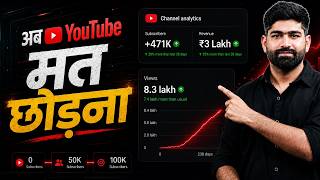
The creator shares that one video helped gain 1 lakh subscribers and earned ₹3 lakh, illustrating the potential of YouTube success.
YouTube updated its view counting: now a view is counted if a short is shown in the feed, even without watching. This means zero views indicate YouTube is not pushing the video.
Deleting uploaded videos signals to YouTube that your channel is untrustworthy. Instead, make videos unlisted or private, but never delete them.
Posting random content or copying others confuses the algorithm, making it your enemy. Consistency in niche is crucial for algorithmic support.
Viral shorts have a compelling first frame. Aim for a 50% view-to-swipe-away ratio as a minimum target.
Sharing your short on a community post increases visibility to engaged subscribers, helping push your content.
YouTube's remix feature allows creating AI-generated videos from existing shorts, with the 'Reimagine' option for text-based generation.
YouTube will automatically disclose AI-generated content, partnering with SynthID, OpenAI, and 11 Labs, so creators don't need to manually label.
The YouTube Create app offers unlimited AI video generations from 12 am to 9 am, free of charge.
Each video should be 10% better than the last, focusing on hooks, thumbnails, and intros. YouTube is a marathon, not a sprint.
The video emphasizes that fixing zero views requires understanding YouTube's algorithm updates, avoiding common mistakes, and leveraging AI tools. Consistent improvement and patience are key to long-term success on the platform.
Mentioned in this Video
Tutorial Checklist
Study Flashcards (6)
What is the new YouTube update regarding short video views?
easy
Click to reveal answer
What is the new YouTube update regarding short video views?
A view is counted if a short is shown in the feed, even without watching.
02:14
What should you do instead of deleting YouTube videos?
easy
Click to reveal answer
What should you do instead of deleting YouTube videos?
Make them unlisted or private, but never delete them.
02:56
What is the recommended minimum view-to-swipe-away ratio for shorts?
medium
Click to reveal answer
What is the recommended minimum view-to-swipe-away ratio for shorts?
50% should watch, 50% may skip.
04:01
What is the '10% improvement' principle?
easy
Click to reveal answer
What is the '10% improvement' principle?
Each video should be 10% better than the previous one.
09:35
Which tools are partnered with YouTube for AI disclosure?
medium
Click to reveal answer
Which tools are partnered with YouTube for AI disclosure?
SynthID, OpenAI, and 11 Labs.
07:46
What is the time window for unlimited AI video generation in the YouTube Create app?
medium
Click to reveal answer
What is the time window for unlimited AI video generation in the YouTube Create app?
From 12 am to 9 am.
08:53
💡 Key Takeaways
YouTube's View Counting Update
Explains why zero views occur despite uploads, a key insight for creators.
02:14Deleting Videos Hurts Trust
Highlights a common mistake that damages channel credibility with the algorithm.
02:56AI Video Creation via Remix
Introduces a free, built-in tool for generating AI videos, a valuable resource for creators.
05:23Automatic AI Disclosure
Clarifies YouTube's partnership with AI tools, reducing creator burden.
07:4610% Improvement Principle
Provides a practical, incremental approach to content improvement.
09:35Full Transcript
[00:01] uploaded on YouTube on 7 October 2020 and after this I was continuously uploading videos on YouTube but the channel was not getting monetized. One video helped me gain 1 lakh subscribers. I earned ₹ lakh from this one video. Let
[00:13] me refresh it completely and show you that brother, this is our live analytics which Why isn't YouTube pushing you to the Shorts feed ? So why do these zero views come? The first thing you should know about is a YouTube update. In the video I will
[00:25] tell you how to make unlimited AI videos. People will sleep at night and you will make unlimited AI see a remix option here. Whether AI videos will be monetized or not. That's why we are working hard in vain. So you must listen to this thing.
[00:39] which I have been working as YouTube Head for the last two years. clicked on this video. This means that you are completely tired of YouTube and will
[00:53] left YouTube. Friends, please watch this video carefully. In this I am going to tell you five such tips by which you can increase the views of your YouTube videos. This YouTube video has received 74 lakh views. But when I uploaded this video,
[01:06] views. But when I uploaded this video, You will get to learn a lot of things from this. Got 239 views. Only five subscribers were added. But look at the views on this YouTube video today.
[01:19] One video helped me gain 1 lakh subscribers. Earned ₹3 lakh. Let me refresh it completely and show you that brother, this is our live analytics which you are tell you five such tips with the help of which you can grow your YouTube channel and
[01:33] which are most useful in today's time. So like the video and subscribe to the channel so that whenever I upload a video you can get the notification first. Friends, in today's time, most of the people who are struggling are struggling
[01:46] with zero views, that their videos get zero views and is there any reason why they get zero views? First, let me tell you Watch a short video here. It has received 6 million views. And here
[02:00] see the posts of another YouTube channel, look here, they are continuously uploading posts on YouTube on 19th May, 20th May, 20th May, 23rd May, 23rd May. But zero views are coming. So why do these zero views come? First of all, you should know about a YouTube update
[02:14] related to shorts that YouTube released. Brother, last year on March 31, 2025, YouTube released an update and what that update was that now if your short video is shown to anyone even once in short speed, then the view will be counted. Earlier, if
[02:28] a user watched your YouTube video for 3 seconds, you would get one view. But what has happened now is that even if the shorts goes into the feed and is visible to someone, you will still get a view. So now this means that
[02:42] YouTube is not pushing the videos with zero views. YouTube is not sending it in short feed. And there can be four reasons why YouTube is not pushing your video. The biggest problem that can happen is that you uploaded videos on your YouTube channel
[02:56] and started deleting them and this is where the biggest problem starts. As soon as you upload YouTube videos and then delete them, it becomes a and then delete them, it becomes a
[03:08] cannot trust you. So you should stop deleting your YouTube videos. Don't delete it. If you want to remove your YouTube videos, then make them unlisted or private but never delete them. Don't make this mistake. The
[03:21] second mistake you make is that you do not decide what the niche is. Sometimes you put some YouTube videos, sometimes you put something else. Sometimes I copy and paste someone's post saying that it was uploaded by someone else. You also uploaded the same thing. So if
[03:34] you do this thing continuously then the algorithm becomes your enemy. He stops pushing you. The third thing is you do n't work on your hook. Look, whatever short video goes viral, you should see that its first second, its first frame is
[03:47] such that the person in front stops to watch the video, so from today onwards you do not have to just check your views. When you see the analytics of Shorts itself, you will be shown a ratio of views and swipes away, that is,
[04:01] how many people have watched that video and how many people have swiped away that video. You should achieve this thing as minimum as possible. Today your first target is that 50% people should watch your YouTube content and 50% may skip it. After that, if you want to give a little push to your short videos, then
[04:17] as soon as you upload your short video, start sharing it on the community post. upload your short video, start sharing it on the community post. you an example which I have learnt over the years that whatever community
[04:30] post you make, it is visible to whoever you want. For example, if you saw my community post even once and liked it or read the text I had written, then next time whenever I upload my short video or
[04:43] whenever I upload my long video, that video will be sent to you first and whatever videos you make, you have to make a little original video. You see, whenever your videos have zero views, then understand that YouTube has
[04:58] analyzed your videos. There is a lot of AI now inside YouTube and it has analyzed and found out that this video is not good enough for me to show it to other people. Even if you are making very good videos, YouTube is still giving you zero
[05:11] views. This means there is a problem with the email ID you are using. You should create another email ID and start the channel on that. Now friends, the second method of increasing views on YouTube has now been given to you by YouTube for
[05:23] free. Brother, people had to invest money but now it is given for free and in today's video I will tell you how to make unlimited AI videos. So watch the video till the end so that you can know that thing. Inside Shorts, you will
[05:35] see a remix option here. When you click on this remix option, you will see a button of Reimagine here. It won't appear in every short video, but it will appear in some, and you'll need to enter the text directly. Now see,
[05:48] such a video has been generated from that video itself. If you put different prompts here, you will be put different prompts here, you will be that whatever short videos you have, they will be short videos of anyone wherever you are
[06:01] eligible. You will see this remix button there. When you click on remix, a reimagine option will appear after clicking. Here you have to enter your print. You can also put your own photo there and you will be included in the
[06:13] original video. Whatever you write, you will be doing that thing in that video and you can upload it. Where there is a remix option, you can create videos directly on YouTube. And this
[06:25] is a great update for those creators who are not able to understand what to do next, so click on Remix and click on Reimagine and start making your video. The third thing is AI disclosure. People are
[06:38] seen a lot of comments that Ankit Bhaiya, whenever we make AI videos, we have this doubt whether the AI videos will be monetized or not. Sometimes we are working hard for nothing. So now YouTube has released its version
[06:51] that now look, YouTube has released an update that whatever long videos and whatever short videos you have, there will be an AI disclosure on them whether we have used AI in our video or not. So what many people used to do was
[07:05] that they used to enter wrong options in it. Some people did not even use AI. They would have put AI there too. So now what YouTube has done is that if you make a video using these tools of ours, then we will ourselves upload it where it needs to be uploaded.
[07:18] So what will happen now in AI disclosure ? If you are watching any short video, you will see AI written in the corner. If you are watching a long video, the word AI will appear outside so that the viewers know that this video is AI generated.
[07:32] And along with this, many people were saying that brother, we make it from 11 labs. There we can say no or yes. So now I am going to tell you another update that brother partnering across the industry. Friends, there is a tool from Google.
[07:46] This is a very old tool. They have tied up Synth ID and this one. With whom? With Open AI and with 11 Labs. Now whoever says that brother, we created the image from Chat GPT. We are using it. We are not disclosing AI. Or you
[08:00] used audio from 11 labs. In that you are not disclosing AI. So now you do n't even need to disclose. YouTube itself will analyze that brother, this thing is made in 11 labs. You have created this thing using Chat GPT and wherever it is
[08:12] required to be put, wherever YouTube feels that this video is AI and it should be disclosed to me, then it will disclose it itself. So now you don't need to worry much. You use AI. Use it in a good way. There is no problem brother in
[08:25] using AI thing. AI is a creative thing brother. You can increase your creativity with AI. Now friends, let's talk about unlimited AI videos. Friends, YouTube keeps bringing great things for you and there is an app of YouTube itself which
[08:38] is available in India. YouTube Create App. Those who are from outside, if you want to try VPA etc. then you can do it. And in the YouTube Create app, YouTube has now said that brother, you can make AI videos overnight for free. Unlimited, there
[08:53] is no limit. Look here, this is the interface of YouTube Create app and it is written here, Enjoy Unlimited written here, Enjoy Unlimited Generations from 12 am to 9 am, meaning from
[09:07] Generations from 12 am to 9 am, meaning from 12:00 pm to 9:00 am, you can create unlimited AI videos from YouTube Create app. There is no limit to this thing. So brother, you must check this thing out. To make these videos properly, you can make complete videos from 12:00 to
[09:21] 9:00 and by using YouTube Create app. some motivational things here that what should be your target ? What should your mindset be? If you are watching the video till here then
[09:35] definitely listen to this thing. You will like it very much. Look, I have written 10% improvement here. What this means is that brother, whenever you upload your YouTube videos, you have to improve something in it. Friends, your
[09:47] next video should be 10% better than your previous video. The next video should be 10% better than that. ? If you make short videos then you can improve your hook. If you
[09:59] make long videos then you can make your thumbnail good. And the hook will be used everywhere. If you make a short video, then brother, in the beginning, which is your first 1 second, you may beginning, which is your first 1 second, you may
[10:11] and put it down later, just by doing this small thing, people stay inside your video. After that, in your long videos, you have to keep in mind in the first 30 seconds videos, you have to keep in mind in the first 30 seconds
[10:24] What will your title be? What will your thumbnail be ? And what is your intro going to be, matching both of them ? If people listen to the first 30 seconds of your intro in your video, then after that people will stop. After that I will watch your videos.
[10:38] So you have to focus on your first 30 seconds. You have to improve 10% with every video. Do n't try to be Mr. Beast from the first video. friend, today I made my first video, let's do some improvement.
[10:52] In the second video, let's improve the script a bit. Let's not getting any impression at all then brother, you should use your titles or you should make the titles a little better. If you are not getting clicks, your CTR is
[11:07] not increasing then you should change your thumbnail. If the views on your videos are very less then you should change your topic. Try another topic brother. not many people are taking interest in that topic. And friends, let me tell you one thing that
[11:20] brother, YouTube is a marathon. It's not a sprint where you run a 100 meter race and you're done. It's a sprint. You can see for yourself that I have been working since 2020 and am still teaching you people about YouTube. So
[11:33] videos have I uploaded to YouTube? So you see this is a marathon brother. Have to keep going. Have to keep going. You will definitely get success. Gradually YouTube checks everything and get success. Gradually YouTube checks everything and
[11:48] gives them reach. Make more videos on whatever topics perform well for you. Like made a similar last video. It also got very good views. Also, after learning all these things, you will have to learn one more thing that is the
[12:02] YouTube Studio app in your mobile from where we see the analytics of YouTube. So you will just check the views and subscribers from them. But that app is so useful that can find topics that you should make. At what time should I upload YouTube videos?
[12:16] How to do SEO. YouTube has given you everything inside that app. I have made a detailed free video about that app. and understand how to use the YouTube Studio app. See you in the next video. If you
[12:30] See you in the next video. Till then Jai Hind, Jai