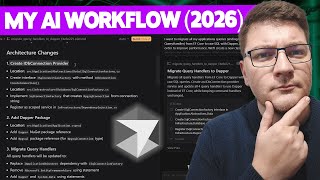

Stop Vibe Coding: My AI Workflow
47sDirectly addresses a trending debate about 'vibe coding' and offers a structured alternative, sparking curiosity and engagement.
▶ Play Clip"The title promises an 'engineering approach' and the video delivers a structured workflow, though it's more of a practical demo than a deep dive into engineering principles."
The video presents a structured, engineering-focused workflow for using AI coding tools like Cursor IDE to develop .NET applications. The creator emphasizes planning, reviewing AI-generated code, and testing as essential steps, rather than relying on AI as a 'vibe coding' buddy. The approach is demonstrated through a practical example of migrating queries from EF Core to Dapper with raw SQL.
The video addresses how to use AI tooling, specifically Cursor IDE, for .NET development. The creator prefers Cursor and pays a monthly subscription for AI-driven development.
The workflow assumes you know what you want to build and how to get there, and that you treat AI as an assistant, not a replacement. The video avoids debating AI replacing developers.
A semi-realistic scenario is presented: converting application queries from EF Core to raw SQL with Dapper to improve performance. This involves creating a new connection using IDbConnection.
The workflow begins with planning, using Cursor's plan mode to generate a plan. The prompt specifies the migration goal, and Cursor scans the codebase, asks clarifying questions, and produces a markdown plan.
The plan is reviewed for satisfaction. The creator emphasizes being specific with AI and asking for a plan before implementation. The plan includes adding Dapper, using central package management, and migrating query handlers.
After approving the plan, Cursor iterates on the to-dos. The creator reviews the generated code, noting that AI may produce outdated patterns (e.g., MPGSQL connection creation) and may include unnecessary packages.
AI is trained on existing code, which may not reflect the latest library developments. Reviewing generated code is crucial. The creator suggests using MPGSQL data source for better connection handling.
Testing is essential, ideally with integration tests using a real database. AI can write test cases, but running the code and verifying it works is non-negotiable. The creator switches to Visual Studio for IntelliSense and builds.
AI won't produce perfect code on the first try but can get you 90% of the way, saving time. The creator discusses alternatives like Copilot and raises concerns about junior developers relying too much on AI.
The video concludes that AI-generated code is here to stay and will improve, but it requires a disciplined workflow of planning, reviewing, and testing. The creator remains uncertain about how junior developers will gain essential skills if they rely solely on AI.
What are the two presumptions for AI-driven development according to the video?
You know what you want to build and how to get there, and you treat AI as an assistant, not a replacement.
00:49
What is the first step in the workflow for implementing something more complex than a single file?
Start with planning, using Cursor's plan mode to generate a plan.
01:34
Why is reviewing AI-generated code important?
AI is trained on existing code, which may not reflect the latest library developments, so it may produce outdated or incorrect patterns.
06:36
What is the recommended way to test raw SQL queries?
Use integration tests with an actual database instance to execute the SQL and confirm correctness.
07:45
What is a drawback of Cursor mentioned in the video?
It doesn't support the C# Dev Kit, so there's no built-in IntelliSense.
09:20
What does the creator suggest for verifying code when using Cursor?
Switch to Visual Studio and build the project to catch errors.
09:34
What is the creator's concern about junior developers and AI?
If they rely too much on AI, they may fail to learn expensive lessons from exploring documentation, fixing problems, and debugging.
10:29
Planning First
Emphasizes that planning is the first step, not coding, which is a key principle for effective AI use.
01:34AI Training Limitations
Highlights that AI may produce outdated code because it's trained on existing code, underscoring the need for review.
06:36Integration Testing
Stresses the importance of testing raw SQL with a real database to avoid subtle bugs.
07:45AI Code Quality
Acknowledges AI won't be perfect but can save significant time, a realistic expectation.
10:01Junior Developer Concern
Raises a critical question about skill acquisition for juniors in an AI-driven world.
10:29[00:02] development? I've been asked this question a bunch of times in the comments and I finally decided to make a video where I'm going to break down my approach to using AI tooling, mainly the cursor IDE for developing .NET
[00:17] applications. So, if you watched any of my videos where I touch on AI generated coding, you know that I prefer using cursor. I pay the monthly subscription and I get pretty much all I need when it comes to AIdriven development. Now I
[00:33] want to talk about my workflow when it comes to using cursor and I think this applies regardless of which AI tool you are using whether it's an ID or a CLI preference in my opinion. What matters is the workflow that you use when
[00:49] interacting with AI. Now I'm going to make two presumptions when it comes to AIdriven development. The first one is that you know what you want to build and you also know how you will get there given enough time. The second one is
[01:03] that you treat AI as your assistant and not necessarily as a replacement for you. We won't dive into whether AI is going to replace developers or not at some point in the future. That's a topic for a different video. So given these
[01:17] presumptions, let's implement a semi-realistic use case where I take my application queries inside of this to-do app and I convert them from using EF core to fetch the data and map that to a DTO into using raw SQL with Dapper. So
[01:34] whenever implementing something more complex than a single file, my workflow always starts with planning. Now cursor has this handy plan mode where you can ask it what you want to build and it's going to start out by generating a plan
[01:48] for this. So let's give it a prompt that looks something like this. I want to migrate all my application queries ending with query handler from EF core to raw SQL with Dapper in order to improve performance. We'll create a new
[02:01] connection. And I'm being specific here that I want to use the IDB connection interface that we'll use for Dapper queries. I don't want to touch the to send this off to cursor. Notice that I'm not using any specific AI. I just
[02:17] set this to auto for most cases. And I let cursor choose whatever it thinks is the optimal result. So, what's going to happen now is cursor is going to scan my I have the required libraries implemented, and at the end of it all,
[02:31] it might ask a couple of clarifying questions, and if it thinks it has everything it needs, it's going to go ahead and produce a plan. Now this is a cursor feature. However, this is just a markdown document. So you could generate
[02:44] this with any AI tool out there. You could do this in Copilot for VS Code or Visual Studio. Ask it to first produce a plan instead of implementing any feature and output that plan as a markdown document. So what's neat about cursor is
[02:58] I can now go ahead and review this document and see if I'm satisfied with everything inside. If I am, I can go ahead and click the build button and the required code. So this is the first
[03:12] point that I'm trying to drive home. I don't treat AI as a vibe coding buddy. I'm being very specific with what I want it to do and I'm asking it to first produce a plan before we dive into any implementation specifics. Looking at the
[03:26] plan itself and this is something else that I think it's important and that is reviewing the output of the AI. So in this case it's a plan. Later when it produces code we're going to review the code but first let's focus on the plan.
[03:38] provider and this is going to be inside of an ISQL connection factory. There's a create connection method. All of that looks fine by me. So I'm going to go past that. Then it wants to add the Dapper package. Now I'm not sure if this
[03:51] management. So I'm going to be specific about this. Make sure to use central package management. And in the bracket I'm going to say directory packages enough of a nudge for cursor to figure out what I'm trying to say here. Then it
[04:07] wants to migrate my query handlers. Replace application DB context with SQL connection factory. Remove the using statement. Start using Dapper. Then it's going to rewrite my queries into the respective SQL format. Then we can touch
[04:20] on the database internals here if we need to change anything. And in the end there's a list of files that are going to be modified. You can do a quick smoke test of this just to make sure that everything checks out. And let's say I'm
[04:32] happy with all of this. I'm going to click build. And now cursor is going to start iterating on these to-dos. Now, if you think about it, this is how you would typically develop the project yourself. You would first plan out what
[04:45] you want to do, break it down into some smaller steps, and then go ahead and I'm essentially recreating the workflow that I use in my day-to-day work. I'm just delegating it to the AI and I think this is an efficient approach. If anyone
[05:00] has a better suggestion, please feel free to leave it in the comments. I'd like to know more about how you use AI tooling. Now, I'm going to wait up a and then we're going to take a look at the code that it produced for us. So, a
[05:13] couple of moments later, we have our implementation in place and we can start reviewing what cursor has generated. So I'll begin with the directory packages drops and you can see that it specified the dapper and the mpgsql nougat
[05:27] packages. Now I know from experience that the mpgsql package isn't necessary inside of my EF core provider which is this package here mpgqf core posgress. So we can go ahead and remove this. So I can go to this line of code and I can
[05:43] say undo. Make sure to save this. And then in the application project I have to do the same for the MPGSQL reference. Dapper is all we need. So now let's take a look at the SQL connection factory. This checks out. Just a create
[05:57] connection method. And in the implementation it's fetching my connection string and creating a new MPGSQL connection. So this is probably MPGSQL connection. So this is probably okay. One thing you may want to do is to
[06:09] move this in a variable that you can return. And this just lets me open the connection before returning it from this method. Now, because I'm using MPGS SQL, I want to make sure that I'm returning an MPGSQL connection because cursor
[06:22] harder to catch. But then again, this is something I know from experience. Now, the second thing here is that this isn't really the optimal way anymore at least to create an MPGSQL connection. So this is a shortcoming of AI tooling because
[06:36] they are trained on existing code and not all of that code is up to date with the latest developments of a given library MPG SQL in this case. So this is again why it's important to review the generated code. So even though this is
[06:50] correct or I may even have a typo here. We're going to catch that later. What I would actually want to do is move into using an MPGSQL data source which allows me to obtain a connection. Now, I could refactor this, but I'm going to leave it
[07:03] like this for the time being. And let's take a look at the dependency injection function, I can actually make it a singleton because this is essentially a database connection. So, it doesn't really have to be scoped. And then if we
[07:18] take a look at the queries, you can see that this correctly replaces my EF core implementation with a SQL query. I like that it's stored in a constant. And then it executes this using Dapper. There's also a using statement above where it
[07:31] references Dapper. And I'm going to assume that this is correct. Assumption is the mutter of all messups, especially when it comes to AI generated code. But for the purpose of this demo, let's assume that this code is correct. Now,
[07:45] what we would actually want to do is have either a strong set of test cases that I can run on demand and just make sure that this works as expected. Ideally, this would be an integration test using an actual database instance,
[07:59] which is important because we are running raw SQL and with an actual database, I can execute this SQL against the database and just confirm that I'm are using something like an in-memory database, then you risk subtle bugs
[08:12] creeping in. if you're only relying on tests for validating your code. So another thing I'm seeing here is the use of verbatim strings where the more popular approach would be using this syntax which lets me define a multi-line
[08:25] string. However, once you do this once you can easily replicate it in your remaining queries as the AI is pretty quick to pick up what you're trying to do. So I can easily go ahead and fix this for all of the queries that I have
[08:39] missing. So let's go ahead and add that. And then let's say I'm happy with all of this. I'm going to say keep all and accept all the suggestions from cursor. ourselves what's next. Now that I have the code that I was looking for, I
[08:54] proceed to test it either by writing some test cases. Again, we could use AI here. It's enough that you have a couple of test cases as an example and it can write pretty detailed test cases from my experience that are going to cover the
[09:07] behavior that you would end up testing yourself if you were writing the test cases. Another thing I highly recommend and honestly I hope that this is a given is that you're actually going to run this code and verify that it works. One
[09:20] drawback of cursor is that it doesn't support the C devkit. So I don't have IntelliSense built-in. If I were using VS Code with Copilot then that part will be solved. But what I typically do is just switch to Visual Studio and verify
[09:34] my code from there. So let's for example check the SQL connection factory just to make sure that we got the connection name correct and this wasn't the case. So this is something that you can easily catch if you just run a net build in the
[09:47] terminal or you switch to Visual Studio and then build a project and then find and fix the problem. But either way be aware that AI will not produce perfect code on the first try. However, it might get you like 90% of the way there which
[10:01] a significant time saving to be worth it to me. If you don't want to use cursor, that's fine. I mentioned that you have copilot in Visual Studio with a couple also bring your own model if you have an API key and implement everything I just
[10:17] did directly from Visual Studio. If you'd like to see me explore this and share my opinions on Copilot Chat in Visual Studio, let me know in the comments and I'm going to cover that in a future video. In my opinion, AI
[10:29] generated code is here to stay and I expect it to get better with time. One thing I don't have an answer for yet is what's going to happen with junior devs. Because if they rely too much on AI, they're going to fail to learn all the
[10:43] expensive lessons that you would have learned otherwise if you were comes from exploring documentation, fixing difficult problems for days, debugging applications. It's not yet clear to me how you're going to attain
[10:55] all those skills if you only rely on AI to produce code for you. Either way, if you enjoyed this video even a little bit, I ask of you to just smash that like button right below. Thanks a lot for watching and until next time, stay
[11:08] for watching and until next time, stay awesome.


⚡ Saved you 0h 11m reading this? Transcribe any YouTube video for free — no signup needed.