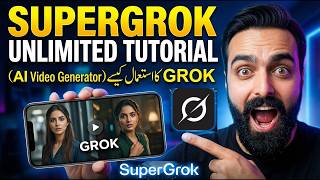

Cheap SuperGrok Access!
60sThe promise of a premium tool at a bargain price sparks curiosity and potential savings for viewers.
▶ Play Clip"The title promises an 'Unlimited Tutorial' but delivers a brief demo with a sales pitch, lacking depth and actual tutorial steps."
This video is a tutorial on using Zero Super (likely a mispronunciation of Grok Super), an AI-powered tool that can edit images and generate videos from them. The creator demonstrates how to transform a simple photo into a 3D cartoon video, highlighting the tool's capabilities and offering viewers a discounted, one-time fee access to the premium version.
The video introduces Zero Super, a tool for editing images and creating videos, available at $29 per month, but the creator offers a cheaper deal.
The creator shows how to edit a photo (e.g., a child with a juice pack) by writing text prompts to modify the image in seconds.
The creator demonstrates generating a video from the edited image by selecting 'Normal' mode or using a custom prompt like 'Make the cartoon on juice pack 3D'.
The video generation takes about 1 minute, producing a 10-second, 720p HD video. The free version of Jio Pro only makes 6-second, 480p videos.
The premium version is offered at a one-time fee with unlimited access to 10-second full HD videos, no subscription required.
The creator suggests users can monetize these videos on their channels, encouraging creative use of the tool.
The video concludes by showcasing the final 3D cartoon video and inviting viewers to comment if they want access to the tool, emphasizing its ease of use and creative potential.
What is the monthly price of Zero Super?
$29 per month.
00:15
What are the video specifications of the premium version?
10-second videos in 720p HD.
01:58
What are the video specifications of the free version (Jio Pro)?
6-second videos in 480p.
02:10
How long does it take to generate a video?
Approximately 1 minute.
01:45
Custom Prompt Video Generation
Demonstrates the tool's ability to turn a static image into a dynamic 3D cartoon video based on a simple text prompt.
01:02Premium vs Free Comparison
Provides a clear comparison between the free and premium versions, highlighting the value proposition.
01:58Monetization Opportunity
Suggests a practical use case for content creators to earn from their channels.
02:55[00:01] in this Zero Super, I will teach you how to edit images and make videos and I will also tell you at the end of the video
[00:15] very cheap. Well, you guys know that this zero super is available at $29 per month. But I will provide it to you people at a very cheap price. Ok? So in this we can edit our images very easily.
[00:29] Like I do now on editing photos. Ok? And in this I take any photo, that is, this one with the child, let's take this one with the child. Ok? Make the juice a
[00:48] Ok? So let's say I just want to do a little editing on it. You guys can write anything. Ok? And it will make your image like that in a few seconds. Apart from this, I am
[01:02] also giving you a real video through this image. Its image means that the juice pack has become very big. Now I will make a video from this image. Ok? So I will come here. If we click on Normal, then Normal will create this video on its own. So I
[01:16] write custom in it and say this Make the cartoon Make the cartoon on juice pack 3D on juice pack 3D Make it comes
[01:31] Make it comes out. Ok? And I enter this. So I told him to make this cartoon on the juice packet 3D and remove it from the juice packet. Meaning, you can make whatever comes to your mind from it.
[01:45] Ok? Now this will take approximately 1 minute plus time and as soon as it becomes 100% then our video will be ready. Apart from this, you can see below
[01:58] that this is a 10 second video. Ok ? And in 720 pixels means it will make it very HD. The normal free version of Jio Pro makes a 6 second video and
[02:10] makes it in 480 pixels. But this is full enhanced and is 10 seconds. So I can provide this version to you both at a reasonable price. Those who at a reasonable price. Those who
[02:26] and I will then tell you the method how you can get it. Ok ? There is no subscription involved. There is just a one time fee for this and you will get unlimited access to videos of 10 seconds plus and that too in full HD mode.
[02:41] Ok? So this is our video which has reached almost 99%. Now let's see 99%. Now let's see how he made it. So, you guys can make awesome 10 second videos from your images and get it monetized from your channel
[02:55] and earn from your channel. Ok? So I am telling you this just to teach you people. Whatever idea comes to your mind, you can make a video of anything. That too in real time, very full HD and
[03:09] That too in real time, very full HD and real and 3D, so let's see the video is almost ready. Look at this. I love this mango juice. Look at this Realm.
[03:27] Talk to his child. So I hope you guys liked the video. If you guys want this Grow Super in which all these features are available then let me know in the comments. Thank you for watching.



⚡ Saved you 0h 03m reading this? Transcribe any YouTube video for free — no signup needed.