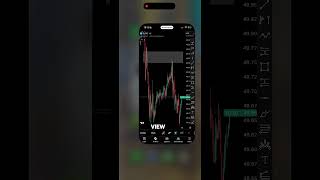

Trade from Your Phone: 4 Essential Apps
44sViewers looking for trading convenience are hooked by the promise of managing trades from a phone, a common pain point.
▶ Play Clip"Title promises four apps but delivers a brief overview with heavy sponsor promotion and minimal actionable detail."
The video presents four essential applications the creator uses for international trading, emphasizing efficiency and the ability to manage trades from a mobile device. It highlights each app's role in news analysis, charting, direct trading, and order execution, with a focus on the Vantage Markets broker integration.
The creator uses four main apps to trade internationally, allowing them to avoid spending all day at a screen and maintain freedom while tracking everything on their phone.
Investing.com is used to check daily news and its relevance to analysis, particularly through the economic calendar tab.
TradingView is described as the largest analytics platform, providing access to assets, tools, and technical indicators. Direct trading through TradingView requires broker support, which Vantage Markets provides.
The Vantage Markets app is praised as didactic and interactive, offering market monitoring and direct trading. A free account can be created via the creator's bio.
MT5 is the proprietary trading desk account used for order execution and monitoring when away from charts. Among MT4, MT5, and cTrader, MT5 is preferred.
The video concludes by inviting viewers to request a part two in the comments and encourages likes and follows for more content.
Which app is used for checking daily news and the economic calendar?
Investing.com
00:13
What is required to trade directly through TradingView?
The broker must allow it; Vantage Markets does.
00:54
Which trading platform does the creator prefer among MT4, MT5, and cTrader?
MT5
01:32
TradingView as top analytics platform
Establishes TradingView as the go-to for charting and indicators, a key tool for traders.
00:26MT5 preferred for execution
Highlights the practical choice among trading desk platforms for order execution and monitoring.
01:32[00:01] four main apps I use to trade in the international market, so I don't have to spend all day in front of a screen have more freedom to live
[00:13] my life and keep track of everything right here on my phone screen. The first one good old evelhoinvesting.com, which is where we check the main news of the day and its relevance to
[00:26] our analysis in the economic calendar tab . The second one is simply the biggest and best analytics platform in the world, our beloved TradingView, where I have access to all the assets I want, my
[00:40] main tools I use in my day-to-day trading, as well as the main technical indicators. It's important to remember that since TradingView is analyze and trade directly through it, the broker you use
[00:54] needs to allow you to do so, and not all of them do. Since I use Avantage Markets ( notice the logo in the bottom right corner), I can both analyze and trade directly through TradingView. The third app,
[01:07] a wonderful app, super didactic, interactive, where you have several functionalities, including monitoring the markets and trading directly through it. Also, if you do
[01:19] n't already have a Vantage account, head over to my bio and create your free account now with the world's largest and best Forex and CFD broker. And the last application I use is Metatrader 5 (MT5), which is the proprietary trading desk account
[01:32] I use. In the international market, since trading desks only offer the option of operating through MT4, MT5, or C Trader, I prefer MT5 among these options , as it allows me to execute my orders and also monitor them when
[01:45] I can't be in front of the chart. Well, those were some of the main content and want me to make a part two, leave a comment below and I'll record it for you soon. Did you like
[01:57] like and follow me here to keep receiving more content like this. receiving more content like this. Kisses. Grat lu.



⚡ Saved you 0h 02m reading this? Transcribe any YouTube video for free — no signup needed.