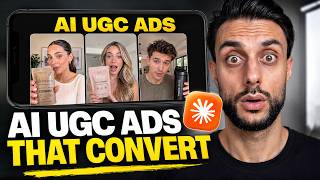

Why AI UGC Ads Look Fake (And How to Fix It)
45sIt exposes the #1 reason AI UGC ads fail and promises a new model that fixes it, instantly hooking dropshippers and e-com sellers.
▶ Play Clip"Title promises a 4.8x ROAS figure that is never discussed, yet the actual tutorial is genuinely useful."
This video demonstrates how to create character- and product-consistent AI UGC ads for dropshipping using Seedance 2.0 through the Higgsfield platform. The creator walks through finding a winning competitor ad, generating scripts with Claude, creating avatar images with Google Banana Pro, and editing the final ad in CapCut.
Most dropshippers run AI UGC ads with characters or products changing every scene, which completely breaks customer trust.
Seedance 2.0 is a new AI model that makes it easy to create character-consistent and product-consistent UGC videos.
The creator uses functional mushroom gummies as the example product for the tutorial.
Higgsfield is the recommended platform to access Seedance 2.0, with a discount link for paid plans in the description.
Use Winning Hunter to find competitor ads that are proven to work based on ad spend and run duration.
Download the winning ad and transcribe it with Otter AI or another transcription tool.
Use the provided prompt sheet with Claude (preferably Opus 4.6) to generate scripts and avatar prompts from the competitor transcript.
Create avatar images with Google Banana Pro using aspect ratio 9:16, batch size adjustment, extra free gens, and 4K quality.
Upload the generated avatar image into Claude chat to get more accurate video clip prompts.
In Higgsfield, set resolution to 720p, aspect ratio 9:16, duration based on voice over, enable voice and select the avatar image.
Provide a product image on a plain background and a POV shot of someone holding the product for consistent product representation.
Regenerate prompts to include voice overs; always review LLM output as it may make mistakes.
Set each clip's duration based on the voice over length, adding an extra second for safety (e.g., 9, 14, 15 seconds).
Use CapCut (desktop recommended) to import clips, use the blade tool (B) to cut long pauses, and arrange the sequence.
Some clips were generated with timestamps that were too long, so they were regenerated with correct durations to improve pacing.
The final ad promotes Neuro Drive gummies with a buy-one-get-one-free offer; access the prompt whiteboard via links in the description.
Seedance 2.0 combined with Higgsfield, Claude, and Google Banana Pro provides a practical workflow for generating consistent, high-quality AI UGC ads. By recreating proven competitor ads and carefully managing clip durations, even beginners can produce realistic marketing videos.
What is the main problem with existing AI UGC ads?
Characters and products change every scene, which breaks customer trust.
00:03
Which platform is recommended to use Seedance 2.0?
Higgsfield
01:29
What tool is used to find winning competitor ads?
Winning Hunter
02:10
Which LLM is recommended for generating ad scripts?
Claude, specifically Claude Opus 4.6, or any thinking model.
05:14
What image model is used to create the avatar images?
Google Banana Pro
07:08
What aspect ratio should be used for vertical UGC ads?
9:16
07:08
Why is it important to upload the product image and POV holding shot to Claude?
To ensure the generated clips feature the avatar holding the correct product consistently.
09:24
What resolution is used when generating videos in Seedance 2.0?
720p
08:56
What editing tool is used to cut long pauses in the video?
CapCut's blade tool, activated by pressing B.
14:39
What did the creator do when some clips seemed too slow?
They regenerated the clips with shorter, correct durations.
17:35
Seedance 2.0 solves consistency issues
It addresses the core trust problem in AI UGC ads by keeping characters and products consistent.
00:18Recreate proven ads, not new ones
Basing your ad on a competitor's winning ad increases the chance of success because it's already validated.
02:10Use LLMs with prompt templates
A structured prompt template lets an LLM generate the entire script and avatar prompts, saving thinking time.
05:14Google Banana Pro settings for avatars
Simple settings like 9:16 and 4K quality ensure high-resolution, vertical images that match ad requirements.
07:08Always check LLM output and regenerates
LLMs can make mistakes; validating and regenerating clips with proper timestamps improves the final video's pacing.
17:35[00:03] shipping and e-com look fake for one simple reason. So, here's an example of the type of AI UGC ads that most drop shippers run. The issues are they cannot stay consistent, the character constantly changes, or the product
[00:18] changes every scene. And as soon as your customer notices these issues on the ads, their trust is completely broken. But that changes today because there's a new AI model called Sedans 2.0. This new
[00:33] AI model makes it stupidly easy to create character consistent, product create character consistent, product consistent AI UGC [music] videos. And teaching you guys how you can use the new [music] Sedans 2.0 to create your AI
[00:48] UGC ads for drop shipping and e-com. Now, before we get into the video guys, there is a like goal of just 500 likes and that will get you access to the on it. So, the first thing that I want to do is show you guys the product that
[01:02] I'm going to be using throughout the video to create these AI ultra realistic UGC ads. Now, the product that I'm going to be using is the functional mushroom gummies. So, this is essentially the product, it's a supplement product that
[01:15] you need to know what product you're going to want to use throughout video or first thing that we need to do is get access to a platform that will allow us to use Sedans 2.0. Now, the platform at
[01:29] the moment is the best to do this with is Higgsfield. As you guys can see on my screen, it's being advertised everywhere because Sedans 2.0 is doing crazy things right now. Now, we're only going to be using Higgsfield in this video to create
[01:42] solution to be able to do this, which makes our lives extremely easy, make sure you check out the link for Higgsfield in the description and in the pinned comment below because you'll also get a discount and the best offer right
[01:57] now on their paid plans. So, this is going to be the platform that we use to going to be the platform that we use to be able to use Sedans 2.0. So, now we've got the platform that will allow us to use the technology of Sedans 2.0, we now
[02:10] need to go to Winning Hunter because we want to find a winning ad of the product. There's no point you making an ad for your product if it's not the winning ad in the market, meaning it's not the one that your competitors are
[02:23] making lots of money with. The whole point is to recreate an ad with AI that is proven to work. So, the best way to do this is to go over to a tool like Winning Hunter that allows you to see your competitors' ads and show you how
[02:35] well they're performing based on ad spend and how long they've been running for. So, you can see that one of my competitors is called Glow Fair. Now, you can just enter the names of your competitors in here and it will show you
[02:47] all of their ads, or you can just select it by niche, so you can go over here to your niche. But it's best if you do this with brands that you already know and you can see I've filtered this by ad spend and I can see all the ads that are
[03:00] generating them the most money right now because like I said, I only want to create an ad based on what's working. So, you can see these are all the ads that are performing the best. Now, if you want to see more ads, if you feel
[03:12] like this isn't enough, you can actually click the three dots and click find competitors with magic AI. So, if you want to find even more ads based on other people, you can do it this way as well. As I know for some people's
[03:24] competitors it might be limited. So, now you can see I'm seeing other brands and other companies doing the same products, so I can basically recreate any of these. Now, this is the ad that I was able to find after a few moments of
[03:37] looking at the best ads for my competitors. Now, this is the ad library of the ad, so I'll show you guys the ad here.
[04:19] educational types of ads that do the best like this one. So, this is my going to do is I'm actually going to download the video. Now, the good news you to click the three dots and you can just click download here. If not, you
[04:34] can use Chrome extensions to download ads as well. Now, once you've downloaded on Google Drive, I've got the video downloaded, you're then going to want to go over to a company called Otter AI, which is a transcribing company where it
[04:48] transcribes the video. Now, you can use any transcribing tool you want. I just use Otter AI cuz I pay for it, so it just makes sense. So, now what I'm going to do is I'm going to click this upload button and then I can upload the file
[05:01] and it will transcribe it for me. So, here's the transcribed version of the all of this and then you're going to want to get access to this prompt sheet, which is what we're going to give to an LLM to create the scripts and the
[05:14] avatars with. So, as you guys can see on the whiteboard, you can see Claude AI prompt template. The prompt template is this one here and you can see here it says you're a direct expert response UGC creator. The product name is, you need
[05:27] going to need to redo this for your own product guys, so replace the product name with your product name, replace the brand name with your brand name. And guys is you're going to want to copy this over, go to Claude and use Opus 4.6
[05:41] moment. Now, you don't have to use Claude guys, but I just find when it comes to ad scripts it's the most intelligent. You can use OpenAI or Gemini or even Grok. I just find Claude at the moment is outperforming those on
[05:56] my e-com tasks. So, use whichever LLM you want guys, but use one with a thinking model for complex tasks. Then at the bottom you're going to put here at the bottom you're going to put here is an example of the best
[06:09] is an example of the best ad from my competitor and then this is transcribe of your competitor's ad in here. And then you're simply going to generated. If your brain feels like it's running on 2% battery by lunchtime, stop
[06:23] scrolling and this is the thing nobody told me. So, you can see it's created me the perfect script. And now we've got our script, we now need Claude to come up with the prompt to create our avatar with the product. Now, essentially how
[06:37] this works guys is you always create images of your avatar using Google Banana as it's the best image model and then you give that image to Sedans 2 to basically turn it into a video. So, we have to create the images first and then
[06:52] Claude to come up with the prompts and the avatar for us, so we don't need to do any of the thinking. So, act as a prompt expert and generate a front shot click send and you can see here it's given me the front shot. Here you can
[07:08] we're on the image model, we can go to Google Banana Pro. Make sure you're using Google Banana Pro. Change the aspect ratio to 9 by 16 and then where it says batch size change it to and then it says here extra free gens add two
[07:23] free sedream generations in parallel. I always turn this on because you get free ones with Higgsfield which I really love, they give you extra free images with other models, so it costs nothing to get them and they might be better
[07:36] just having them turned on. And then what you're going to do is you're going going to click generate. Now, what you're also going to want to go to select quality and you're going to want
[07:48] to change it to 4K and also click generate. So, as you guys can see those images have been generated and I'd say of all of these images either this image I'll probably say this one is my favorite, so I'm going to download it.
[08:01] And now what we can do guys is now we've downloaded that image, then what you're going to want to do is you're going to open up the Claude AI prompt to generate you can see here in the cheat sheet it's this one called step six. And what
[08:14] going to want to copy this whole thing over. Now, remember guys you do need to prompt because it's talking about my product, so just check everything or run it to your product. Go back to that existing Claude chat and paste it in.
[08:28] Then you're going to want to put make me the prompts for all the clips because it's explained all the clips clip one to clip five and then you're going to click which is five seconds, it's now making me that one prompt. Now, to make this
[08:43] more accurate guys, upload your avatar to the Claude chat to make it more and now it's going to remake the prompts. So, now what you guys can do is you can copy this prompt over. We're now going to go back to Higgsfield. We're
[08:56] and we're going to go over to where it says Sedans 2.0. We're then going to change it to 720p cuz at the moment they only allow you to do 720p. We can upscale this later in CapCut. We're going to then change this by 9 by 16.
[09:11] We're going to change the duration to six seconds and then we're going to add the prompt in here. You're going to want to make sure that voice is turned on and which is going to be your avatar and then you're going to click I confirm I
[09:24] click generate. Then what you're going to want to do guys is you're going to want to take either a print screen or download an image of your product on a plain white background. Now, for me I've just took a print screen of this product
[09:38] here. Obviously this is a competitor, to save time I'm just taking their imagery. You're also going to want to find a video shot of where somebody's holding It's like POV style and then you're going to want to go back to Claude and
[09:51] you're going to upload these images. So, go to desktop image of the product, image of somebody holding it And then you're going to say, I need clips {slash} scenes where
[10:05] {slash} scenes where my male avatar is holding my product my male avatar is holding my product Neuro Drive gummies talking Neuro Drive gummies talking about the product {slash} introducing it
[10:22] the problem solver. Then you're going to click send. Now check this out. The first clip has been generated and we can open this up. We can play this at the start and check out how realistic this
[10:37] looks. If your brain feels like it's running on 2% battery by lunchtime, stop This is the thing nobody told me. If your brain feels like it's running on If your brain feels like it's running on 2% That is so good. The accuracy and the
[10:49] realism of that is just mind-blowing. Now what we can do is we can take a print screen of the way this avatar looks like because we want to keep the take a print screen of him. Claude's now going to give you the prompts. You're
[11:02] then going to say we now need the image prompts to give for Google Banana Pro so we can turn them into videos. You can see in image number five, which is clip number three, it's the avatar holding the gummies next to his face. So we can
[11:16] copy this prompt here. Go back to Higgsville. Go back to images. We can use the exact same settings, which is here. Just add the new prompt in. Upload our new avatar. Remember we need to take it from the desktop and we can click
[11:30] generate. Now we're also going to need to upload an image of our gummies or your product so that it can add it in perfectly and click generate. And now you're going to go back to Claude code say, I now need the video prompts
[11:45] say, I now need the video prompts to turn these images into the video. Now can get all the other image prompts that we need, go back to Higgsville and just add them in. But as you guys can see, we've now got our avatar holding the
[12:00] gummies. So now we can download this. We can also go back here, delete the one with the product imagery, add this prompt in, click generate, go back to Claude, get the next one, go back to Higgsville and add this one in and click
[12:14] generate, go back to Claude, add the next one in. I'm going to do the first four images with you guys to then turn it into the video model and then I'll But just to save a bit of time, I'm going to move on to now the videos. So
[12:26] now we've got the videos. Number two, which is the hand on temple defeated. So I can copy that prompt. Now one thing to make sure you catch all of these ask prompts. It actually did mess this up. It forgot to add the voice over prompt.
[12:40] So I just basically said to it, regenerate the prompts with voice overs. This is for the videos. And you can see now it's added those in. So now we can just copy this over. It's always important to check what the LLM's
[12:52] doing cuz sometimes it does make mistakes. So now Higgsville has generated the first part of the video ad images. We can now go back to the video Sedans 2.0. Make sure that 720p is turned on, 9 by 16. We can now see that
[13:08] because it says the voice over is between 0.5 to 0.9. So we can change this to 9 seconds, but to be safe, I'd say 10 seconds. We can now add in our
[13:20] prompt. So we can copy this over. Make sure that the voice option is turned on. To make sure that we're using the right image, read what it says. The guy has got his hands on his temple. So now we can go back to the uploads. We can click
[13:33] where the guy's got his hands on his temple, which is that one. And then you can click generate. And now that shot's being generated, guys. So what we can do now is we can delete that prompt. We can delete that image. We can now go
[13:47] number three. We can copy all of this over. Now this one needs to be 13 seconds long. We can change this now to 14 seconds to give it an extra second to be careful. This is the one with the empty coffee cup. We
[14:02] generate. We now we've got video prompt number four, which is the doom scroll. So we can copy the prompt over. This one is 17 seconds long. So we can
[14:14] change this all the way to 15 seconds. Unfortunately you can't do 17. We can delete the prompt, add this in. And then the last one that I'm going to do with you guys is revealing the product. You can see that this shot is 5 seconds long
[14:27] can see that this shot is 5 seconds long from 0:20 to 0:25. 5 seconds long, but to be on the safe side we'll make it 6 seconds. So now that's all of my shots being generated into videos. Now obviously you guys need to finish them
[14:39] time, I'm just not going to do all of them, but I'll obviously show you the final ad at the end. Some of these have also already been generated. So this shot here's now been done. I used to sit down to work and just
[14:52] stare at my screen. Couldn't focus. that video, guys. Now what we can do is we can actually open up CapCut cuz CapCut's going to be the editor that we use for this video. Now I use CapCut on
[15:06] my desktop cuz you get way better filters, options, and editing processes. Not affiliated or sponsored by CapCut. It's just if you use it on the desktop, it is way better. You can use it on your browser if you want to. Then you're
[15:18] going to click import and I'm going to import these videos in. So you can see This is my opening scene so I'll put it here. So let's play this. If your brain feels like it's If your brain Now I'm actually going to
[15:34] cut that first section out where it takes him a while to talk to the camera. If your brain feels like it's running on 2% battery by lunchtime, stop scrolling. This is the thing nobody told me. Then I can
[15:48] crop that in. to sit down to work I used to sit down to This is the thing nobody told me. I used to sit down to work and just stare at my screen. Couldn't focus.
[16:01] start. Now these are just way too long so we're just going to cut these in between. So you can just go with the blade by clicking B for blade and you can just cut these out, these big gaps. So now what I can do is I can click
[16:13] delete, delete, and delete. So now we can play that. I used to sit down to work and just stare at my screen. Couldn't focus. Couldn't start. Now we can crop that down. Couldn't
[16:27] start. If your brain feels like it's running on 2% battery by Now we can go back here. The next video's ready. Let's have a look at this one. I grab a coffee and another one then end
[16:39] I grab a coffee and another one then end up jittery not getting anything done. Import that video and put it in here. So here's an the timeline. So we can play this at the start, make it full screen. If your
[16:55] brain feels like it's running on 2% battery by lunchtime, stop scrolling. This is the thing nobody told me. I used to sit down to work and just stare at my screen. Couldn't focus. Couldn't start. Then I found out the real issue. My
[17:08] getting what it actually needed. Not more caffeine, not more stimulants. So you can see how realistic this looks. Now I've noticed that this clip here in think I know what issue I made. I made
[17:22] the time stamps way too long. You can see each clip should have actually been little bit too long. I was making them 10 seconds when they should have been either 6 or 5 seconds. So that's why some of them seem really slow. So I just
[17:35] need to regenerate those clips again with the right time lapse and they'll come across better. But you can see the character consistency stayed the same, the product stayed the same, and the environment has stayed the same.
[17:49] quickly make the rest of the ad and then I'm going to play it on the screen. If of coffee or energy drinks just to get through your work day, stop scrolling right now because that's exactly why your brain fog is getting worse. I used
[18:03] span. I tried those cheap brain supplements, but they just gave me crazy jitters and an even harder crash by 2:00 p.m. And I found Neuro Drive's 10X focus gummies. These aren't just sugar and caffeine.
[18:18] They use a blend of functional mushrooms like lion's mane to actually kill that mental fatigue at the source. Because they're chewable gummies, they absorb super fast. Within 30 minutes I feel completely switched on. No jitters, no
[18:31] anxiety, just pure clean focus. I'm actually finishing things instead of procrastinating all day. If you want to finally ditch the brain fog, Neuro Drive finally ditch the brain fog, Neuro Drive is doing a buy one get one free deal
[18:44] Plus a 30-day money-back guarantee so you have nothing to lose. Click the link below and grab yours before they sell get access to the what board that gives you all the prompts that you're going to
[18:56] need. And I hope that video's made your life really easy. And remember, you need for this whole video. So make sure you check them out in the pin comment and in the description below. But with that being said, let me know
[19:08] what kind of video ads that you were able to generate using the new Sedans able to generate using the new Sedans 2.0 method.



⚡ Saved you 0h 19m reading this? Transcribe any YouTube video for free — no signup needed.