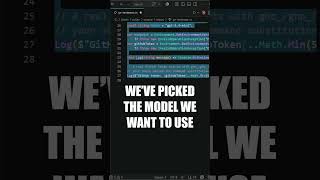

Build an AI PR Reviewer in C#
44sPractical coding demo with immediate real-world application appeals to developers.
▶ Play Clip"The title promises a fully automated agent, and the video delivers a working demo with code, models, and MCP integration — no fluff."
This video demonstrates how to build a pull request review agent using C# and Microsoft Foundry, an agentic platform as a service. The agent uses a GPT-5.4 mini model and the GitHub MCP (Model Context Protocol) to read and write reviews on pull requests directly from VS Code.
Microsoft Foundry is an agentic platform as a service that simplifies integrating AI agents into C# applications.
The Foundry Toolkit for VS Code extension allows building AI agents directly from VS Code, providing access to projects and model deployment.
Foundry gives access to over 11,000 models, including frontier models like GPT-5.4 mini.
The agent is given access to the GitHub MCP server, enabling it to read pull requests and write reviews.
The agent loop runs in the user's own code, meaning observability, governance, and compliance are the user's responsibility. For production, Foundry agent service provides a managed path.
The model router in Foundry can automatically route requests to the best-suited model, potentially saving up to 50% in costs.
What is Microsoft Foundry?
Microsoft Foundry is an agentic platform as a service that solves pain points of integrating agents into C# applications.
00:43
Which VS Code extension allows building with AI agents in Microsoft Foundry?
The Foundry Toolkit for VS Code extension.
00:30
How many models does Foundry give access to?
Over 11,000 models.
00:16
Which model is used as an example in the video?
GPT-5.4 mini.
00:16
What tool does the agent use to read and write pull requests?
The GitHub MCP (Model Context Protocol) server.
01:12
What is a key difference between using Foundry models directly vs. the Foundry agent service?
The agent loop runs in the user's own code, so observability, governance, and compliance are on the user.
01:37
What does the Foundry agent service offer for production?
The Foundry agent service provides a managed path to deploy, scale, monitor, and govern agents in Azure.
01:50
How does the model router in Foundry help reduce costs?
The model router automatically routes incoming requests to the best-suited model, potentially saving up to 50% in costs.
02:36
How can you change the model used by the agent?
By swapping out the model name in the code, e.g., from GPT-5.4 mini to GPT-5.4.
02:21
Integrating GitHub MCP for PR Access
Demonstrates how to give an AI agent direct access to GitHub pull requests using the Model Context Protocol, enabling automated review.
01:12Agent Loop Runs in User Code
Clarifies that when using Foundry models directly, the agent loop is self-managed, meaning observability and compliance are the user's responsibility.
01:37Model Router for Cost Optimization
Explains how Foundry's model router can automatically select the best model for each request, potentially cutting costs by 50%.
02:36Access to 11,000+ Models
Highlights the vast model library available through Foundry, making it a versatile platform for AI integration.
00:16[00:01] probably been experimenting with integrating AI into your applications. And in today's video, I want to show you a practical example of how you can build a pull request review agent with some simple C# code and Microsoft Foundry.
[00:16] Foundry gives you access to more than 11,000 models, and for starters, I'm going to use GPT-5.4 mini. Now, we need to get access to this model somehow, and we can do this without even leaving VS Code. We're going to see the Foundry
[00:30] Toolkit for VS Code extension, which allows you to build with AI agents in Microsoft Foundry directly from your VS Code instance. Now, if you're not familiar, Microsoft Foundry is an agentic platform as a service that
[00:43] solves many of the pain points of integrating agents into your C# applications. If I open the Foundry Toolkit, I can get access to my projects and even create new projects directly in Foundry. And I've got a PR Reviewer
[00:56] project here. If I want to add more models, I can just deploy a new one. We have access to all of the latest frontier models. So, going back to our model that we want to use, which is going to give us an endpoint where we
[01:12] can connect to our AI agent. And then the next step is what makes this example really powerful. I'm going to give it access to the GitHub MCP. This will allow my agent to use some of the available tools. And in this case, I'm
[01:24] allowing it to read my pull requests and also write a pull request review. And finally, we can construct our request, and I'm telling it to review a specific pull request inside of one of my repositories. One important detail is
[01:37] that here the agent loop runs in our own code. We're using Foundry models, but not Foundry agent service. So, observability, governance, and compliance are on us. For production, agent service gives you the managed path
[01:50] to deploy, scale, monitor, and govern agents in Azure. And to actually run this, you can just use dotnet run. I send the environment variables and if I execute this, our agent connects to Foundry and then it's going to use the
[02:04] GitHub MCP server to fetch the pull request info, look at the changed files, it's going to post it on my behalf inside of my actual repo. So, you can request and here's the review generated by our AI agent. And what makes all of
[02:21] this so powerful, if I want to change a model, all I have to do is swap out the model that I'm using here, for example, GPT-5.4, and you can even leverage the model router that exists inside of Foundry, which is going to automatically
[02:36] route the incoming request to the model that it thinks is best suited to satisfy the given request. This could give you cost savings upwards of 50% and this is important. So, if you want to get started, go ahead and install the
[02:50] Microsoft Foundry toolkit in VS Code, create your first Foundry project, and deploy an AI model that you can use from your C# applications.

⚡ Saved you 0h 02m reading this? Transcribe any YouTube video for free — no signup needed.