
Get Telegram Leads for Under $0.02
45sThe promise of ultra-cheap traffic and a money-making opportunity hooks viewers immediately.
▶ Play Clip"The title promises millionaire status, but the video is a software demo with modest claims of cheap leads, typical of marketing hype."
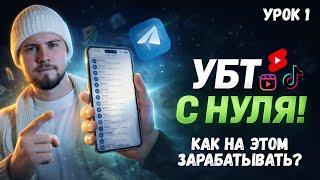
The video presents a new version of software designed for Telegram commenting (spam traffic), which the creator claims can generate leads for under one ruble. The presenter demonstrates the software's features, including account management, uniqueization of messages, and various settings to avoid spam blocks, and explains how to use it to monetize Telegram channels.
The creator announces the release of version 2 of their commenting software, designed for spam traffic to promote Telegram channels and generate applications for less than a ruble.
Commenting involves sending messages in comments on Telegram channels to attract users to a target channel. The software automates this process, making it cost-effective.
The new version features a redesigned interface with separate tabs and blocks, making it easier to use. It is browser-based, requiring minimal resources and can run 24/7.
The main page shows account statistics, including open/closed channels and messages sent. Users can start/stop sessions, a feature not available in the previous version.
Accounts can be added via phone number, session files, or folders. Future features include adding via tAtu and direct purchase from Walls Team, a platform for Telegram accounts costing 20-30 cents each.
Users can add channels manually or upload a text file with a channel database. The software can join open and closed channels automatically.
A web interface is being developed to control Telegram directly within the software, eliminating the need to launch Telegram separately.
Settings are now grouped into convenient boxes, with new parameters like security settings to delete sessions and set two-factor authentication, and device settings to mimic specific devices, reducing spam detection.
Users can set name, username, and photo directly in the software. Changes are saved with Enter, and photos can be added in any format.
Uniqueization replaces text with different fonts and letters, making each message unique and bypassing blacklists. The software can also exit open channels and enter closed ones when spam-blocked.
New delay modes allow setting a range (e.g., 2-12 seconds) for sending messages, making actions more realistic and prolonging account life.
Similar to spam settings, users can set a range for joining channels, making the account appear more human and avoiding suspicion.
The software supports proxy connections, with the presenter preferring Proxifire for convenience.
The presenter purchases accounts from LEAM Market for 15 rubles each, adds one to the software, configures it, and launches it on a Telegram channel, showing real-time results.
The presenter writes a creative message with a direct call to action and demonstrates how uniqueization works, showing that messages appear different but still function.
The presenter adds folders with channel databases (400 channels) to the software, which automatically joins them for commenting.
The action log shows messages being sent, and the presenter notes that the software is working, with comments being delivered and people seeing the creative.
The software is available via a Telegram channel with two pricing plans: a basic plan with full training and a test plan for 2 days. An affiliate program offers $0.50 per application.
The new commenting software offers advanced features to automate Telegram spam traffic, making it more efficient and cost-effective. With proper setup, users can generate applications for under a ruble and monetize channels effectively.
What is the primary purpose of the commenting software?
To automate spam traffic on Telegram by sending comments to attract users to a channel, generating applications for less than a ruble.
00:14
How much do Telegram accounts cost on Walls Team?
20-30 cents each.
05:04
What is the 'uniqueization' feature?
It replaces text with different fonts and letters to make each message unique, bypassing blacklists.
10:04
What is the benefit of setting a delay range for sending messages?
It makes actions more realistic, reducing the chance of spam blocks and prolonging account life.
11:45
How can accounts be added to the software?
Via phone number, session files, or folders.
04:21
What does the 'exit open channels when spam-blocked' function do?
It automatically exits open channels and enters closed channels when the account gets spam-blocked, allowing continued work.
11:03
What is the cost of an account on LEAM Market as shown in the video?
15 rubles.
14:14
New Software for Cheap Leads
Introduces a tool that claims to generate applications for under a ruble, a key selling point.
00:14Uniqueization Feature
Explains how the software makes messages unique to bypass restrictions, a core technique.
10:04Delay Ranges for Realism
Shows how random delays mimic human behavior, reducing spam detection.
11:45Live Demonstration
Provides a practical example of purchasing accounts and launching the software.
14:02Affiliate Program
Offers a monetization opportunity for users, earning $0.50 per application.
21:10[00:01] noticed, there haven't been any new videos on this channel for a while . This is due to the fact that we were actively involved in Telegram, channel development, UBT, and traffic. Well, the most important thing I want to share with you now is
[00:14] the update or creation of, essentially, new software for commenting, yes, for our spam traffic, with the help of which we, in fact, upload cool channels there. That is, here are some examples, yes, I’ll display them on the screen now. And with the help of
[00:27] which we obtain applications there for less than a ruble. And, in fact, we have created the second version of our software, which I would like to tell you about now. commenting is, what it's for, what spam traffic is, and, well, what
[00:41] all this is for. Actually, commenting, or as the common people call it, spam traffic, is simply sending messages in comments, right? So, we post something on some Telegram channel, and then the software or we write comments manually, like,
[00:55] then the software or we write comments manually, like, creatives won't work, yeah, but, actually, we come up with some interesting, enticing creative. The person is like, "Oh, wow, there's something, well, there's
[01:07] something cool here that needs to be covered up and looked at." They go to the profile, see the link to the channel, go to the channel itself, and we get the cheapest traffic possible. Yes, but not in terms of quality, but in terms of the price per request,
[01:20] because it costs us nothing to just send a comment, yes, we, well, 15-20 rubles there. on accounts, I don't know how much they cost there now. And that's it, we buy an account, send out newsletters from it, people see these
[01:33] newsletters, go to the channel and then read our posts there. We sell advertising on these channels, or sell some of our own unique product, or lead to referral links, well, it doesn't matter. Actually, there are a huge number of ways to monetize your
[01:46] channel. And, by the way, another interesting piece of news. Specifically, regarding running Telegram channels, yes, not specifically regarding traffic, but specifically the monetize them, how, in fact, to make money from all this. I decided to open and, in
[02:01] Yes, that is, there will be a link to it here , and here we will talk specifically about everything related to purchased traffic, channel monetization, content, and all that sort of thing. As for software, spam traffic, UBT traffic.
[02:16] actually, the main channel, which you can also access using the QR code and subscribe to. Ah, it will be super useful, super, so to speak, profitable, yes, for you. Ah, well, let's get back to the software, actually, what's new in the software
[02:31] , what's the update and what does it all look like. And here is the main interface of our software. And if we compare it with the previous version, yes, which looked something like this , and here we have some creativity,
[02:45] then we can, well, notice significant changes. And here we had everything in one changes. And here we had everything in one such tab, and in four blocks. In the interface, as if, well, that is, in essence, it is a separate application, aa,
[02:59] which is created, by the way, based on the browser, so it will not actually, these are just technical details. But the point is that the software is very easy to use. We don't need any particular resources. And all
[03:14] servers. That is, we do not load our main computer in any way. And we can work 24x7, or rather, the software will work 24x7 without stopping and, in fact, send out mailings around the clock, right? That is to say, we
[03:30] let's actually go over the software. What's so interesting we have here ? and how to work with it in general. And on the main page we find software statistics, yes, that is, more precisely,
[03:42] account statistics. And when we add an account here, we will see how much, or rather, some data from the account, how many open channels it has, how many closed channels it has, how many messages this account has managed to send, yes,
[03:55] that is, using our mailings. We can also start and stop the session. That is, for example, in the previous version we couldn’t pause our spam. In this version we can do the same. And then there is a log of all
[04:09] actions, so to speak, all the logs that we have, uh, located right here. It turns out we moved it to this list. It can be cleared, yes, and now we have all the unnecessary messages removed. Ah, and, actually, this is the
[04:21] will, in fact, work for the most part . And the next point is our account. And here we immediately added several, so to speak, types of adding an account, yes, several types. We can add via a phone number, we can
[04:35] upload session files, and we're also developing this addition via folders. Yes, that is, we'll move on to webeg a little further , and I'll explain in a little more detail how this will work in this tab. Ah, but we're also planning a feature for
[04:50] adding via tAtu and also directly pre-ordering the description so that you can purchase accounts and instantly add them to the software. Oh, by the way, who didn't know, Walls Team, right? So, this LS is a
[05:04] platform with Telegram accounts, which, in fact, we use for mailings. They cost 20-30 cents there. We purchase them and send out mailings to them. And then there is a list of channels. Here we can add channels, just like directly through
[05:19] the software, yes, that is, click add channel, and enter a tag for the channel. Let's write, for example, an axe, yes, the most popular channel. Click add. And we have this channel displayed. Now the software, well, with certain settings,
[05:32] yes, that is, which we will get to a little later. And if we enable joining channels, then it will go through the list of these channels and add these channels. Of course, you have to assemble something like this manually. Therefore,
[05:44] there is, uh, a list loading function, and here we simply add a text file with our channel database. And, in fact, the software automatically enters all these channels. You can also add folders with channels, you can add open channels,
[05:59] closed channels, the software will join any channels. And then there’s an interesting feature that we’re also adding. Right now it’s essentially still in development , but you can already test it a little . This is a web interface, right? So,
[06:13] . This is a web interface, right? So, you can add the web version of Telegram directly into the software itself , right? That is, so that, for example, I don’t know, to receive to send some additional messages or some other
[06:26] things like that, ah, it would be possible to control directly the software itself, so that you don’t have to launch Telegram separately. This is also a very convenient and cool function. Ah, well, the most important thing that we, well, will essentially work with the
[06:39] most is setting up an account. Ah, here we can see all the same settings that were in the old software, that is, there are profile changes, and there are all sorts of stupators, there is setting up two-factor authentication and all sorts of things like that
[06:53] two-factor authentication and all sorts of things like that . But it’s all scattered around, or rather, collected in such convenient boxes, in such groups. And several new ones have been added , so to speak, parameters that
[07:06] will greatly help us in our work. Let's go from top to bottom. Actually, the security settings. Here we have a setting to delete the session, right? That is, we take accounts, so to speak, brute-force, yes, these are phishing accounts. And we don't need
[07:22] any other users who actually managed to log into this account to somehow interfere with our work. That's why we have a button to delete sessions. And when launched, the software will exit all personal sessions. We
[07:35] can also set up a two-factor authentication. Just click the checkbox here and enter the password we would like. to set the account. And the password hint, yes, well, this is, in fact, the one that will be shown in Telegram when you
[07:47] log into your account. Further in the device settings we have a lot of different parameters that were absolutely not present in the previous software. Ah, but these settings will greatly simplify our work with the account, or rather, simplify it in the
[08:01] sense that the accounts will live as long as possible, they will not disappear at all , if we set everything up correctly here . And more details on how to do all this will be recorded in the training. Actually, when you purchase
[08:13] the software, all this information—how to do everything correctly, how to set everything up, what kind of mailings there are, how to work with them— well, absolutely everything you need to know about working with the software, you get it along with the training, right? And here I’ll
[08:27] just say that with the help of this item you can, uh, make it so that Telegram will think that you are logging in not from some remote server, from some separate desktop, but directly from some specific application from
[08:41] some device, yes, that is, for example, from some iPhone. Specifically, configure it for a specific API, and even install a language client . Well, that means it will be simply impossible for Telegram to recognize you as
[08:54] some kind of spammer. And, in fact, the accounts will live, well, as long as possible. And the next point is setting up a profile. Everything is clearer here, everything is as we are already used to. This is adding a name, right? That is, we can
[09:09] fill in these settings here too. And to save any changes, you just need to press Enter. And also the item, well, more precisely, a checkbox to turn on or these changes to be made, we simply check the box here. And the last name, the
[09:24] username, yes, that is, the username, and we enter some nickname here, add percentages to make this nickname unique. And, actually, all this is added. You can also add photos directly through the software, yes, that is, just
[09:37] click add photo and some picture will be attached here. But before, you had to do this through folders, go to the root folder, add there, well, it was inconvenient. That is, here you can add directly and it is added in
[09:50] you can add directly and it is added in any format. That is, JPG, there, there are formats these photographs are. All this is supported with auto. And then comes the spam settings themselves. Here we also have many interesting
[10:04] functions that were not yet available in the old software, namely, uniqueization, yes, that is, in the previous software, although it was available, it did not work as well as it is implemented here. And I turn on this function. Our software replaces the text
[10:20] we wrote with exactly the same one, only with a different font. And, for example, it changes, ah, there, I don’t know, the Ukrainian letter and, yes, to I. Well, or it does it the other way around, and somehow replaces the letters. And, actually, our text that
[10:36] we spam with is new every time. And even if the administrators there add your text to some kind of blacklist, although in reality no one rarely does this, but still, if someone does this, then the software will
[10:49] completely bypass even all these restrictions. And also uniqueness, all the duplication of letters, yes, that is, well, that’s all, all the uniqueness settings. Here, a, I will explain this in more detail in the training. And exit open channels when
[11:03] spambox. This is also a very interesting function. As we know, we can As we know, we can spam aa into closed channels without any problems , even if we have a spam block. And now, with the help of this function, we can
[11:16] add, for example, a list of open channels, send a mailing to it, and as soon as the account gets spam-blocked, this function is executed, exiting all unnecessary open channels and entering closed channels. And, actually,
[11:32] even with the spam block, the account continues to work, continues to bring in requests and, actually, again, ah, improves the efficiency of our work, makes our the efficiency of our work, makes our requests even cheaper. And, actually, this is the
[11:45] function. And here you add the text that will be used for mailings. And the next interesting new feature that wasn't in the previous software is different delay modes when sending messages. Ah, previously we could only set a
[12:00] fixed delay, yes, for example, 10 seconds. That is, our message is sent 10 seconds after the first post appears there. But now we can set a range, for example, from 2 to 12 seconds. In
[12:14] this case, our creatives will be sent in random order, that is, either after 10 seconds or after 5 seconds. And all this also helps us to prolong the life of the account. Well, we'll avoid spam blocks and, in fact,
[12:31] make our application as cheap as possible by making our account last much longer. Well, actually, well, it's such a simple, but very, very cool function, which, in fact, uh, plays a very big role in
[12:43] spam traffic. And then the introduction settings. Here, in principle, there are no particular changes, except for the moment with the range introduction. That sending, yes, that is, from two there to 12
[12:56] seconds. In the same way, we can add some range to the entry into channels. And if Telegram were to somehow track, uh, how often you visit certain channels and, based on this parameter,
[13:08] spam you there or treat your account more suspiciously , then this function, in fact, allows you to bypass some of these restrictions. And by literally setting there, I do n’t know, a delay there from one
[13:22] to 5 seconds, Telegram will no longer understand that some kind of bot is coming in . This means that our actions will be as realistic as possible, as if an ordinary user were doing it. And, in fact, all this
[13:35] also helps us work with spam traffic. And then the function with adding a proxy. And here, in principle, everything is clear. We simply connect to the proxy or use Proxifire. In fact, I still, well, just out of
[13:47] habit, find it more convenient to use proxyifire, so that’s why I use it more often. Well, actually, . Now let's launch one account to see how it all works
[14:02] visually. Let's head over to the LEAM Market and see how much accounts cost there Market and see how much accounts cost there . Let's refresh the page. And we can notice that according to my filters, yes, which exclude some accounts
[14:14] that will quickly fly off, and the cheapest price is 15 rubles. Basically, well, it's really great, right? That is, we, uh, from such an account there can easily come up to twenty applications, yes, depending on the topic. And this will mean that the application will
[14:28] And this will mean that the application will cost less than 1 ruble. Ah, well , you're unlikely to find such prices anywhere else. Maybe from TikTok traffic, from Instagram, but TikTok traffic. For you, well, it’s clear that it won’t be as easy as
[14:42] that it won’t be as easy as spam. Ah, here we have some not Let's buy it through bulk purchase. This makes it all easier. We simply write how many accounts we need.
[14:54] Click start. And we wait a couple of seconds for the accounts to be purchased. So we bought two accounts so we wouldn't have to worry about the TT for too long. We have only two accounts. Ah, let's go by phone number. Ah, we take this account, copy the number, and
[15:08] go to the software. Ah, I, if I'm not mistaken, I may have already added, yes, I already added one account. Then we'll just set it up and actually launch it. For example, I want to launch it on my Telegram channel. Yes, by the way, the link to
[15:23] it is in the description. But let's also add a little traffic through commenting. And the name Mikhail suits. We can, in principle, skip the last name or write here conditionally "traffic". In principle, this will also be good. And
[15:37] will also be good. And we can write the username myx. And there we have put percentages a couple of times to make it unique. Profile description. And
[15:49] here we need to come up with some kind of a little creativity, yes, when a so that it is interesting for him to visit our channel. Ah, well, let's just write everything about traffic in TG. Ah, I just took a link to my Telegram channel.
[16:03] Actually, I added it here. And now let's add a profile photo. Ah, let's move on here. I must have had something somewhere on my desktop. Oh, yes, here's a photo. We can see right from here what it looks like. And,
[16:15] in fact, according to these settings, we have everything ready. The main thing here is, don't forget to check the box, yes, that is, change the profile. Spam settings. Here we can, in principle, include everything in a row. Ah, let's write the text. Ah, and now let's come up with
[16:29] something creative. Ah, let's start talking about how to start using Telegram. Let's go out. Let's even leave this direct byte, yes, that is, direct to action. Let's see how uniqueness works for us . That is, without
[16:44] uniqueness, then if you write via the link in the bio or go to the profile, it is well, will not be able to normally send messages in many groups. And you simply wo n't be able to send a message because there are blocks on the so-
[16:57] called banners. Ah, well, now let's see how the uniqueness function works for us how the uniqueness function works for us . And we'll leave the range from 2 to . And we'll leave the range from 2 to 12 seconds. Let's scroll down a little. As for the
[17:09] entry settings, so as not to spend a long time joining channels, I will join using them, and the folders, so as not to spend a long time setting all this up. A poet. We won't add proxies . In principle, we have already added the account . And in general, we already have everything we need to
[17:23] launch this account. Ah, we just click to start the current one. Ah, let's look at the action log to see what's going on. That is, our avatar changes, our profile picture changes . We also have this account
[17:36] can track what happened from there. That is, our avatar has indeed changed, and a description has been added . And since I haven't added any channels to the intro, let's copy the links to the
[17:50] channel databases and actually add them. By the way, I can take the channel folders from the channel with my training, yes, that is, I regularly share all sorts of things like that, uh, moments, yes, so that it would be easier for people to start pumping traffic, so that they don’t have to
[18:03] . And, actually, let's add this base now. Ah, so, here you n't know why I didn't do this earlier, it would have been more convenient. Click Add Folder. Added a couple more of these folders. We have a total of 400 channels here. I did this in the most
[18:19] way possible. I just didn't want to waste time on, uh, adding all these links to the introductory text. Ah, but, comments. We can see this from the response, yes, that is, we already
[18:32] have some messages in the reply. And, in fact, we see from the font, and the fact that our uniqueness really works, yes, that is, we see that, ah, the text looks a little bit different somehow, ah, but it still works on the link in the bio
[18:45] but it still works on the link in the bio account of these aa, well, double letters, so to speak, yes, and, in fact, the user sees our comment even with such a direct action. The main thing we see is that our software has already sent 13
[18:58] messages. We see, ah, the account number, we see from Lyokha. It says one day. Or, perhaps, the software was unable to see specifically for this account how many days it had been idle or whether the account was actually just recently created. Ah, but
[19:13] usually it also says how many days have passed since the account was created. Ah, we see in the journal that something is happening: Son receives a message somewhere and comments are sent there with a certain delay. Or we can clear
[19:26] the logs so that we can, well, immediately see any new posts that appear. Well, and, actually, from these replies you can understand that, well, we see, the answers are not the most friendly. We can understand that our software is working, that the
[19:39] message is being sent, and that people are seeing this creative. And if they somehow improve it there, or maybe they're already moving it to channels, I haven't looked there yet, but the point is that the mailings work, and the software will last much longer with us,
[19:53] accounts will send comments much longer , and all this thanks to the new version. And to start doing OBT traffic, spam traffic, to start flooding with cometting, with this software, you just need to
[20:05] follow the link to the Telegram channel, yes, that is, here is the QR code or there will be a link in the description. You can find pinned messages in my channel. By the way, I was talking about this software, and let's say I made an announcement.
[20:18] Then just go to the pinned message, find the bot there, launch the bot, there will be two rates. One is the most basic with full training. The second one, uh, is a test one, if you're just interested, uh, take it for 2 days, try it out, see
[20:32] how it all works, and then you can, uh, upgrade to a full plan. And also, you can read the second pinned message, ah, some cases, yes, that is, who makes money on this software, and what
[20:45] results people have in general, yes, that is, this message, ah, actually, how it all works, how it works, what offers there are. And you can read all the more detailed information in this post. There are all sorts of links to
[20:57] teletypes here, and everything is described there in detail. And if you were interested in a review of this new software, by the way, guys, look, right before your eyes, Konstantin just submitted an application from this Comedin, from this spam. Ah,
[21:10] 42 messages sent. And, by the way, there’s one more point that I almost missed. And if you don't know what to invest in, you can join my affiliate program, so to speak, and earn half a dollar for every request to my channel.
[21:23] That is, in this case I spent 15 rubles. to the account. Here he is, literally, well, when he started working there 5-10 minutes ago . And we saw the application. The human more accurately, the bot just accepted it, so it disappeared. Ah, but, actually,
[21:39] I would have already earned 50 cents myself just by running the software with a few clicks . And this is not the final result. It's just that one person has just submitted an application, and then, I think, a couple more people will definitely join the channel. And, actually,
[21:53] offer, just write me a private message , and here is Mikhailov's training or other TG questions. Or you can write to one of these accounts and we'll
[22:05] discuss it further. I'll give you a link to my channel, and you'll download the server, I'll give you access to the software, and you'll start uploading. In short, there are many ways to make . And even if you don’t know where to pour, here’s the perfect offer from me
[22:21] . Ah, if you were interested in seeing how you can upload other topics, like news, crypto, or something else like that, I already made a additional topics, I don’t know, psychology, motivation, whatever, please
[22:35] write your suggestions in the comments, I’ll do all of this right on video more active on my YouTube channel. So subscribe, like and So subscribe, like and let's stay in touch. y



⚡ Saved you 0h 22m reading this? Transcribe any YouTube video for free — no signup needed.