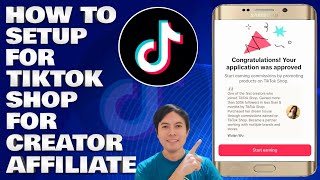

How to Start TikTok Shop in 2025
45sProvides a clear, step-by-step guide that meets high demand from creators looking to monetize their account.
▶ Play Clip"The title accurately describes a tutorial for setting up TikTok Shop for creators in 2025."
This video provides a step-by-step guide on how to set up TikTok Shop for creators in 2025. The host walks through the entire process, from accessing settings to verifying age and selecting products to promote.
Log into your TikTok account, tap your profile icon, then go to Settings and Privacy.
Under Account, tap Account Information and add your mobile number, active email, and date of birth.
Tap TikTok Studio, scroll down to Monetization, and select TikTok Shop for Creator.
Requirements include 600 followers (but the host applied with 400), posting in the past 28 days, being 18+, and following community guidelines.
Check the boxes to receive marketing messages and agree to terms, then tap Apply.
The host's application was approved immediately, allowing them to start earning commissions.
Tap Start Earning, then confirm your age by selecting a verification method (e.g., facial age estimation).
Go to Product Marketplace, choose a category (e.g., electronics), then add specific products to your marketplace.
Setting up TikTok Shop for creators is straightforward and can be done even with fewer than 600 followers. Once approved, you can start earning commissions by promoting products.
What are the eligibility requirements for TikTok Shop for Creator?
600 followers, posted in the past 28 days, at least 18 years old, and follow community guidelines.
01:55
Can you apply for TikTok Shop with fewer than 600 followers?
Yes, the host applied with 400 followers and was approved.
02:08
What verification methods are available for age confirmation?
Facial age estimation, credit card authorization, and selfie with ID.
03:48
Where do you find the TikTok Shop for Creator option?
In TikTok Studio under Monetization.
01:24
What should you do after your application is approved?
Tap Start Earning, confirm your age, then go to Product Marketplace to select products.
02:47
Eligibility Requirements
Clarifies that the official requirement is 600 followers, but the host succeeded with 400.
01:55Instant Approval
Demonstrates that approval can be immediate, encouraging viewers to apply.
02:47Age Verification Options
Lists multiple methods for age verification, giving users flexibility.
03:48[00:03] channel Edmond mindaros and another tiktok tutorial we will talk about and tiktok tutorial we will talk about and I will guide you on how to set up for I will guide you on how to set up for tiktok shop for creators 2025 so
[00:16] just stay tuned to know the step by step method and let's start So the next step we will do is you just need to open your tiktok applications you must be logged in to your account so just click on that
[00:30] and then next step so just below you just need to set our profile icon here So just click on that and then here on our tiktok profile and then here on our tiktok profile and then before we start
[00:55] and then here on settings and privacy and then here on the account so just click on that and here on our account information so just click on that and then you need to add here our mobile number the email
[01:09] address that we are using is active and then the date of birth needs to be
[01:24] then just set here the tiktok studio so just click on that and then here on the tiktok studio and then just scroll down and here on monetization you will see here and this is what you will see here the tiktok shop
[01:38] for creator Okay so just click on that Okay so here in the tiktok shop so promote products earn commissions All right so all you need here is Mayon we have 600 followers and then posted on tiktok in the past 28 Days and then when
[01:55] you scroll down you are eligible to apply meet our community eligible to apply meet our community guide lines be at least 18 years old so since we have 400 Followers so you can apply even if
[02:08] you don't have 600 followers Okay so you will see that I have only 400 and then let's proceed and then next step So you can check Ong receive marketing messages from tiktok shop so that we can receive
[02:20] any informations and details of tiktok from marketing that will help us so just check Ong circle and then by continuing you agree to the tiktok shop creators terms of use
[02:34] just check that too and then You will see here the apply so just click on You will see here the apply so just click on that Okay so you will see here Congratulations your applications was
[02:47] approved That's it, it's that simple so we're approved start earning commissions by promoting products on tiktok shop Okay so how do we the start earning below so just click on that and next step So
[03:05] you'll see confirm your age here so just click on that confirm and then next step so confirm your age to start earning on tiktok Shop and then below you'll see verify here so just click on that and
[03:20] then confirm and then watch your date of birth So you just need to put in here what and when we were born what and when we were born so just put that in and
[03:36] your date of birth here and then just click on that chose method So there are options here where we can set official age
[03:48] estimations credit card authorizations and selfie with ID right so let's just select here the facial age estimation so just click on that and then next step so there are informations added here that we can before we
[04:04] proceed and the next step is just click here on the open information here so tips fine well it late area remove your hat or reduce
[04:19] shadows keep your glasses on right and then just click here The gati age estimations and then age confirm and then Thanks for confirming your age and
[04:34] then just click here on the close There So we can start close There So we can start to just select here the product marketplace Okay so just click on
[04:49] that and then Here in her products just select here what categories you want to product the one you recommend or the one you promote so for example let's just put electronics here so just click on that and then
[05:04] just click here below The next and then this is the Mobile device accessories So you will see here and then you just need to click here Add and then You will see here that she has been added to our marketplace and
[05:20] then we will just go back There so that's it, it's that simple friends how we set up the tiktok shop for creators and hope that you have been able to give me a little knowledge and guide about the tiktok shop tutorial Thank you guys and
[05:34] tiktok shop tutorial Thank you guys and see you in my next tutorial
⚡ Saved you 0h 05m reading this? Transcribe any YouTube video for free — no signup needed.