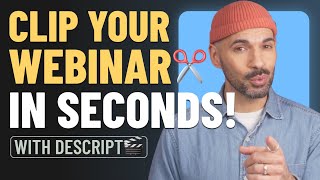

Turn Webinar into Viral Clips
45sHigh-value productivity hack with a clear before/after transformation, appealing to content creators.
▶ Play Clip"The title promises a method, and the video delivers a clear, actionable workflow—though it's essentially a product demo."
This video demonstrates how to repurpose a long webinar into multiple social media clips using Descript's AI-powered tools. It walks through the process of automatically generating clips, customizing them, and exporting them for different platforms, emphasizing that AI handles the grunt work while the creator stays in control.
A webinar is a valuable source of content that can be repurposed into many clips. A script can help identify the best moments.
Use Descript's AI Tools > Create Clips feature. Specify the number of clips, their length, layout, and any specific instructions.
AI generates dozens of pre-trimmed, pre-designed, and pre-captioned clips, saving time on manual scrubbing.
Users can extend clips, cut out unwanted parts, and maintain full control over the final edit. Descript is a full video editor.
Export clips in vertical format for Instagram, horizontal for YouTube, and square for other platforms.
Webinar as a Content Pinata
Frames a long-form asset as a source of many smaller pieces, shifting the content strategy mindset.
AI-Powered Clip Creation
Demonstrates a specific, time-saving workflow using AI to automate the discovery and creation of clips.
00:13Human-in-the-Loop Editing
Emphasizes that AI assists but the creator retains final control, a key principle for effective AI adoption.
00:39Platform-Specific Export
Highlights the importance of tailoring content format to different social media platforms for maximum impact.
00:51[00:00] Your hour-long webinar is a pinata filled with months of sweet, sweet content. And a script can help you bust it open. Let me show you how. First, you'll find all the best moments. Then, you'll turn them into clips.
[00:13] Or, you can just let AI do all that for you. Just head to AI Tools, then Create Clips. Choose how many clips you need and how long you want them. Pick a layout. And if you're after something specific, just tell it right here.
[00:26] Hit submit and dozens of sweet, sweet clips. Instead of scrubbing through endless footage trying to decide which parts are worth posting, it finds them all for you. Each clip is already pre-trimmed,
[00:39] pre-designed and pre-captioned. But here's the best part. AI does the grunt work, but you stay in control. Want the sentence to finish later? Extend the clip. Hate the fluff in the middle? Cut it out.
[00:51] Descript is a fully fledged video editor, not some one trick pony. And let's be real, ponies make terrible social clips. When you're ready, export your clips. Vertical for Instagram, horizontal for YouTube, and square for your group chat that definitely won't watch it.
[01:05] You just turned that webinar into a month of content. What are you going to do with all that time? Here's an idea. Click the link below to get started in Descript. Or, you know, touch grass.
⚡ Saved you 0h 01m reading this? Transcribe any YouTube video for free — no signup needed.