
How to Remove Audio from Video with FFmpeg
46sPractical tutorial showing the exact command to strip audio, useful for content creators.
▶ Play Clip"Title accurately describes the content; the video delivers exactly what it promises."
This video demonstrates how to remove audio from a video file using FFmpeg. It explains the command required to strip audio while preserving the video quality and size.
Removing audio from a video file using FFmpeg.
Use fprobe to examine tracks: video (h.264), audio (AAC), metadata.
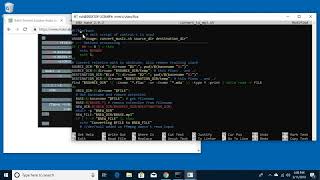
Command: ffmpeg -i train_whistle.mp4 -vcodec copy -an output.mp4. -an strips audio.
Copying is fast (especially on SSD). File size reduction minimal: 261 MB to 260 MB.
FFmpeg's -an flag efficiently removes audio from video files, useful for privacy or size reduction.
What is the FFmpeg flag to remove audio?
-an
00:52
What command is used to list tracks in a video file?
ffprobe <filename>
00:26
What does -vcodec copy do in the FFmpeg command?
It copies the video stream without re-encoding, preserving quality.
00:52
Core technique: FFmpeg -an flag
It directly addresses the main purpose of the video, showing the simplest method to mute video.
Minimal size impact
Shows that audio may not be the dominant file size contributor.
01:12[00:00] Welcome. In this video I'm going to be extracting video or removing the audio from a video file. It's two different ways of looking at the same thing. I'll put a link in the description to the commands I'm using in this video, and we'll also have a link to my FFmpeg notes where you can find the installation information,
[00:14] and a link to my FFmpeg playlist. So this is a little tricky here. I have this video called Train Whistle. I'll open it up, and this has a loud train whistle on it, but you can't hear it because I have my microphone plugged in to record this video.
[00:26] But I will show you that it does have the audio on it. So I'm in my terminal here. I'm on my desktop. I can type ffprobe and then I'll type train whistle, enter. And here we have the file and this has a number of tracks on it. Here's the video track,
[00:39] it's h.264. And then we have AAC here and this is a metadata track, timecode handler, and some other track. So we want to extract the video file from this. So I'll type clear.
[00:52] So to start I'll type ffmpeg space dash i space and then the name of the file, train whistle dot mp4 then dash v codec space copy So I just want to copy the file I don want to modify it in any way then space dash an so this will remove the audio and then space so i say train whistle no audio dot mp4
[01:12] i'll hit enter so this is a 4k file and it did that immediately the reason is is it mostly just copies things and this can copy very fast i have an ssd in here so i'll clear my screen here we'll at these two files. So one of them is 261 meg and one is 260 meg. So the audio didn't take up a lot
[01:29] of space in here. I'll type ffprobe, look at it, and here we have the video file but the audio is no longer in this. I can open it up here and here's the video file and we don't have the volume slider
[01:42] on it anymore. So this could be useful if you have a video and you need to remove the audio for privacy reasons or you just don't like the audio you maybe want to make the file smaller and you
[01:54] don't need the audio there could be a number of reasons you might want to do this so that's all for this video if you have any questions about this please leave it in the comments if you like this video please click like if you haven't subscribed to my channel i'd appreciate if you could do that and thanks for watching until next time goodbye
⚡ Saved you 0h 02m reading this? Transcribe any YouTube video for free — no signup needed.