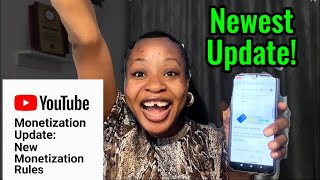

YouTube's New Monetization Update: No More PIN?
45sReveals a major change in YouTube's payment verification that could save creators weeks of waiting.
▶ Play Clip"The title promises a stress-free monetization update, and the video delivers by explaining the new online verification method."
YouTube has released a new monetization update that simplifies the verification process, allowing creators to verify their identity online in about 10 minutes instead of waiting weeks for a physical PIN. The video walks through the steps to complete identity verification and tax info to get paid.
YouTube's new update removes stress by offering an online identity verification option that takes 10 minutes.
A subscriber applied for AdSense for over 3 months without receiving it, highlighting confusion about the process.
Another creator got paid without receiving a physical PIN, showing the new online verification works.
To continue earning and receive payments, you must verify your identity; otherwise, you won't get paid.
Option 1: Fast online verification with Persona (10 minutes). Option 2: Physical PIN sent by mail (2-4 weeks).
Use a government ID card (not a slip) like national ID card, driver's license, international passport, or voter's ID.
Ensure the entire ID is within the frame and all lettering is legible to avoid rejection.
Position your face in the center, move left and right as prompted, and take a photo in a well-lit environment.
After verification, fill tax info carefully (non-US individuals use specific forms). Once you reach $100, YouTube sends money to your bank account.
The new online identity verification process simplifies YouTube monetization, allowing creators to get paid faster without waiting for a physical PIN. Following the steps carefully ensures a smooth experience.
What are the two methods for identity verification in AdSense?
Fast online verification with Persona (10 minutes) or physical PIN by mail (2-4 weeks).
3:04
What type of ID should NOT be used for verification?
A national ID slip; use the actual national ID card instead.
4:30
What happens if you do not verify your identity by the given date?
It will complicate issues and you may not get paid.
2:52
What is the minimum threshold to receive payment from YouTube?
$100.
7:39
Online Verification in 10 Minutes
This new feature drastically reduces waiting time from weeks to minutes.
3:04Common ID Mistake
Using a national ID slip instead of the card can block your account.
4:30Face Match Requirement
The process includes a live face match to ensure you are the ID holder.
6:06[00:00] Good news, YouTubers. YouTube has just
[00:03] released a new monetization update. And
[00:05] this takes away 100% stress from every
[00:08] YouTuber. I mean, I'm going to show you
[00:10] some very interesting Instagram messages
[00:12] from some of my subscribers and even
[00:15] some of my students. Okay? So, I'm going
[00:17] to walk you through the process of how
[00:18] you can also achieve this. Please and
[00:20] please follow this process because as
[00:22] much as some people are receiving
[00:24] congratulatory messages, some other
[00:25] people are also facing, you know, a bit
[00:27] of some challenges because, you know,
[00:29] they missed it along the line. So, one
[00:31] of my students just hit his own 4,000
[00:33] watch hours. So, we're going to be
[00:35] applying for this together. I'm going to
[00:37] show you how to do it the simplest and
[00:39] easiest way without any stress. And
[00:41] you're welcome if this is your first
[00:42] time here. Hi, I'm Glory C and on this
[00:44] channel I help both small and new
[00:46] content creators to grow and get
[00:48] monetized the right way on YouTube by
[00:50] telling you mistakes to avoid and
[00:52] strategies you want to embibe. So if
[00:53] this sounds like something you want for
[00:54] your own channel, I encourage you to go
[00:56] ahead and hit the subscribe button. Like
[00:58] I always say, it's free of charge. You
[01:00] can tell that I'm so excited. Anyways,
[01:02] let's get into the video. So this
[01:04] particular person said, "The major thing
[01:05] I want you to do is to review my channel
[01:07] in the area of AdSense. I applied for
[01:09] AdSense for for more than 3 months, but
[01:11] I've not received it. I don't even know
[01:13] how to go about it the second time or
[01:14] the third time because I you know blah
[01:16] blah blah. So I said okay send me
[01:18] screenshots if that's fine by you. And I
[01:20] told him that okay you don't need to
[01:21] it's already completed. This simply
[01:23] means you use the online verification
[01:24] method. He was like Jesus Christ but I
[01:26] didn't add account information. Are you
[01:28] telling me that I don't need an AdSense
[01:29] pin. I I now went ahead to just ask him
[01:32] some questions to be sure because you
[01:34] know some people have been making some
[01:35] mistakes you know. So not just that
[01:37] another person now reached out to me.
[01:40] was like, "Good afternoon, Glory. Glory.
[01:42] Yesterday I got paid and I'm yet to
[01:43] receive my pin. How come?" They said,
[01:45] "Without you getting your pin, YouTube
[01:47] can't pay you. Was it magic?" You can
[01:50] see the laugh emoji I put. I said,
[01:51] "Okay, let me see the screenshot. Was
[01:53] the money sent to your bank account?"
[01:55] There's actually a new way for
[01:56] verification.
[01:58] She was now like, "Yes, the money was
[01:59] right in my dollar account." So, one of
[02:02] my students already hit his 4,000 watch
[02:04] hours and then, you know, we applied
[02:07] together and everything. and it was very
[02:09] successful.
[02:10] Then later he now sent me a message that
[02:12] oh he checked his second email and saw
[02:14] this that means Google actually sent him
[02:16] a message because normally once you
[02:18] apply he start to send you messages
[02:20] giving you prompts on what to do next
[02:21] right. So I told him hold on we're going
[02:23] to do it together as long as you're my
[02:25] student I got to hold you by the end. So
[02:29] we now did it together. Now this is what
[02:30] we did. So I'm going to be bluring out
[02:32] some parts for confidentiality
[02:34] reasons. So the first thing you're going
[02:36] to see is identity verification. Right
[02:39] now to continue earning and receive
[02:40] payments, verify your identity. Now the
[02:43] thing is if you do not verify your
[02:45] identity, you're not going to get paid.
[02:46] Even if you are sending the money cor in
[02:48] your access account, you're not going to
[02:49] get paid, right? Then another thing is
[02:52] the YouTube actually would give you a
[02:53] date. You can see YouTube actually puts
[02:55] a date there. If you do not verify and
[02:57] that date passes by, it's going to
[03:00] complicate issues for you. So please and
[03:02] please be very careful. Okay. here to
[03:04] verify your account. You can choose from
[03:06] one a fast online verification process
[03:09] with our trusted partner personal. This
[03:12] online process involves verifying your
[03:14] government issued ID and completing a
[03:16] face match which takes around 10 minutes
[03:18] guys just 10 minutes. Now this you can
[03:20] either use that or you use the second
[03:22] method. Use our ID and mail PIN method.
[03:25] This one requires that a physical pain
[03:27] will be sent to your mail. And this
[03:28] typically takes about two to four weeks,
[03:30] guys. When I did mine, and that's if you
[03:32] don't even have any issue. When I did
[03:34] mine, I didn't have any issue. And mine
[03:35] took exactly 3 weeks to arrive. Okay?
[03:38] Some people did it takes longer than
[03:39] that. Okay? But this one is just 10
[03:41] minutes and you'll be just fine. Okay?
[03:44] So, you're going to see verify now. You
[03:45] want to go ahead and hit on verify now.
[03:47] Now, you're going to see something like
[03:49] this. Verify your identity using
[03:50] personal. By clicking on this, you
[03:52] consent to sharing your information for
[03:54] identity verification process purposes.
[03:57] You just want to go ahead and hit verify
[03:59] identity with personal. You're going to
[04:01] also see getting started. We need some
[04:03] information to help us. You want to just
[04:05] click on begin verifying. What country
[04:07] is your government ID from? This helps
[04:09] us determine the best way to verify your
[04:11] identity. So my student is from Nigeria,
[04:13] so he went ahead to put in Nigeria.
[04:15] You're going to see upload a photo ID.
[04:18] will require a photo of a government ID
[04:20] to verify your identity. So, you want to
[04:22] choose one of the following, but please
[04:24] listen attentively. The first one,
[04:26] driver's license. The second one,
[04:28] national ID. This is where a lot of
[04:30] people make a lot of mistakes. There
[04:31] there are people that have reached out
[04:32] to me. They used, in fact, there's one
[04:34] particular person that reached out to me
[04:36] of recent. He used his national ID slip
[04:39] to verify. Now, there is a difference
[04:41] between you using your slip and using
[04:43] your card. He used his sleep I think
[04:46] multiple times and the account was
[04:48] blocked. Do you understand? So it is
[04:50] your national ID card that had one.
[04:52] That's the one you want to actually use
[04:54] for this and that's actually the one
[04:55] that my students also used and it was
[04:57] very successful. You can also use your
[04:59] international passport or you use your
[05:01] voters's ID. You're going to see
[05:03] national eid card. Take a clear photo of
[05:05] the front of your government ID. Okay.
[05:07] Okay. So, you want to just click on this
[05:09] camera icon here. And then you're going
[05:11] to see where you can, you know, place
[05:13] your ID card.
[05:15] Okay. So, you're going to see where you
[05:16] can place your ID card. Then ensure that
[05:18] when you are placing your ID card here,
[05:20] you you make sure that no part of your
[05:22] ID card is outside this frame. Okay.
[05:25] Aside that, make sure that every
[05:27] lettering on the ID card is legible,
[05:30] easy to read, so that you do not have
[05:31] issues unless they're going to even
[05:33] reject it. Okay. Okay. So now after you
[05:34] must have taken the a clear photo of
[05:36] your front ID card, you're also going to
[05:38] they're going to process that you take a
[05:40] clear photo of your back ID card also.
[05:42] They're going to process that also. So
[05:44] you can see here processing ID. Please
[05:46] wait as we process your upload. This may
[05:48] take a few seconds and indeed it takes
[05:50] just a few seconds. After that you're
[05:52] going to see this particular interface.
[05:54] Okay. So what you want to just do is to
[05:56] fill in your first name, your last name,
[05:58] your birth month, day, year, your
[06:01] address. Okay. And then you just put in
[06:03] continue. Just tap continue. Okay.
[06:06] They're now going to bring up this page
[06:07] that says let's make sure you are you
[06:11] position yourself in the center of the
[06:12] camera and then move your face to the
[06:14] left and to the right to show both
[06:17] sides. So you want to just tap on. So
[06:19] before you do this one, ensure you're in
[06:21] a bright place, okay? In a lit
[06:22] environment. Okay. So you want to now
[06:24] tap on get started. If you want to
[06:26] continue on another device, it's up to
[06:28] you depending on the camera quality of
[06:29] your device. So you can just tap on um
[06:32] get started. You can see center yourself
[06:34] on the screen. Then once you are
[06:36] centered, you just take the photo.
[06:37] Usually it's going to bring up that
[06:39] stuff telling you okay move. It's time
[06:40] to move to the left or move to the
[06:42] right. Once you're done, just take the
[06:43] photo and that's it. Now once you do
[06:46] that, you're going to see
[06:47] congratulations, you are done. Thanks
[06:49] for verifying your identity. If you made
[06:52] any mistake along the line, you're not
[06:54] going to see this. So what you want to
[06:56] do is to just go down and tap on done.
[06:58] Now you can see here identity
[07:00] verification was completed.
[07:05] See how I'm so excited. I'm always
[07:06] excited whenever whenever my students
[07:08] are successful. Then after that we went
[07:10] ahead to you know you know fill up his
[07:12] ad his tax info and all of that. Now
[07:14] when filling your tax form you need to
[07:16] be very careful. There is a form that is
[07:18] most commonly used by non US
[07:20] individuals. There's one that's most
[07:22] commonly used by non US business
[07:24] entities. And then there's the one
[07:26] that's used by individuals that actually
[07:27] earn their income related to US trade or
[07:30] business. So let's be very very careful
[07:32] when filling this up. Okay. Once you
[07:34] already get your identity verification
[07:37] complete, you're actually good to go.
[07:39] When your money is when you meet up to
[07:41] your $100 threshold, YouTube is actually
[07:43] going to send the money to your bank
[07:45] account. So you want to ensure you go
[07:46] ahead and put in your bank account
[07:48] details and get paid. Start enjoying
[07:51] your money. Do not forget our ongoing
[07:54] December sales. You want to hop on it
[07:56] immediately. And if you've not joined my
[07:57] free training, please join it right now.
[08:00] And I'll see you on my next one. Bye for
[08:02] now.
⚡ Saved you 0h 08m reading this? Transcribe any YouTube video for free — no signup needed.