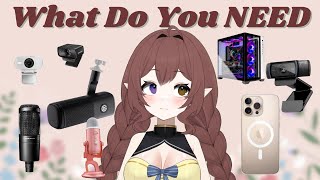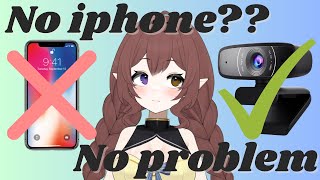

No iPhone? No Problem! Vtuber Face Tracking Options
45sImmediately addresses a common misconception and offers hope to Android users, making it highly relatable.
▶ Play Clip"Title accurately reflects content: the video delivers exactly what it promises."
This video explores various face tracking options for VTubers who don't have an iPhone, covering Android apps, webcam setups, and dedicated hardware. It emphasizes that good lighting and proper setup are crucial for smooth tracking, and most solutions are free or affordable.
VTubers can achieve smooth face tracking without an iPhone using Android apps, webcams, or dedicated hardware.
Apps like YouTube Studio, Reality, Animes, and Face Motion 3D offer solid facial tracking on Android, with performance depending on phone and lighting.
VC Face is a popular free option for live 2D and 3D models, supporting webcam tracking and Leap Motion for hand tracking. Luppet and Facetrack no IR are other options.
Intel Real Sense provides 3D face tracking with depth data, and Leap Motion tracks hands. These are more expensive but offer pro-grade quality.
Use soft lighting, keep the camera steady, and face the light source. Most tracking tools work with 2D Cubism, Void Studio, and Unity via Vube Studio or VCace integration.
VTubers have many affordable options for face tracking without an iPhone, from Android apps to webcam setups and pro hardware. Good lighting and proper setup are key to smooth tracking.
What are some Android apps for VTuber face tracking?
YouTube Studio, Reality, Animes, and Face Motion 3D.
0:14
What is a popular free webcam tracking option for live 2D and 3D models?
VC Face.
0:44
What dedicated hardware provides 3D face tracking with depth data?
Intel Real Sense.
1:16
What tool can be paired with a webcam to track hands?
Leap Motion.
1:27
What are key setup tips for smooth face tracking?
Use soft lighting, keep the camera steady, and face the light source.
1:41
No iPhone needed
Dispels the myth that iPhones are required for VTuber face tracking.
Webcam tracking is viable
Shows that a regular webcam can achieve impressive tracking with proper lighting.
0:40Pro-grade hardware available
Highlights dedicated hardware for advanced VTubers seeking precision.
1:14Lighting is crucial
Emphasizes that lighting quality directly impacts tracking smoothness.
1:41[00:00] Hey Vtubers, think you need an iPhone to
[00:02] get smooth face tracking? Think again.
[00:04] Whether you're using an Android, using a
[00:06] webcam, or something more advanced,
[00:08] there are plenty of ways to bring your
[00:09] avatar to life. No iPhone required.
[00:12] Let's explore your best options. If
[00:14] you're vtubing with an Android, here are
[00:15] a few apps that can give you solid
[00:17] facial tracking. YouTube Studio now
[00:19] supports Android with face tracking via
[00:21] camera, and you could wirelessly connect
[00:23] it to your PC. Apps like Reality are
[00:25] beginner friendly and even let you
[00:27] stream directly from your phone. Animes
[00:29] and Face Motion 3D also offer decent
[00:32] tracking, especially if you're animating
[00:33] 3D avatars. The most important thing
[00:35] though is you have to remember that
[00:37] performance depends on your phone and
[00:39] your lighting. No smartphone though, no
[00:41] problem. Your regular webcam can pull
[00:44] off some impressive facial tracking. VC
[00:46] Face is one of the most popular free
[00:48] options for live 2D and 3D models. It
[00:50] supports webcam tracking, basic
[00:53] expressions, and works well with Leap
[00:54] Motion if you want hand tracking, too.
[00:57] There's also Luppet, a paid app that's
[00:59] great for Japanese style Vtubing setups
[01:01] and Facetrack no IR if you're more DIY
[01:05] inclined. Remember, you don't need a
[01:07] phone. A webcam can do the job. It's
[01:10] just important to have good lighting and
[01:12] a quality webcam, but you want even more
[01:14] precise motion. Let's talk about
[01:16] dedicated hardware. Devices like Intel
[01:20] Real Sense offer 3D face tracking with
[01:22] depth data. Super useful for more
[01:24] advanced rigs. Or pair a webcam with
[01:27] Leap Motion to track your hands in real
[01:29] time. It's a great addition for VTubers
[01:31] who like to emote and gesture on stream.
[01:34] Combine tools for best results, but more
[01:37] expensive. This is definitely more
[01:39] expensive, but it's prograde quality.
[01:41] But remember, no matter how much tech
[01:43] you use, how you set it up makes a huge
[01:46] difference. Use soft lighting, keep your
[01:48] camera steady, and face your light
[01:50] source. Most tracking tools export
[01:53] motion data that works with 2D cubism,
[01:55] Void Studio, and Unity with tools like
[01:58] Vube Studio or VCace integration is very
[02:02] smooth. But again, make sure that you
[02:04] are paying attention to that lighting
[02:06] because lighting equals smooth tracking.
[02:08] If you're dreaming of Vubing but don't
[02:10] have an iPhone, don't worry. From
[02:13] Android apps to webcam setups to pro
[02:15] gear, you've got plenty of options. And
[02:17] the best part, most of them are free or
[02:19] affordable. Drop a comment if you have
[02:21] any questions, but I appreciate you guys
[02:23] so so much and I hope to see you guys in
[02:25] the next video. Bye.
⚡ Saved you 0h 02m reading this? Transcribe any YouTube video for free — no signup needed.