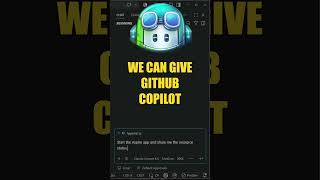

Give Your AI Agent Superpowers in .NET Aspire
44sDemonstrates a quick, impressive command that instantly upgrades an AI agent, appealing to developers seeking efficiency.
▶ Play Clip"Title promises a quick fix for debugging blind, and the video delivers a concrete command with clear demonstrations, though it's more about enabling agent capabilities than directly fixing debugging."
This video demonstrates how to add AI agent capabilities to .NET Aspire applications using a single command, 'Aspire agent init'. It shows how this command installs Aspire skills and an MCP server, enabling GitHub Copilot to interact with Aspire resources, analyze telemetry, and modify application code.
The video starts with a baseline Aspire application containing an app host, an API service, and a web UI. Running it with 'Aspire run' launches the Aspire dashboard showing the services and their resource graph.
Running 'Aspire agent init' installs Aspire skills for AI agents and optionally sets up the Aspire MCP server. The video selects the GitHub Copilot option, which automatically detects the agent environment and configures it.
After initialization, a list of installed skills and their locations is shown. VS Code is configured to use the Aspire MCP server and GitHub Copilot CLI. A new '.agents' folder appears with skill files.
GitHub Copilot can be prompted to start the Aspire application and show resource status. It reads the Aspire skills and uses the MCP server to execute the correct CLI commands, printing the requested details.
Copilot can analyze HTTP request performance for the API by finding the relevant skill to hook into logs and telemetry data. It lists traces and structured logs, producing a report of request durations.
Copilot can introduce new resources to the app host, such as adding a Redis cache. It uses the Aspire CLI to make changes, and the diff shows it added a cache resource and connected it to the API service, plus added the Redis client in the API's program file.
The video notes this is just scratching the surface. A link is provided to a talk by Maddie and David Fowler about using agents in more detail.
What command initializes AI agent integration for Aspire?
Aspire agent init
00:16
What two components does 'Aspire agent init' install?
Aspire skills for the AI agent and the Aspire MCP server.
00:30
Which AI agent environment is used in the video?
GitHub Copilot
00:30
What folder is created after running 'Aspire agent init'?
A .agents folder containing skill files.
01:11
How does Copilot know which Aspire CLI commands to use?
It reads the Aspire skills in the repo and uses the MCP server.
01:24
What can Copilot analyze for the API service?
HTTP request performance, including traces and structured logs.
01:38
What resource does Copilot add to the app host in the demo?
A Redis cache.
02:04
One-Command Setup
Shows a single command that fully configures AI agent integration, saving significant manual setup time.
00:16Telemetry Analysis via Agent
Demonstrates how an AI agent can automatically hook into logs and traces to provide performance reports, a powerful debugging aid.
01:38Code Modification by Agent
Illustrates the agent's ability to modify application code (adding a Redis client) based on natural language prompts, showcasing advanced automation.
02:04[00:01] superpowers to your Aspire applications using AI agents. I've got a baseline Aspire application here with an app host and API service and a web application for the UI. If we go ahead and run this using Aspire run, you should see the
[00:16] Aspire dashboard start up with your two services, their respective resource graph, and then we can go ahead and use our application. Now, where this becomes interesting is when you run the command Aspire agent init, it's going to do a
[00:30] couple of things. The first one is it's going to install Aspire skills for your AI agent. I'm going to choose the first option because it works with GitHub Copilot, which is what I will be using to run my agents. One more important
[00:44] option is installing the Aspire MCP server. It's going to automatically detect my agent environment and set this up to work with GitHub Copilot. After this completes, we should see a list of skills that were installed and the
[00:57] location where they were added. VS Code is also configured to use the Aspire MCP server as well as the GitHub Copilot CLI. If I take a look at the File Explorer again, there's this new .agents folder with a bunch of skill files
[01:11] inside, and now we can start to do some very interesting things with this. For example, we can give GitHub Copilot a prompt telling it to start the Aspire application and show us the resource status. This is going to start the MCP
[01:24] server and read the Aspire skills that we have in the repo. Now it knows which Aspire CLI commands to use so it can achieve the desired result. And it prints out the details that we were looking for. Then I can ask it to
[01:38] analyze the HTTP request performance for my API. And what's interesting here is that it can find the respective skill to hook into the logs and in general
[01:50] telemetry data for our Aspire resources. I'm going to let it list the traces for the API as well as the structured logs, and it's going to give us a report of some request duration for our API instance. Another interesting thing that
[02:04] you can do is ask it to introduce other resources to your app host. For example, I can ask it to add a Redis cache to my Aspire app host. And it knows to use the Aspire CLI to achieve this. We can take
[02:19] a look at the diff and see which changes it made to our application code. In the app host, it's added a cache resource and connected it to our API service. And in the program file of the API, it added the Redis client so that we can use it
[02:35] for caching later on. And we are just scratching the surface here what is possible with the Aspire agent integration using GitHub Copilot. If you want to see another very interesting example, I'm going to leave a link in
[02:48] the pinned comment and the description to a talk from Maddie and David Fowler talking about using agents in a lot more detail. And I'm sure you're going to detail. And I'm sure you're going to find it really valuable.


⚡ Saved you 0h 02m reading this? Transcribe any YouTube video for free — no signup needed.