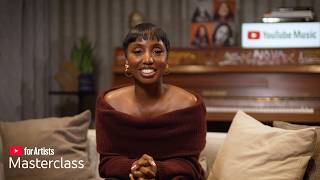

Over 30% of YouTube users watch live streams
60sThe surprising stat instantly proves live streaming is a massive opportunity for any artist.
▶ Play Clip"Delivers exactly what the title promises: a practical, example-rich masterclass on going live with YouTube, with minimal fluff."
In this YouTube for Artists masterclass, artist partnerships manager Sheniece Charway walks through the foundations of live streaming on YouTube—from prerequisites and technical setup to release-cycle strategy. She shares real artist examples, stats, and best practices to help artists turn live streams and premieres into deeper fan engagement.
Live streaming supports music both creatively and strategically, giving fans a front-row seat to real-time moments. Artists control the scale, can monetize via tickets, product tags, super chat-style support, and ads, and turn passive viewers into an engaged community.
In early 2025, over 30% of YouTube users watched live streams on average, and streams remain available on demand, continuing to attract new fans after the event.
To live stream, your channel must be verified with a mobile number, have no live stream restrictions in the last 90 days, and you should enable live streaming at least 24 hours before your planned stream to avoid delays.
Typical artist streams fall into casual lives (candid chats) or tentpole streams around major moments. Example: Tomorrow by Together celebrated their album with unboxing, choreography, trivia, music video preview, and games, reaching 90% returning viewers and 540k+ chat reactions.
Stream from mobile, desktop, webcam, encoder, or console. Pick vertical or horizontal — or use dual streaming in the live control room to broadcast both simultaneously and maximize reach via the Shorts feed.
Use the live control room to fill in title, description, category, monetization, chat settings, and visibility, then when it's time, go to YouTube Studio > Live Control Room > Manage, select the stream title, and press Go Live.
Encoders unlock screen sharing, external cameras/mics, multiple audio tracks, special effects, and advanced multi-camera productions. Choose one from the help center for your setup.
Three phases: pre-release (set up premiere, plan stream, add thumbnail, promote), release day (remind fans, engage in chat, pin a greeting), and post-release (archive stream as VOD, clip highlights to Shorts, add collaborations).
Kenya O's live stream before her 'Bella Donna' premiere drove 74% of watch time from subscribers, with 1 million reactions and 30,000 chat messages.
Premieres let fans watch a new video together with live chat. Example: Theodora's premiere for 'Masacono Mle' got 18k+ reactions, and 80% of first-day global views came from subscribers.
Live redirect moves fans straight from a live stream to a premiere or vice versa. To set it up: create a premiere, schedule a live stream, then add live redirect in YouTube Studio.
A live stream is real-time content; a live redirect is an usher guiding audiences to a premiere; a premiere layers live chat over an on-demand video with chat replay after it ends.
Test gear on an unlisted link at least one day in advance, clear all copyrighted audio with your distributor, set chat moderation controls, and draft a run of show.
Music fans watched 1.4B+ hours of music videos monthly on TV in late 2024 to early 2025. Stream in the highest quality possible — Two Friends streamed in 4K with Quinn92.
Stream on a consistent schedule to build habitual touchpoints. Example: creator '80s' streams a variety of content and over 70% of their live stream views in 2025 came from subscribed fans.
Going live on YouTube is a powerful, flexible way for artists to deepen fan relationships and extend the life of their music—if you plan around the release cycle, use premieres and live redirects, and stay consistent.
YouTube
service
YouTube Studio
tool
Live Control Room
tool
Encoder
tool
YouTube for Artists
link
Sheniece Charway
person
Wizkid
person
Dave
person
Georgia Smith
person
PinkPanthers
person
Ray H
person
Tomorrow by Together
person
Yeri Ma
person
Kenya O
person
Twenty One Pilots
person
Theodora
person
Two Friends
person
Quinn92
person
80s
person
What percentage of YouTube users watched live streams on average in early 2025?
Over 30%.
02:30
What are the three prerequisites for live streaming on a YouTube channel?
Verified channel with a mobile number, no live stream restrictions in the last 90 days, and live streaming enabled at least 24 hours before the stream.
02:42
What two main categories do typical artist live streams fall into?
Casual live streams (candid chats) and tentpole streams around major moments.
03:34
How many chat reactions did Tomorrow by Together generate during their album celebration stream?
Over 540,000.
04:25
What is dual streaming on YouTube?
Streaming in vertical and horizontal formats at the same time, toggled in the Live Control Room.
04:53
What happens if you don't enable live streaming at least 24 hours in advance?
It may delay your live stream.
03:08
What is a live redirect?
A feature that brings a live stream audience directly to a premiere or another live stream, like an usher guiding fans to the main event.
14:23
What percentage of Kenya O's live stream watch time came from subscribers?
74%.
10:22
How many reactions did Theodora's music video premiere receive?
Over 18,000 reactions.
12:06
What are the three phases of a release cycle for live streaming?
Pre-release, release day, and post-release.
09:02
Why should you archive a live stream after the release?
So fans can catch up on demand and extend the life of the content.
10:51
How many hours of music videos do fans watch monthly on TV screens (late 2024 to early 2025)?
More than 1.4 billion hours.
17:15
What percentage of 80s live stream views came from subscribed fans globally in 2025?
Over 70%.
18:11
What is a premiere in YouTube?
A watch page with live chat where fans co-watch an on-demand video, with chat replay after it ends.
11:28
Live streaming is mainstream
Hard data point: 1 in 3 YouTube users regularly watch live streams, justifying live as a core format.
02:30Align live streams with the release cycle
Three simple phases (pre, day-of, post) turn live streams from one-off events into a repeatable promotional engine.
09:02Live redirect removes friction
Automatically moving fans from a live stream to a premiere keeps momentum without requiring the audience to do anything.
13:39Test and prep before going live
Testing gear on an unlisted link, clearing audio rights, and pre-setting moderation are concrete steps that prevent stream disasters.
15:05Consistency builds subscribed live audiences
One creator shows 70% of live views came from subscribers, proving habitual streams deepen fandom and loyalty.
17:43[00:04] joining us at another YouTube for artists masterass. Today we're going to chat about live streaming on YouTube and the real-time experiences you can create with it for your fans. Whether you're a savvy streamer or deciding to go live
[00:16] for the first time on YouTube, we'll dig into YouTube's tools that can help you engage with your fans deeper and make content something fans can truly experience with you. First things first, let me introduce myself. My name is
[00:28] Chenise and I'm an artist partnerships manager for air in London. I spent my last seven years championing the underrepresented voices on the platform. some of your favorite global artists like Whiskid, Dave, Georgia Smith, Pink
[00:42] Panthers, Ray H, and more. Today we're going to talk about the foundations of live streaming, how to integrate live tools into your release schedule, and We'll also be showcasing some great artists who've done a really good job at
[00:55] utilizing the live streaming tools. If you have any questions, be sure to drop them in the live chat so your local reps can dig into them after. With that, let's get started. So, why go live on YouTube? For
[01:08] starters, it's a powerful way for you to support your music, both creatively and strategically. Going live on YouTube gives fans and new audiences a front row seat to your biggest moments as they happen. YouTube
[01:21] allows you to use real-time energy to rally your audience around moments both big and small to help fans feel like they're there with you. And the best part, it's all up to you. You control the scale from a full production to a
[01:34] casual session right from your phone. You pick the subject. You can the experience exactly how you want it for fans and bring fans into your world. revenue. You can sell tickets to your live show, tag products for fans to
[01:50] shop, enable supers for direct support, and run ads during your stream. It's also an opportunity to deepen the connection with your fans by creating unforgettable real-time moments. Imagine a global community of fans chatting,
[02:05] reacting, and engaging directly with you and each other. This transforms passive viewing into shared experiences, building a loyal community that invested in your next release. Live streams can also expand your reach. YouTube's
[02:18] algorithm recommends your stream to new viewers, and when streams remain available on demand, you can continue attracting new fans long after your live stream is over. In fact, we're seeing fans show up for live stream content
[02:30] fans show up for live stream content more and more. In early 2025, over 30% of YouTube users watch live streams on average. The appetite for live content advantage of the momentum? Once [clears throat] you decide you want to
[02:42] add live streaming to your YouTube strategy, where do you start? Well, in order to live stream on your channel, you need to check a few boxes. First, you'll need to verify your channel with a mobile number. You'll also need to
[02:54] have no live stream restrictions in the last 90 days. And most importantly, your channel. If it's your first time going live on YouTube, please remember it's incredibly important to enable live streaming at least 24 hours before you
[03:08] plan to stream. If you don't follow these steps ahead of your time, you may risk delaying your stream. To enable live streaming, head over to YouTube and tap the create button marked with a plus sign on either mobile or desktop. Click
[03:21] or swipe to go live and enable live streaming by requesting live stream access and verify their mobile connected to your channel. From there, you'll be will allow you to manage your stream. More on that in just a few minutes. Once
[03:34] you're all set to start your first live stream, it's time to plan what kind of stream you'll have. We typically see live streams for into either casual live streams, think candid lives to casual chat with fans in real time or show what
[03:47] you're up to, or 10 pole streams, but around a major moment such as a music video premiere, an album anniversary, a big announcement, and even a major performance. Take Tomorrow by Together for example. They gathered fans on a
[04:00] live stream to celebrate their album the star chapter together and they did a lot. They unboxed their new album merch for the first time, demonstrated the callography to their new music, answer trivia questions related to the album,
[04:13] previewed a new music video, and played some fun games. They checked in and responded live to fan comments throughout the hourong stream. Their stream saw a 90% global audience of returning viewers to the channel,
[04:25] returning viewers to the channel, generating over 540,000 chat reactions. excited to watch and engage with one of their favorite artists. Live engagement can turn fans into active participants. Next, decide what type of device you
[04:38] want to stream from. There are multiple methods of streaming: mobile, desktop, webcam, encoder, and console. And finally, choose the aspect ratio you want to stream in, vertical or horizontal. Can't decide? On YouTube,
[04:53] stream in both formats at the exact same time. If you're already planning a horizontal stream, just toggle on the dual streaming in the live control room to add a vertical feed. While it's not required, we highly recommend doing both
[05:07] to maximize your reach since vertical streams land right in front of your viewers scrolling the short feed. For example, Yeri Ma is an artist who used Vertical Life to connect with fans right before the release of her Dear Trevor
[05:20] Deluxe album. She gave fans a behindthescene look at getting ready for her new release event while also talking about new music fans were about to hear. Ultimately, the choice is yours based on your preference and what feels authentic
[05:33] to you. Once you have the live stream enabled and you know how you plan to go live, you're ready to start or schedule your stream. To go live, simply select the create button with a plus size on mobile or desktop and select go live.
[05:47] schedule a future live stream, or just test a stream on an unlisted or private link. You can manage and monitor your live stream in the live control room. a live stream and navigate the live control room. If it's your first time
[06:02] streaming, you'll see a pop-up welcoming you to YouTube live control room. Since we are scheduling a stream, select later since we're going to be using existing webcam. We'll next select builtin webcam. From here, you'll fill out the
[06:16] details of your upcoming stream. Starting on the details tab, you'll be asked to add a title and a description. Choose a stream category, add a setting. Additionally, you can add the
[06:30] stream to any pre-existing playlist if you would like. Then, tap next. Depending on your channel, you may see a rights management section where your label or distributor to ensure this is filled out properly.
[06:45] Next, if your channel is monetizing, you'll be brought to the monetization section where you'll be able to choose your streaming monetization settings. If customization section. Under customization, you could choose to
[06:58] enable live chat, select who can participate in the chat, and more. Tap next again to be brought to the visibility section where you can select your live stream's visibility as well as choose your schedule time. If you're
[07:12] information to your stream before the watch page goes live, we recommend having it listed under private or unlisted. Once completed, select done. You've now scheduled your first stream. You'll be brought to the stream preview
[07:27] window where you can edit your stream's title, schedule time, and visibility. Here you can also have a deep dive into the chat settings including community moderators, participants, and more. To close this window, select done.
[07:43] Once it's time for your live stream, you can navigate back into the live control room via YouTube Studios by selecting create button and then selecting go live. When you're ready to go live, navigate
[07:56] the manage tab on the left side and select your live streams title. You will be brought to the stream preview window. Once again, when you are ready, select go live. Once you get the hang of live basics, you may be wondering, how can I
[08:10] add customizations and special features to my live stream? This is where Encoder comes in, which allows you to unlock further customizations for your stream. An encoder lets you share your screen, use external cameras and microphones,
[08:23] use multiple audio tracks, or add special effects on screen. You can also use third-party tools to stream with multiple remote participants or use screen sharing software and manage an advanced production with multiple
[08:37] cameras, video inputs, microphones, and media assets. Keep in mind, each encoder different setups. If you want to use encoder in an upcoming stream, you can
[08:49] can choose from in our help center. For a step-by-step walkthrough on how to set live control room, check out our resources tab. Now that we've gone over some foundations of going live, let's
[09:02] talk strategy, specifically how to weave live streaming into your release cycle. We've broken the release cycle into three phases. Pre-release before a new release is out, release day, the day that you release a new music or video,
[09:15] and post-release after your release is out. Let's walk through each one. In the pre-release phase, set up your video premiere and plan a live stream before or after your premiere to build hype and momentum around the release. You could
[09:29] also utilize a live redirect to funnel the audience seamlessly from your live stream to your music video or vice versa. Be sure to also add a thumbnail to schedule live stream to stand out. And finally, promote your live stream
[09:43] and or premiere across socials to gather all your fans in one place on YouTube. On the day of release, it's a good idea to remind fans of your live stream or premiere by sharing the link on socials. Consider also reminding fans by creating
[09:56] a post on YouTube. Finally, you can upload a short right before and tag your upcoming video as related video. If you decide to go live before or after the premiere, be sure your live stream is engaging, answer fan questions, give
[10:09] them a behind the scenes look, and make it special. On the premiere page, stay active in the chat and pin a greeting to welcome fans. Kenya O, for example, held a live stream prior to her premiere of her music
[10:22] video, Bella Donna, and saw 74% of her watch time come from subscribers, proving how live streams can be a powerhouse for fan participation and retentions. Fans even engage deeply during the live stream, leaving 1
[10:35] million reactions and 30,000 chat messages. After your release is out, you can archive the live stream as a video on demand so fans can catch up or life of your content and adding to the visual storytelling for your new music.
[10:51] Taking from 21 Pilots, they use a live stream to tease the new release of their song and video drum song. They made the content available on demand and the word of the teaser got out amongst fans. Views on the stream increased by 20%
[11:04] stream. stream, consider compiling highlights from your stream and posting those highlight clips to shorts. If you feature another artist or a guest in
[11:16] your live stream, you can also add collaboration. Be sure to continue engaging with fan comments under your stream or premiered music video, too. Now, let's take a closer look at premieres and library direct to get a
[11:28] better understanding how these features connect together. A premier is a feature that allows fans to watch a new music video or any new video on a share watch page with a live chat similar to how it look like if you tune into a traditional
[11:40] live stream. It could be a great way to build hype and further anticipation for your new release as well as strengthen your community by allowing fans to co-watch and react together. For example, Theodora hosted a music video
[11:53] for Masacono Mle where her most dedicated fans were able to come together, interact with each other, share realtime reactions, including over 18,000 reactions during the premiere and showed their support for the new music
[12:06] video. In fact, on the first day of release, more than 80% of global views came from subscribers of her channel, showing her fan base was anticipating those new visuals. You can set up a premiere during the upload process in
[12:18] YouTube Studio by checking set as premiere. A watch page is created as Meaning you can share the link to your watch page, leave comments, and engage in the live chat before your premiere even begins. Then you can personalize
[12:32] your premiere, watch page, and experience for fans. For instance, you can add a trailer to hook viewers with a 15-second to 3 minute teaser that plays on loop on your watch page until the video is out. Pick a countdown theme by
[12:46] setting a custom countdown timer in YouTube Studio under setup premiere to signal to fans that the main event is about to start. Own the live chat. Drop in the chat early to greet fans and set the five. You can also pin a featured
[13:00] message or reply directly to comments. Remember, direct engagement can go a long way for your fans. You can also customize the chat to your comfort level by assessing moderators, blocking specific words, limiting the chat to
[13:13] subscribers only, or turn it off entirely. Drop premier merch and tag release related products so fans can shop while they watch. Consider incentivizing fans by tuning in by offering exclusive merch or a limited
[13:26] item that is only available during the premiere. Just make sure your virtual merch store is connected to your YouTube beforehand. Earlier we mentioned the feature live direct. If enabled, live direct brings fans from your live stream
[13:39] directly to the premier watch page or vice versa as it's about to start. Fans don't even need to lift a finger. The best part is super easy to set up and it all be done right in YouTube studio. First set up a premiere for an upcoming
[13:54] video. Separately set up a schedule for your live stream. Then add live redirect even the YouTube studio or in the live control room. People often get a live stream, a live red direct, and Premier Mix since they all work so seamlessly
[14:09] together. So, let's break it down. A live stream is what you traditionally think when you go live, which includes a content streaming live in real time. Live redirect is a function that helps bring the audience of a live stream
[14:23] directly to a premiere or a new live stream. Think of it as an usher bringing your audience to their seats for the main event. A premiere creates a live experience around an ondemand video through live chat. After the premiere
[14:37] ends, the video appears just as a digital video would with a live chat replay available for fans to experience the conversation again and again. So, here's how all three tools work together. You can start with a live
[14:51] stream to connect with your fans. Use live redirect to effortlessly guide them to the premiere and then everyone enjoys your new video together. Let's explore a few tips and engaging hacks that help you level up your live stream strategy
[15:05] on YouTube. To start, make sure your stream runs as smoothly as possible. To ensure this, we recommend you keep these tips in mind before you hit go live. First, test your gear, connection, and more at least one day in advance. Test
[15:19] on an unlisted link so you and only your team can troubleshoot the test run. Second, clear your audio. If you're planning to use copyright protected recommend coordinating with your distributor to make sure the stream is
[15:35] clear to use with all the audio within it. Otherwise, the stream may be interrupted and flagged to our copyright team by a content ID system. Third, prep your chat guardrails and set up your preferred moderation controls before the
[15:50] camera rolls. And finally, draft a run of show. While staying authentic is key, mapping out a light schedule or talking points beforehand can help maximize this rare moment of undivided fan attention.
[16:03] No matter the scale of your live stream, you want as many fans to join as possible. To build and engage your YouTube audience, consider these key ideas. Publish compelling content. Maintain a
[16:15] consistent upload cadence across both shorts and long form video. Track your stats. Keep a close eye on your YouTube analytic studios. Nurture your fandom. Engage directly with your community and build spaces
[16:29] where fans can connect with each other. Drive reminders as Showtime approaches. Actively encourage fans to hit the reminder button. Girls set a post to remind their fans of the upcoming live stream celebrating the
[16:44] release of their new track Commerce and offered fans in LA the opportunity to attend in person. This hype of a live event can inspire fans to set reminders and tune in. Something else to think about is where fans are tuning into your
[16:57] stream or premiere. More and more fans enjoy major music moments on their TVs. In fact, music fans watch an average of more than 1.4 billion hours of music videos every month on TVs in the late 2024 to early 2025. On TV screens, fans
[17:15] can still see and participate in live chat whilst watching a stream or a premiere. Knowing this, it's a good idea, if possible, to stream in the highest quality you can. Take two friends for example. They collaborated
[17:28] on a live stream with Quinn92 in anticipation of the release of their music video for their song Way It Was. They made the stream available on demand and made it possible to watch it in the highest quality all the way up to 4K.
[17:43] get some clear indications that your fans have an appetite for your streams, consider streaming relatively consistently. This doesn't have to be every day or even every other week, but create consistent touch points where
[17:56] create consistent touch points where fans can expect to catch you live. Look at live strategy for example. 80s does a variety of live streams different interests and personalities from gaming to cooking that keeps the
[18:11] biggest fans on YouTube leaned in. In fact, over 70% of 80s live stream views in 2025 came from subscribed fans globally. And with that, our time has come to an end. Thank you so so much for joining
[18:26] valuable and helped you understand how you can go live on YouTube and customize your strategy to fit you and your fans. As always, for more artist resources,
[18:38] check out YouTube for artists at artist.youtube.com for all our latest tips and how to grow and thrive on YouTube. I want to say thank you so much for joining us and we'll see you next time.
⚡ Saved you 0h 18m reading this? Transcribe any YouTube video for free — no signup needed.