
YouTube's Secret Auto-Dubbing Hack
45sReveals a hidden YouTube setting that automatically translates videos, offering a simple, actionable growth hack viewers can immediately apply.
▶ Play Clip"The title promises 'not what you think' but delivers standard growth tips with a few AI tools; solid but not revolutionary."
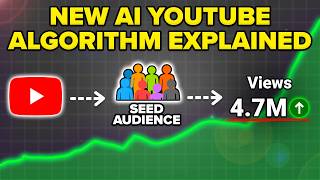
The video presents five YouTube algorithm hacks aimed at increasing views and subscribers, including automatic dubbing, repurposing long-form content into Shorts using AI tools, connecting Claude to YouTube for content strategy, focusing on titles and thumbnails, and adopting a forward-looking mindset.
The creator introduces the video as a list of five YouTube algorithm hacks they wish they knew sooner, citing their channel with over 90,000 subscribers and experience helping others grow.
Go to YouTube settings > Channel > Automatic dubbing. Turn on 'Allow automatic dubbing' and optionally 'Manually review dubs before publishing' to translate content into other languages, increasing reach.
Use AI tools like Nexus Clips to automatically generate YouTube Shorts from long-form videos. Upload the video, and the AI finds viral moments, edits them, and adds subtitles, saving time and effort.
Connect Claude (or similar AI) to your YouTube channel to get data-driven suggestions for titles, descriptions, tags, and trending video ideas. This allows the AI to pull real YouTube data instead of generic advice.
Invest most effort in the title and thumbnail, as they determine click-through rate. Use curiosity loops and before/after visuals to attract viewers, as shown in examples from fitness and YouTube growth niches.
Avoid dwelling on past analytics or mistakes. Instead, focus on creating the next video and improving it based on what your audience wants today. This mindset shift helps you move forward and grow.
The video emphasizes practical, AI-driven hacks and a mindset shift toward forward momentum, encouraging creators to leverage tools and focus on click-worthy packaging to grow on YouTube.
How do you enable automatic dubbing on YouTube?
Go to settings > Channel > Automatic dubbing, turn on 'Allow automatic dubbing' and optionally 'Manually review dubs before publishing', then save.
00:26
What is the purpose of using Nexus Clips?
To automatically generate YouTube Shorts from long-form videos, with AI finding viral moments, editing, and adding subtitles.
01:04
What is the benefit of connecting Claude to YouTube?
It allows the AI to pull real YouTube data for titles, descriptions, tags, and trending video ideas, making suggestions more relevant.
03:19
What percentage of effort should be spent on title and thumbnail?
80% of effort should be on title and thumbnail, not the content itself.
07:25
What mindset shift does the creator recommend?
Stop over-analyzing old videos and focus on creating the next video, improving it based on current audience interests.
09:45
Automatic Dubbing Feature
A practical, underused YouTube feature that can expand reach to global audiences with minimal effort.
00:26AI-Powered Shorts Creation
Shows how AI tools can automate content repurposing, saving time and effort for creators.
01:04Connecting AI to YouTube Data
Demonstrates a novel way to get data-driven content ideas by giving AI access to real platform data.
03:19Title and Thumbnail Priority
Emphasizes that click-through rate is the gatekeeper to views, a key principle for content packaging.
07:25Forward-Looking Mindset
A motivational principle that focusing on the next video is more productive than dwelling on past analytics.
09:45[00:00] to know about five YouTube algorithm hacks that I personally wish I would allowed me to get more views, get more subscribers, and ultimately get those of you that don't know who I am,
[00:12] subscribers. I've got this channel with over 90,000 subscribers, and I've helped hundreds of thousands of people grow faster on YouTube just like you're implement these tips if you want that to happen. Hack number one that you want to
[00:26] YouTube is automatically translating all of your content into other languages to help you increase your views. Here's how you do that. Okay, so here's how you're on your YouTube channel, you want to come over to settings in the bottom
[00:39] left-hand corner right here. Then, you want to click on channel. You want to scroll down right here, we're going to see automatic dubbing. You need to make sure allow automatic dubbing is going to be turned off and then manually review
[00:52] dubs before publishing. You could have that for experimental languages only if you want just to make sure that it's not putting anything crazy out there, or if enough. Click on save, and now your content will be dubbed to other
[01:04] languages, so other people will be able to able to see it. Hack number two is turning all of your long-form content, be it a long-form YouTube video or a stream that you did somewhere else, into YouTube Shorts. This is what the largest
[01:18] channels on YouTube are doing right now. Mr. Beast is doing it, Gary Vee's doing what you're thinking, Rob, I don't have a team in order to do this myself. But now, you don't need one because guess what? AI tool that can help you do this
[01:31] without hiring anybody. And that's exactly why I strongly suggest that you use Nexus Clips in order to do this for you because their AI is going to find going to edit it for you, and it's even going to add subtitles. So, all you have
[01:44] to do is upload the long-form video, and boom, you're going to get viral shorts ideas straight from that that are ready to publish. Here's how it actually So, you literally just log in in Nexus Clips and sync up your YouTube channel.
[01:57] right here and you're going to see edit clip right here. Edit clip is if you already have a clip and you wanted to do it or video to clips if you want AI to actually generate clips for you. Simply click on create clip right here. You
[02:10] scroll down to the video that you want to create clips for, for example, this drop the video file in here. If you don't know how to do that, they have a very simple tutorial on how to actually do it. As you can see, this then goes
[02:22] through and processes and actually figures out what parts of the video that though, I can highlight the top things moments that demonstrate effective use of task scheduling or anything I put in
[02:37] here, click generate new moments, I'm going to skip this step and boom, this is going to go through and actually generate those for me. So now Nexus all these clips and it gives you a score of how likely this is to potentially go
[02:51] here, all I have to do now is click create clip up here. I could go ahead and I can adjust the length. For example, I want this to be 17 seconds, then I click into edit up here, which will bring me in here where I can now
[03:04] stickers on here. I can add subtitles. I can change framing and then boom, export strongly suggest you go to the pin comment below and register for Nexus no-brainer. It's going to help you increase your views, increase your
[03:19] subscribers without you doing extra work because their AI features are amazing. sure that you have YouTube hooked up to Claude because this is going to allow should be posting about, your descriptions, your tags and all of that
[03:34] to be able to grow faster on YouTube. And by the way, I have a full length my channel. If you do want to check it out, here's what this allows you to do. Now we can actually come over to Claude and say something like, "I am making a
[03:48] video with this title. Give me and a description for it. And then what this will actually for it. And then what this will actually do is use YouTube in order to actually
[04:01] figure this out and isn't just going to be using some random Claude stuff. For example, this actually goes over here, gives us a description right here, makes us the timestamps that we will be able to adjust. Then this goes through
[04:14] thing that we could do is we could come back over here and we could see something like I am in the YouTube growth niche, pull what videos are
[04:26] growth niche, pull what videos are trending right now from channels under trending right now from channels under 100k subs, give me ideas based on that. hooked up to YouTube, this is actually going to be able to go through. It is
[04:39] going to search using available tools right here. And we could see that this is now running in parallel to find video outliers in my niche for this specific topic. If we just ask Claude this without it having access to anything,
[04:52] random stuff. But guess what? Since it's connected to YouTube, it has outlier data right here and it tells us exactly what four patterns are working right now, which one is the biggest, and then it gives us 10 different video ideas
[05:07] about cloning YouTube channels, about AI slop, about the YouTube collapse, about gaining subscribers using only AI tools, but all these different things and what And then guess what? We could say something like, let's go with your
[05:24] number one choice. Please script the video out video out based on one, how I script my videos. I'll put the parentheses, you have this information. And then I'll put two,
[05:40] how the original video was done. We want a version of it that peaks curiosity in the
[05:52] in the beginning and that will hold our average viewer for a longer period of time. And now again, Synthesis has access to YouTube, this is going to understand how one I script out all of my content, two
[06:08] through and did theirs and we can actually get this to go through and watch the original video in order to determine. So this goes through, it's watching these different videos and this
[06:20] is now going to go through and actually write as a script not only based on how I script, but based on what is actually working on YouTube. So it's taking both of those things into consideration to actually give us something that our
[06:32] watching, our audience is going to enjoy what's going to more likely than not end up happening is you're just going to be creating content that nobody actually cares about, that nobody is actually
[06:45] interested in because Claude or ChatGPT or Gemini, whatever tool you're using doesn't actually have access to YouTube or the ability to watch videos, pull data from there. But when you hook Claude up to it, it makes it 10 times
[06:57] doing this is actually watching this content and then going through the transcript to find the exact phrasing patterns and then it goes through and actually builds our script. And now look, this actually went through and
[07:10] gives us this entire script right here. We have the hook, we have step one, we have step two, we have step three, we have step four. This goes through the reason, this goes through the closing CTA and then this actually goes through
[07:25] the different retention anchors that it used, the curiosity loop map that it used and B-roll density notes, which is pretty amazing. Hack number four is you 80% of your effort into your title and your thumbnail and not into your actual
[07:41] content yourself. And once I started to understand this is really when my because what you need to understand is that nobody is watching your video without first clicking on your video, which is really the most important part.
[07:54] most creators end up skipping or just not thinking about. Let me show you a few examples. Okay, so if we actually come over here and we type in something like how to get big biceps, right? What we are going to notice if we actually
[08:09] we click on these videos, we could see that this video is before and after, this video is before and after, and both of these videos are performing like crazy. The top one got 11 million views, this one right here got 728,000
[08:24] views. Then if we scroll down a little bit, we could find something that didn't do as well. And we'll notice that the reason it didn't do as well, like this one right here, grow massive arms, is because it's pretty easy to assume that
[08:36] this guy was just always jacked. There was no before and after, there was no curiosity loop. It's just like, "Yeah, I don't really trust this guy." But if we come back up here, you trust a before and you trust an after because if you're
[08:49] what you look like right now. And obviously on the right is what you want come over here and type in something like how to grow on YouTube. The top to 1,000 subscribers. This one, the subscribers are increasing as we could
[09:04] see right here. Same thing here, subscribers are increasing. If we scroll that didn't perform as well, for example, this one right here says top five secrets, shows 15,000 subscribers grow fast. But other than that, like I
[09:18] said, there's really no before or after. And if we scroll down a little bit more, we might find another video that does something similar like this video right here. Don't be consistent with a little Minecraft character. Again, really not
[09:32] capturing people's attention right here. If we look at the videos that are doing attention, they're bright, they're opening up a curiosity loop, and you same thing in your content, whether you're uploading a long-form video or a
[09:45] short. Now, that last hack is really going to be a mindset shift, and that is that you need to stop over-analyzing your videos, over-analyzing your analytics, and what you instead need to be focused on is the next video that you
[09:58] are going to make and making that video better. Because at the end of the day, optimizing your old content, going through and spending time analyzing your the past in life. Whenever you dwell on the past, you're not moving forward, and
[10:12] all you're doing is keeping yourself grounded in the mistakes that you made yesterday or the thought process that you had yesterday, and that isn't what's actually going to help you get monetized on YouTube. It's definitely not what's
[10:24] on YouTube, and if you're looking to blow up on YouTube and get a lot of views, you want to make sure that you are not focused on what you did wrong going to do right today or audience is
[10:37] day, the future doesn't exist, the past doesn't exist. All that you have is right now, which is why you want to be optimizing for what your audience actually wants to see today, for what kind of content you should be creating
[10:50] shadowbanned on YouTube right now, you have that feeling in your gut, I would strongly suggest you check out this video right here that walks you through you're shadowbanned, and two, if you are shadowbanned, how to actually fix it.
⚡ Saved you 0h 11m reading this? Transcribe any YouTube video for free — no signup needed.