
Why Your YouTube Channel Fails Before You Start
45sDirectly addresses the audience's fear of failure, creating an emotional hook that resonates with aspiring creators.
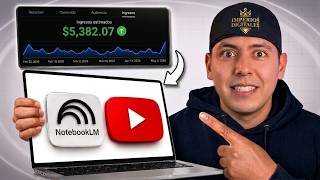
▶ Play Clip"The title promises a complete tutorial for earning $5,000/month, and while the tutorial is solid and actionable, the income claim is not substantiated with direct proof, making it somewhat oversold."
This tutorial demonstrates how to use NotebookLM, a free AI tool, to research and model successful YouTube channels, eliminating guesswork and creating content with a higher chance of going viral. The process involves identifying outlier videos, generating validated topic ideas, and producing scripts and visuals with AI assistance.
Many people freeze before starting a YouTube channel due to uncertainty about whether their topic will interest an audience. This doubt destroys projects before they begin, often leading to abandonment when initial videos don't perform.
The solution is to use a free tool (NotebookLM) to get answers based on real information, not assumptions. This approach avoids relying on personal preference and instead uses data to guide content decisions, all without needing a camera, face, or voice.
The core strategy is to 'model' successful channels, not copy them. Modeling means understanding why something works and building your own version with a different angle, language, or persona. Copying is just changing a few words.
Social Blade provides general estimates of a channel's performance, but these are estimates, not confirmed figures. It's a starting point to gauge if a channel is doing well before modeling it.
Look for videos with significantly more views than the channel's average. A recent outlier is a prime candidate for modeling, as it indicates a topic that resonates and may not have been widely modeled yet.
Create a NotebookLM account with Gmail, create a new notebook, and add two sources: the link to the channel you're modeling and a detailed command (master command) instructing NotebookLM to act as a professional YouTube content strategist.
Ask NotebookLM to generate 10 video ideas for a new channel, ordered by potential. Then, validate the chosen topic on Google Trends by searching for the main keyword, filtering by YouTube search, and checking for consistent interest over time.
Ask NotebookLM for a complete video script based on the modeled channel's style. Then, use ChatGPT to create a character description based on a screenshot of the channel's visual style, making enough changes to give it its own identity.
Use ChatGPT to analyze the script and provide a numbered list of scene descriptions. Generate each image with the same character reference to maintain consistency. This ensures you know exactly which image goes with which part of the script.
Upload the images in order to CapCut, add animations, transitions, zooms, and text to emphasize key points. The process is simple and doesn't require professional editing skills.
Use ChatGPT to inspire a thumbnail based on the modeled channel's style, but make it unique. The thumbnail is the first thing people see, so it must grab attention and accurately represent the video's content to avoid high bounce rates.
Treat YouTube as a real online business, not a hobby. Consistency is key; with repetition, you'll improve and can generate passive income. The algorithm rewards channels that are consistently open to the public.
By leveraging NotebookLM for data-driven research and AI tools for content creation, you can model successful channels and create videos with a higher chance of going viral, all without needing to be an expert or show your face. Consistency and a business mindset are essential for turning this into a passive income stream.
What is the difference between 'modeling' and 'copying' a YouTube channel?
Modeling means understanding why something works and building your own version with a different angle, language, or persona. Copying is just taking the exact same thing and only changing a few words.
02:32
What is an 'outlier' video in the context of channel analysis?
An outlier is a video with significantly more views than the average of other videos on the channel, indicating it went viral.
06:20
What are the two sources you should add to NotebookLM for channel modeling?
The link to the channel you're modeling and a detailed command (master command) instructing NotebookLM to act as a professional YouTube content strategist.
05:23
Why is it important to filter Google Trends by 'YouTube search'?
Because you're publishing on YouTube, so you want to know specifically what people are searching for on that platform, not on other websites.
08:43
What does it mean if a keyword shows a 'constant level of interest' on Google Trends?
It indicates the topic is 'evergreen', meaning it's not a passing fad and there is still interest over time, which is a good sign for a video.
09:26
What should you do if Google Trends shows no graph for your keyword?
Try a shorter or more general version of the keyword. If nothing comes up, it might mean the topic is too specific to have measurable search volume, but it doesn't necessarily mean it's a bad idea.
09:52
Why is it important to keep the character consistent across all images?
To avoid the character appearing with a different face in each scene, which would look unprofessional and inconsistent.
13:10
What is the purpose of creating a numbered list of scene descriptions?
To know exactly how many and what images you need to illustrate, and to ensure you know which image goes with which part of the script during editing.
13:23
Why is a compelling thumbnail crucial for a video's success?
Because it's the first thing people see, and if it doesn't grab attention, nobody will click on the video, regardless of its quality.
15:25
What mindset is essential for turning YouTube into a passive income business?
Treat it like a real online business, not a hobby. Consistency is key, and you must be open to the public every day for the algorithm to show your content.
16:33
Modeling vs. Copying
This principle is the foundation of the entire strategy, emphasizing ethical and effective content creation.
02:32Identifying Outlier Videos
This is a practical, data-driven method to find content that resonates with audiences, increasing the chance of success.
06:20Filtering by YouTube Search
This specific detail ensures the validation is relevant to the platform, avoiding misleading data from other search engines.
08:43Character Consistency
Maintaining visual consistency is a professional touch that builds brand identity and viewer trust.
13:10YouTube as a Business
This mindset shift is crucial for long-term success, emphasizing discipline and consistency over short-term gains.
16:33[00:01] start a YouTube channel, but you actually froze right at the beginning because you didn't know if the topic you had in mind would really interest people, your audience, or anyone else. And that doubt, without you realizing it
[00:15] , is what basically destroys most projects before they even begin. What if people don't like it? What if that happens? People actually publish content blindly without
[00:28] any data behind it, without any research, and when nobody sees it, they simply leave it there and abandon the channel. I understand because it's happened daily and say, "Franco, this is my problem." That's why
[00:42] I'm creating this tutorial for you today. If you're the person I 'm talking to, this is for you. Pay close attention because I have the exact solution. I'm going to show you how to completely eliminate that doubt using a
[00:55] free tool that gives you answers based on real information, not on his position. Remember, regarding the algorithm, you can't just assume that something will convert, that people will like it because I like it. Not at
[01:10] all. You have to base your approach on information, on real data, all without needing a camera, without needing to show your face, record your voice, or even be an expert. Now, if you've been
[01:23] wondering how I can work directly with Primo Franco, how I can have one-on- one, personalized, or group video calls with him, how he can coach me, and above all, how he can review and audit the content I
[01:37] need to remove, add, take out, or put in to get results much faster? And not only that, but also access to a platform with pre-recorded classes so you can go at your own pace, and more. I invite you to my new
[01:51] mastermind/digitalempirescommunity. I'll leave a link below in the description of this video, and I'll see you inside. Okay, now I'm going to focus here on my screen. The main objective of this video is to
[02:03] show you how you can use Notebook LM, which is a paid plan, but the free version is extremely complete, I would say, enough to content production machine. That's what I like about it. And with this tool, you can model
[02:19] successful channels like the one you see on my screen. Look at this. You're not going to copy at all. You're going to model, and that means using the same structure, style, and approach that you already know works, but telling it in your own
[02:32] voice—not yours, but artificial intelligence's, you know. Your own different angle. So, what are you going to do? You're going to copy. I don't copy, you're going to model. Copying is really just taking the exact same thing and
[02:48] only changing a few words. Modeling, however, is understanding why something works and building your own version. From there, you give it the same approach, let's say, but adding your own flavor, your own voice—not your
[03:02] AI's—your own persona. And that makes it completely 're modeling a video in English and you do it in Spanish, it's already different, okay? Because it's another language, another persona, another, absolutely
[03:15] everything. Exactly. So, before we dive in, I want to show you something quickly. You can use a website called Social Blade—I've shown it many times on the channel—that gives you general estimates of how
[03:27] any YouTube channel is doing. Listen, this is very important to understand. Why? Because they are estimates, not confirmed or least you have an idea. And I'm not going to tell you that this channel earns that much money
[03:40] per month, because even I don't know that for sure, and that's the truth, and it would be a promise I can't keep. What I can tell you is that these tools help you get a general idea, I think, of whether a
[03:53] channel is doing well or not before you try to model it. So, that's what earning, and that's what you can gain absolutely nothing from. I 'm not telling you any specific amount or making any promises that
[04:07] deep down, I'm not involved with that channel. Okay, now you might say, "Franco, but that's the only way to see if a channel is doing well," and the answer a channel is doing well," and the answer is, no, my friend. Not at all. Not at all.
[04:20] The first thing you have to look at is the tracks and the number of subscribers. For example, this one you see here has almost 9,000 subscribers, and its most popular videos get over 30,000. Up to almost 400,000
[04:34] views. Almost half a million. That's incredible. Okay. She posts content about secrets and tricks our grandmothers used, home remedies, personal care, and similar topics, all presented in a rather nostalgic way, with
[04:46] pretty illustrations in her thumbnails. I love that. That already tells you there's something working there, because not all her videos perform the same. Some obviously take off much more than others. And that's exactly what you
[04:58] need to identify before deciding what you're going to model. And simple. Okay? Let's get straight to the step-by-step. The first thing you're going to okay? I don't want you to go away; I want you to focus here. The first thing you're going to
[05:10] LM notebook account with your Gmail address and create a new notebook. Okay? There, you're going to add two things as reference sources. The first is the link to the channel you have to model, or that you're going to model. You add them by clicking on "
[05:23] Add Sources." And the second is a command with very detailed instructions on what you want Notebook LM to do for you. So, for professional YouTube content strategist, help you identify patterns of
[05:37] success, and deliver scripts with a certain tone and style. And the more detailed you are in that document, the better results you'll obviously get, because at this point, Notebook LM always analyzes your
[05:49] sources first before answering anything. And for that, I've prepared, as always, a [cough] master command that you see on my screen, ready for you to below in the description of this video. You click on "Add Sources,"
[06:04] So, with those two sources loaded, the first question you're going to ask it is if it can detect any outliers within that channel. An outlier significantly more views than the average of the other videos on the
[06:20] channel, for example. Okay, an example. Ah, let's say the last 16 or 20 videos on the channel, almost all of them have an average of, let's say, 5,000 or 10,000 views, okay? And one video that was posted a week ago, out of those last
[06:35] 16 or 20 videos, has 100,000 views. So, each one has 5,000, 7,000, 8,000, 5,000, 7,000, 8,000, 10,000, at most 5,000, 4,000, somewhere around there. And then suddenly one video has 100,000 views, and then the rest, the one from 3
[06:48] or 5 days ago, has 8,000, and so on. But that 100,000-view video is the different one, it's the standout video, right? It's a video that went viral, so, especially if it's recent, bingo, my friend. That's the video you have to... Modeling. So at
[07:02] this point, I need you to understand that this isn't actually complicated at all. It's basically opening the channel, seeing how many views its videos have, and identifying an outlier—that different, distinct video with the most
[07:16] views. And the best part is that if it's recent, even better. This means almost no one, perhaps no one, has modeled it, and you'll be the first person, and the chances of the algorithm exposing you
[07:28] in this way are much, much higher. Second step: you ask it to higher. Second step: you ask it to well for a new channel and to order them according to the potential it detects in each
[07:41] topic. This helps you stop choosing, for example, ideas completely at this point, Notebook LM is using the information from the channel you just loaded as a reference. That's very important. You
[07:54] could do that yourself, but it would take hours to locate the content and so on. But since it doesn't show you the exact search volume at this point, what Next, we're going to review those ideas on Google Trends,
[08:06] which is like an extra step so you can safely check what you're going to model. Now, once you have those 10 titles, choose one and go to Google Trends, which is free, and paste
[08:18] the main keyword for that title. For example, look, I'm going to choose this one here, which says, "Why did n't our grandmothers have wrinkles at 60?" The nighttime habit we've forgotten. Boom. Oh, wow, perfect. And to validate it on
[08:30] Google Trends, I'm not going to paste the full title, obviously, because Trends short, to-the-point keywords. Okay? So, I'm just going to search for " wrinkles," and you can filter by YouTube search directly. I like that.
[08:43] , which is the default or standard option. And this is key because you're going to publish, remember, on YouTube, right? On different websites, What you're interested in is knowing specifically what people are searching for on
[08:58] that platform. So I also change the time frame to something broader to get a more complete view, and I broaden the scope to include only the country and the entire the United States, Peru, or Argentina, no. I'm going to the whole world
[09:12] based on what the entire planet is obviously searching for regarding shows that "Wrinkles" has maintained a fairly constant level of interest over time, with some peaks, let's say, but without any major drops, which
[09:26] is also important. This makes it look like a somewhat evergreen topic, meaning that searching for it, but that doesn't guarantee that our video will work. However, it does obviously indicate that it doesn't seem to be a passing fad and that there is still
[09:39] interest in the topic over time. Boom, I like that. Now, it can happen that when you search for your keyword, Google Trends tells you that there isn't graph. It happens, no problem. If this happens to you, I repeat, don't worry. Do
[09:52] n't worry, it's more common than you think. So, try an even shorter or more general version of the keyword. And if nothing still comes up It might mean the topic is
[10:04] too specific to have measurable search volume on Google, the world's largest search engine. automatically mean it's a bad idea, but rather that it's a topic without
[10:18] much information. That's all. Okay? That's it. It doesn't necessarily mean you wo video about it. Not at all. In this case, you're simply relying on the data Notebook LM already gave you. I mean, if
[10:31] Google Trends doesn't provide the information you need, you just focus on Notebook LM's analysis of the 're modeling and go with that. That's it. Okay. Now, with the title
[10:44] validated, you're going to ask Notebook LM for the complete video script. Using found in the channel you 're modeling. And here's something very detailed instruction at the beginning on
[10:58] how to structure the content, the script they're going to give you will be clean, without any extra text or scene directions you don't need, literally ready to copy and paste directly into Capcat. Capcat, my
[11:12] favorite video editor, offers a wide library of voices, yes? Artificial voices with AI to convert any text to description so you can access Capcat right now and create an account because
[11:26] that's the editor Primo Franco and people like him, like me, yes, who don't have professional editing knowledge, use because Capcat makes our lives much, much easier. Now, third step, we're going to create
[11:39] your character. So, you take a screenshot of the character, or at least of the visual style of the channel you're modeling, upload it to the GPT chat, and paste the description of this video into it. In the space between the brackets,
[11:52] like this, okay? You write the specific changes you want to make, for example, changing the gender, age, hair color, clothing, all of that. Then, Chat GPT will
[12:04] give you a complete written description of a new character, but above all, maintaining some general elements of the illustration style. But pay attention to that: make enough changes
[12:17] so that it has its own identity and isn't an exact copy of the video you're modeling. I repeat, that's very important because we're not copying anything at all; we're modeling. So, by giving it these commands that I'll
[12:30] created so you can simply copy and paste them—it will create a similar but different version, but obviously without losing, we could say, that originality of the character you're modeling. We're
[12:45] but trying to make it very similar so that we also have a chance to go viral with the YouTube algorithm. Okay? So, you then use that description to generate the image and save both the
[12:58] image and the text that Mr. Chat GPT gave you, because you'll reuse them every time you need to create new scenes. This way, you'll be able to keep the character consistent throughout all your videos. I've
[13:10] telling you that this is important because otherwise, your character will appear with a different face in each scene, everything will be different—and we don't want that. We want them to look the same in every scene. That's why
[13:23] step is so important. Now, before you start generating ALARP images, you need to know exactly how many and what you need to illustrate. To do this, open a new chat within Chat GPT. Paste the
[13:37] ask it to analyze it and give you a numbered list with the description of each scene that should be illustrated in the same order they appear in the narration. Now, each description must always include the same reference for
[13:51] just created, so that it remains consistent across all the images. Then, you give them to Mr. Chat GPT one by one so that it can generate each image in the corresponding order. Then, when you get to CapC,
[14:04] which is our editor, at this point you already know exactly which image goes with which, or part of the script. So, you don't get confused without having to the order while you're editing your
[14:17] super easy—it's basically just voice and images—you don't want to be guessing. Okay? So this step is very important. Now, with the script, the images of your character already numbered in order, and the style defined, the last
[14:30] step, my friend, is to put the complete video together, right? Let's say in Mr. Cupc or Cap. Okay, so you click on "new project," upload the images in the order you've already defined. You can animate these images in
[14:43] really just a step A little more advanced. You add transitions, zooms in and out to add color to the video, and obviously, the text is also important to emphasize certain parts or highlight
[14:56] important concepts. That's it! You have your finished video without repeat, you don't need to be an expert at all. Now, you create the thumbnail. Mr. Chat GPT will inspire you, again, with the
[15:12] thumbnails published by the channel you 're modeling. See what colors they use, what the text says, what font, style, and text they use. Take those references and ask Chat GPT to create a similar one, but based on the
[15:25] the thumbnail is the first thing people see, so it must grab the this: your video can be the best, the prettiest, the most beautiful, the best attention, first of all, nobody is going to
[15:40] to... Having the opportunity to see how beautiful, edited, and well-crafted artificial intelligence, is crucial. Therefore, creating a compelling thumbnail is very important . It should always represent what the viewer will actually find
[15:55] thumbnail that has nothing to do with the video, because click on your thumbnail and watch the video, if they see in the first 30 seconds that it doesn't leave the video. The algorithm doesn't
[16:08] time will decrease, and the algorithm will stop showing your videos altogether . So, this process is easy to implement as long as you're determined
[16:21] to make it happen. This can become a real online business, but remember, it's a matter of consistency. With lots of repetition, video after video, you'll improve, and your editing will get better each time. At this point, I
[16:33] can tell you from my own experience that YouTube can become a real business that... Generate passive income 24/7, but you must treat it like what it is: a real online business, not a hobby. It's like a store or restaurant that you have to
[16:46] open every day store, your YouTube channel, is open to the public every day, and so the algorithm can show it to them every
[16:58] day. So, if you liked this video , give it a like, share it with information could help, and if you want more proof—yes, from inside my computer—showing you how Primo Franco is growing and scaling
[17:10] channels with artificial intelligence from zero to over $3,000 in just 30 days, I'll show you proof. Again, watch this video that appears on the screen, and if you want to see how my client, one of my clients, applying what I teach, managed to
[17:22] bill over $4,000 in just 30 days as well, watch this other video that as well, watch this other video that appears on the screen in Check It.


⚡ Saved you 0h 17m reading this? Transcribe any YouTube video for free — no signup needed.