
YouTube No Longer Needs Producers?
45sBold claim that AI replaces human producers sparks curiosity and debate among creators.
▶ Play Clip"Title accurately reflects the video's core message: the AI can replace many producer tasks, though editing is still needed."
This video explores the capabilities of YouTube's built-in AI assistant, 'Ask the Studio,' which can handle nearly all YouTube tasks except video editing. The presenter demonstrates how this free tool can optimize videos, generate scripts, analyze performance, and even act as a virtual producer, potentially replacing the need for human producers.
The AI lives inside YouTube Creative Studio and handles all tasks except editing, effectively replacing the need for a producer.
The AI can generate high-quality previews, effective titles, descriptions, and marketing-optimized sales text to increase click-through rates.
It can select tags and write accurate timecodes for videos, saving time.
The AI helps choose topics by analyzing viewers and niche, then assists in writing scripts, including optimal length and hooks.
It can suggest topics, interactive options, polls, quizzes, and audience engagement strategies for live streams.
The AI analyzes channel comments to understand viewer concerns and pain points.
It provides a summary of channel performance and can explain why specific videos succeed or fail.
The AI can analyze performance over the last 28 days and suggest improvements.
Users can attach a link to a specific video for targeted analysis or optimization.
Interact with the AI as if it were an advanced friend; ask specific and clarifying questions.
The AI can make mistakes and may sound confident even when wrong. Users should verify its suggestions.
The AI is free, while human producers charge $1,000-$2,000 per month for similar services.
The AI has long-term memory but does not save ongoing dialogues across sessions. It can remember user preferences and goals.
Occasional glitches occur, but YouTube usually fixes them quickly.
Unlike GPT Chat, YouTube's AI is free, has no limits, and is pre-configured for YouTube tasks like generating previews in correct aspect ratio.
The AI may perform worse after 5 PM Moscow time due to high load from active regions.
Users need to provide clear, detailed prompts and explain goals to get effective results. The AI can be refined with additional prompts.
Ask the AI for a 'ready solution' to avoid explanations and get copy-paste results.
The AI adapts to user style over time, similar to a car learning driving habits.
AI-generated thumbnails work well for educational or news videos, but live footage thumbnails are better for niches like bushcraft or cooking.
Use A/B testing to compare AI-generated thumbnails with other options to determine effectiveness.
The user is ultimately responsible for decisions; the AI is not infallible.
The AI may suggest topics that are illegal in certain regions (e.g., bypassing blocks). Users must filter suggestions.
The AI saves time and money, produces results comparable to human producers, and handles most tasks except editing.
YouTube's 'Ask the Studio' AI is a powerful, free tool that can replace many functions of a human producer, from content planning to analytics. However, users must remain critical and verify its suggestions, especially regarding legal and niche-specific considerations.
What is the main function of YouTube's 'Ask the Studio' AI?
It handles all YouTube tasks except editing, including optimization, script writing, and analytics.
00:02
What does the AI do for video optimization?
It generates previews, titles, descriptions, and marketing text to increase click-through rates.
00:35
How does the AI help with live broadcasts?
It suggests topics, interactive options, polls, quizzes, and audience engagement strategies.
02:41
What is a limitation of the AI's long-term memory?
It does not save ongoing dialogues across sessions; only long-term memory persists.
08:54
How much do human producers typically charge per month?
$1,000 to $2,000 per month.
06:37
What is the recommended communication style with the AI?
Speak to it as if it were an advanced friend, asking specific and clarifying questions.
04:48
When does the AI's performance degrade according to the video?
After 5 PM Moscow time due to high load from active regions.
12:11
What should users do to get a copy-paste result from the AI?
Ask for a 'ready solution' or 'copy and paste' result.
15:39
In which niches are AI-generated thumbnails less effective?
Niches like bushcraft, cooking, or nature where live footage works better.
18:24
What is a potential legal risk when using the AI?
It may suggest topics that are illegal in certain regions, such as bypassing blocks.
21:30
AI Replaces Producers
Declares that YouTube's AI can replace human producers for most tasks, a bold claim that sets the video's premise.
00:02Cost Savings
Highlights that the AI is free compared to human producers costing $1,000-$2,000/month, emphasizing value.
06:37Prompt Engineering Importance
Stresses that effective use requires clear prompts and goal explanation, a key technique for AI interaction.
12:54Thumbnail Niche Suitability
Provides actionable advice on when to use AI thumbnails vs. live footage, based on niche.
18:24Legal Filtering Needed
Warns that AI may suggest illegal content, emphasizing user responsibility.
21:30[00:02] artificial intelligence that lives inside your YouTube creative studio and handles all YouTube tasks except editing. I can confidently declare: "Now YouTube no longer needs producers. You can
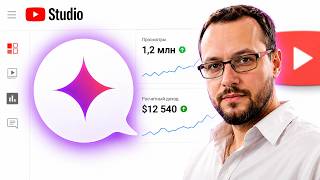
[00:18] solve everything by asking the studio." This feature is always available in the upper right corner of your creative studio. This is what she looks like. You click on the icon and an assistant opens. Today we'll take a closer look at how it works and
[00:35] what features it decides to ask the studio for. Firstly, this is a complete and total optimization of your video. Ask the studio to generate high-quality previews for your video with the correct prompt. ask the studio. Selects
[00:49] effective video titles, creates video descriptions, and can even prepare marketing-optimized sales text for descriptions to increase click-through rates. Ask
[01:02] the studio, they will select tags for you. You can also give it a command to select tags so that you can simply copy them and paste them into the tags. Ask the studio to write time codes for your video and write them quite accurately.
[01:15] You no longer need to waste time writing time codes, it selects hashtags. He is a full-fledged producer. That is, you can use this tool, and while I’m saying all this, you can actually see short
[01:29] inserts of how it all works, yes, you can use this tool to prepare a script. It all starts with choosing a topic. ask the studio. It does a great job of analyzing your regular viewers and your niche, and can even provide some information
[01:44] about your competitors. He can't get into all of the competitor analytics. It works only within the framework of your channel analytics. But in general, he is able to assess the interest in the niche. And, in fact, with the help of this tool, you can
[01:58] choose the most promising topics for your channel, uh, serial content direction, what your regular viewers will respond to best, and then write about this topic specifically. That is, first he gives you some topics, then you choose a
[02:13] specific topic and say: “Help me put together a script.” You ask what would be the optimal length for a video. Next, you ask how you should optimally begin this video to ensure maximum retention
[02:26] both in the first 30 seconds and throughout the entire duration of this video, what techniques to use to hook the audience and how to correctly conversion action so that they click on links, and so on. That
[02:41] is, he even helps you build some kind of funnel. for live broadcasts too. He can choose the topic. They can select interactive options, such as what questions to ask viewers during a live broadcast, what poll to include
[02:55] , what quiz to conduct during a live broadcast, what to remember during a live broadcast, how long a stream should be , how best to interact with the audience, and what pain points the audience has. He
[03:09] can analyze all the comments on your channel and understand what concerns viewers. Who are your audience? What is the best way to interact with them? This is part of content preparation. Next, ask the studio to act as a powerful analyst of
[03:23] your content. And what he is capable of doing. First, it gives you a summary of your channel's performance. This function is already built in, starting from the main page. It immediately shows you a brief summary of the effectiveness of
[03:36] your videos. Again, you see all this in the version of my projects. And you can click on details and find out why a particular video is effective, or why it fails, and the intelligence will tell you everything. You can conduct a
[03:50] targeted assessment of the channel. Moreover, there are pre-prepared request templates Studio. It's quite suitable for beginners to start communicating with this artificial intelligence. You can understand why
[04:04] your channel has had such results over the last, say, 28 days and what you can do to improve them. or why the statistics increased, or why they fell. You can request analytics for individual videos. You
[04:17] can attach a link to ask the studio if they specifically worked on a want any targeted action, be it preparing a preview, optimizing a video, or detailed analytics, you can use the plus button or just a link to, uh,
[04:34] specific video. You send a dialogue to ask the studio for a link or attach a specific video and give the task. Now how, exactly, can we communicate with this artificial intelligence? You need to communicate the same way you would with
[04:48] some advanced friend of yours who is savvy on YouTube, or the same way you would communicate with me and Kanade. So, you have a question, for example, your channel is developing, but you haven’t enabled monetization yet. You say: "Denis,
[05:00] how can I set up monetization? Is it even possible to make money in Russia or Belarus ?" I'm telling you, yes, it is possible to make money. Monetization through friendly countries works to secure your channel. Connect through an
[05:12] individual AdSense account and use the link in the description. Write to the Telegram bot, and we'll help you set up monetization. Everything will be as transparent and safe as possible. You will see every step of opening and
[05:25] confirming your personal Adsense account and will be able to earn good money without any worries. YouTube pays $15-$2 for every 1,000 views. Here is my recent video about Turkey. Look at his statistics, they might
[05:40] inspire you, how to earn there in 40 minutes , I don’t know, 2-3,000 rubles. Not bad, I think. From just one video, and the more of them, the more you earn. So, let's enable monetization; don't lose money on empty
[05:53] views. So, to communicate with intelligence, you need to ask the studio as if it were an advanced friend. He understands normal speech. Ask him specific questions. Don't limit yourself to one question, ask clarifying ones. And here it is
[06:07] applicability, because this artificial intelligence is not the ultimate truth. Like any neural network, it can make mistakes, but its model is programmed so that it doesn’t go wrong. That is, he always
[06:22] speaks, so to speak, with confidence. And he will rub out some pretty confident things for you, which can sometimes throw you off course a little. But guarantees, they just take a pretty significant amount of money from you, say, $
[06:37] 1,000-$2,000 a month, while the Intellectuals don't ask the studio for money , while providing, well, comparable quality of service, because producers mainly do? They give you topics, they give you previews, they give you video packaging, and
[06:51] they come back with feedback. That, in principle, is the entire role of producers. They can do installation for an extra fee . Well, first of all, right now, uh, there are a huge number of applications for editing using artificial
[07:04] intelligence. At the very least, subtitles can generate, uh, some inserts, make selections. That is, it does not solve the essence. And you can find an editor yourself or learn editing yourself. Basic skills are
[07:16] not at all difficult to learn there. And, specifically, the function of producer is performed by the YouTube creative studio. So, you need to ask more clarifying questions and give more detailed, more comprehensive answers. Besides,
[07:32] ask the artificial intelligence, the studio has long-term memory, and it needs to be used. You can tell this artificial intelligence that this artificial intelligence that please remember that my Telegram bot
[07:44] has a link like this. Oh, by the way, my Telegram channel Canadden is in the description. This is already for you, friends. And in it, especially for those who watched it, especially for those who watched the video up to this point, I’m posting a file with a
[07:57] selection of top niches that are working great right now. There isn't a huge selection, but these are solid niches that provide views, conversions, and monetization and advertising. Absolutely free. Follow my
[08:12] Telegram channel Canadden using the link in the description. Take the file, basically, in the latest post and subscribe. There will be a lot of useful information there. Guys, thank you for the likes and a bonus for those who watched to the end. Accordingly,
[08:26] long-term memory. He can remember some of your techniques for communicating with the audience, what is allowed and what is not, useful links and use them later. useful links and use them later. It can also remember any goals
[08:40] you set when working with your YouTube channel, when working with your competitors you focus on in order to give you a more accurate answer. And one more feature of the work. E work within a
[08:54] single dialog box. This artificial intelligence does not store an ongoing dialogue for the entire period of your interaction with it. So, you're communicating within a page, achieving results, but then, for example, you
[09:06] close that page or refresh it, press F5 on the keyboard, the page refreshes, everything resets, the dialogue isn't saved, but the long-term memory of the artificial intelligence continues to work, and it mostly doesn't allow any
[09:22] errors. Now, regarding the failures. Of course, failures happen, as in any system. Therefore, sometimes it happens that this artificial intelligence does not open. You click on it, either it doesn’t respond, or just an
[09:36] empty window opens. Don't rush to panic, don't worry. Everything will be fixed soon. There may be other glitches, but YouTube is usually pretty quick to respond to these kinds of issues. Now, regarding comparison with other
[09:49] [clears throat] it is important to understand that there is a neural network race going on right now. For example, the same GPT Chat, it tries to be more efficient. There is also, in very competitive, very interesting environment, a subscription to which costs the same
[10:06] money as, for example, GPT. But again, these neurons apparently require a subscription to function properly. Subscriptions cost an average of $24 per month. And it's not even about the amount, although aspiring authors say: "Well, Dn, that's
[10:19] a bit expensive. We don't earn that kind of money." If you are a complete newbie, well, and you have questions worth 2,000 rubles. Well, I don't know, I'll leave it without comment. But there is another important point here. In order to pay for
[10:35] subscriptions to neural networks, you need to have, well, at a minimum, a foreign bank card. Not everyone has this. And that's why the guys might say that it's inconvenient for me to pay, or that it's not possible at all. But you can ask the studio for the tool, it’s
[10:49] completely free. It doesn't have any limits, it doesn't have any special certain number of tokens to generate a certain number of pictures. This crap doesn't exist. So, a full-fledged commercial
[11:03] offer for work within your YouTube channel, without requiring money for additional actions, is awesome. Moreover, this is a specialized specifically tailored, meaning it has preset
[11:16] settings specifically for YouTube. For example, if you generate a preview for your YouTube channel in GPT chat, you'll run into a problem. Firstly, it is not trained to generate previews, meaning the
[11:29] original results will be similar, but not accurate. Secondly, you'll have to refine these previews in some photo editor, because the GPS simply couldn't handle a resolution of 1920x1080 for a long time.
[11:44] for the previews. Artificial handled by default. You don't even have to talk. He already knows that if we're talking about a preview, then, accordingly, he will generate a preview for you with the required
[11:58] aspect ratio, because it's pre-configured. But GPT requires customization before setup, and still sometimes it does crap. The second thing I noticed was an interesting phenomenon. Naturally, during the day,
[12:11] week, and month, the load on the testicles is uneven. And I notice the following picture. After about 5 pm Moscow time, the jeep starts to act dumb, giving more primitive answers and frankly doing a sloppy job. I assume
[12:27] active regions where this artificial intelligence is used, well, the USA and so on, the working day begins, and people begin to inundate the jeep with requests. It seems to switch to a simplified
[12:41] calculation model and begins to produce lower quality results. quality results. is, it works more evenly and produces approximately the same result.
[12:54] artificial intelligence, you need to know the basics of building prompts and correctly direct the artificial intelligence so that it creates what you need. Don't leave it to him . Remember that this isn't some other
[13:10] person who knows how it should be, and you tell him, "Well, I don't know, like, 'Build me a garage, I'm not an expert, I need to park two cars in it.'" He goes and builds you a garage at his own discretion. Artificial intelligence
[13:23] can't be that effective. He'll certainly give you some kind of result, but it will be a Turkish random. You most likely won't like it. Maybe you'll like it by chance, but in most cases you won't. Therefore, you need to
[13:35] guide him and correct him if you get a result. But, first of all, you shouldn't agree to some mediocre option. You can always give an additional prompt, and he'll generate something better. Even if
[13:50] to the previous option, which, in fact, you have saved in the dialogue. fact, you have saved in the dialogue. Therefore, just give some clarifying Therefore, just give some clarifying explanations, add prompts and generate,
[14:03] get the result you need, and always explain, with What is your goal for doing this? This simplifies the task considerably. That is, if you give a task, for example, to artificial intelligence to create a description of your video,
[14:17] explain why. I explain that, for example, in the first lines of the description I want to place a link to my Telegram channel, because it contains useful content for YouTube bloggers, up-to-date
[14:29] information that doesn't make it to YouTube. Therefore, I want people to click through and subscribe, and Ishka will formulate a more sensible call to action, which will, perhaps , even be quite effective.
[14:42] Then, for example, I say: "I need an SEO-optimized description that will be understandable to people and will work well for YouTube algorithms, revealing the topic of the video, helping its promotion." Then I say, for example, be sure to
[14:56] add time codes to the description, add hashtags to the description, and add information about what this video is about, and what this series is about optimization for people and for algorithms. Avoid
[15:10] for people and for algorithms. Avoid spam. Well, and use high-frequency keywords there, Mid-frequency keywords to better develop the topic of a given video. For example, I'm writing a prompt like this, I'm driving it home,
[15:24] and I'll put a little pressure on the editor to do it all for you. And while I'm talking, you're actually seeing these very prompts and the result that the artificial intelligence produces for a specific video. Then, well,
[15:39] you know, if you have a tractor, scooping, for example, soil out of its shovel bucket is stupid. You need a finished result. That is, just turn on the hydraulics and dump that very bucket of clay just where you
[15:54] need it. What am I talking about? The system giving you something. Let's say it's not a finished result. And finish it off with a prompt. Say: "Give me a finished solution, copy and paste." And the system will tidy it all up. You just copy it and paste it wherever
[16:09] you need it, in the tag or in the description or in the title options. Or clarify, How do you prefer to see it? No, you know, because artificial intelligence usually gives explanations. It says: "We did this like this,
[16:21] because this part is like this." And you're like: "Damn, now I need to copy these texts from four places here , combine them. And here I have time codes, and over there are tags. Now I'll put something together from this."
[16:34] Make robots work, so that robots toil and people are happy, like in the famous composition. Robots bark. So, you can get a ready-made solution. Moreover, over time,
[16:50] artificial intelligence will further train itself for you. I also see this phenomenon, I observe it. Even taking into account the fact that dialogues are not saved due to long-term memory and, perhaps, some experience of interaction with
[17:03] you, it’s not fast. The novelty is learning, it’s already starting to give you more of what you need, understandable and convenient. Therefore, over time, the system will adapt. You know, like modern cars adapt
[17:17] modern cars adapt to the driving style of the owner. And if you drive carefully, the gears will change gears, for example, a little earlier. If you speed, the car will rev the engine to high
[17:29] rpm and will expect you to drive more actively. If you then suddenly change your driving style, you think that the car is behaving strangely. But that the car is behaving strangely. But because it has, well, in general, The systems
[17:41] have learned from your driving habits, adapted to the way you drive. The same thing happens with artificial intelligence in a creative artificial intelligence in a creative studio. So, uh, give it time,
[17:54] interact with it more in practice, and you will see the results. Now an important question about those same previews and other things. Does the AI version there replace the same preview or description and tags and so on with a real
[18:09] live human version? Everything that concerns video metadata, there the quality of the replacement is high, you can use it without worrying. As for personalized video thumbnail previews, it depends on the niche.
[18:24] It's important to understand that there are niches in which a poor live thumbnail is clickable and works much better than a generated thumbnail. And these niches are generated thumbnail. And these niches are usually associated with some kind of beautiful
[18:39] live footage, with content where people actually watch video. What am I talking about? Bushcraft, forest survival, DIY, the culinary niche, any niche related to nature. In those cases, it's better to use a freeze frame or A high-quality
[18:54] photograph. This will work much more effectively than a neural network icon. But if these are educational videos, news videos, expert videos, videos related to some viral topic, videos on relationships, videos on
[19:11] some psychological topics, and so on, neural network previews work great. That is, you need to understand the limits of applicability of this artificial intelligence and still conduct a comparison. Here we
[19:25] integrate additional tools that allow us to evaluate the effectiveness of artificial intelligence. In particular, we have the ability to test the video title, the ability to test
[19:39] the video preview, and conduct A-tests. You can enter different options there. I still recommend separating the title and preview tests. And testing the previews separately. For one title, we test three previews. For
[19:52] example, one neural network -generated one, mm, ask the studio, one still frame, and one, for example, a photograph or a designer icon. Or you can conduct comparative testing of different neural
[20:05] network previews. One Generated, ask the studio, one GPT, one or some NanoBana, for example, see which works best and make your own decision. But this is for larger bloggers, who usually
[20:19] effective models, buy two or three neural networks, pay a subscription, and use them, comparing the results. Plus, they sometimes have additional trained models specifically for their task. Accordingly, it's important to understand
[20:34] Accordingly, it's important to understand that we always test effectiveness and make decisions based on real data. See what works best and more comprehensively in your case. Also, don't be afraid to assign new tasks to
[20:49] the neural network or ask, well, why such an error occurred. Dig into the truth, but never completely trust it, because any artificial intelligence, any neural network, is, essentially, well, some kind of language
[21:03] model, you know, trained for specific tasks. It doesn't have a mind, it doesn't have consciousness. At least for now, maybe something will change in the coming years, when so- called strong artificial
[21:16] intelligence is released. Therefore, uh, the final decision is yours. You are responsible for it . There's also an important point to make regarding legislation. Again, this is based on experience. For example, if I
[21:30] ask a question on my Kanaden channel about popular topics, Neyronka suggests I make a video about how to bypass blocks. Again, I'm logging a bypass blocks. Again, I'm logging a
[21:43] Russia, it's illegal to talk about bypass strategies—it's illegal. Therefore, we don't cover such topics. If you don't filter this and act blindly, the system might recommend
[21:56] things that are problematic. Well, to be fair, YouTube producers also create problems for many people, and at your expense. Therefore, with some reasonable awareness, this tool a)
[22:10] saves you time, b) saves you money, c) produces results on par with good YouTube producers, and d) basically allows you to do all of this basically allows you to do all of this within a single YouTube creative studio
[22:24] . The only task you'll need to perform is editing. And that includes comments on editing and strategies for effective video editing. The neural network will tell you analyze the effectiveness of retention, and the quality of editing, and
[22:40] even give some technical points. It's amazing, but it really works. You tag, link to a specific video and ask questions related to editing, there, retention, quality, techniques, a way, I don't know, to
[22:53] quality, techniques, a way, I don't know, to improve the editing, and you get answers that, in general, are not without meaning, at the very least. Therefore, I recommend everyone to use artificial intelligence and ask the studio. I think we will
[23:07] hold separate classes on it in our closed YouTube club. The link will be in the description, by the way. If you haven't joined yet, join us. We have regular live calls on specific topics that we choose, and
[23:22] questions. That is, you can call me within the group and ask your questions verbally. I think this is a very convenient option. We will also be discussing various artificial intelligences, so join us. And
[23:37] there are already quite a few classes there, recordings are available. Study them, they They're all useful, they're all relevant. This is exactly what's not publicly available. Well, thanks for watching to the end, friends. Write in the comments how you
[23:50] use artificial intelligence, ask the studio what advantages it gives you and what disadvantages you see. This will be useful for all of us, everyone involved in YouTube. Be sure to watch
[24:02] the video next time; it will be strategically important for both viewers and YouTube for both viewers and YouTube channel creators. This is Kanaden. See you. Bye.
⚡ Saved you 0h 24m reading this? Transcribe any YouTube video for free — no signup needed.