
AI Summary
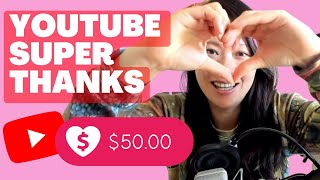
The video is a personal walkthrough by a YouTube creator who recently got approved for Super Thanks. It covers the approval email, how to enable the feature, what it looks like on videos, how viewers can donate, and why direct viewer donations matter for creators in the creator economy.
Chapters
The creator shares that they were recently approved for Super Thanks and wants to explain the process and importance of the feature.
The creator displays the email from YouTube titled 'You're eligible now for Super Thanks. Enable today.' and notes they had 18,724 subscribers at the time.
After clicking 'Enable now', the creator is taken to a page where they can enable Super Thanks alongside Super Chat and Super Stickers.
To use Super Thanks, you need a monetized channel and be 18+. The creator mentions including links in the description for more details.
Creators keep 70% of Super Thanks revenue. Availability varies by country, and the list changes regularly.
On qualifying videos, a 'Thanks' button appears. Viewers can choose donation amounts: $2, $5, $10, or $50, and pay via Google Pay.
Super Chat and Stickers are for live streams or premieres, while Super Thanks can be used on regular videos, offering more flexibility.
Direct viewer donations help creators not rely solely on algorithms, allowing them to create content that matters and grow in the creator economy.
Super Thanks is a valuable feature for creators to receive direct support from viewers, enabling them to create content they care about and engage with their audience in a more meaningful way.
Mentioned in this Video
Tutorial Checklist
Study Flashcards (4)
What are the eligibility requirements for Super Thanks?
easy
Click to reveal answer
What are the eligibility requirements for Super Thanks?
You need a monetized channel and be 18+.
01:24
What percentage of Super Thanks revenue does the creator keep?
easy
Click to reveal answer
What percentage of Super Thanks revenue does the creator keep?
70%
01:50
What donation amounts are available for Super Thanks?
medium
Click to reveal answer
What donation amounts are available for Super Thanks?
$2, $5, $10, and $50.
02:59
How is Super Thanks different from Super Chat and Super Stickers?
medium
Click to reveal answer
How is Super Thanks different from Super Chat and Super Stickers?
Super Chat and Stickers are for live streams or premieres, while Super Thanks can be used on regular videos.
03:12
💡 Key Takeaways
70% revenue share
Clearly states the financial benefit for creators, a key fact.
01:50Difference between Super Thanks and Super Chat
Clarifies a common confusion, providing actionable insight.
03:12Donations reduce algorithm dependence
Highlights the strategic value of direct viewer support.
03:50Full Transcript
[00:01] thank you so much for watching this video in which we'll talk about super thanks i got approved very recently as of today and i wanted to share this moment with you guys there are questions i want to answer and address including
[00:15] at what point that i actually received this email from there i want to show you how to enable super things on my channel what it looks like on a particular video what happens if people click on it how to actually make a donation and from
[00:27] there talking about the essence and the importance of being able to engage with viewers at this level why it matters for creators to be able to collect the donations and engage with their followers and subscribers this way
[00:39] so right here this is the email i got titled facebook media you're eligible now for super thanks enable today you may be wondering what is the status of dashboard right here as i'm receiving this email 18
[00:55] as i'm receiving this email 18 724 subscribers this is kind of random i get it it's hard to predict exactly when youtube is gonna allow you to enable that so um there are some brief descriptions and some bullet points and
[01:09] once i click on enable now i'm taken to this page some of you may already be don't even know what the difference is so i had already previously enabled super chat super stickers and there's one more radio button that was available
[01:24] to me called super thanks now at this point you may be wondering what are some of the eligibility so number one you do need to be a monetized channel you need to be 18 plus so in the description below this video i'm going to include a
[01:38] few links one is how to turn on and manage super thanks and uh in addition to that i wanna highlight or call out a few things that when youtube says that youtubers where the creator is gonna keep the majority
[01:50] of the money what i mean by that is creators gonna be receiving 70 of super thanks revenue recognized by google beyond that i also want to mention briefly about super thanks eligibility availability and policies and i always
[02:03] get these questions about fey how come it's not available where i am so here i'm showing you the availability uh listed in these countries so feel free super annoying because the list does change pretty regularly okay so once
[02:18] it's enabled what does that mean to your video i'm going to show you so that on any qualifying videos by the way most our channels will qualify for that we don't really design content for kids and nothing religious political i don't
[02:32] know exactly what the policies are but take a look at the videos that you can monetize if there are any copyright strikes and things like that you want to take care of those things earlier to avoid having issues once you're ready
[02:44] for super thanks so as you can see on any video that i have now i have once i click on that i get this little dialogue box thank face world media and as a user i can choose anywhere between two five dollars ten dollars fifty
[02:59] dollars and then from here let's say i go buy and send i'm prompted with this basically will pay through gpay or google pay and that's it in addition
[03:12] there's something i want to call out that super thanks in fact is different than super chat or the super stickers uh the chat and the stickers are something that you can use during either a live stream whether you go live
[03:25] directly on youtube or using a streaming service such as restream or when you premiere your video there's going to be a live chat window for the duration of the video you can engage with your viewers directly however super
[03:37] thanks allows you to basically collect the donations and engage with your stream i think that's really worth calling out and it gives creators a lot more flexibility in terms of when they can
[03:50] engage with donations before i close out the video i do want to talk about why these things matter whether it's super thanks or super chats any donations directly from the viewers will go a long way the amount almost doesn't matter
[04:04] because of your support creators like us don't have to just follow the algorithms just to create something that's popular instead we can actually bring forward the content that matters to us and help us grow in this creator economy if you
[04:17] with another creator let's grow together let me know what else you want me to create maybe that is not off the common beaten path and just do something a little bit different so thanks again and love to you guys and i'll see you in the
[04:30] next video bye [Music]