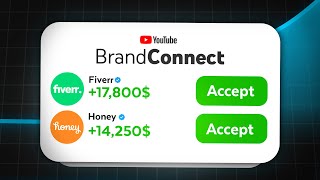

YouTube's New Sponsorship Tool Revealed
44sThe video opens with a high-value promise and insider access to a new feature, tapping into creators' desire for monetization.
▶ Play Clip"The title promises a new sponsorship tool, and the video delivers a clear walkthrough and honest critique, though it lacks deep detail on negotiation strategies."
YouTube is rolling out a new monetization feature called BrandConnect, designed to help creators secure sponsorships directly within YouTube Studio. This video demonstrates how to locate and use the tool, calculate sponsorship rates, and set up a Media Kit, while offering an honest assessment of its current usefulness based on the creator's experience earning over $50,000 from sponsorships.
YouTube is introducing BrandConnect, a platform within YouTube Studio that makes it easier for creators to get sponsorships directly.
Open YouTube Studio, navigate to the 'Earn' tab, and look for 'Brand Connect'. If it's not there, it's currently only available to a small group of creators, including the speaker.
To be eligible, you need a monetized YouTube channel in the US or India without any Community Guidelines strikes. The tool is in beta, so more creators will get access later.
After accepting terms, you can set suggested prices for long-form and short-form sponsorships and edit your Media Kit. The speaker suggests calculating long-form rates by dividing average views by 1000 and multiplying by 15-30 (a $15-$30 CPM).
The Media Kit acts as YouTube's pitch to sponsors, showing engagement stats, demographics, and allowing selection of up to four videos for sponsored integration and four other videos. It also includes audience and shopping interests to match brands.
The tool has bugs: exiting the page doesn't save Media Kit changes, and downloading as PDF fails. It feels early-stage, but the creator believes it will evolve into something useful.
BrandConnect is a promising but early-stage tool for YouTube creators to find sponsorships, with current limitations in functionality. While it may not be immediately useful, it's worth monitoring as it develops.
What is YouTube BrandConnect?
A platform within YouTube Studio that helps creators get sponsorships directly.
00:01
What are the eligibility requirements for BrandConnect?
A monetized YouTube channel in the US or India without any Community Guidelines strikes.
00:26
How do you calculate a long-form sponsorship rate?
Divide average views by 1000 and multiply by 15-30 (a $15-$30 CPM).
01:07
What is the Media Kit in BrandConnect?
A pitch of your channel to sponsors, showing engagement stats, demographics, and selected videos.
01:32
What are current limitations of BrandConnect?
Media Kit changes don't save when exiting the page, and PDF download is broken.
02:26
BrandConnect location
Provides a clear, actionable path for creators to find the tool in YouTube Studio.
00:13Sponsorship rate formula
Offers a concrete, practical formula for pricing sponsorships, valuable for creators.
01:07Early-stage tool critique
Honest assessment of the tool's bugs and limitations, helping set realistic expectations.
02:26[00:01] deals and sponsorships but struggle to actually get them and YouTube seems to be responding to this with their newest monetization feature a platform that makes it easy for YouTube creators to get sponsorships right inside of YouTube
[00:13] studio called brand connect so in this video I'll show you where to find this tool how to use it and as a Creator who's earned over $50,000 off of sponsorships across multiple channels in the last year give my honest opinion on
[00:26] its usefulness for your Channel first open YouTube Studio nav to the earn Tab says brand connect if it's not there there's not much you can really do available to a small group of creators at the moment myself included and to be
[00:41] eligible you need to have a monetized YouTube channel in the US or India without any Community guidelin strikes but even if you don't have access to it now listen up because it'll come out of beta at some point and you'll get access
[00:53] it's any good once you accept all of the platform's terms and conditions you'll be able to set your suggest prices and edits your Media Kit when setting my different rates to set long form and short form sponsorships I assumed the
[01:07] dedicated video and if you don't know the difference between those you should watch this video so calculate your rate for the long form one by getting your average views over your last few videos dividing by a th000 and then multiplying
[01:19] by a number between 15 to 30 which is the same as a $15 to $30 CPM which on YouTube is somewhat the standard for ad reads short form I didn't put anything down for so I just eyeballing or leave it blank if I were you next I filled out
[01:32] the Media Kit which just acts as YouTube's pitch of my channel to potential sponsors at the top there's all my engagement and retention stats genders and ages to the right of that I'm able to select four videos that
[01:45] sponsored integration for a brand and then also four preferably different a whole and finally there are the audience interest and shopping interest interesting certain brands want to advertise to audien say that best fit
[02:00] their target market for example a video game company prefers to advertise to people interested in console gaming and fans of new and upcoming video games and a company selling video editing tools probably wants to advertise to an
[02:12] editing and production softare YouTube has a bunch of pre-written audience interest and shopping interests and I'd assume uses the top five interests you Channel with brands that might be a good fit and to be honest with you this is
[02:26] all really cool however I realized that exiting the page meant nothing got saved in my Media Kit and when I tried to download it as a PDF it tried to print it and wouldn't download it so currently the tool feels like it's in its early
[02:38] stages because I mean it is and although I don't find it super useful to me at the moment I'm sure it'll evolve into something really cool but if you do want sponsored you should watch this video next where I walk you through step by
[02:50] step how I negotiated a sponsorship with a brand worth over $200 billion

⚡ Saved you 0h 02m reading this? Transcribe any YouTube video for free — no signup needed.