
AI Summary
In this video, the presenter demonstrates a step-by-step method for earning $1,000 using free traffic and affiliate marketing on Pinterest. He walks through signing up as an affiliate on Warrior Plus, selecting profitable offers, calculating conversion math, setting up anonymous browsing profiles with Dolphin Anty, and creating Pinterest pins with Canva. The core message is that by driving roughly 2,000 clicks to a high-converting affiliate product, you can hit $1,000 in commissions.
Chapters
The video claims to show exactly how to make $1,000 using free traffic and affiliate marketing, explaining why viewers aren't making money and how to change that.
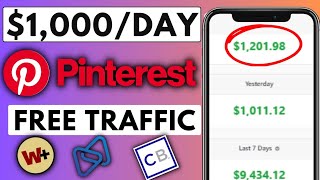
Presenter's dashboard shows $1,000 today, $9k in the last 7 days, and over $30k in the last 30 days, with withdrawals to bank and PayPal.
Create a Warrior Plus account as an affiliate with just a username, password, and email; it accepts affiliates from around the world.
Go to Affiliate > Offers and request approval for the top-listed offers first, because vendors paid to appear there and want more promoters.
Send a friendly message to the vendor — e.g., 'I can send you clicks and conversions and would love to work together, please approve' — then click Request Offer.
Set an income goal, then work backwards: a $33 product with $16 commission requires 100 sales for $1,000; at a 6% conversion rate, that's around 2,000 clicks.
From the approved offers list, click 'Get Link' to copy your unique affiliate tracking link for any product you plan to promote.
Set up a landing page and autoresponder using GetResponse's free plan; it works with Gmail and sends emails automatically even when you're away, which can triple income.
Dolphin Anty lets you create multiple browser profiles with randomized fingerprints so you can run several Pinterest accounts from one computer without detection; promo code VICTORBIG gives 20% off.
Examples of Pinterest accounts generating 6.6 million daily views and one creator with only 63 followers pulling 300K monthly views, showing reach doesn't require followers.
Create three Pinterest accounts and post to each; Pinterest will show your pins across them, making it look like different users and tripling your exposure.
Use free Canva templates (filter by 'free') and AI-generated images from image search; customize text like '5 ways to make money with AI', then download the pin.
Upload the pin in Pinterest, add a keyword-rich title and description, paste your affiliate link, choose a board, add tags, and publish or schedule for later.
The video delivers a straightforward free-traffic method: pair solid affiliate offers with Pinterest's organic search traffic and simple pin design. By focusing on the traffic number (2,000 clicks) instead of complicated funnels, a beginner can replicate the system with basic tools — though the anti-detect browser strategy carries some risk.
Mentioned in this Video
Tutorial Checklist
Study Flashcards (9)
How many clicks does it take to earn $1,000 from a $33 product with a 6% conversion rate?
medium
Click to reveal answer
How many clicks does it take to earn $1,000 from a $33 product with a 6% conversion rate?
About 2,000 clicks (100 sales × $16 commission / 6%).
04:07
What credentials are needed to sign up as a Warrior Plus affiliate?
easy
Click to reveal answer
What credentials are needed to sign up as a Warrior Plus affiliate?
A username, password, and email address.
01:36
Why should you prioritize the top-listed offers on Warrior Plus?
easy
Click to reveal answer
Why should you prioritize the top-listed offers on Warrior Plus?
Those vendors paid to appear at the top and want many affiliates promoting their products.
02:28
What message does the presenter recommend sending to request offer approval?
medium
Click to reveal answer
What message does the presenter recommend sending to request offer approval?
'I can send you clicks and conversions and I would love to work together, please approve.'
03:39
Which free tool does the presenter recommend for building landing pages and autoresponders?
easy
Click to reveal answer
Which free tool does the presenter recommend for building landing pages and autoresponders?
GetResponse — its free account supports sending from Gmail and automated emails.
06:51
What is the main function of Dolphin Anty browser in this strategy?
medium
Click to reveal answer
What is the main function of Dolphin Anty browser in this strategy?
It creates multiple browser profiles with randomized fingerprints so you can run several Pinterest accounts without detection.
09:45
Why does the presenter suggest creating three Pinterest accounts?
medium
Click to reveal answer
Why does the presenter suggest creating three Pinterest accounts?
To triple your exposure — Pinterest shows your pins across all three accounts, making them appear to come from different users.
12:16
What is the typical commission on a $33 affiliate product in the video?
easy
Click to reveal answer
What is the typical commission on a $33 affiliate product in the video?
About $16 per sale.
04:23
How many Pinterest views can an account with only 63 followers generate, according to the video?
easy
Click to reveal answer
How many Pinterest views can an account with only 63 followers generate, according to the video?
Up to 300K views every single month.
11:17
💡 Key Takeaways
The 2,000-click formula
Breaks down income goals into a concrete, measurable traffic target — the core math of affiliate marketing.
04:07Scaling with anti-detect browsers
Shows a practical but gray-area tactic to run multiple accounts and multiply reach without paid ads.
07:43Proof that Pinterest reach doesn't need followers
Demonstrates with real examples that even tiny accounts can generate massive traffic, making the method accessible.
10:49Triple-account Pinterest strategy
Explains how posting the same pins from multiple accounts exploits Pinterest's algorithm to show your content more often.
12:16Free design with Canva and AI images
Removes a common barrier (design skills) by using free templates and stock AI images to create pins in minutes.
13:10Full Transcript
[00:01] you through exactly how to make $1,000 using free traffic with affiliate marketing now I know you hear this term almost every single video you watch but because I'm going to be explaining exactly why you're not making money and
[00:16] how to start making money with free traffic using affiliate marketing now establish a little bit of clarity right here okay so over here is my warrior Plus account okay and as you can see I've made up to $1,000 to just today
[00:30] okay and yesterday I made $1,000 the last 7 days I made over 9k and the last 30 days I've been able to generate over 30 grand okay and I'm going to refresh it and give it a couple of seconds for it to load okay so as you can see right
[00:43] here everything is still intact okay and I've been able to withdraw money from this site straight to my bank account and my PayPal account okay so you as well can do this okay these guys can pay you from all these different payment
[00:57] about this video is is that you can use the strategy that I'm showing you in this video all across multiple different affiliate networks okay you can do this affiliate networks okay you can do this with jvu ClickBank dig store 24 and for
[01:10] plus you can basically do this with any affiliate Network out there okay I'm going to explain to you everything you need to understand if you watch this you you're going to start making money you don't need any money to start making
[01:23] going to be demonstrating everything on Warrior plus cuz I found out that Warrior plus actually accept affiliate from all across the world okay firstly you want to go ahead and sign up for an account okay very easily click on free
[01:36] sign up and sign up as an affiliate okay all you need is a username password and email just like that you're going to get into Warrior plus okay once you sign up you're going to be redirected straight to your homepage now obviously yours
[01:50] will be zero probably cuz you don't have any money okay but that's all going to change once you learn everything that I'm about to show you in this video okay so firstly you want to go ahead and overover onto affiliate and click on
[02:02] offers okay so this might seem pretty basic to you but if you don't understand paid cost is going to help you if you don't understand this you can't make money so pay close attention so I can break this down for you okay so what you
[02:15] want to do is to find offers so scroll down right here and you want to go ahead and request approval for all those offers so there are a bunch of offers for but I want you to focus on the one on the top because these vendors
[02:28] actually paid money to show up on the top that means they want as many promoting their product okay so what you want to do is to start signing up for ahead and click on request and I'm going to be redirected to this page okay now
[02:42] once you on this page you can take this one step further to view the S page okay you click on view sa page it's going to actually redirect you straight to the sa you can see right here this page seems pretty strong to me okay and I can go
[02:56] ahead and play this check this out on the screen in front of you is a a huge are actually very strong but in your case you want to actually very carefully watch this say video okay watch the say videos and understand what the product
[03:10] is about okay but just for the sake of this video I'm taking the make money online Niche okay but in your case you can do this with any Niche out there okay so go through the sales page and make sure the product is so good that
[03:22] you would want to actually buy the product okay so once you are done with that go ahead and apply for the product Okay click request approv on the top and write something for them okay I can be like I can send you clicks and
[03:39] like I can send you clicks and conversions and I would love to work conversions and I would love to work together please approve okay something like that after that go ahead and click on request offer and this is going to be
[03:54] sent to the vendor okay so what you want to do is to head back to your homepage and request approval for as many offers as possible okay so once you have this in place you want to go ahead and set a goal okay to set a goal of how much you
[04:07] want to make your goal can be $100 $200 or $11,000 it doesn't really matter but just set a goal and you'll see why it's important to set this goal for the sake $11,000 so in order for us to make $1,000 this product is actually $33 okay
[04:23] normally when a product is $33 we should be expecting to make anything from 16 bucks so in order for us to make ,000 we're going to be needing at least 100 we're going to be needing at least 100 sales okay so let's do 100 sales time
[04:35] sales okay so let's do 100 sales time $16 okay that's about $1600 Okay all we need is 100 sales to make up to $11,000 so in order for us to get 100 sales we want to look at the conversion rate okay so the conversion rate is actually 6%
[04:49] which means when we get up to 100 people we should be expecting to make six sales making this kind of money we're going to be needing at least 2,000 clicks or Okay be needing at least 2,000 clicks or Okay so let's do 6% of 2,000 okay 6% which is
[05:04] the conversion rate of 2,000 clicks okay that will be giving us 120 sales okay guys I'm not very good in maths but all we need to understand is the amount of thing we need to understand is that we're going to be needing up to 2,000
[05:19] Clicks in order for us to make up to $1,000 so now we know that we only need 2,000 clicks all we need to tell ourself is that the only thing standing between us and our 1,000 is 2,000 clicks okay now all you need to
[05:32] ask yourself is how do you get 2,000 clicks you don't need all the fancy videos you don't need any of that stuff okay all you need to understand is how to generate traffic so if they not approve you make sure to request
[05:44] possible okay keep in mind you can do this with other affiliate Network so going to go ahead and head over to my offers click on this drop down arrow and head over to my approved offers section
[05:57] promote this product okay so I'm going to scroll down right here okay so these are the products that I actually have access to promote so I'm going to use we all know how to get an affiliate link let's click on get link and I'm going to
[06:12] video I'll be using the residual income system okay it's actually a strong product and some of you guys have actually bought it so now I have my link I want to actually start getting traffic okay this where a lot of people fail and
[06:25] when they fail they come over to YouTube and start watching a bunch of videos these videos are helpful but some of them will just waste your time okay you you're ready to pay for some paid cost okay so I have my link right now I want
[06:39] to start sending traffic so before you can start sending traffic I recommend that you get a BRI page okay I'm not going to go over that right here cuz I okay I just want to show you the stuff you need to do in order for you to start
[06:51] actually making money so you can check out get response you can use the free account why I recommend you use get response is that with the free account you can send email with your regular Gmail email not only that you can set
[07:03] this up get response are going to be sending out emails even though you're not there okay and you can actually build landing pages with get response so set all that up but I'm going to leave a video in the third link down in the
[07:17] going to show you how to build the landing page how to set the autoresponders and how to set everything up okay so you can check out that video so set up your landing page if you actually want to 3x your income okay
[07:30] it's really powerful when emails are going automatically so set your email campaign up set everything up and once you set everything up you can start the traffic you want to head over to anti Dophin this is important okay I'm
[07:43] going to show you why this is important okay if you use this software you're going to actually run circles around people that are already dominating this why in a couple of minutes here okay so come over to dolphin or you can click on
[07:57] and once you click on that link you want to actually sign up okay go ahead and click on sign up fill out the basic information and use my promo code if you care for a 20% off okay my promo code is actually Victor big brw go ahead and use
[08:10] that and check this box click on sign up you all know how to sign up for a website okay so once you sign up you want to actually log in okay so I'm going to show you exactly how this is done okay so basically this is my
[08:24] don't want to pay you can completely dit the whole payment thing okay this is not in any way a paid method okay you're going to be doing everything for 100% and once you click on download it's going to automatically detect the kind
[08:39] of device you are on and it's going to download it for the device but I'm going to cancel this out cuz I already have this on the computer okay so once you download this very easily launch the browser and once you launch the browser
[08:51] password you used in creating your dolphin account and once you log in it's is my account right here in your case yours might be blank but it's very simple to set this whole thing up okay so once you are here go ahead and click
[09:04] the plus button you're going to be redirected straight to this page and you want to go ahead and input your name okay I'm going to do free traffic okay and once you name this you want to go ahead and choose your stats okay so for
[09:18] leave this already and I'm going to choose a tag so I'm going to go ahead and create a new tag so I want to name this tag free traffic tag okay something like this after that you can actually choose your operating system you want
[09:32] your browser to display okay so if you don't know what dolphin is it's actually you with affiliate marketing and all that good stuff and don't worry I'm going to show you why it's necessary for you to use this browser okay so very
[09:45] want your browser to display and go ahead and generate new fingerprint if you don't like the device okay so this will actually change your browser settings and it's going to make it seem like you are browsing from a different
[09:58] computer so once you have your name tags and stats go ahead and click on create going to create a brand new profile for you so once it create this profile for you make three different copies of different browser profile okay to do
[10:12] that just over onto the three dots and click on copy profile okay after that make sure the randomized fingerprint is checked and leave this on three right here and click on copy okay so what that we do is going to create multiple
[10:24] now we have free traffic one to free traffic three okay so once you have this you want to go ahead and click on start going to happen is it's going to actually redirect us straight to a
[10:37] browser window okay so basically this is what the window is going to look like so go ahead and maximize this real quick and you want to head over to Pinterest okay now you all might be wondering well why will printerest work but don't worry
[10:49] this will work for you check these guys out these guys actually have up to 6.6 million views coming to their Pinterest profile every single day as you can see right here these guys are actually posting basic post anyone can put this
[11:02] exactly how to put this together okay and they actually have 64k followers and what they do is they post all the money pins and they actually get a lot of traffic all you need for you to make your $1,000 is 2K view on your affiliate
[11:17] link okay it's that simple this guy right here has only 63 followers literally next to nothing and they actually generate up to 300K views every single month okay and they also post money related pins okay so if this guy
[11:32] has only 63 followers and they are getting this kind of views an average person that has no followers can be able to generate 100K View and with 2K view every single day you can be generating a lot of money okay and Pinterest actually
[11:46] similar web extension right here you see that similar web has up to 51 monthly visits every single month okay and most of this traffic comes from search and if people are clicking on pins like this chances are they are interested in
[12:01] making money online okay all you have to do is to send them one strong product for you to do that I suggest you use dolphin so head over to dolphin and what I suggest you do is to create three different Pinterest account okay so that
[12:16] will actually 3x your chance of getting traffic reason being that once you come over to Pinterest these pins don't actually belong to one person these pins Pinterest is not going to actually display only your pins they're going to
[12:30] display other people's pins so if you actually have three different Pinterest accounts what's going to happen is once you post on this account and post on other three different accounts Pinterest are going to be showing your own pin
[12:42] to think they are showing pins from different people but in real time they are showing your pins okay so what I suggest you do is you create three different Pinterest accounts and start generating traffic with them okay it's
[12:55] to go ahead and log into one of my Pinterest account from Dolphin right Gmail now I'm logged in I'm going to show you step by step how easy it is to create this pins and actually post this and start getting traffic immediately
[13:10] right here you can use canva on your basic browser that doesn't matter but I suggest you use dolphin so that way you can 3x your traffic okay so I'm going to head over to ca right here and I'm going to search for pain TR pin and once we
[13:25] basically what's going to happen is they're going to show you different suggest you do is to click on all filters and make sure you set this on free okay go ahead and click on free and click on apply so this will tell Cana to
[13:41] just show us only free template okay we don't want to pay any money so this is actually a bunch of make money online templates you can use this one it literally has make money and this one is a way to grow businesses so let's click
[13:53] on this one and let's customize this Pinterest print let's click on customize this template and it's going to redirect us to this page okay so while it's loading I suggest you open up a new tab and search for AI
[14:06] images okay you want to search for that click on enter okay head over to the imag section on the top and very easily download any of this image anyone works okay now I have this image I'm just going to head over to canva right here
[14:20] okay so I'm going to upload the image I downloaded and I'm going to replace that with the background drag and drop this right click and click on replace background so I can be like five ways to make money
[14:34] with AI go ahead and edit this just a little bit okay so it says 5 way to make money with AI and I'm going to change this to AI okay and I might consider changing
[14:47] the font a little bit okay it's very simple to put together all of this okay up with in a few seconds so I'm just going to go ahead and download this click on share click on download and
[14:59] basically this is what I came up with and you might be wondering well this is just an ordinary pain it's so basic no one is going to click on that it doesn't there's no way you're not going to be getting up to 10K views so I just
[15:13] to my Pinterest account let's pull up dolphin window right here and I can very easily upload this okay so if you are not that creative what you can do is to actually model what these guys have already done okay so this is a pin about
[15:26] to make money online this one is another pin and it goes on and on and on it's all over the place okay can literally copy what these guys have done and make pains it's very simple to upload these pin okay so what you can do is to head
[15:39] over to your profile okay just click on Create and once you click on create you okay and once you click on that it's going to obviously redirect you to a page where you can upload your PIN Okay click on that and locate the pin you
[15:52] downloaded okay so basically this are pin right here so for the title we can be like five ways is to make money with AI I want to be like make
[16:05] money online okay something like this and description okay you want to put in all this information so when someone actually search for make money online stuff they're going to stumble over your
[16:18] PIN okay so I can copy this and be like this is by far the fastest way okay you can be create with this and right here they're going to ask you for a link okay
[16:31] you can literally direct link with Pinterest so let's head over to our Warrior Plus account and very easily grab our link let's click on that get link again and grab our link come right here and paste your link okay and right
[16:45] a board okay if you don't have a board already just click on the drop down arrow and click on create board okay so you can be like AI make money methods
[16:57] lot of pins right here so you don't want to keep this a secret just going to go ahead and click on Create and this will be public okay once we have this you can actually add tags okay in put as much tags that's related to money as possible
[17:12] okay and you can actually go ahead and publish this or you can check this as publish letter okay and you check this you actually get options to publish this letter okay so this is a pretty powerful tool you can actually schedule your P to
[17:26] be published later okay let's say you published a pin and you don't want to actually work you can just schedule your PIN to publish by itself okay so once you have all of this very easily click on publish and boom just like that your
[17:38] can see it's published let's click on view and over here we have a nice clean pin that literally took few seconds to set up and we we're going to be getting clicks from here okay if you actually get a lot of clicks there's no way
[17:53] you're not going to make any money so I'm going to wrap this video up here value out of the video come on sub to the channel cuz I'll be uploading pretty consistently and go ahead and click the Thumbs Up Button if you got value out of
[18:06] going to talk to every single one of you all in the next video peace