
I Made $5,000 in CPA Affiliate Marketing
55sOpening with proof of earnings grabs attention and establishes credibility, making viewers curious to learn the method.
▶ Play Clip"Title promises step-by-step paid traffic method; video delivers detailed walkthrough with real earnings proof."
This video provides a step-by-step guide to CPA marketing using paid traffic, focusing on choosing offers, setting up tracking, and running ads on PropellerAds. The presenter demonstrates with a $15 Switzerland offer from Golden Goose, showing how to earn commissions per action.
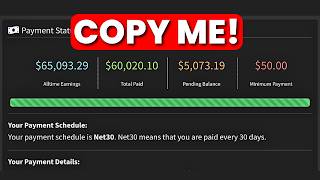
Presenter shows $5,000 pending payment, $2,000+ in Golden Goose, and $3,000 payment from Crack Revenue to establish credibility.
CPA stands for cost per action. Affiliates get paid when users complete an action like signing up with a phone number. Payouts range from $0.31 to $20 per signup.
Go to gg.agency, sign up as an affiliate using Google account or email. Dashboard shows offer walls where mobile operators post offers.
Filter by highest paying offers. Example: Switzerland offer pays $15 per signup, carrier Sunrise, two-click SMS flow.
Check landing page and restrictions. No misleading traffic; campaign stops if advertiser sends one complaint.
Create advertiser account on PropellerAds, add funds via bank card or other methods.
Copy S2S postback URL from PropellerAds, replace placeholders with {p1} and {profit} to pass conversion and payout data.
Add macros like &p1={subid}&p2={zoneid}&p3={payout} to the affiliate link for tracking.
Use Multilogin with a Swiss proxy from Sailordata to test if the landing page loads correctly.
Set campaign name, pop-under ad type, direct click, CPA goal pricing. Paste target URL with macros. Target Switzerland, mobile, Android/iOS, 3G connection, Sunrise/Salt ISPs.
CPA goal = 70% of payout (e.g., $10.50 for $15 offer). Daily budget $50, total $300.
Click start campaign; goes to moderation for 24 hours. If approved, traffic flows and conversions start.
CPA marketing with paid traffic can be profitable by choosing high-paying offers, setting up proper tracking, and targeting the right audience. Start with a small budget, test offers, and optimize based on data.
What does CPA stand for in marketing?
Cost Per Action.
01:36
What is the payout range for signups on Golden Goose?
From 31 cents to 20 USD per signup.
01:48
What type of ad does the presenter recommend for CPA offers?
Pop-under traffic.
14:26
What is the purpose of adding macros to the affiliate link?
To track conversion data, zone ID, and payout for optimization.
09:30
What is the recommended CPA goal as a percentage of payout?
70% of the payout.
15:46
Which mobile network operators are targeted for the Switzerland offer?
Sunrise and Salt.
17:21
What connection type is required for the Switzerland offer?
3G light.
17:06
How long does campaign moderation take on PropellerAds?
At least 24 hours.
18:24
CPA Marketing Definition
Clearly explains the core concept of cost per action marketing.
01:36Tracking Setup Importance
Emphasizes that without tracking, you cannot optimize ads and will waste money.
07:07Macros for Conversion Tracking
Provides a concrete method to pass conversion data between networks.
09:30CPA Goal Calculation
Recommends setting CPA goal at 70% of payout to ensure profitability.
15:46[00:01] today. And over here, you can see I have about $5,000 in pending payment. Not here called Golden Goose, I've made over $2,000 in this account. And if I come over to my email right here, you see that I also received a payment of $3,000
[00:17] Crack Revenue, which is another CPA network I'm promoting right here, okay? Now, I'm going to go ahead and reload this email, so you see this is actually a barium deposit. I'm going to reload this. And now it's downloading but I
[00:30] it's all the same. And I'm going to come back here to reload Golden Goose. And once I click on reload, it's going to reload. And up here, you can see I still have over $2,000. And now I'm going to come back to CPA Grip and I'm
[00:43] going to reload CPA Grip. And over here, you can see everything is still intact right here. Now, I'm showing you all this just to establish a that I'm not a random guy in their mom's basement that don't know what they're
[00:55] talking about. What I'm about to show you is actually what I do. Now, in this through exactly step-by-step how to get started with paid traffic. We're going to be going over how to choose the best CPA network and offer to promote and
[01:08] is important so you can see where all your conversions are coming from so you can easily optimize your ads if you get a successful campaign. And finally, I'm run ads to get conversion. Now, this is the type of information most people are
[01:22] going to lock behind a paywall, but I'm out here giving it out away for free. attention and actually learn this because this is next-level stuff right share. Now, with all that said, let's get started. Now, if you don't already
[01:36] know what CPA marketing is, it basically means cost per action. And how it works is very simple. For example, I can come over to a CPA network like this website right here called GG Agency, sign up and get a unique referral link. And once I
[01:48] promote this link and someone signs up, mostly with your phone number, I'm going to get paid. And these guys pay out anywhere from 31 cents all the way to 20 USD per sign up, okay? And these guys actually for Cosmo on inverse offers.
[02:02] software around this video, okay? So, basically what you want to do is to come gg.agency. Click on sign up on the top. I'm going to click on sign up as an affiliate. And once you do, you want to go ahead and sign up for an account.
[02:15] your Google account email address. And once you do, your new dashboard is going to look something like this. So, this is basically how a new dashboard is going to look like. Now, once you are inside of this website, you want to hover onto
[02:28] menu and click on offer walls. And you're going to be redirected page. Now, where mobile network operators come to post offers for affiliates to promote. And big companies like MTN, Glo, Airtel, and multiple mobile operators around the
[02:43] And I'm going to take a few seconds to explain exactly how this works. So, for example, this right here is an offer posted by MTN. So, I can come down here, click on view details. And once I click on view details, you're going to see
[02:55] more details about the offers, okay? So, this offer was posted by MTN, which is a mobile network provider. And this is actually a two-click flow offer. And all the user has to do is to land on this page right here and sign up to this
[03:07] So, this is an entertainment portal where user have access to music. So, thing that they are promoting. And if I can get someone to sign up for this offer right here and confirm their sign up, I'm going to actually get paid 31
[03:21] cents in this case. So, that's how this work, okay? This is just an example for you to know exactly how this works. So, what you want to do is you want to come over to the offer marketplace here and you want to go ahead and choose an offer
[03:33] them. But what I like to do is I like to come over here and click on the highest going to present me with the highest paying offers, okay? And this is paid ads, okay? And if you don't already
[03:46] know, these are inverse offers. And this company actually pays out daily with this works, okay? Because if you manage going to be billed from the money they have on their mobile network operators
[03:59] there, it's going to be credited straight to your dashboard. And that allows these guys to send payouts daily. These guys actually pays out daily. So, be promoting this Switzerland offer right here that pays out $15. So, I'm
[04:13] details and get link. And once I click on that, I'm going to be redirected attention cuz I'm going to show you some advanced stuff somewhere around this Switzerland offer and the carrier is actually Sunrise. It's sort of like a
[04:28] Switzerland. And over here is the conversion flow, two-click SMS. And by anything, you can easily come down here, click on this intercom chat box, and chat these guys and tell them you don't understand maybe what any of this means
[04:42] explain it to you. It's not that hard, okay? So, what I like to do is once I to take a look at the landing page by clicking on it. And this is exactly to. And I'm going to show you exactly how to get the traffic to this landing
[04:56] page, okay? So, I'm going to scroll down here. And over here, you're going to see restrictions of the offer. So, over here, it says promotion restrictions, no campaign stops immediately if the advertiser sends us at least one
[05:09] want misleading traffic. So, what that means is they don't want you going out there telling people that the offer is something else while they are signing they don't know about. They don't want misleading creative. Now, over here is
[05:23] we are going to come back to this somewhere around this video, okay? So, I promoting, which is this one. But in your case, you can choose any of these offers right here that you find appealing. So, I found this offer I'm
[05:36] download offer for Switzerland. Remember, these companies are already well-known, so they are trusted. All you have to do is to get this offer in front of people that have phones that have a SIM and have them fill out their details
[05:48] are already familiar with. And these companies are willing to pay out $15 for it. I hope that makes sense. So, step number one is to sign up to Golden Goose these offers right here. There are literally thousands of them. And once
[06:01] you have your offer, you want to move over to the next step. And the next step offer. So, come over to this website right here called PropellerAds. Now, have to create an account on PropellerAds, okay? So, come over to
[06:14] PropellerAds, go ahead and click on start. And once you click on start, in this case, you are going to sign up as an advertiser. So, go ahead and click on click on advertiser, you want to go ahead and fill out the basic information
[06:26] like your name, email address, and all those basic information and set up your account. You all know how to fill out an email and a password. So, once you set your PropellerAds account. Now, once you create your PropellerAds account, the
[06:40] first thing you want to do is basically add funds to your PropellerAds account So, for that, go ahead and click on add funds right here. And once you click on straight to this page. Now, over here, you can pay with all these payment
[06:53] bank card. And if you don't see the payment method you're looking for right and tell them you are not seeing the payment method and they're going to Once you fund your account, you can actually start running your ads, okay?
[07:07] So, first off, you want to go ahead and set up tracking, okay? Because without your conversions are coming from, which means you can't optimize your ads. And what that means is you're just going to be doing things blindly without knowing
[07:20] what's working and what's wasting you money, okay? So, that's why tracking is how to set this up, okay? So, come down here and click on tracking. And once you redirected straight to this page right here. So, what you want to do is you
[07:32] want to come down here and click on other tracker or CPA network. And once you click on that, you are going to see the basic instruction that they laid out right here for you. So, step number one is to copy your S2S postback URL. Don't
[07:44] complicated. I'm going to explain this so basic that everyone can understand your link from here. So, come down here you copy this URL, you want to open up a notepad and paste it in here. And once
[07:59] you do, you want to go ahead and copy this P1 right here. And I'm going to moment. So, first off, you want to copy this P1 just like this, very carefully. And you want to go ahead and replace it from this dollar sub ID down here to
[08:12] this exact point, okay? So, go ahead and paste that in. Next, you want to go ahead and copy the profit right here, carefully. And you want to go ahead and replace that with dollar payout. It's that simple. That's all you have to do.
[08:24] And what this does is this will allow Golden Goose to send conversion data and payout data to PropellerAds. So, for example, if someone completes an offer and I get paid $15, Golden Goose is going to report that to these guys right
[08:37] optimize for exactly what's working and making money. That's what this does. So, go ahead and copy this URL right here. And once you copy this URL, you want to go ahead and hover onto your profile and click on account right here. And once
[08:51] ahead and click on tracking. And once you click on tracking, you want to paste in the URL you just copied in here. And you want to go ahead and click on save changes. Now, once you do that, the next thing you need to do is to head back to
[09:04] offer we opened up right here. We want to go ahead and click on get link. And once we click on get link, we are going to be redirected straight to a page where we can copy our CPA affiliate link that we can send people to. So, come
[09:17] you copy this URL, you want to come back to your notepad here. And you want to paste that down here, okay? Now, once you have this link, you want to go ahead and add some macros to it so you can be able to track conversion. And don't
[09:30] complicated. So, I'm going to pull up my SOP right here for setting up CPA going to link this down below so you can actually get access to it. Now, I'm here, you're going to see this is actually setting up tracking for your
[09:44] target URL, okay? So, basically copy your target URL, paste it on a notepad. And over here, you are going to add these macros. So, this is actually down so you don't have to do all this complicated work that I've already done
[09:57] understand what it means, so you know how this works. Okay? So, P1 equals dollar sub ID is for abstracting conversion data. So, Golden Goose and Propeller Ads needs to be communicating conversion data, so you can see
[10:10] dashboard and also see your conversion in your Propeller Ads dashboard. Now, P2 equals zone ID is for abstracting zone ID data. Now, what zone ID actually help us to do is it helps us to see the actual zone that's making money, so we
[10:24] that's making money, therefore optimizing our ads and making us more equals to payout. This actually abstracts affiliate payout, so you can see the money you're making and see if you're actually making profit. That's
[10:39] all this complicated stuff right here. You can just come down here, copy this, basically copy this and paste it on the back of your URL. Copy this right here and paste it on the back of your URL right here. And that's all you have to
[10:53] have this link, the next thing you want to do is to go ahead and test if the that, you want to come over to this website right here called leave a link down in the description.
[11:06] literally come down here and click on download. And once you do, you want to device. And once you download this, you want to launch the software and it's So, once you are here, you just want to go ahead and click on create profile.
[11:20] click on this drop down arrow and select a folder. So, in this case, I'm going to do social media for the title. I'm going to be like Swiss link test. And after click on the proxy section. And once you click on the proxy section, you want to
[11:33] go ahead and click on this drop down and put this on https. Okay? And once you do website right here called Sailordata.com. Now, I'm going to leave should be the first link down in the description. Now, you can literally come
[11:46] And once you click on that, you're going to be redirected straight to the sign-up account or you can sign up using your email address. Okay, so sign up for the go ahead and log in. And once you log in, you're going to land on this page.
[12:00] you want to do is to go ahead and click on rotating residential proxies. Now, MB, which is enough, but if you want to buy a plan, you can literally come down here, click on buy plan. From here, you can purchase a plan for as low as
[12:13] literally two bucks. They have multiple available proxy plan that you can check out, but for this case, you can go for the $2 option because it's enough for literally choose a plan. And once you choose a plan, you can come down here,
[12:25] pay now, you can pay with any of these payment methods. And once you get a plan click on the back button. From here, you account list tab. Okay? So, once you click on that, you just want to go ahead
[12:38] and click on quick add. And once you click on quick add, a random sub account So, from here, you want to come down here and click on the usage settings want to scroll down and click on this drop down arrow. Set this on
[12:51] set this on Switzerland, you want to basically scroll down and you want to set this on https. And you want to come down here and copy your proxy. Okay? So, head back to Multilogin and want to go ahead and paste in what you copied here
[13:04] and click on a blank section here and everything is going to automatically be ahead and click on check proxy server IP. And once you do that, it's going to scan. And as you can see right here, our proxy is valid. So, from here, you want
[13:17] confirm. And once we click on confirm, we are going to have a browser profile here, we just basically want to go ahead and click on start. Now, while it's up your link. This link right here. Remember this link. Want to copy this
[13:32] it's actually clickable. Okay, so I'm going to maximize this and the link I copied, click on enter. And over here, as you can see, our link is valid. So, if you look at this landing page right here, you see it's the exact
[13:47] same thing with this landing page. So, now we know our link is valid, we can now proceed with running our ads. So, copy this URL right here and head over to Propeller Ads. Okay? Now, from here, you can basically come down here and
[14:00] click on create campaign, you're going to be redirected straight to the you want to do is you want to give your campaign a name. So, over here, you want to basically give your name. So, I can be like Swiss offer cuz this is
[14:13] whatever you want, but just name it something you can use to remember the offer right here. So, over here, you're going to be asked to add a folder. So, I'm just going to skip this part. And next, you want to choose the type of ad
[14:26] you plan on running. So, we are going to be using pop under traffic for this you want to go ahead and set this on direct click. And once you set this on here. And over here, they're going to actually ask you for your pricing model.
[14:40] So, go ahead and leave this on CPA goal. And once you leave this on CPA goal, remember you to set up your tracking. So, I've already showed you how to set important because if you don't set up your tracking, you're just going to be
[14:52] wasting your money. Okay? So, down here, you want to go ahead and paste in your target URL, you want to copy this and you want to go ahead and paste that inside of Propeller Ads. Okay? Now, once
[15:04] you do, you're going to see right here the click ID is going to be highlighted highlighted blue, which means our click ID is being targeted, which is the being targeted. Okay? So, after that, you want to scroll down here and uncheck
[15:18] someone is using ad blocks, they definitely don't want to deal with ads uncheck this. And down here, you want to scroll down and you want to select the Switzerland offer, so I'm going to do Switzerland in this case. Okay? And over
[15:32] here, you're going to be asked to include your CPA goal. So, for the CPA Goose and you want to go ahead and copy the payout of the offer right here and come over to ChatGPT and ask it what is 70%
[15:46] of the payout. Paste in the payout there and 70% of the payout is about 10 USD. here and copy this amount. And actually paste that in here. So, next, you want
[15:58] state, you want to basically leave that blank cuz you don't have any data yet. and making money and the one that's not And for the advertising budget, we have the daily campaign budget and the total
[16:12] campaign budget. So, you can literally come down here and input, let's say, 50 whatever you want. Let's say 100 bucks. And over here, at the total campaign budget, you can come down here and do, let's say, 300 USD depending on the
[16:25] after that, you want to scroll down here. And over here, you have the target want to put this on mobile cuz these are actually mobile offers for mobile input the target platform, you want to scroll down here. And for the OS, you
[16:40] want to put in Android OS and you want to put in iOS. Now, the reason you want requirement of the offer. Okay? So, over here, they are actually telling you the exact traffic they want. So, they want Android traffic and iOS traffic with 3G
[16:53] exactly what we're going to do here. So, we have our Android and iOS. Next, we version, we are going to leave this blank cuz we don't have data for that yet. And we are going to scroll down here. And for the browser language, we
[17:06] that's the landing page language that they also have here. Okay? So, after the connection type, you want to put this on 3G light cuz once again, that's you want to basically scroll down here. And mobile ISP, we are going to target
[17:21] Sunrise and Salt cuz that's exactly what we also have here. Okay? So, once we have this, we are going to ignore the zone limitation also because we don't want to scroll down, scroll down and ignore all these. You are going to
[17:34] optimize this later when you have data. Okay? So, once you have all these, you you're going to have an option to collect users who completed conversions in this campaign. So, if, for example, you want to store data of all the users
[17:47] this campaign, you can also do that here. So, when you want to run another ad, you can target them specifically. So, I'm just going to ignore this and to scroll down here. And down here, they're going to tell you to check this
[18:00] box to declare and guarantee that all your campaign meets their quality that what you're promoting is not something sketchy or something like that. And once you are done with all of that, you want to go ahead and click on
[18:12] So, once you are done with that, you basically want to come down here and click on start campaign. And once you do, your campaign is going to go for moderation. Once it goes for moderation, it's going to take at least 24 hours for
[18:24] them to look if your campaign actually meets their quality guidelines. And if it does, it's going to start running and you're going to start getting traffic people can actually fill out their information to this offer right here.
[18:37] Okay? So, that's basically how this works. Now, obviously, some ads are not going to convert, which is okay. You can always go back to Golden Goose and pick a new offer and try again. While some ads are going to be successful and make
[18:50] money. And the good thing is when you get a performing ad, it's all going to description if you'd like me to do a paid traffic challenge video where I actually challenge myself to make a profitable CPA campaign like this one
[19:03] and actually make money live and show you how this is done in real time. If me know down in the comment below. And with all that said, I'm going to wrap video. Subscribe to the channel, so you don't miss powerful videos like these.
[19:17] every single one of you in the next video. Peace.
⚡ Saved you 0h 19m reading this? Transcribe any YouTube video for free — no signup needed.