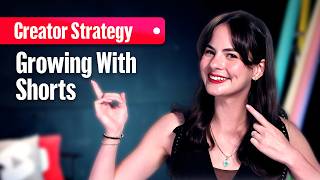

Shorts vs Long-Form: Who's Watching?
37sReveals a counterintuitive insight about different audience behaviors, making viewers question their assumptions.
▶ Play Clip"Title accurately promises strategies to grow long-form views via Shorts, and the video delivers exactly that."
This video provides four actionable strategies for using YouTube Shorts to drive viewers to long-form content, emphasizing that Shorts serve as an entry point for new audiences rather than just a promotional tool.
Some viewers only watch Shorts, others watch long-form on one topic but Shorts on another, and some explore via Shorts. Without Shorts, you miss these audiences.
Use the related video button in YouTube Studio to link from a Short to any of your videos. Match the link to viewer intent: tutorial, review, or vibe.
Use a verbal call to action, point at the link, or show the thumbnail. Ensure the Short stands alone without needing extra context.
The first few seconds of the linked video must confirm the viewer made the right choice. Avoid long intros or unrelated content.
Test new formats like vertical live streams, AI tools, stickers, and stories. Early adopters gain a massive advantage.
Viewers scrolling Shorts can see your live broadcast and tap 'Watch Live' to join, chat, send Super Chats, or become members.
Turning a 30-second viewer into a subscriber is a relationship built by design, not a hack. Use the tools to create curiosity and reward clicks.
Turning Shorts viewers into long-term subscribers requires intentional design: clear paths, compelling calls to action, immediate rewards, and early adoption of new features.
What is the primary purpose of using Shorts according to the video?
Shorts are an entry point to bring entirely new people to your channel, not just a promo tool.
How do you add a related video link to a Short in YouTube Studio?
Sign in to YouTube Studio, select Content, click the Short, then select a related video from your channel.
00:45
What should you do to give viewers a reason to click the related video link?
Create a verbal call to action, point at the link, or show the thumbnail. Ensure the Short stands alone.
01:30
Why is it important to reward the click immediately?
The first few seconds of the linked video must confirm the viewer made the right choice, avoiding long intros.
02:00
What is one of the biggest opportunities for experimentation mentioned?
Vertical live streams that can be discovered in the Shorts feed.
02:30
What can viewers do when they join a vertical live stream from the Shorts feed?
They can chat, send Super Chats, and become members.
03:15
How does the video describe turning a 30-second viewer into a subscriber?
It's a relationship built by design, not a hack.
04:00
Shorts as Entry Point
Reframes Shorts from promo tool to audience acquisition channel.
Related Video Button
Practical tool to bridge Shorts and long-form content.
00:45Immediate Reward Principle
Critical for retaining click-through viewers.
02:00Vertical Live Streams
Emerging format with direct engagement from Shorts feed.
02:30Relationship by Design
Summarizes the core philosophy of audience growth.
04:00[00:00] Want to use shorts to increase your long-form video views? Here are four strategies to turn research into growth. Here's the thing. Some people only watch shorts. They may never click on a 10-minute long video, no matter how good it is. Others might watch long-form videos about one topic, but only shorts about another. Think about it. They might watch a 10-minute tech review, but they only want 1 minute of a new dance trend. And some might watch
[00:24] both, but shorts are where they're willing to explore. >> [music] >> So, if you don't make shorts, you're never going to reach those audiences. Shorts aren't just a promo tool for your other videos. They're an entry point for bringing entirely new people to your channel. To engage them, here's what you want to do. Create a clear path. Your first job is to make it as [music] easy as possible for a viewer to go from your short
[00:48] to your longer content. You have to build a bridge, and the best tool for the job is the related videos button. This is a clickable link you can add to your shorts that points to any of your other videos, whether [music] that's a short, long-form video, or live stream. To add this link, sign in to YouTube Studio. From the left menu, select content. Click the short you'd like to edit, and then select a related video from
[01:12] your channel. But, what you link to matters. You want to match the viewer's intent. Think about why they watch your content in the first place. Did you teach them something? Link to a longer tutorial with more detail. Did you show them a cool product? Link to an in-depth review of it. Did you give them the perfect vibe? Link to where they can get even more of that vibe to love. Give them a reason to click now.
[01:36] A viewer won't click just because you want them to. They'll click because they want to. This is all about your call to action. When you use the related video feature, don't just hope they see it. Create a verbal call to action, like "Get the full in-depth tutorial by clicking the link right here." Point at the link so they know where to click, or throw up an image of the thumbnail so they know what they're getting. And
[02:00] remember, if you're clipping content from a long-form video, make sure your short still stands on its own without needing any extra context. Reward the click immediately. This might be the most important tip. Just like a thumbnail makes a promise that the video intro has to deliver on, so is a short when you use the related video link. When they click on that link, you have to reward them for that click right away. Don't start with a
[02:24] long unrelated preamble. Don't make them hunt for the information. The very first few seconds of your long video should confirm they made the right choice. Lastly, be the first to experiment. The Shorts player is always evolving, and the creators who grow the fastest are the ones who are willing to test new formats before everyone else. What worked last month might be old news today. Right now, one of the biggest opportunities for experimentation is with vertical live
[02:49] streams. These streams can be discovered directly in the Shorts feed. Viewers scrolling through Shorts can see your broadcast and tap a watch live button to jump right into your stream. It's a powerful way to take that new Shorts-only audience we talked about and instantly connect with them in a real-time interactive environment. They can chat, send Super Chats, and even become members all from the Shorts feed. And it's not just live. Be the first to try new
[03:13] AI tools, test new stickers, try new formats, tell new stories. The key is to treat new features as a playground. Not every experiment will work, but the ones that do will give you a massive advantage and help [music] you build a dynamic growing channel that's always one step ahead. So, here's the bottom line. Getting a 30-second view may be easy, but turning that 30-second viewer into a long-term subscriber, that's not a hack. That's a relationship. And
[03:37] relationships don't happen by accident. They happen by design. You now have that design. You have the tools from the related video link to vertical live to make that first introduction, to create the curiosity that makes them want to know more, to give them a reason to click, and to reward them when they do. Now, go make that connection.

⚡ Saved you 0h 03m reading this? Transcribe any YouTube video for free — no signup needed.