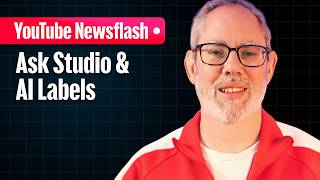

YouTube's New AI Label Rules Explained
45sThis segment explains a major policy change that directly affects how viewers see AI content, sparking curiosity and debate about transparency.
▶ Play Clip"Title accurately reflects the video's focus on AI labeling updates and new creator tools."
YouTube is updating its AI labeling system to improve transparency and user experience. Labels for photorealistic or meaningfully altered AI content will now appear more prominently—below the player for long-form videos and as an overlay for Shorts. Additionally, YouTube will automatically apply labels when its systems detect undisclosed AI content, though creators can correct errors. Other updates include auto-saving Ask Studio conversations for 30 days and new AI effects capabilities in Effects Maker.
Labels for photorealistic or meaningfully altered AI content move from description to below the player for long-form videos and as an overlay for Shorts.
Starting May, YouTube will automatically apply AI labels if its systems detect undisclosed significant photorealistic AI content. Creators can correct incorrect labels in Studio.
Labels remain permanent if creators use YouTube's own AI tools (e.g., VO, Dreamcreen) or if file metadata indicates fully generative content.
AI labels do not affect video recommendations or monetization; they are solely for viewer transparency.
Ask Studio conversations are now automatically saved for up to 30 days, allowing multiple threads and easy resumption.
Effects Maker adds Nano Banana capabilities, enabling open-prompt transformation effects and precise mode for photorealistic scene changes.
YouTube's updates aim to balance transparency with simplicity, giving viewers immediate context on AI-generated content while keeping creators in control. The auto-save feature for Ask Studio and new Effects Maker tools enhance creative workflows.
Where will AI labels appear for long-form videos after the update?
Just below the player.
When will YouTube start automatically applying AI labels?
Starting May.
00:30
What happens if YouTube's system incorrectly applies an AI label?
Creators can update the status in Studio.
01:00
Under what conditions does the AI label remain permanent?
If creators use YouTube's own AI tools (VO, Dreamcreen) or if file metadata indicates fully generative content.
01:15
Do AI labels affect video recommendations or monetization?
No, they are solely for viewer transparency.
01:30
How long are Ask Studio conversations now saved?
Up to 30 days.
02:00
What new capability does Effects Maker's Nano Banana add?
Open-prompt transformation effects and precise mode for photorealistic scene changes.
03:00
Prominent AI Labels
Moves labels to a more visible location, improving transparency at a glance.
Automatic Labeling
YouTube will auto-label undisclosed AI content, reducing reliance on manual disclosure.
00:30No Monetization Impact
Clarifies that labels are for transparency only, addressing creator concerns.
01:30Ask Studio Persistence
Transforms Ask Studio from a session tool to a persistent creative partner.
02:00Nano Banana Effects
Enables advanced AI effects without scripting, lowering the barrier for creators.
03:00[00:00] Starting today, YouTube is streamlining how AI labels work to make them even more intuitive for everyone. I'm Renee Richie, a longtime creator working inside YouTube. And here's what's up. You've told us you want transparency, but you also want the process to be simple. So, we're moving the disclosure label for photorealistic or meaningfully altered content. For long- form videos, the label is moving from the description to a prominent spot just below the player. And for shorts, it'll
[00:26] be an overlay right on the video itself. The goal here is context at a glance. If it looks real but was made with AI, viewers will know immediately. We're also making disclosure a bit more seamless. While you're still required to manually disclose realistic AI use, starting this May, YouTube is rolling out internal signals to help. If YouTube systems detect significant photorealistic AI and it hasn't been disclosed, will now apply that label automatically. If you think that
[00:52] the system has gotten it wrong, don't worry. Creators are still in control. As this technology continues to improve if a label is applied incorrectly, you can jump into Studio and update the status yourself. The only exceptions where the label does stay permanent are if you used YouTube's own AI tools like VO or Dreamcreen, or if the file contains metadata proving it's fully generative. Most importantly, for creators, these labels alone do not affect how our videos are
[01:18] recommended or whether they can earn money. This is purely about giving viewers the right information at the right time. Ask Studio Conversations will now be saved automatically for up to 30 days. Ask Studio is a conversational AI partner in YouTube Studio that helps provide insights on analytics and community and inspiration on content. In the past, closing the As Studio window meant your session ended and the conversation was done. But now with this update, conversations are automatically
[01:43] saved for up to 30 days. And that moves as Studio from a single session tool into a true creative partner. It also means you can maintain multiple distinct conversation threads so you can manage different creative projects or brainstorming sessions and all past sessions are organized in a new list view where you can easily resume, manage or delete threads, whatever you need. Effects maker is YouTube's web-based tool that lets creators create, publish, and manage effects for YouTube
[02:09] shorts. And it's adding some new Nano Banana capabilities. Nano Banana in effectmaker includes the ability to build fun imaginative transformation effects with open prompts that don't require visual scripting. With precise mode, selfies can be transformed into a whole entire new photorealistic scenes, eras, even realities wherever creativity leads you. Head on over to effects.youtube.com to get started. Learn more with the effects maker tutorial playlist on the YouTube creators channel and dive even deeper into the fun in
[02:35] effect maker discord where you can connect directly with the team and chat with other effect makers. Give it a try. Let us know what you think and drop your questions in the comments.
⚡ Saved you 0h 02m reading this? Transcribe any YouTube video for free — no signup needed.