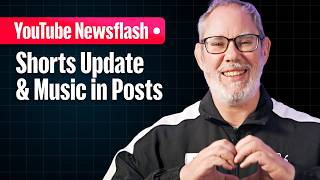

YouTube Shorts: Heart vs Thumbs Up
35sControversial change from thumbs up to heart icon sparks debate about platform evolution and user sentiment.
▶ Play Clip"Title accurately describes the update; the video delivers exactly what it promises."
YouTube is rolling out a major update to Shorts, introducing a clear screen mode, replacing the thumbs-up with a heart icon, retiring the dislike button, adding 2x playback speed, a mute button, and licensed music for carousel posts. YouTube Studio also gets account status and streamlined content tabs for creators.
Temporarily hides all icons and text on the Shorts player for a less distracting experience.
Thumbs up replaced with heart icon; dislike button removed, but 'Not interested' and 'Don't recommend channel' remain under three-dot menu.
Viewers can now watch Shorts at 2x speed and tap to mute audio.
Creators can use YouTube's library of licensed popular music in image and carousel posts in the Shorts feed.
New centralized view on mobile showing channel health, copyright strikes, monetization eligibility, and actions needed.
Notices column with icons for alert urgency, visibility column showing chosen statuses, and estimated revenue column.
YouTube's latest Shorts updates focus on improving viewer experience with cleaner UI, faster playback, and better music options, while Studio enhancements give creators clearer oversight of channel health and video performance.
What replaces the thumbs up icon on YouTube Shorts?
A heart icon.
What two buttons remain after the dislike button is retired?
Not interested and Don't recommend this channel.
What new playback speed is added to Shorts?
2x speed.
What new feature allows creators to use licensed music in carousel posts?
YouTube's library of licensed and popular music.
What does the new Account Status in YouTube Studio show?
Channel health, copyright strikes, monetization eligibility, and actions needed.
Clear Screen Mode
Addresses a common complaint about cluttered UI on Shorts.
Heart Icon and Dislike Retirement
Significant change to interaction icons, aiming to reduce confusion.
2x Speed and Mute Button
Direct response to viewer demand for time-saving features.
Account Status in Studio
Centralizes critical channel info, saving creators time.
[00:00] Heart is a new like, not interested is a new dislike, clearing the clutter, 2x playback speed, and more in this tall update to shorts. Hello Insiders, I'm Rene Ritchie, a long-time creator now working at YouTube, and here's what's up. Shorts continue to evolve thanks to viewer and creator feedback. They've gone from 1 to 3 minutes, first frame views, and gotten all types of new creative tools and interactivity. And now, if icons on the shorts player have
[00:27] just always felt less like interface affordances and more like splotches on your windshield, then good news. The new clear screen mode lets you temporarily hide all icons and text on the player, creating a more intuitive and less distracting experience on shorts. YouTube is also replacing the thumbs up icon with a heart icon, so the shorts you enjoy feel a little less and a little more or I tried. And retiring the dislike button, but keeping the not
[00:54] interested and don't recommend this channel buttons, since the functionality has come to overlap enough that it's caused confusion for viewers as to which does what and when, and ambiguity for our recommendation systems over when which is being used for what. YouTube understands how important these literally iconic icons are to creators, our community, and our culture. The goal here is to be respectful and thoughtful, while continuing to evolve and give viewers more accurate buttons under the three-dot
[01:20] menu that provide greater clarity and control over your feed. And yes, YouTube knows and keeps hearing how much viewers value time. With 2x speed, you'll now be able to take in a lot more information a lot more quickly, or get to and rewatch favorite moments even faster. And for those times when you simply can't have those moments with the volume on, you'll be able to tap the screen to pause, and tap the new mute button to
[01:47] silence. Did you just sil- Wait, are you tapping the mute button right now? I Whatever. Creators can now use YouTube's library of licensed and popular music as the tracks roll out with image and carousel posts in the shorts feed. YouTube is continuing to expand music options to help creators tell stories in even more dynamic ways. So, now, in addition to pairing a post of up to 10 images from your device's gallery in a single carousel and
[02:14] picking from thousands of royalty-free tracks from the YouTube audio library or creating custom soundtracks using Dream Track in eligible markets, creators can now use YouTube's library of licensed and popular music as those tracks gradually roll out. Plus, include text overlays directly onto images so viewers can easily follow along as they swipe through the carousel. To help creators monitor our channel health and monetization at a glance, YouTube Studio is introducing two new updates. First, account status, a
[02:41] new centralized home on the Studio mobile app for creators to check in on our channel's health. Previously, critical information like copyright strikes and monetization eligibility were spread across different sections and creators had to spelunk around Studio to find out what we were looking for. Now, everything is in one dynamic view. We can instantly see our standing, understand our eligibility, and take action if something needs our attention. Account status is rolling out to all creators on mobile
[03:08] starting this week. Next, YouTube is streamlining the content tab so creators can see video status with more clarity and less noise. The notices column puts all video alerts in one organized spot with simple icons, complete limitations, partial limitations, or informational. So, creators know exactly how urgent an alert is. If there's a snag with a video, YouTube will tell creators how to fix it. For example, if we see a limited ad earnings notice, we'll also see a
[03:35] direct prompt to appeal. Now, with this added layer of transparency, creators will know exactly how our content is rated per the advertiser-friendly content guidelines. The visibility column now only shows the statuses we've chosen, like members-only or public, so we can check our intended reach faster. A dedicated estimated revenue column shows what each video is earning. Give it a look and let me know your thoughts and questions in the comments.
⚡ Saved you 0h 03m reading this? Transcribe any YouTube video for free — no signup needed.