

Easiest Profitable Strategy for Beginners
60sOpens with a bold promise of an easy and profitable strategy, capturing attention immediately.
▶ Play Clip"Delivers on the promise of a profitable strategy with a real trade example, though some time is spent on setup details."
This video presents a density rebound strategy for crypto trading, aimed at beginners. The presenter demonstrates how to use a screener to identify profitable formations, set up workspaces, and execute trades with proper stop losses and profit targets, using a real trade example.
The video covers the density rebound strategy, considered the easiest and most profitable for beginners, including trade analysis, finding formations, entry, stop loss, and exit points.
The presenter shows how to configure the screener: select exchange (Binance, Bybit, Bitget), filter coins with densities, use blacklist for spam coins, set volume filter (0-100B), and sort by volatility with real-time updates.
Chart settings include 5-minute timeframe, 115 candles, horizontal levels with period 30 and one touch, and density settings for Binance with $400,000 minimum and 2% distance.
Hovering over a density shows a tooltip with data: density size, direction hint, and whether it's high or low. This helps decide whether to trade a rebound or breakout.
The screener can send sound and Telegram notifications for new densities, allowing traders to avoid watching the monitor constantly. Exceptions can be added to filter out fake densities.
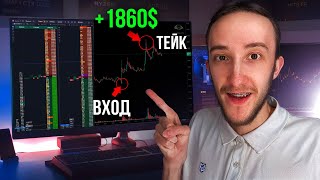
The presenter analyzes a trade on a coin with large densities. Entry was a rebound from density, stop behind density, and target at nearest resistance. The trade yielded 1.6% profit.
Additional factors: the level was spiked before entry, removing liquidity, and the density had a long erosion time (4 minutes) and long lifetime, indicating it's real and likely to hold.
The trade diary shows entry beacons, main volume, and exits. The presenter took 1.3% and earned $550, emphasizing the importance of not overstaying in a position.
The density rebound strategy, when combined with a well-configured screener and proper risk management, can yield consistent profits. The key is to identify high-quality densities and follow the tooltips for entry and exit decisions.
What are the three exchanges supported by the screener?
Binance, Bybit, and Bitget.
00:59
What is the recommended sorting method for the screener?
Sort by volatility with real-time updates.
01:39
What is the minimum density size considered for trading?
Average or high density, typically $400,000 or more.
04:48
What does the tooltip on a density indicate?
It shows the density size, direction hint, and whether it's high or low.
03:02
What is the recommended stop loss placement for a density rebound trade?
Place the stop loss behind the density.
07:46
What is the target for a density rebound trade?
The nearest resistance level.
07:00
What additional factor indicates a density is real?
Long erosion time (e.g., 4 minutes) and long lifetime.
08:42
Easiest Profitable Strategy
Claims to be the easiest and most profitable strategy for beginners, setting the stage for the tutorial.
00:03Density Tooltips
Tooltips provide critical data for decision-making, enhancing trade accuracy.
03:02Notification System
Automated alerts allow traders to act without constant monitoring, increasing efficiency.
05:14Liquidity Spike Factor
Spiking the level before entry removes liquidity, improving rebound probability.
08:12Trade Diary Success
Real trade example with $550 profit demonstrates strategy effectiveness.
10:44[00:03] density rebound strategy, this is the easiest and most profitable strategy for beginners, we will analyze my trades, I will show how to find good formations using the screen, where to enter a trade, where to place a Stop Loss, where to exit to fix profits and
[00:18] how to behave in a position for the most profitable result. I also wanted to remind you that we have a Telegram channel in which we post current updates, what we are currently working on, useful functions, features and there is also a
[00:31] chat screen in which you can view the current settings, ask a question of interest to you, point to the tank, communicate, share ideas, formation for anyone interested, links to both telegrams, I will leave in the description under the video. The first thing I would like to
[00:45] show is how to find good formations for trading from densities, a screener helps very well with this. We can create our own workspace here we select the exchange on which we trade. We have three exchanges available: Binance,
[00:59] Bybit and Bitget. Soon we will add new exchanges with which you can also trade in the formation tab. We select coins with densities further We tick the boxes so that only formations according to our strategy are shown to us,
[01:11] plus a tick to show the closest densities to the previous one that are very close. This helps us see such coins using a tick. Next, go to the filter tab. Here we can add a blacklist of
[01:25] coins. I chose such coins. These are basically the coins with spam densities, so I threw them all in so that they do not interfere. The volume filter here is from zero to 100 billion. In principle, I do not filter coins by
[01:39] volume in this workspace. I do not touch the correlation filter either. Go to the sorting tab. Here I set sorting by volatility. In principle, you can set any. But the main thing is that the sorting update frequency is
[01:51] in real time. This is necessary so that our densities are updated every second. And thus show the most relevant formations. Next, go to the chart tab. Here I have a five-minute timeframe.
[02:04] The number of candles is 115. You can customize it. As you prefer. Next, here are the horizontal levels. My period is 30. The number of touches is one. Error one lifetime zero So that I can mark good levels on which to
[02:17] rely in trend levels, I disabled densities. I have these settings, these are the settings for Binance, in which there are 400,000 dollars. The distance is 2% more, I don’t densities. And to see only those densities that are close, the
[02:33] lifetime is 5 minutes, the time is zero in the indicators tab. I set technical data about the coin here. I have the following data: correlation to Bitcoin per hour, the rest for 24 hours, and click save. As a result, we get a
[02:46] workspace in which we see at the top the closest densities pay attention to. Here in the density, we have the closest one for the pcat coin. And by the way, when hovering over a density, for example, we can hover over it
[03:02] and here we see a tooltip with all the data on the density, plus what the density is. In this case, the density is small for the Yana coin. Let's find a large one, for example, for the DK coin, here we have many densities. And here 700,000 is
[03:16] a hint written here for each density, there is a hint based on which direction to work out this density, it is very convenient here we have a high density, they are close to the level for a long time in the glass, you can consider it on the
[03:30] taking an impulse with a large number of approaches, two or more approaches to density, that is, we can wait for an approach and already break away from this density, here we see that on the pip coin there was already a rebound from the density, it was possible to
[03:43] take 1% on the neuro coin, we already had the first approach, 2% rebound, the second approach, also 2% rebound, and here a good level has already accumulated, you can even take a breakout
[03:55] in the distribution of this density that we have, you need to set a notification, my workspace is configured like this, you can also configure additional workspaces for each exchange and here in the chart settings, select
[04:07] density volumes depending on which exchange you are going to trade, workspaces, you can hover over the workspace, press Shift and click, thereby your workspaces
[04:20] will be combined and you can By the way, we've probably already posted or will post in the next few days a big update related to densities. A new tab, and in it we can already see all the densities
[04:34] from all the exchanges. And thus, we can focus our attention only on the best earn, that is, there will be a unification of all the exchanges in one space, and this is done very beautifully and conveniently. We've decided on the search for formations,
[04:48] set up the workspace, then we see the densities and click on them and see if the density is average or high, then such densities can already be considered for trading because densities are usually neither here nor
[05:01] there. You won't enter a breakout or a rebound. There are only rare exceptions when the density is small but at the same time it is large in money, and so densities can be worked out in different ways: enter a rebound, breakouts, level spikes, or
[05:14] gain from these densities, that is, a large layer of strategies around these densities. We also have notifications about new densities available in our screeners. They are very convenient to use because we can create notifications about
[05:27] new densities here. And thus, we The screener will send sound notifications and to Telegram. You can now copy my settings that are in this tab and you will receive notifications about good densities that
[05:41] we currently have on the exchange. I also added coins to the exceptions here so that they do not spam because these coins often have fake densities and so as not to be distracted by them. Also, here we have sound notifications and Telegram
[05:54] notifications available and as a result, it turns out that we can show what densities are currently available. And this is how it looks in Telegram. Here we have a notification written what the density is for which coin, all the data on the density, and also
[06:08] here it is convenient we can go to the graph, open it and see that we really have good densities from which you can go in and earn money. Here we have 700,000 - this is an average density, a hint is immediately written and 1 liter,
[06:20] half a mil, is already a high density, and also a hint on how to work out these densities, this is very convenient since with the help of notifications you don’t have to sit at the monitor and wait for all this. But you can hear just a signal notification or
[06:33] look on the phone that we received a notification and after that Pay attention only to good densities and trade them. Let's move on to working out the deal itself. What it looks like. We have a coin worth 1,000 bong. There were a
[06:46] number of densities on it, and all these densities were large. On our hourly chart, the coin was falling down. There was a short trend, and on the five-minute chart, we formed a level here, crossed it, and began to pin it, and then the formation
[07:00] looked like this: I entered a rebound from the density with the goal of pinning this level. My entry point is before the density, the stop behind the density. The goal is to take it to the nearest resistance so that we get a pin of this level.
[07:15] Let's now move on to working out the situation itself. I saw good density in the screener, opened the order book, and threw a beacon. In order to have time to place my stop further, I placed limit orders in the order book before this density so that I would be taken into the
[07:28] deal, and now I'm waiting for it to take me. We are approaching, my limit orders are gradually starting to be realized. I am looking at the reaction that will occur from the density, I see that we are gradually starting to slow down,
[07:46] Stop I have exactly behind the density But if suddenly they begin to scout out the density, then I will already exit the market when they bite off more than half of this density, but the density for this Coin is Large because it has such
[07:59] large volumes in the candles In order to have time to analyze this density well, therefore here it can be regarded as a rebound from the density and enter this transaction in this way, plus another good factor here is that before entering the
[08:12] transaction we spiked the level, that is, we removed the liquidity of those people who took a rebound from the level and now have already rested against this density and therefore it is profitable to take a rebound and enter from this density and wait for a reversal movement
[08:27] as a spike when clicking on the density, we are shown such tips here our density was at a round number 0195 the distance was very small we came right up to it the amount in dollars the amount in the number of coins the
[08:42] erosion time was as long as 4 minutes, this is quite a lot and the lifetime of the density the density was also set for us for a long time and this is an additional factor to the fact that this density is real and its exactly They won't remove it further, in our tooltip it is written that
[08:56] the density for this coin is large relative to the passing volume, it is not near the level for a long time in the glass, you can consider a rebound on the first approach now we are just the first approach to this density and have approached
[09:08] or a breakout in order to take the momentum with a large number of approaches, two or more approaches to density here we have the first scenario because we are approaching the density for the first time, so here I entered exactly at the rebound itself and with the help of
[09:20] the screen with the help of this tooltip it becomes much easier to do after which we have already had a reaction the coin bounced off the density and here we need to fix it, so I set my limit orders for closing in the glass and I
[09:33] my limit orders for closing in the glass and I fix it before this decisive structural high because we had a trend in shorts and therefore here I exited before it because most likely if our trend wants to continue, then this place
[09:46] will be defended. And thus, go into shorts, therefore, before the nearest resistance I am here and planned to exit without waiting for any grandiose goals just to take a good deal at the nearest targets according to good criteria and
[10:01] not Overpowering in the position, the coin gradually grew, taking my limit orders, and here I decided to wait for this High to cross because we had already crossed the closest High that we had, which gave a reaction. Therefore, I
[10:17] waited here for another intersection of that old High to take an impulsive plus accumulated. There is also a round 0198, and therefore I waited a little here, but here we did not go anywhere sharply, we crossed a little, it stalled in
[10:31] place, so I got out here so that also without overpowering, as a result, we had a rebound from the density of 1.6% and This is the tip we had that helps very well and increases earnings from trading. By the way,
[10:44] if you have any questions or you want to add a new function or analyze some strategy with which you can make money in the screener, be sure to write in the comments. We read all comments and take them into account in
[10:57] have support for screening available in the Telegram channel, you can also write there. Well, this is how this trade looks in the diary: green triangles in the position of the first triangle - This is mine. The beacon, the rest of the triangles - this is already the
[11:11] main volume that I entered, as a result, a reaction immediately occurred and red triangles. I had already recorded the first triangles - This is before the nearest resistance, but since we went further and crossed this High, I decided to
[11:25] take an additional movement after crossing it, as a result, I managed to take 1.3% and earn plus $ 550 from this transaction. The transaction turned out to be quite technical. I went into the screener, found a formation, looked at
[11:38] the hint, what is this density. Where is it? Is it worth working out at all? I went in, set a stop, determined the potential, the coin bounced, as a result, we made money, and the screener is very good at helping you find a good, high-quality formation with good
[11:52] criteria for trading, with the help of which we can consistently and well earn Well, this video will come to an end. Thank you all very much for watching, shake hands, have fun, have fun, thank you very much everyone, pull the green, goodbye, bye,
[12:06] bam [music]



⚡ Saved you 0h 12m reading this? Transcribe any YouTube video for free — no signup needed.